What is multilingual AI visibility tracking, and how do you do it? AI assistants answer in the language of the question and lean on sources they can read in that language. So a business can be named for an English question and missing when the same need is asked in Spanish. Multilingual AI visibility tracking means writing a separate question list for each language, running every question several times, and reading the results one language at a time.
The work of getting named in AI answers goes by AEO (answer engine optimization), AI search visibility, or simply AI visibility. You may also see it called GEO, short for generative engine optimization; it means the same thing. For businesses whose customers do not all speak English, AEO has an extra layer: the answer, the cited sources and the competitors can all change with the language of the question. A family dental practice in Houston, a restaurant in Miami, a law office in Los Angeles or a home services company in Phoenix will not see the full picture by checking English questions alone. This guide covers how multilingual AI visibility tracking is set up, how to read what it shows, and how to close the gaps it finds. If you want to see how your site reads to AI assistants today, start with the free site analysis.
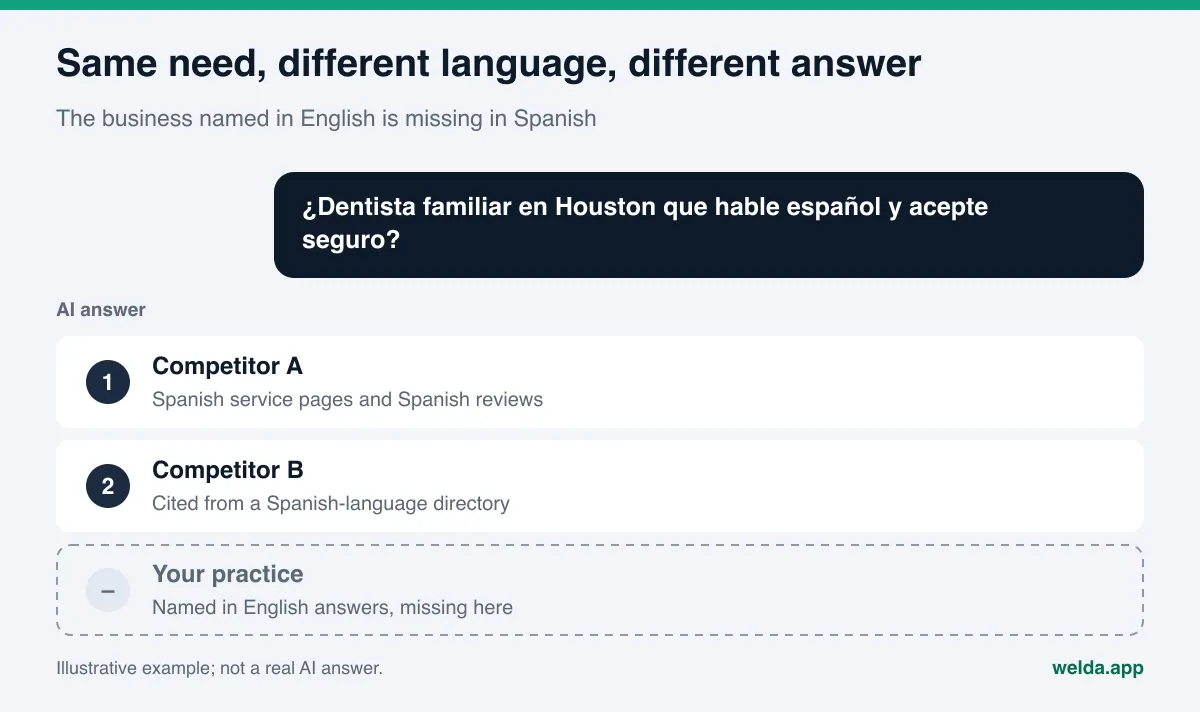
Why do AI answers change with the language of the question?
When ChatGPT, Gemini, Perplexity or Google's AI Overviews and AI Mode answer a question, they draw on two things: what the model learned in training and what it finds in a live web search. Both depend on language. A question in Spanish tends to pull Spanish-language pages, Spanish reviews and Spanish-language directories and media. A question in English pulls Google Business Profile, Yelp, BBB, Angi, Healthgrades, Tripadvisor and English-language local press, depending on the category.
The result is simple to state. If the sources about your business are strong in English, you get named in English. If there is no Spanish page on your site, no Spanish reviews, and no listing in the Spanish-language sources AI reads, a customer asking the same question in Spanish sees other names. Your service did not change. What changed is whether an AI assistant can read you in that language.
Three situations widen the gap:
- Your Spanish pages are thin or missing. A site where only the navigation is translated, while service pages stay in English, is a weak source for a Spanish answer.
- The language switches on the same URL. Google recommends a separate URL for each language version rather than switching language with cookies or browser settings, and notes that its crawler usually does not send a language preference (Google Search Central on multilingual sites). A version that only appears through browser settings may never be seen by crawlers.
- Competitors are stronger in the other language. A practice you rarely compete with in English may dominate Spanish-language directories and community sites, and win the Spanish answer.
Who needs multilingual AI visibility tracking?
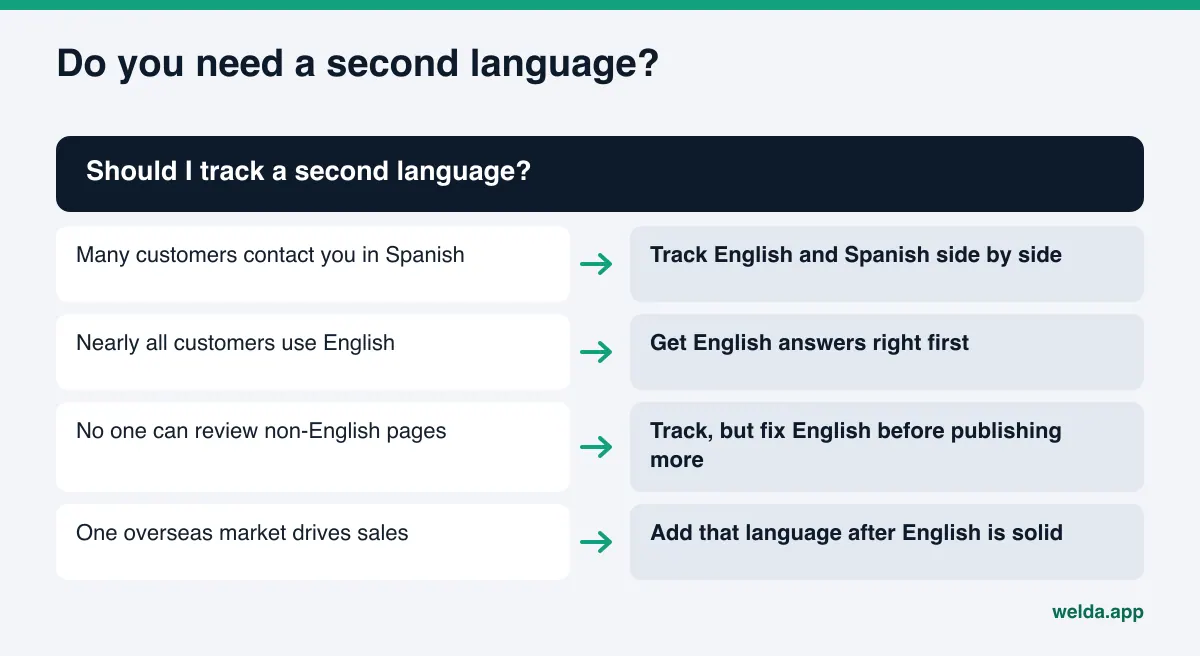
A business whose customers all ask in English can track one language and be done. But many US businesses serve customers who make decisions in another language, most often Spanish. Multilingual tracking matters most for:
- Healthcare and dental practices, legal offices, insurance and tax preparers serving Spanish-speaking communities,
- Home services, auto repair and other local trades where customers ask "who near me speaks Spanish",
- Restaurants, hotels and attractions in cities with many international visitors,
- Companies selling to buyers abroad, who research suppliers in their own language.
For these businesses, English-only tracking causes two mistakes. The first is false comfort: the English score looks fine, so nobody notices the gap a Spanish-speaking customer sees. The second is misplaced effort: time goes into English content while the real gap sits in Spanish.
How to set up multilingual AI visibility tracking, step by step
The logic is the same as single-language tracking: the questions customers would ask are put to several AI engines, several times, and you check whether your business is named. The difference is that the question list is built separately for each language and the results are read separately.
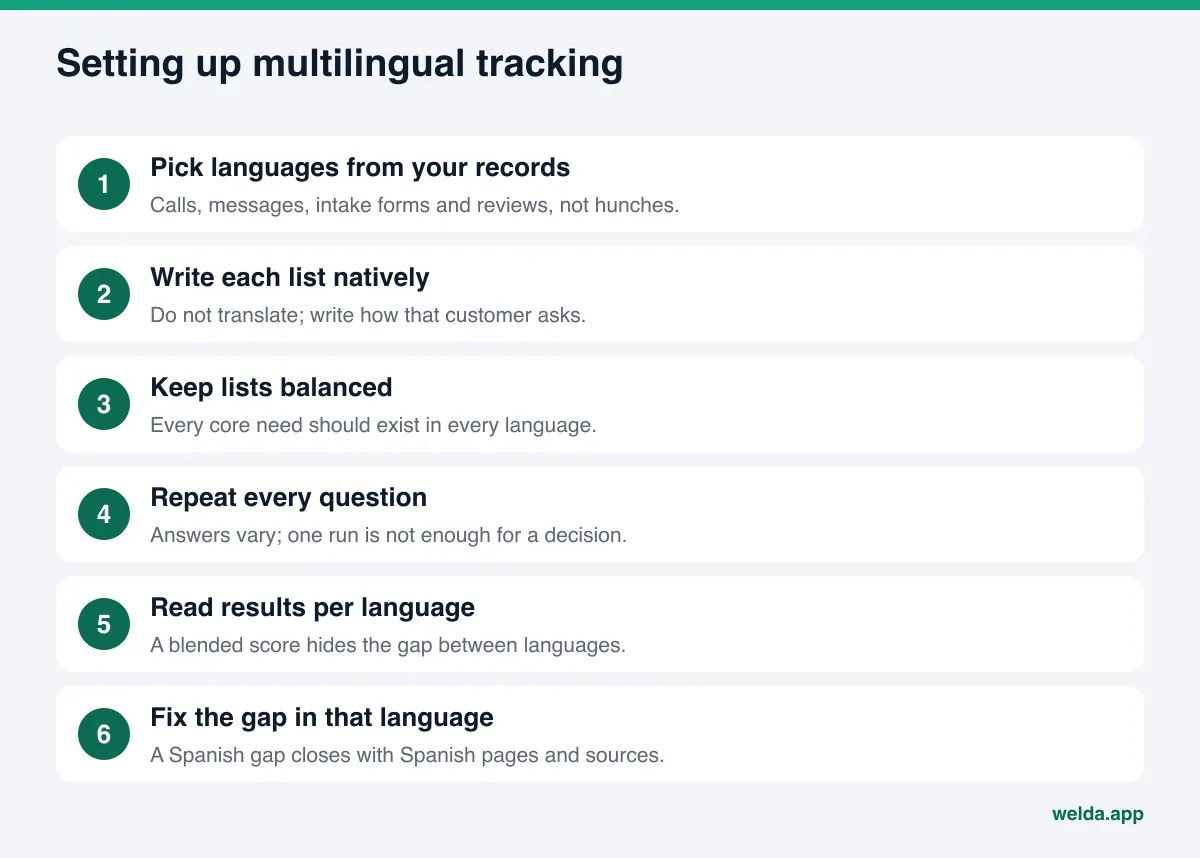
- Pick languages from your records. Look at the last few months of calls, messages, intake forms and reviews. Which languages do customers use? Decide from records, not hunches.
- Write each language's questions natively. Do not translate the English list. Write the sentence that a customer in that language would actually type. The next section shows why.
- Group questions by intent. Booking, comparison, information and price questions should exist in every language. If one language has only information questions and the other only booking questions, you cannot compare them.
- Run every question more than once. AI answers vary even for the same question. One run is not enough to make a decision; the spread across repeats gives you a margin of error. We cover this in margin of error in AI visibility tracking.
- Read the results per language. A blended average lets a strong result in one language cover up a weak one in the other.
- Fix the gap in that language, then measure again. A Spanish gap closes with Spanish pages and Spanish sources. New content usually takes weeks to show up in AI answers.
Why each language needs its own question list
The most common mistake is running the English list through a translation tool and calling it the Spanish list. That list does not reflect what Spanish-speaking customers type. An English-speaking patient might ask for "a family dentist in Houston that takes my insurance". A Spanish-speaking patient often puts language access first: a dentist "que hable español", whether the office staff speaks Spanish, whether they accept a specific insurance plan or offer payment plans.
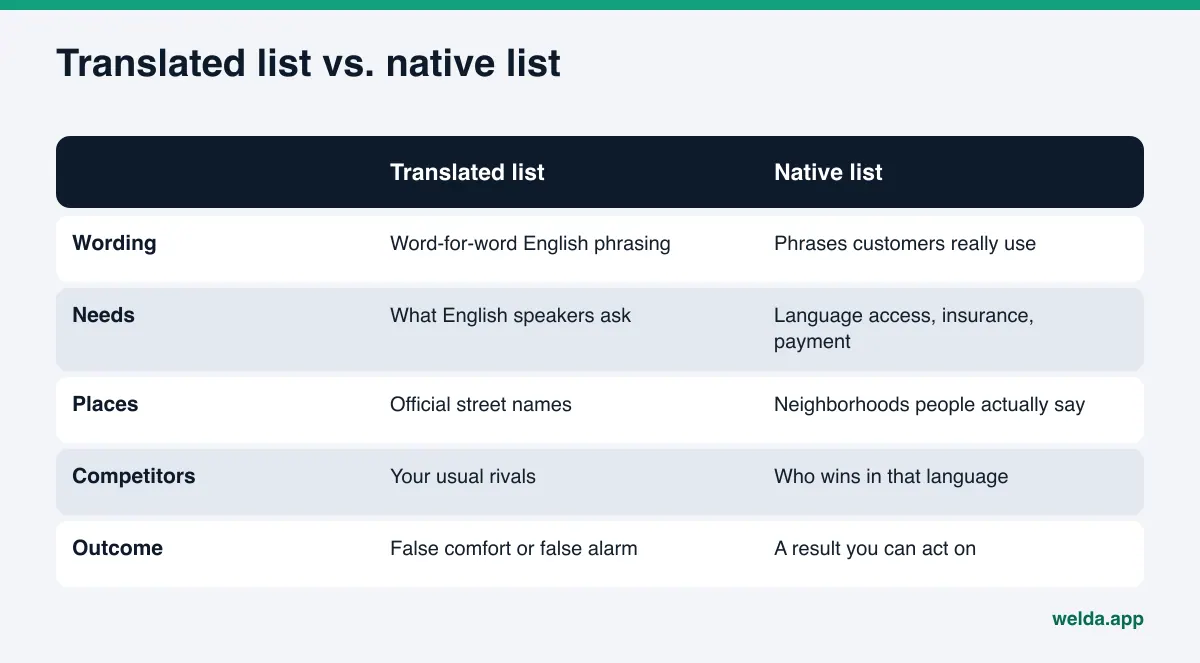
It is not only the words. The needs differ. Customers asking in Spanish frequently ask about language access, paperwork, insurance and payment options. Buyers abroad ask about minimum orders, certifications and shipping times. These questions are missing from an English list, or look very different in it.
For an example family dental practice, a few rows from the two lists might look like this:
| English question | Spanish question | Why it differs |
|---|---|---|
| Family dentist in Houston accepting new patients | Dentista familiar en Houston que hable español | Language access becomes part of the question |
| Emergency dentist open Saturday near me | Dentista de emergencia abierto el sábado cerca de mí | Same need, but sources differ by language |
| Kids dentist in Houston with good reviews | Dentista para niños en Houston con buenas reseñas | Reviews in Spanish carry more weight here |
| Dentist that takes Medicaid in Houston | Dentista que acepta Medicaid en Houston, ¿necesito cita? | Process questions are added to the need |
| Affordable dental implants Houston | Implantes dentales con plan de pagos en Houston | Payment plans rather than "affordable" |
This table is an example, not the result of any measurement or study. When you write your own list, the best source is the messages and reviews your Spanish-speaking customers already send you. The words they use there are the closest you will get to what they type into an AI assistant.
How many questions, and how balanced?
For each language, a list that covers your core services and the questions customers ask at the moment of decision is enough. Balance matters more than volume: every core need in the English list should have a counterpart in the Spanish list. That gives you a comparable result, such as "we are named on booking questions in English but not in Spanish".
Once the lists are built, avoid changing them often. If the questions change, the results change, and you can no longer tell whether a week-over-week shift came from the measurement or from your fixes. Add new questions when a new need appears, but keep the old ones for a while. The same rule applies across languages: if you keep rewriting the Spanish list while the English list stays fixed, the comparison between them loses its meaning. Keep a dated note of every list change.
Reading multilingual results, one language at a time
When a run finishes, you have each engine's answer for each question and whether your business was named. Reading those results by language tells you far more than one total score. The table below lists common patterns and likely causes.
| What you see | Likely cause | First thing to do |
|---|---|---|
| Named in English, never in Spanish | No Spanish page or Spanish source AI can read | Spanish service pages on their own URLs |
| Named in Spanish on one engine only | A single Spanish source mentions you | Check which sources the other engines cite |
| Named in Spanish, but last in the list | Competitors have more Spanish reviews and listings | Find the topic and source the competitor wins on |
| Missing on booking questions in both languages | Hours, services or insurance details are unclear | State those facts plainly on the site |
| Results swing a lot week to week | Too few repeats, high variance | Keep repeats steady, read the margin of error |
Read competitors by language too. The businesses you compete with in English answers and the ones that lead Spanish answers are often not the same. A practice you have never seen in English search may lead the Spanish answer because Spanish-language community sites mention it. How to find which topic and which source a competitor wins on is covered in AI competitor analysis.
Example scenario: the first month of two-language tracking
The scenario below is an example. It does not describe a real business or a real measurement. It shows what kind of workflow two-language tracking creates.
An example home services company knows from its call logs that many customers prefer Spanish. It has an English question list already. To build the Spanish list, it reads recent Spanish messages and reviews and pulls out the phrases customers use: "presupuesto gratis", "técnico que hable español", "servicio el mismo día". From these it writes Spanish questions for booking, comparison and information intents, making sure every core need has a counterpart in both languages.
The first run shows a clear pattern. On English booking questions the company is named on most engines. On Spanish questions it is named once, on one engine. Looking at the answer details, the Spanish answers rely on a few Spanish-language directories and community pages where the company has no listing. Its Spanish site is a single landing page; the service area, pricing approach and same-day policy exist only in English.
The to-do list follows from that: Spanish service pages, a Spanish FAQ, Spanish replies to Spanish reviews on Google Business Profile, and completing the missing directory listings. A few weeks later the same Spanish questions are run again. If the change is larger than the margin of error, it counts as progress; if not, the company waits for the next run. Little changes on the English side, because the gap was never there.
The lesson: English-only tracking would have shown this company as "doing fine". Two-language tracking showed where the effort should go.
How to close a gap in one language
Tracking tells you which language, which question and which source is missing. The fix happens in that language. Improving English pages does not close a Spanish gap.
On your site
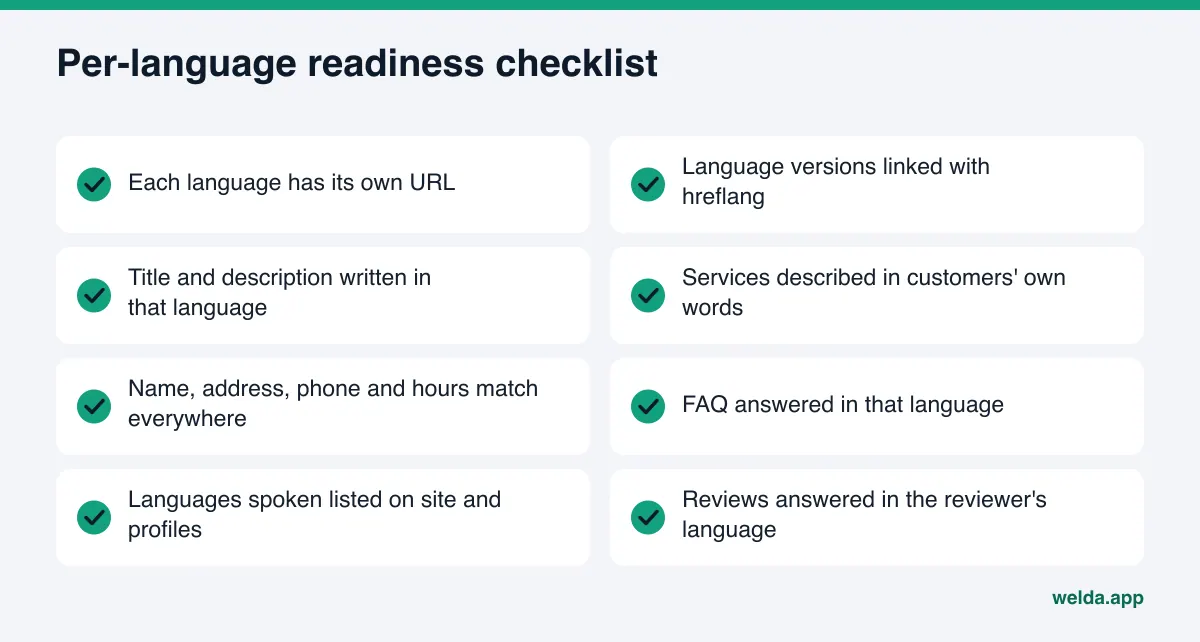
Each language version should live at its own URL, for example under /es/, and the versions should point to each other. Google uses hreflang annotations for this; they can go in the page head, in HTTP headers or in the sitemap, and an x-default value can name a fallback page for visitors whose language does not match any version (Google Search Central on localized versions). Beyond that, the Spanish page's title, description, service descriptions and FAQ should be written for Spanish-speaking readers. If you use machine translation, have a fluent speaker review it before it goes live.
Off your site
Your Google Business Profile description, replies to Spanish reviews in Spanish, and the directories and community sites Spanish-speaking customers use are frequent sources in Spanish answers. Which sources matter depends on your category and city. Rather than guessing, look at the sources the measured answers actually cite.
How Welda handles multilingual AI visibility tracking
Welda is software that measures where a business appears in AI answers and fills the gaps on the business's behalf. In the Welda panel, the question language can be set to English or Turkish. The panel is in early access and is opening first in Turkey, so a US business should read this section as a description of how the measurement works, not as something available to it today. Regular four-engine tracking is being added during early access, and the sample screens in the panel use representative data. What anyone can use today is the free site analysis, which works in English and German.
The questions view: one row, one question, one language
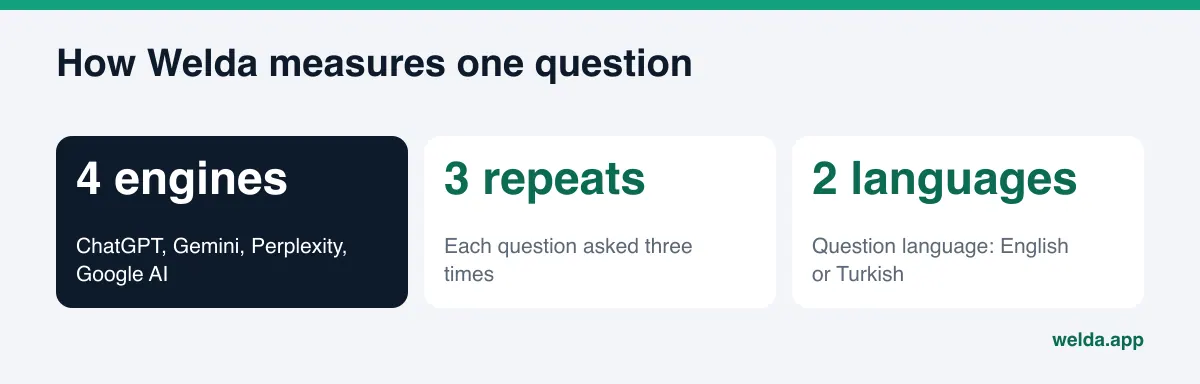
In Welda, every question is asked three times on ChatGPT, Gemini, Perplexity and Google AI. The questions view shows each question as a row: for each of the four engines, whether your business was named and in which position. Click a row and you read the answer itself and the sources it cites. Because each question is written in one language, the rows read cleanly as "the English side". If you also track Spanish by hand, keep the same questions in the same order in your own log, and the two can be read side by side: named on three of four engines for the English wording, on none for its Spanish equivalent.
The score formula is open: 100 × (0.5 × share of questions where you are named + 0.3 × position score + 0.2 × share against competitors). The spread across the three repeats produces a ± margin of error. That matters for comparing languages: if the difference between two languages is smaller than the margin of error, it should not be read as a real gap. We cover how this rolls up into one view in AI visibility dashboard.
Sources and competitors: where the gap lives
The sources view shows the sites AI assistants draw on and whether you are missing from them. The competitors view shows which topic a competitor wins on and which source carries it. Together they separate a site problem from an outside-source problem. If English answers keep citing the same few directories and you are not listed there, the work is in those listings, not on your homepage.
Fixes, and what stays with the business
Based on what it finds, Welda drafts page content, profile text and review replies, with ready-to-use text next to each task. On WordPress sites it connects through a separate Editor user and application password, without installing code, and opens content as a draft on your site; approval to publish stays with you. Content always lives on your own site. Welda does not write facts it does not know; things like which languages your staff speaks are asked of you.
Limits: what Welda does not do
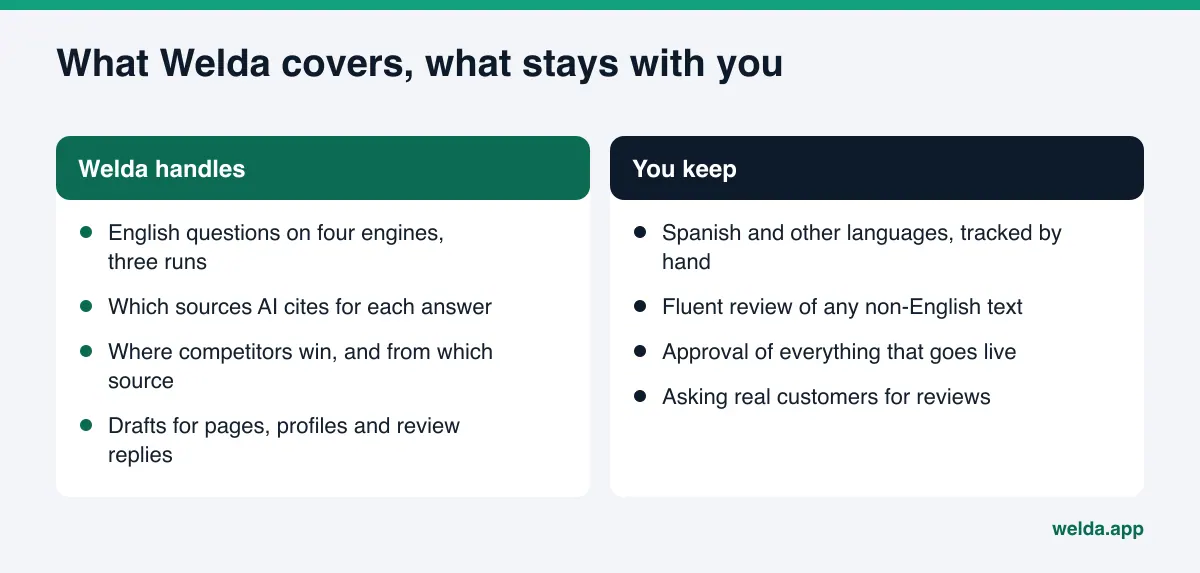
- Question language is English or Turkish. Spanish, Chinese, Vietnamese or any other language is not measured in the panel. If many of your customers ask in Spanish, you will need to track those questions by hand for now, with a fixed list and repeats. The trade-offs are covered in manual ChatGPT checks vs tracking tools.
- No ranking guarantee and no promise to "get you into ChatGPT". No tool controls what an AI assistant says; tracking shows where you stand and how it changes.
- Not a translation service. Welda can draft text, but a fluent review of any non-English page is the business's job.
- No fake reviews. If you lack reviews in a language, the answer is asking real customers.
- Negative reviews, directory accounts and press work stay with you.
- Changes take time. New content usually takes weeks to show up in AI answers. Leave a few weeks between runs.
Businesses with several locations face the same question per location: one branch may serve mostly Spanish speakers, another mostly English. See multi-location AEO for how to handle that.
Checklist: are you ready for multilingual AI visibility tracking?
Answer these before you start. If most are "yes", a second language will give you real decision data.
- Have you received calls, messages or bookings in another language in recent months?
- Does your site's second language live at its own URL?
- Do those pages state services, insurance or payment options, and location clearly?
- Can you pull customers' own wording from messages and reviews?
- Is there someone fluent who can review and approve the text?
- Can you set aside time to read results per language and act on the gaps?
Frequently asked questions
Should I translate my English questions to track Spanish?
No. A translated question is not what a Spanish-speaking customer actually types. Write each language's questions separately, in that customer's words and priorities. Messages and reviews from those customers are the best source.
If my English results are good, will Spanish be good too?
Not necessarily. AI assistants answer in the language of the question and lean on sources they can read in that language. Strong English sources and weak Spanish sources can produce very different results, and you only see that by tracking both.
Which question languages does Welda track?
In the Welda panel, the question language can be English or Turkish. Other languages are not measured. The panel is in early access and is opening first in Turkey.
Do I need a separate website for each language?
No. One site with a separate URL for each language is enough. What matters is that the versions are linked with hreflang and that the language does not switch on the same URL based on browser settings.
How long until a fix shows up in another language?
New pages or sources usually take weeks to show up in AI answers. Run the same questions again a few weeks after a change and read the difference together with the margin of error.
Does the free analysis work for an English-language site?
Yes. The free site analysis works in English and German. It reads your homepage and a few inner pages the way Google and AI assistants do, and lists each gap, why it matters and how to fix it. It is free once per site and does not replace ongoing tracking.
Where to start
Multilingual AI visibility tracking is how a business with customers in more than one language sees the real picture. The first step is knowing how your site reads to AI assistants today: whether AI crawlers can get in, whether your title and description are clear, whether your business details and FAQ are in place. Run the free site analysis to get a score out of 100 and a fix for each gap. The full Welda panel is in early access and opening first in Turkey; pricing is discussed in an early access conversation.