How do I show up in Meta AI business recommendations? Meta AI is the assistant built into Facebook, Instagram, WhatsApp, Messenger and the Meta AI app, and Meta says it can search the web to give recommendations. To be one of the businesses it names, your site, your social profiles, your Google Business Profile and your review listings need to describe the same business in the same clear, current terms. Nobody can guarantee a spot in those answers; what you can do is make sure the sources an assistant relies on are complete and consistent.
Why Meta AI business recommendations deserve their own plan
When US business owners think about AEO (answer engine optimization), they usually think about ChatGPT, Gemini, Perplexity and Google's AI Overviews. You will also see the same work called GEO, short for generative engine optimization; in the US, AEO is the term most people search for, and both describe the same goal: getting named when an AI assistant answers a customer's question.
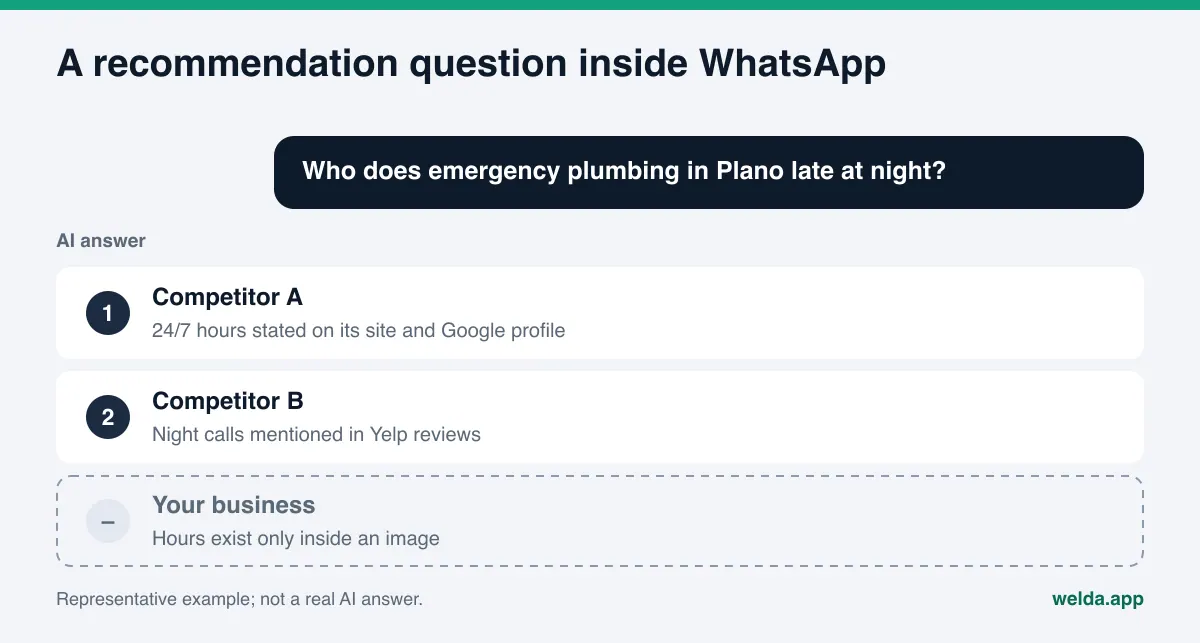
Meta AI sits in a different place from those tools. Customers do not have to open a separate app or visit a search page. The assistant lives inside the apps they already have open all day. Someone planning a Saturday in a family group chat can tag the assistant and ask for "a kid-friendly brunch spot in South Austin with outdoor seating." Someone scrolling Instagram can type a question into the search bar and get an AI answer back.
Meta has been explicit about the recommendation use case. When it launched the standalone Meta AI app in April 2025, the company wrote that, "with the ability to search across the web," the assistant can help people get recommendations and research topics (Meta Newsroom, April 2025). The same announcement noted that some features, such as personalized responses, started in the US and Canada. For a US business, this is not a future channel. It is already in your customers' pockets.
What changes for you is the format. Your customer hears about you inside a conversation, as a short recommendation of two or three names. There is no results page, no position eleven, no "next" button. Either your business is in those few lines or it is not. If you want to know where your site stands before you change anything, the free site analysis reads your homepage and key pages the way Google and AI assistants do, lists every gap it finds, and explains how to fix each one. It is not a Meta AI measurement, but it shows the state of the basic information every assistant, Meta AI included, depends on.
What Meta AI likely needs to know before it recommends you
Meta does not publish a detailed list of which sources Meta AI weighs when it recommends a local business, and we have not found an official document that explains it. What Meta has said is that the assistant can search the web. That means a local recommendation can draw on current web content, not only on what the underlying model learned in training.
The practical takeaway is not a formula. It is a checklist of what any assistant has to know before it can name you with confidence:
- That you exist: your business name, street address and service area, stated in plain text.
- What you actually do: not "quality service" but "24-hour emergency plumbing in Plano and Frisco" or "family dentistry in Naperville with Saturday hours."
- That your details are current: hours, phone number, whether you are open. Stale information is a common reason assistants describe a business wrongly.
- What other people say about you: reviews on Google, Yelp, Tripadvisor or Angi, your BBB profile, mentions in local press and trade directories.
- That it all matches: the same name, address and phone number on your site, your Facebook page, your Instagram bio and your Google Business Profile.
Most of this overlaps with what you would do for ChatGPT or Google's AI features. If you want the deeper mechanics of how assistants pick the pages they quote, our guide on how to get cited by AI covers that side in detail.
Can Meta's crawlers reach your site?
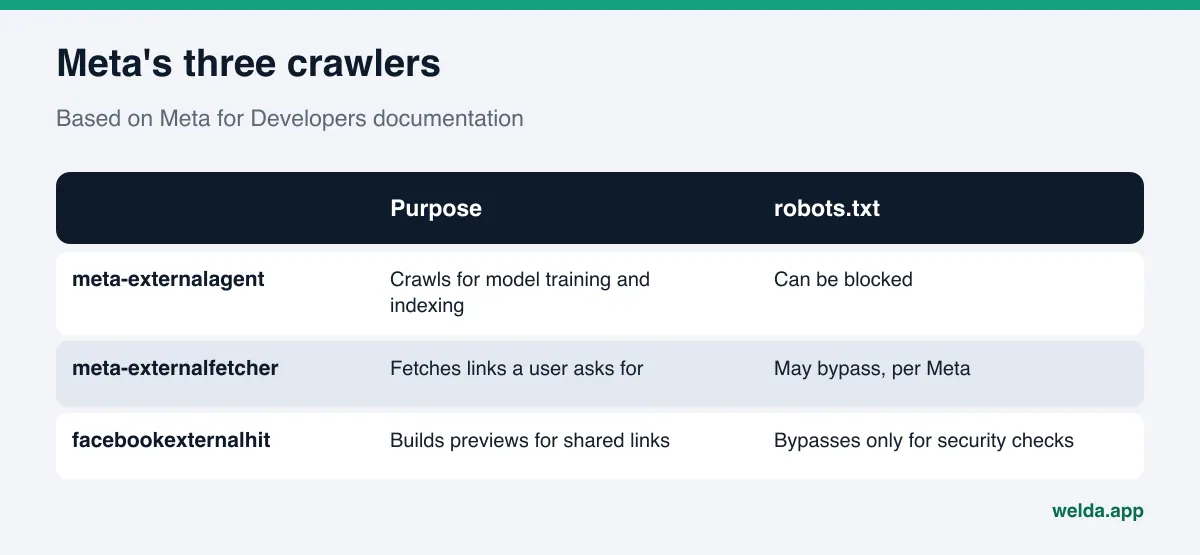
This is the most concrete technical question in the whole topic, and you can answer it in five minutes. Meta lists its web crawlers by name in its developer documentation (Meta for Developers, web crawlers). According to that page, there are three you should know:
| User agent | What Meta says it does | Relationship to robots.txt |
|---|---|---|
meta-externalagent | Crawls the web for uses such as training AI models or improving products by indexing content directly. | Can be blocked with a robots.txt rule. |
meta-externalfetcher | Fetches individual links when a user asks for them. | Meta says it may bypass robots.txt because the fetch is user-initiated. |
facebookexternalhit | Fetches the title, description and thumbnail for links shared on Meta apps. | Meta says it may bypass robots.txt only for security or integrity checks. |
Open your robots.txt file (yourdomain.com/robots.txt) and look for any of these names. Security plugins, CDN settings and some hosting dashboards now include one-click options to block AI crawlers, and it is easy to switch one on without realizing it. Blocking meta-externalagent is a legitimate choice if you do not want your content used for model training. Just make that choice on purpose. Meta does not explain how a robots.txt block affects recommendations, and we will not guess.
The free analysis checks whether AI crawlers can access your site through robots.txt and tells you exactly what it found. It also looks at page speed, which matters because crawlers work on time budgets; our article on site speed and AI crawlers explains why.
Step by step: getting ready for Meta AI business recommendations
These steps are things an owner or office manager can finish over a few weeks without a developer for most of them. The order matters: first make sure the assistant can identify you correctly, then give it reasons to pick you.
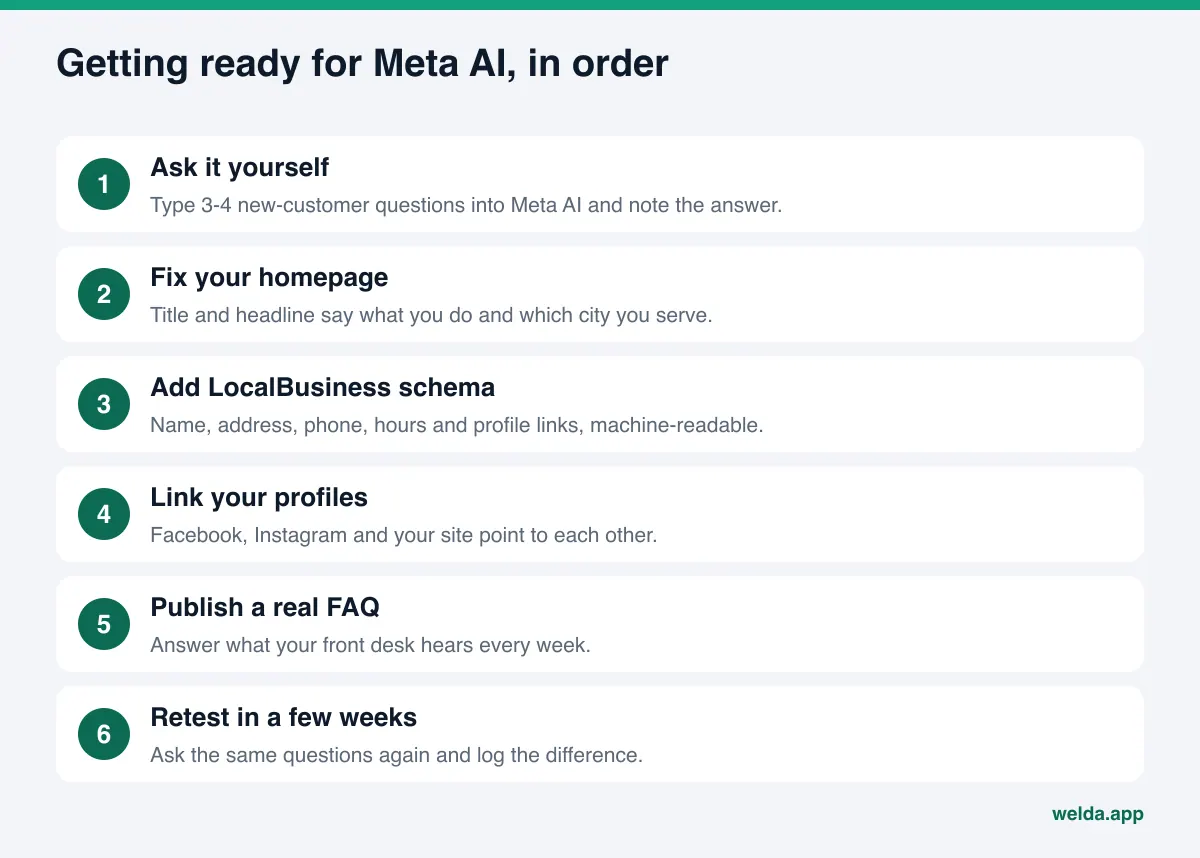
- See today's answer for yourself. Open Meta AI in WhatsApp, Instagram or the Meta AI app and ask three or four questions a new customer would ask. "Who does same-day AC repair in Mesa?" "Best place for a quiet anniversary dinner in Charleston?" Write down whether you are named and whether the details are right. Treat it as a snapshot; the same question can get a different answer later.
- Rewrite your homepage title and headline. Say what you do and where. "Emergency Plumbing in Plano and Frisco, Open 24/7" beats a slogan every time.
- Add LocalBusiness schema. Structured data gives machines your name, address, phone, hours and social profile links in a format they can read without guessing. Use the most specific business type that fits.
- Connect your Facebook page and Instagram account to your site, both ways. Put your website in your bio and link to your profiles from your site footer. Two-way links help show that both sources describe the same business.
- Clean up your Google Business Profile. Hours, primary category, services, photos. It is one of the sources assistants can draw on for local questions, and it is fully under your control.
- Publish a real FAQ. Take the ten questions your front desk answers every week and put short, direct answers on your site. Do you take walk-ins? Is there parking? Do you accept insurance?
- Respond to reviews. Reply to positive and negative reviews on Google, Yelp and other platforms with calm, specific answers. Never buy or fake reviews. The FTC's final rule on reviews and testimonials prohibits fake reviews, including AI-generated ones (FTC, August 2024). This is not legal advice; check the rule with your own counsel if you are unsure.
- Ask the same questions again in a few weeks. Changes usually take weeks, not days, to show up in assistant answers.
Does your Facebook page or Instagram profile help?
A common assumption goes like this: "We post on Instagram every day, so Meta AI must already know us." We could not find any official statement from Meta that confirms it. Meta does not publish how, or whether, business pages feed into the assistant's recommendations. So rather than treating your social presence as a shortcut, treat it as one more place where your information must be clear and match everything else.
That still makes your profiles worth tightening, because people and web-reading systems both read them. A few specifics:
- Use the same business name everywhere. "Lakeside Dental" and "Lakeside Family Dentistry of Naperville LLC" can read like two different businesses.
- Make your bio say what you do and where. A tagline alone gives an assistant nothing to match against a question.
- Keep phone and address identical to your site and Google Business Profile.
- If you moved or rebranded, update every profile, directory and listing. Our guide to updating AI answers after a rebrand or move has a full checklist.
- Review pinned posts and highlights for claims like "best in town," guaranteed results or prices that are out of date. An assistant that quotes those lines can put you in an awkward spot.
How Welda handles this work
Start with the boundary: the Welda dashboard measures four AI engines, ChatGPT, Gemini, Perplexity and Google AI. Meta AI is not one of them. Welda does not report "you were named in Meta AI for this question." We say that plainly because it would be easy, and wrong, to imply otherwise.
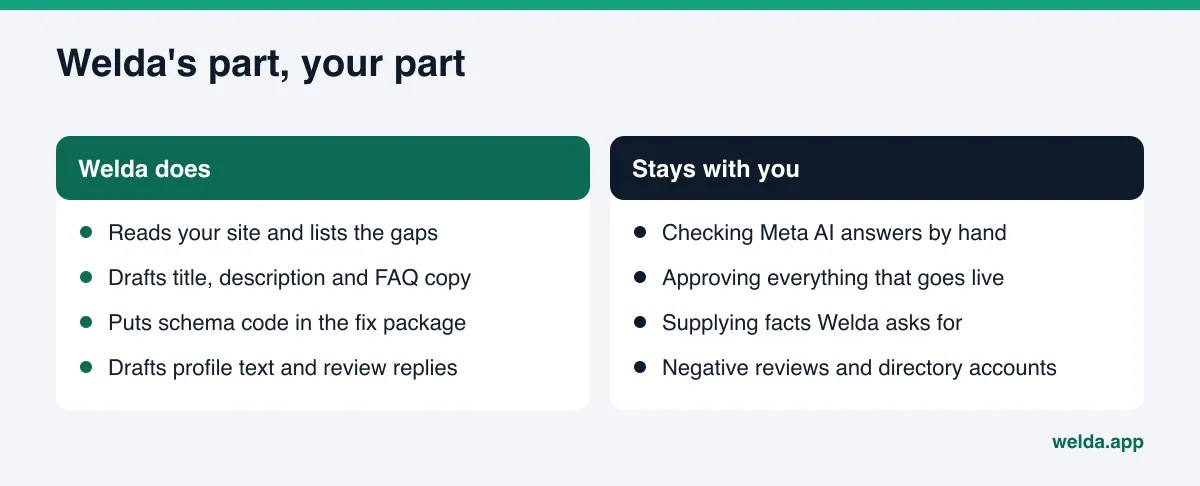
What Welda does for Meta AI is fix the shared foundation that every assistant reads. Two parts of the product line up with this topic directly.
The free site analysis. It reads your homepage plus a few inner pages (services, pricing, about, contact) and checks most of what this article covers: whether AI crawlers can get in through robots.txt, your title and meta description, your main headline, your business schema, whether your address and phone appear in plain text, whether your social and map profiles are linked from your site, whether you have an FAQ, and what trust signals are on the page. If your Facebook page or Instagram account is not linked from your site, the report flags it, says why it matters and shows the fix. You also get ready-to-use homepage copy (title, description, headline, intro paragraph and FAQ), a fix package to add to your site with the schema code included, and a simulation of how much each fix could move your score. The analysis runs in English and is free once per site.
The to-do list and profile connections in the dashboard. In the dashboard, you can connect Facebook and Instagram. Welda drafts profile text and review replies, and nothing goes live until you approve it. If an account is not connected, the task shows up as a manual item with the ready text next to it: copy it, paste it into your profile, mark it done. If a fact is missing from your site, say your weekend hours, Welda does not invent it. It asks you.
The rest of the dashboard touches this topic indirectly. The questions view shows, question by question, whether your name appears in the four engines Welda measures; the sources view lists the sites those engines draw from and where you are missing. Those gaps are useful hints for Meta AI too, but they are not data about Meta AI's answers. For Meta AI, you check by hand.
Here is what stays with you: the manual checks in Meta AI, approving anything that gets published, filling in the facts Welda asks for, and applying fixes on platforms that are not connected.
One fact about availability, stated once: the Welda dashboard is in early access and is opening first in Turkey. Regular four-engine measurement is being added during early access, and the sample screens show representative data. The free site analysis works in English and German and is the part anyone can use today. Pricing is discussed in the early access conversation.
What Welda does not do, and the limits of this work
- No Meta AI tracking. The dashboard covers ChatGPT, Gemini, Perplexity and Google AI. The one-time test inside the free analysis asks five customer questions to an AI assistant that can search the web; that assistant is not Meta AI.
- No guarantees. Welda does not promise you will appear in Meta AI or any other assistant, and it does not measure rankings.
- No made-up facts. Missing information is asked for, never filled in by guesswork.
- No fake reviews. Welda drafts replies to reviews. It does not write reviews.
- Some work stays with you. Handling negative reviews, setting up directory accounts and press outreach are the business's job. For the reputation side, see our guide to AI reputation management.
- It takes time. New content usually takes weeks to show up in AI answers.
Meta AI vs. ChatGPT and Google: what is actually different?
Most of the work is shared, but the channels are not identical. The table below summarizes what matters in practice. Where Meta has not published details, we say so.
| Question | Meta AI | ChatGPT, Gemini, Google AI |
|---|---|---|
| Where customers use it | Facebook, Instagram, WhatsApp, Messenger, Meta AI app and web | Their own apps and the Google results page |
| Web access for recommendations | Meta says the assistant can search across the web | Web search modes available |
| Which sources get which weight | Not published in detail | Partly visible through cited links |
| What you control | Your site, robots.txt, social profiles, Google Business Profile, review replies | The same list |
| Regular tracking in Welda | None; check manually | Four engines, three runs per question |
For most small businesses, the efficient path is to strengthen the shared foundation instead of building a separate Meta AI playbook. The same logic applies to Microsoft's assistant; we cover it in getting your business into Microsoft Copilot answers.
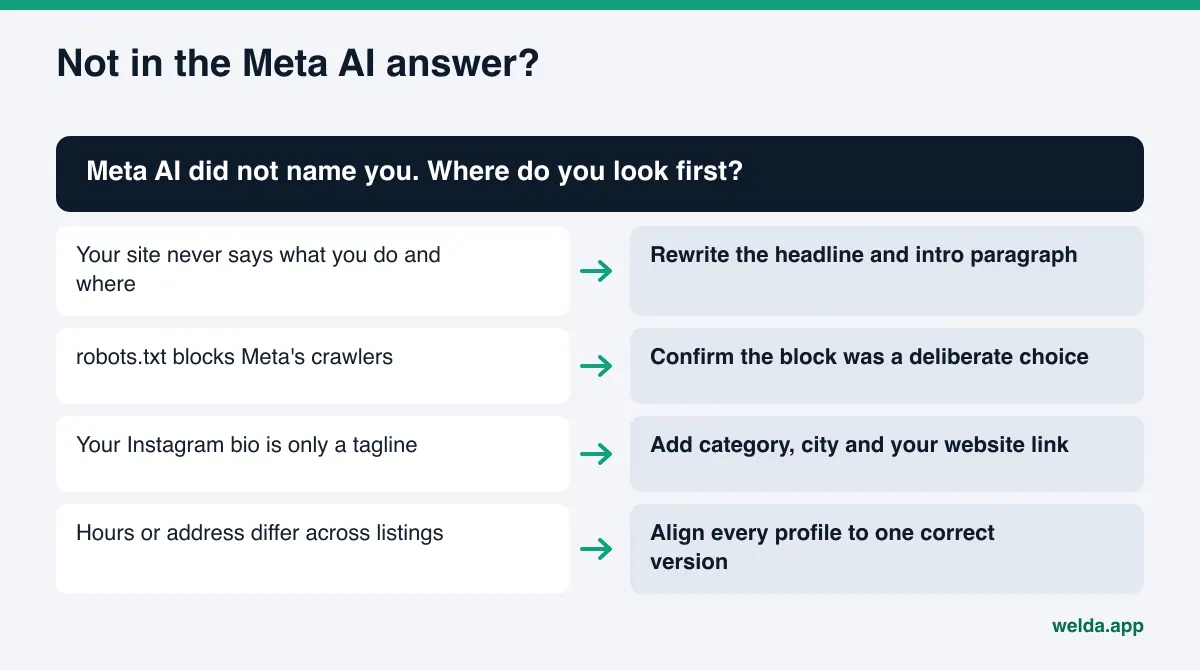
Example: a neighborhood bakery prepares for Meta AI
This is an example scenario, not a real business. Picture a small bakery in Columbus, Ohio, that opens at 6:30 a.m. and is known for sourdough and cinnamon rolls. Its Instagram is active and the photos are great, but the bio just says "Bread, the way it should be." The website is a single page, and the address only appears inside an image in the footer.
The owner asks Meta AI in WhatsApp, "Where can I get good sourdough in Clintonville?" Two other bakeries come up. Hers does not. That is one observation, not a verdict. But it points to where to start:
- The Instagram bio becomes "Sourdough and cinnamon rolls in Clintonville, Columbus. Open daily at 6:30 a.m." plus the website link.
- The homepage title and headline are rewritten to say the same thing, and the address moves from an image into plain text.
- LocalBusiness schema is added with name, address, phone, hours and the Instagram and Facebook links.
- The Google Business Profile category and hours are checked, and recent Google and Yelp reviews get replies.
- A five-question FAQ goes on the site: "What time is sourdough ready?" "Do you take pre-orders?"
- Four or five weeks later, the owner asks the same question again and writes down the result.
None of these steps is a Meta AI trick. Each one makes the basic facts about the bakery easier for any assistant to find and trust. The same fixes help in ChatGPT and Google's AI Overviews too.
Which questions should you test in Meta AI?
The most common mistake in manual checks is asking about yourself by name. "Is Lakeside Dental any good?" is a question from someone who already knows you. The question that matters is the one from a customer who does not. Build your test list from four kinds of questions:
- Need plus place: "Where can I get a quick lunch near the Pearl District?" This is how most searches start.
- A specific condition: "Locksmith open Sunday in Tempe," "pet-friendly hotel near Asheville," "wheelchair-accessible coffee shop downtown." Businesses that state these details clearly have a better chance of matching.
- Comparison: "Which salon in Scottsdale is best for bridal hair?" Here an assistant may lean more on reviews and what others say.
- Information: "How long does a crown take?" "How long does sourdough stay fresh?" Your FAQ can serve as a source for these.
Write questions the way customers type them: short, a little messy, with a neighborhood name. Keep a simple sheet with three columns: were you named, who else was named, and were the facts right. Fill it in again a few weeks later. Do not draw conclusions from a single answer. For Meta AI, this sheet is the most concrete measurement you have.
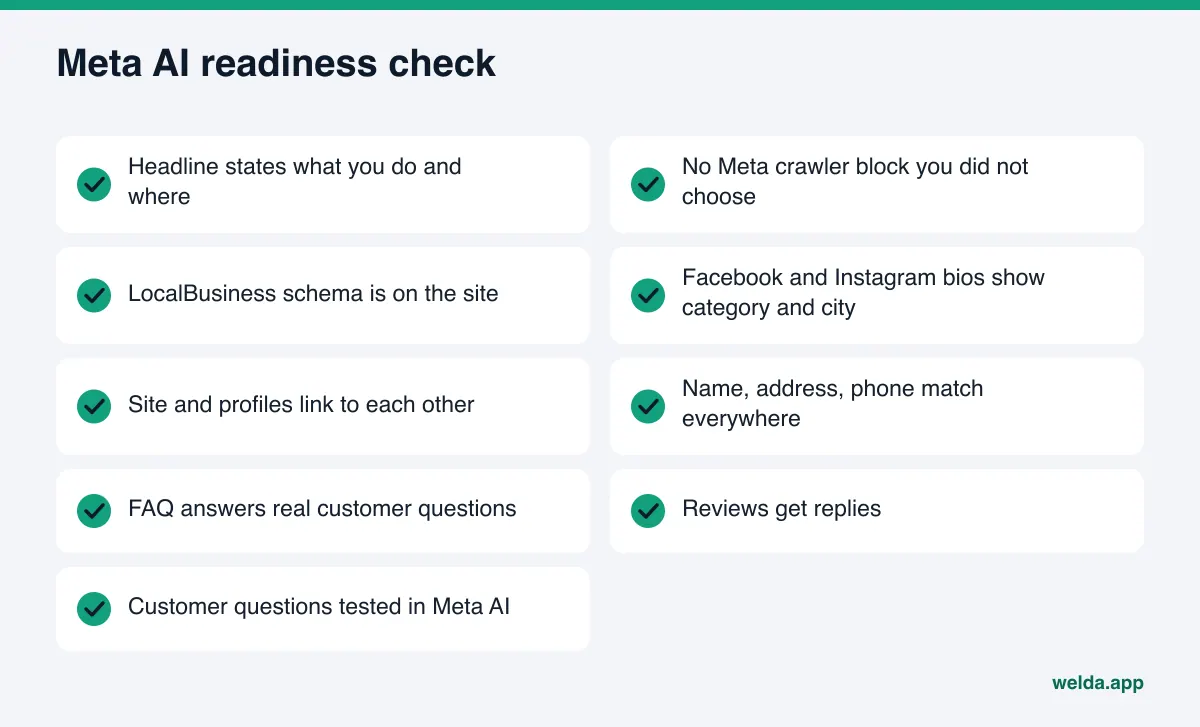
Checklist: are you ready for Meta AI?
- Your homepage headline says what you do and where.
- Your robots.txt has no Meta crawler block you did not choose.
- LocalBusiness schema is on your site with correct address and hours.
- Your Facebook and Instagram bios state your category and location.
- Your site and social profiles link to each other.
- Name, address and phone match everywhere.
- Your FAQ answers real customer questions.
- You reply to reviews.
- You have asked Meta AI your customers' questions at least once.
The free analysis checks most of the technical items on this list for you. Our walkthrough on how to read your AI visibility report explains each section.
Frequently asked questions
Is Meta AI available in the US?
Yes. Meta AI is available in the US across Facebook, Instagram, WhatsApp, Messenger, the Meta AI app and the web, and some features, such as personalized responses, started in the US and Canada. Feature availability can differ by app and account.
Can I pay to appear in Meta AI recommendations?
We found no official information that Meta sells placement inside assistant answers. Keep ads and assistant answers separate in your planning. This article covers only the unpaid work of fixing your own information.
Is posting a lot on Instagram enough?
Nothing official says it is. A clear bio that states what you do and where, linked to a site with matching details, likely matters more than posting frequency.
If I block Meta's crawler, will I drop out of recommendations?
Meta does not explain how robots.txt choices affect assistant recommendations. meta-externalagent crawls for purposes such as model training and indexing; blocking it is a business decision. Make it on purpose and check the result by hand a few weeks later.
Does Welda track my visibility in Meta AI?
No. The Welda dashboard tracks ChatGPT, Gemini, Perplexity and Google AI. Welda's contribution to Meta AI is fixing the site and profile information every assistant reads.
How long until changes show up?
Usually weeks. Be cautious with anyone who gives you an exact date.
Next step: fix the foundation first
Meta AI business recommendations happen inside the apps your customers already use every day, which is why they matter. But there is no public playbook for how the assistant picks businesses. The solid move is to make your site, your social profiles and your local listings clear, current and consistent, then test your customers' questions in Meta AI yourself and track the answers over time.
Start by seeing how your site looks to AI today. Run the free site analysis to get your score, the gaps it found and a ready fix for each one in a single report.