What is Shopify AEO, and where should a store owner start? Shopify AEO is the work of getting your store named when shoppers ask ChatGPT, Gemini, Perplexity or Google's AI Overviews for a product, a brand or "a store I can trust." Start with three things: make sure AI crawlers can reach your store, make the store explain who you are and what you sell in plain text, and keep the same facts consistent on the outside sites AI reads.
AEO stands for answer engine optimization. You may also see the same work called GEO, for generative engine optimization; it describes the same goal, and this article sticks with AEO. Shopify makes it easy to launch a store, but it does not make your store visible in AI answers on its own. Your theme looks good, products are listed, checkout works, and an assistant can still skip you when someone asks for "a small-batch candle shop that ships fast and takes returns." The assistant is looking for text it can read about why the store is trustworthy, how shipping works, what the return policy is and who runs the business. This guide walks through how to fill those gaps inside Shopify. If you want to see how your own store reads to AI today, run the free AI visibility analysis first; it lists each gap it finds and how to fix it.
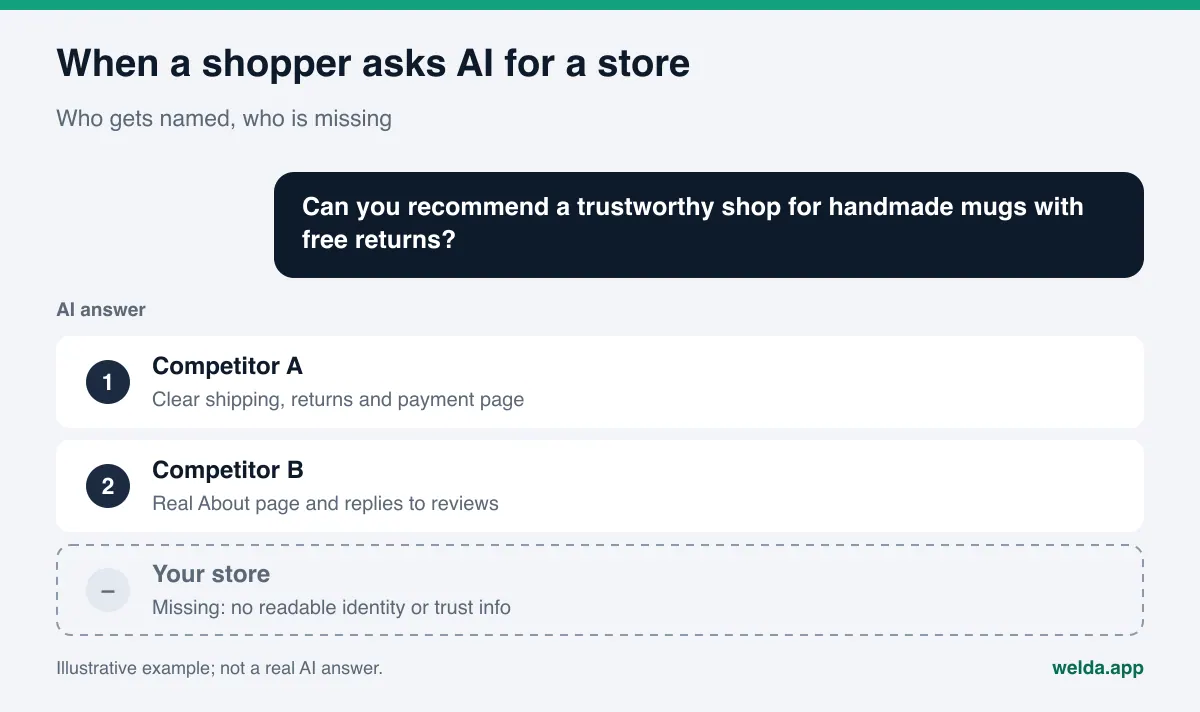
Why Shopify AEO is its own job
In a classic search, a shopper sees a page of results and shopping ads, clicks a few stores and compares. In an AI answer, they often see one paragraph and two or three brand names. If your store is not in that paragraph, the shopper can make a decision without ever visiting your site. Improving your AI search visibility comes down to getting on that short list.
Shopify stores tend to run into the same handful of problems:
- Lots of product pages, very little text. Many stores use the supplier's description or a two-line blurb. AI cannot tell who the product is for, how it is used or why someone should buy it from you.
- The store itself is never explained. The About page is empty or a single tagline. Who makes the products, where orders ship from and how long you have been selling are missing. AI looks for exactly this kind of identity information before recommending a store.
- Trust information is scattered. Shipping times sit in one place, the return window in another, and payment options only show up at checkout. The answer to "is this store legit?" is nowhere obvious on the site.
- The off-site footprint is thin. The Instagram bio has no link to the store, there is no Google Business Profile even though there is a pickup location, and complaints on BBB or Trustpilot sit unanswered. AI reads those sources too.
That is why Shopify AEO does not end with installing an app. It is a matter of text, structure and outside sources. The good news is that most of it can be done from the Shopify admin without writing code.
What shoppers ask AI about online stores
You cannot know which text is missing until you know which questions are being asked. For a typical US direct-to-consumer store, the questions tend to look like this. These are written as examples of the kinds of questions shoppers ask, not as measured data:
- "What are some small-business candle brands that ship within two days?"
- "Is [store name] legit? Has anyone ordered from them?"
- "Best online store for handmade ceramic mugs that are dishwasher safe"
- "Which online shops offer free returns on sneakers?"
- "Where can I buy sustainable kids' clothing made in the USA?"
Notice how rarely the exact product name shows up. Shoppers ask about trust, delivery speed, returns, where something is made and what kind of business it is. So for AI to recommend you, the pages that describe the store matter as much as the product pages: shipping, returns, payment options, About and Contact.
The legitimacy question deserves special attention. When someone asks whether your store is legit, the assistant pulls from your own site and from outside sources: your Google Business Profile if you have one, review platforms, BBB, Reddit threads and social profiles. If those places are empty or out of date, the answer is either vague or written by someone else.
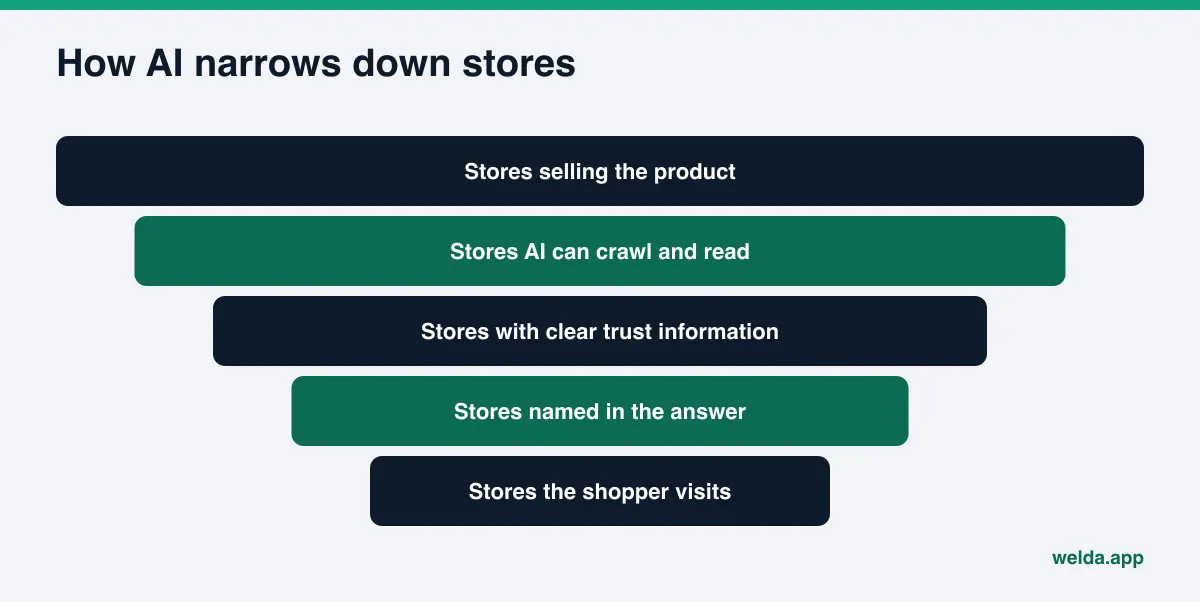
Step-by-step Shopify AEO for your store
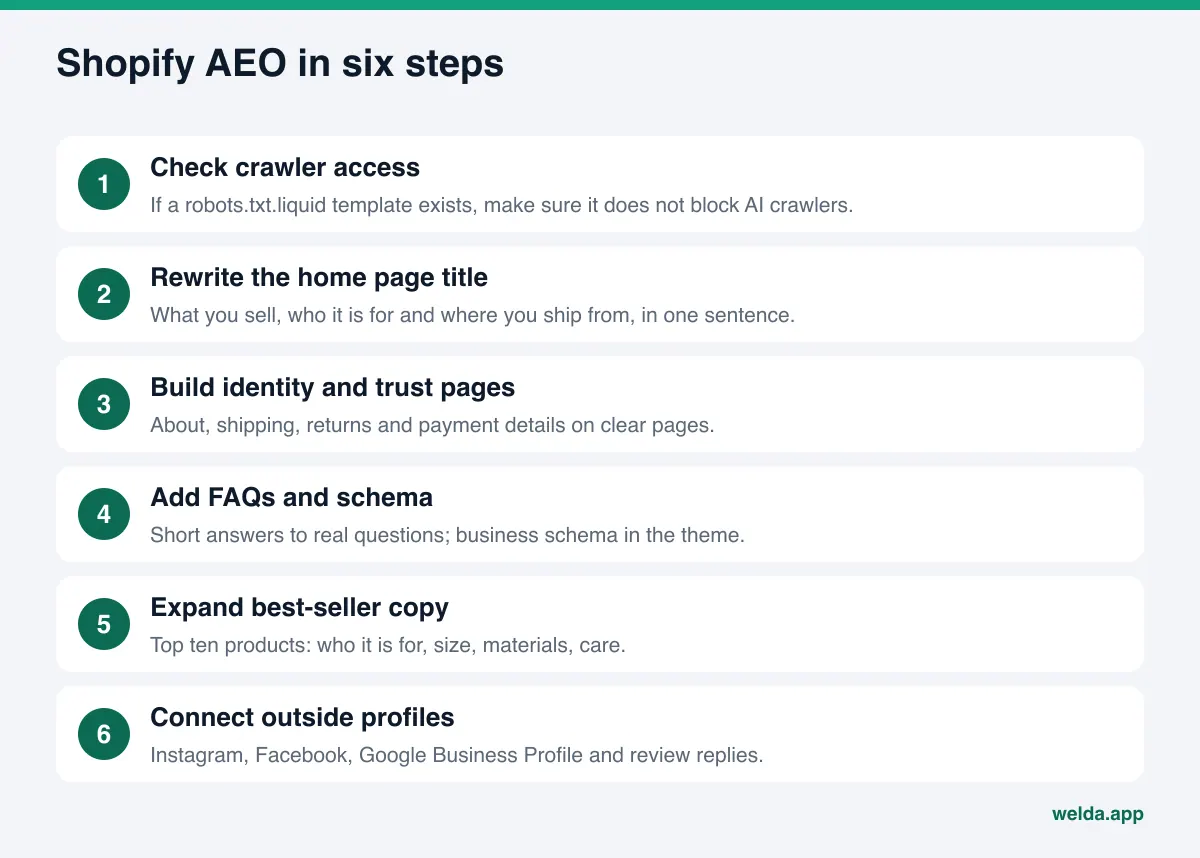
The order below is designed to close the most gaps with the least effort. Every step can be done in the Shopify admin or in your theme settings.
- Check crawler access. Shopify generates a default robots.txt file for every store. According to Shopify's guide to editing robots.txt, you can change it by adding a robots.txt.liquid template to your theme, and Shopify Support does not help with those edits. If an agency or app has already added that template, check whether a line blocks AI crawlers. OpenAI's crawler documentation says OAI-SearchBot is used to surface websites in ChatGPT's search features, while GPTBot is a separate crawler for model training. Make that decision for each bot separately.
- Rewrite your home page title and meta description. Your brand name alone is not enough. What you sell, who it is for and where you ship from should be readable in one sentence. In Shopify, this lives in your online store preferences.
- Write a real About page. Explain who you are, who makes or curates the products, where orders ship from, how long you have been selling and how to reach you. Leave out anything you cannot back up.
- Put trust information in one place. Processing time, shipping cost, delivery estimates by region, return window, exchange rules and accepted payment methods belong on a clear page. Use the same words shoppers use in their questions.
- Add an FAQ section. Turn real customer questions into headings and give short, direct answers. Answer-first content is a good method for writing this section.
- Mark up your business information with schema. Store name, logo, contact details, social profiles and return policy can be described with structured data. On the product side, Google's product structured data documentation explains which properties merchant listings and product snippets expect. Check whether your theme already outputs product data, and do not add the same markup twice. For more detail, see schema markup for AI search.
- Expand descriptions for your best sellers. Do not try to rewrite the whole catalog. Start with your top ten products: who they are for, how they are used, materials and sizing, care and a few common questions.
- Connect your off-site profiles. Add your store link to Instagram and Facebook, and link those profiles from your site footer. If you have a showroom or pickup location, set up a Google Business Profile. Reply to reviews and complaints with specific, signed responses.
Shopify AEO: which page answers which question?
A store can have hundreds of pages. The table below matches each shopper question to the page that should answer it. An empty row marks a place where AI has nothing to say about you.
| Shopper question | Page that should answer it | What the page needs to say |
|---|---|---|
| Is this store legit? | About, Contact | Who runs it, business details, contact options, how long you have been selling |
| How fast does it ship? | Shipping policy | Processing time, delivery estimates, regions served |
| Can I return it? | Returns and exchanges | Return window, conditions, who pays return shipping |
| Can I pay in installments? | Payment options, FAQ | Which payment methods you accept |
| Is this product right for me? | Product page | Who it is for, size, materials, use, care |
| Is it made in the USA? | Home, About | Where products are made or sourced, stated plainly |
Fill in this table for your own store. For each row, ask whether the answer appears on the site in a clear sentence. If it only appears inside an image or at checkout, AI may treat it as missing.
How to write product descriptions for AI answers
Once your store identity is in place, product pages are the second big job. When AI answers "is this right for me?", it looks for concrete facts on the product page. A flowery but empty description is not much better than none at all.
Compare two descriptions. The first: "Elevate your morning ritual with our beautifully crafted mug." The second: "Handmade stoneware mug, 12 oz. Dishwasher and microwave safe. Each piece is glazed by hand, so color varies slightly. Made in our Portland studio and shipped within two business days." The details in this example are illustrative; write the real facts for your own product. The second text answers questions like "dishwasher safe handmade mug" or "gift mug made in the USA" directly. The first answers nothing.
A simple order for each product description:
- What the product is and its key size or spec, in the first sentence.
- Who it is for or what use it suits.
- Materials, care and conditions of use.
- Where it is made or ships from.
- Two or three short questions and answers about this product.
If you use supplier copy word for word, the same text exists on other stores. To set you apart, add what only you know: how you pack, your exchange terms, why you chose this product. Do not try to rewrite everything at once. Start with your best sellers and most-asked-about items and add a few each week. A two- or three-sentence intro on collection pages also helps with questions like "which shops carry X." Older blog posts and product pages can be refreshed later; updating old content for AI search covers that stage.
How Welda handles Shopify AEO
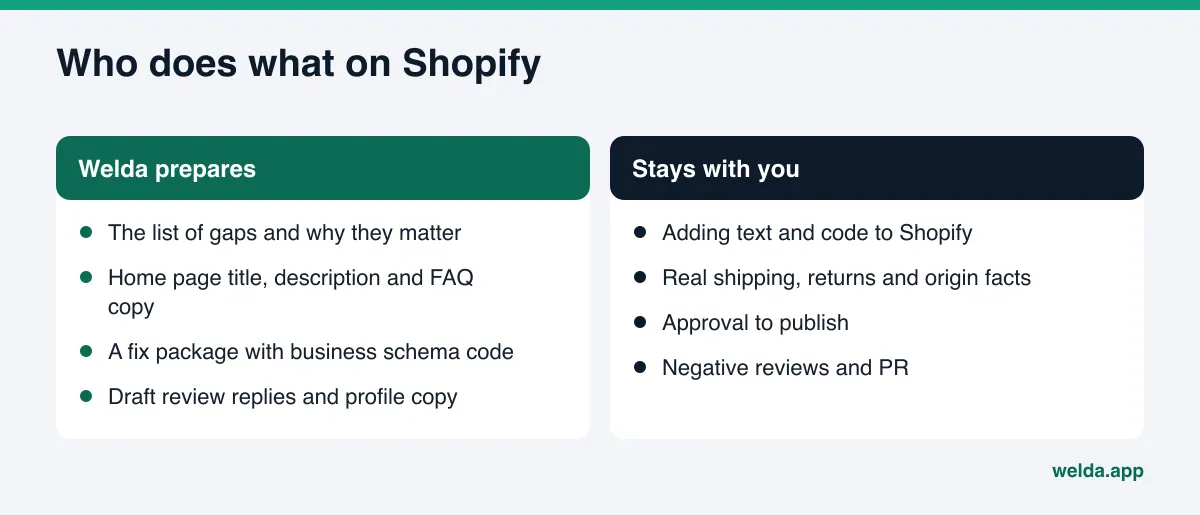
Welda has a direct connection for WordPress sites. It does not have one for Shopify. So for a Shopify store the work goes like this: Welda finds what is missing, prepares the text and code that fill the gap, and you or whoever manages your store applies it by hand in the Shopify admin. For this topic, three pieces matter most.
The free analysis and the ready-made fix package
The free analysis reads your home page and a few inner pages, such as About, Contact and pages that describe pricing or services. It checks whether AI crawlers can get in, your page title and description, the main heading, business schema, contact and location details, whether social and map profiles are linked, FAQ content, reviews and trust signals, how clearly your offer is described, and page speed. It does not crawl your whole catalog. It focuses on the pages that explain who the store is and why it can be trusted, which is exactly where the questions above point.
For every gap you see what was found, why it matters and how to fix it. You also get suggested copy for the home page: title, description, main heading, intro paragraph and FAQs. The fix package includes your business schema code. On Shopify, you add that code in the theme editor and paste the text into the right fields yourself. A simulation shows how much each fix would raise your score, which makes it easier to decide what to do first. The analysis also asks a web-enabled AI assistant five questions a customer might ask and checks whether your store's name appears in the answers. That is a one-time snapshot, not ongoing tracking. The analysis runs in English, is free once per site, and the results link arrives by email and stays open for 14 days.
Manual tasks on the to-do list
The Welda dashboard is in early access. It is opening in stages and launching first with businesses in Turkey. Regular four-engine tracking is being added during early access, and the sample screens are shown with representative data. Today, the part anyone can use is the free analysis. Pricing is discussed in the early access conversation.
In the dashboard, every task prepared for a system without a connection, such as Shopify, shows up on the to-do list as a manual task. The ready-made text sits next to it. You copy the text, paste it into the right page in Shopify and mark the task done. Welda does not write what it does not know: if your shipping time, return policy or production location is missing from the site, it asks you instead of guessing and leaves the field flagged. Google Business Profile, Instagram and Facebook can be connected; if they are not, their tasks appear on the same list as manual work. Content always lives on your own store. Welda does not host content, and you keep the final say on publishing.
Questions and competitors
In the tracking part of the dashboard, the questions your customers might ask are put to ChatGPT, Gemini, Perplexity and Google AI three times each. The questions view shows, for a query like "handmade mug shop with free returns," which engines name you. The competitors view shows which topic and which source a competitor wins on. Beyond these, a compliance check flags claims about price, guarantees and superiority before anything goes live, and a monthly one-page report puts before and after side by side. Those are topics for another article.
Who does what when there is no Shopify connection
Agreeing on the split of work up front sets the right expectations:
| Task | Welda | Your store |
|---|---|---|
| Finding the gaps | Analyzes and lists them | Reviews the list |
| Home page title and description | Suggests ready-made copy | Pastes it into Shopify preferences |
| Business schema code | Provides a ready package | Adds it to the theme, checks for duplicate product markup |
| FAQ and trust pages | Drafts them, asks for missing facts | Supplies real facts, publishes the page |
| Review responses | Drafts replies | Approves and posts; handles negative reviews |
| Instagram and Facebook copy | Prepares it; moves through the dashboard if connected | Approves; updates by hand if not connected |
This differs from the WordPress flow, where content opens on the site as a draft and goes live after approval. If you are curious how the same job works on that platform, see WordPress AEO.
Limits: what Welda does not do
Being realistic about Shopify AEO saves more time than chasing the wrong expectations.
- No guarantees. Welda does not guarantee rankings or a mention in ChatGPT. AI answers vary, and the same question can get a different answer at a different time.
- No direct writing to Shopify. There is no Shopify connection today. Text and code come ready, and you apply them.
- No guessing. Shipping times, return terms and where products are made are never invented. Welda asks.
- No fake reviews. Welda drafts review responses, not reviews. The FTC's final rule on fake reviews and testimonials prohibits buying or creating fake reviews. This is not legal advice. Handling negative reviews, directory accounts and PR stay with your business.
- No publishing without approval. Sensitive content never goes live without your sign-off.
- No overnight results. New content usually takes weeks to show up in AI answers. How long AEO takes is covered in a separate article.
The analysis does not measure rankings either. What it shows is whether your store gives AI the information it needs to describe you.
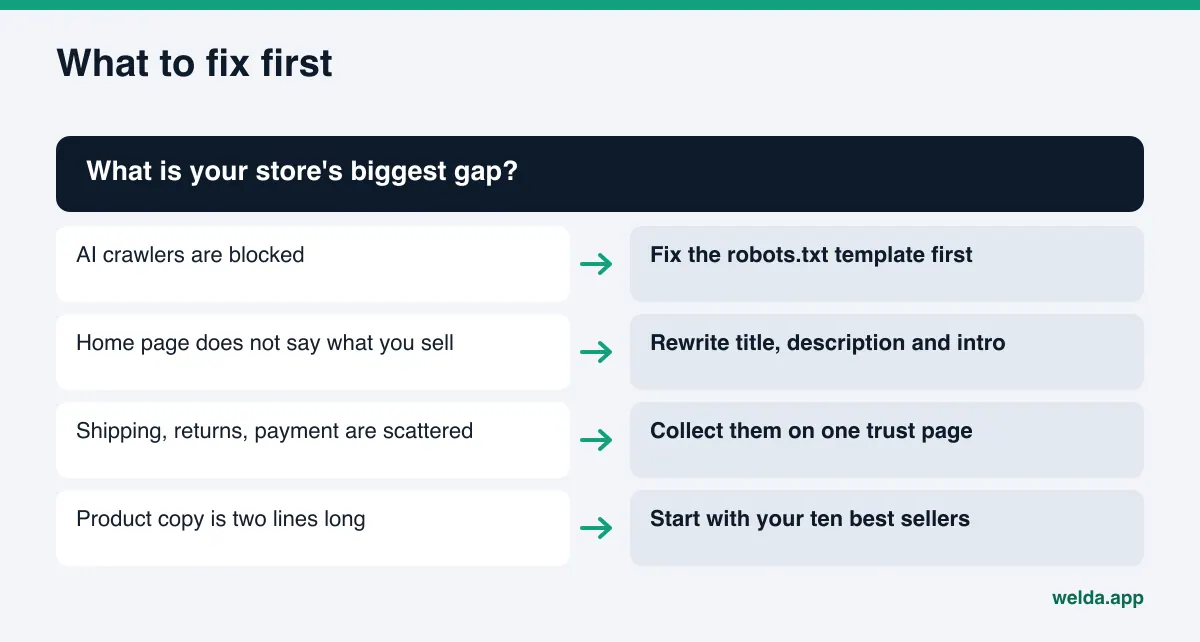
Example scenario: a small handmade goods store
This is an example, not a real business. Picture a small Shopify store that sells handmade stoneware mugs and plates and ships from Oregon. The home page title is just the brand name. The About page says "Made with love." Shipping details only appear at checkout. The Instagram account posts regularly, but the bio has no link to the store.
A shopper asks an AI assistant: "Can you recommend a trustworthy online shop for handmade mugs that ships fast and accepts returns?" The only things the assistant can read about this store are product names and prices. Who makes the mugs, where they ship from, how quickly orders go out and what happens if one arrives broken are written nowhere.
The owner works through it in this order: add "handmade stoneware mugs and plates from Oregon" to the home page title; describe the studio, who makes the pieces and how long the shop has been selling on the About page; add packing, breakage replacement and return terms to the shipping page; put the store link in the Instagram bio; and write five real customer questions into an FAQ. None of this needs a new app.
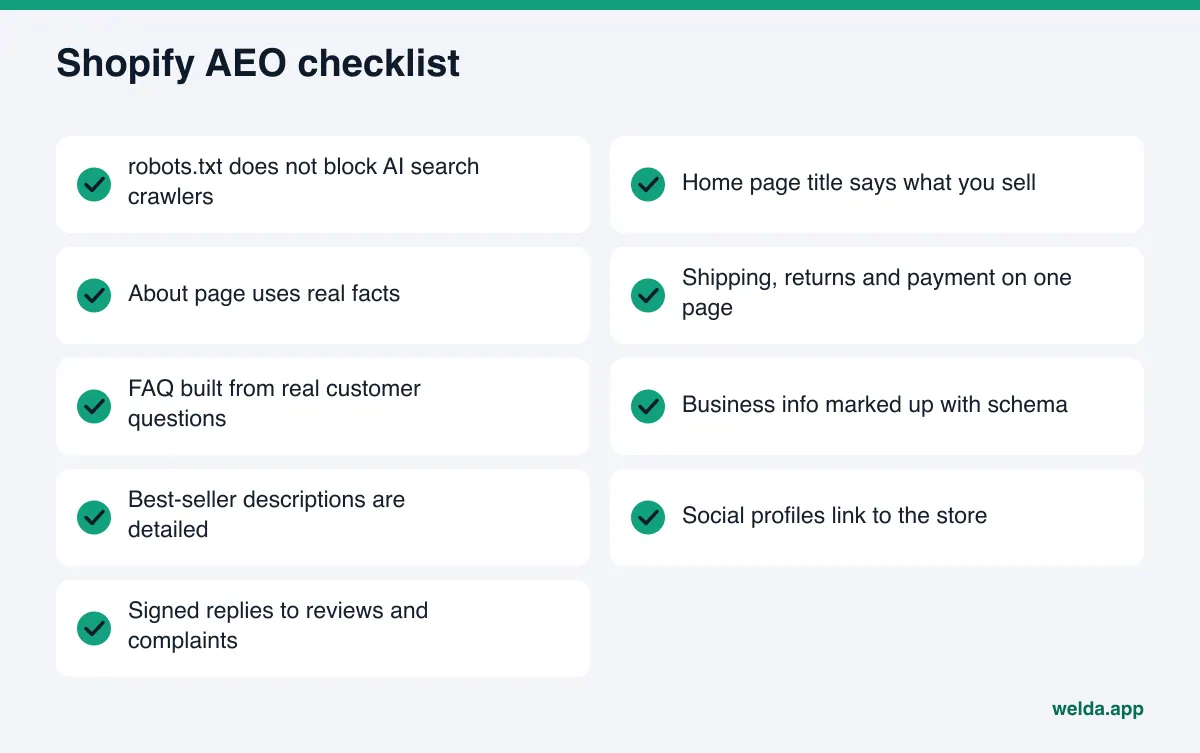
Shopify AEO checklist: is your store ready?
Go through this list once from top to bottom. Every unchecked item is information AI does not have when deciding whether to recommend you.
- robots.txt does not block AI search crawlers.
- The home page title says what you sell and where you ship from.
- The About page explains who you are with real facts.
- Shipping, returns and payment information sit on a clear page.
- The FAQ uses real customer questions.
- Business information is marked up with schema, without duplicate product data.
- Best-seller descriptions explain who each product is for.
- Instagram, Facebook and any Google Business Profile link to the store.
- Reviews and complaints get specific, signed replies. See review responses for AI visibility.
If the list feels long, let the simulation set the order: fix the gap that adds the most to your score first.
Frequently asked questions
Is Shopify AEO the same as SEO?
No, but they overlap. SEO is about where you rank in search results. AEO is about whether your store is named inside an AI answer. Good titles, descriptions and structured data help both; trust pages and outside sources carry more weight in AEO.
Do I need a Shopify app for this?
Most steps do not need one. Titles, descriptions, pages and FAQs are edited in the Shopify admin. Business schema code goes into the theme editor. If you already use an SEO app, make sure its markup does not duplicate what your theme outputs.
Does Welda connect to my Shopify store?
No. Today the direct connection is for WordPress sites. On Shopify, Welda provides ready-made text and code, and you apply them. Google Business Profile, Instagram and Facebook can be connected to the dashboard.
Does the free analysis scan every product page?
No. It reads your home page and a few inner pages. The goal is to show how AI sees your store's identity and trust information. It is free once per site, and the results link stays open for 14 days.
Is editing robots.txt risky?
Shopify's default file works for most stores, and Shopify Support does not help with custom edits. If a robots.txt.liquid template was added earlier, though, it is worth checking that no line blocks AI crawlers.
When will I see results?
Changes usually take weeks to show up in AI answers. Measuring before you fix things and again a few weeks later is the most reliable way to see what worked.
See where your store stands today
Shopify AEO starts with your store explaining itself clearly. Instead of guessing which information is missing, measure it. The free AI visibility analysis reads your home page and inner pages, ranks the gaps and gives you ready-made copy and a fix package. You apply the changes in your Shopify admin, and the simulation shows what to do first.