How does a multi-location business get each of its locations named in AI answers? Give every location its own page, write its address, phone, hours and services on that page as plain text, and add markup that describes only that location. Location pages for AI search work because ChatGPT, Gemini, Perplexity and Google's AI Overviews answer local questions from sources that tie a business clearly to a place. If a location has no page of its own, it usually has no place in the answer either.
Why location pages matter for AI search
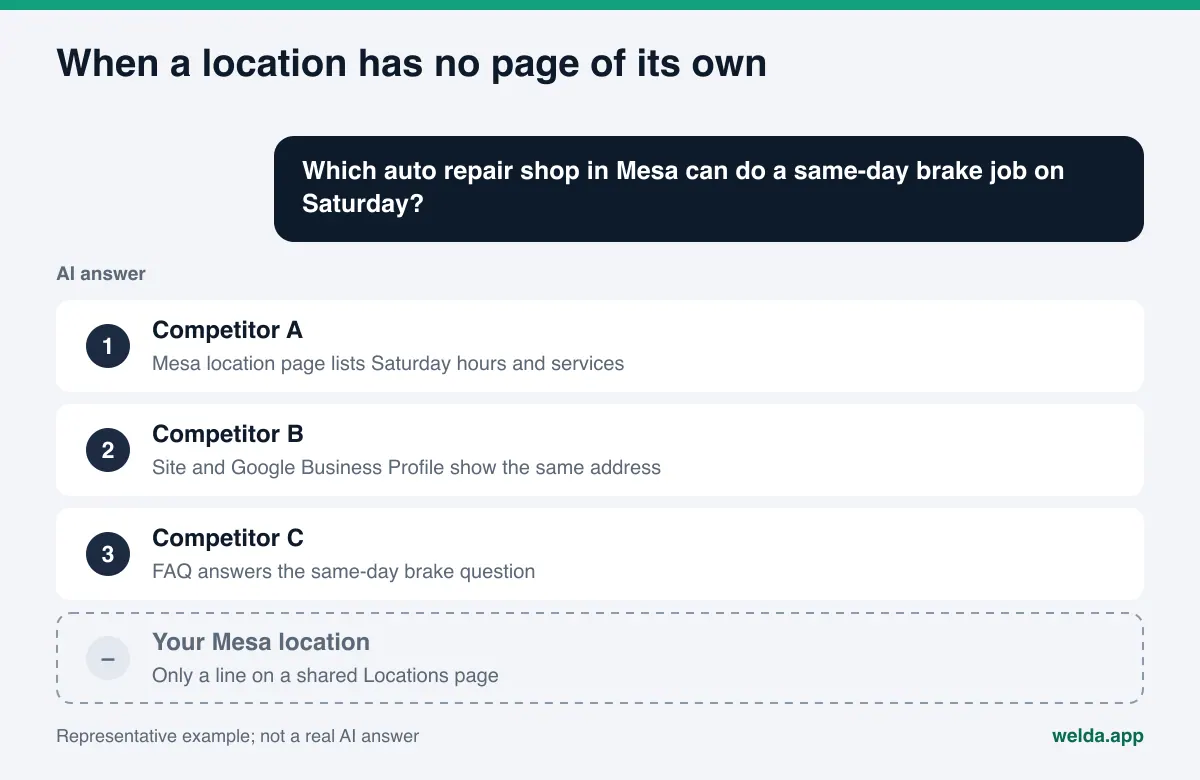
Picture a four-location auto repair shop in the Phoenix area, a bakery with three storefronts across Chicago neighborhoods, or a cleaning company that serves two metros. On most of these sites, location information lives on a single "Locations" page: three or four addresses stacked on top of each other, a map embed, maybe one shared phone number. For a human visitor that can be enough. But customers are no longer only typing into a search box. They are asking an AI assistant things like "which repair shop in Mesa can do a same-day brake job on Saturday" or "is there a bakery in Logan Square with gluten-free cakes."
Those questions name a place. When an assistant answers, it leans on sources that are clearly connected to that place: the location's own page on your site, that location's Google Business Profile, its Yelp listing, its Apple Maps place card, directory listings, and reviews that mention the neighborhood. If your Mesa shop is only the third line on a shared list, the assistant has nothing solid to build the sentence "this shop in Mesa is open Saturday and does brakes the same day" from.
This is the core of AEO (answer engine optimization) for multi-location businesses. You may also see the same work called AI search visibility or GEO (generative engine optimization); the goal does not change. In practice, three kinds of mistakes show up again and again:
- The location is never named. A competitor with a single location in that neighborhood shows up with its own page; yours does not.
- The wrong location is suggested. The assistant gives the headquarters address or phone number, and the customer drives across town or calls the wrong store.
- Facts get mixed up. One location's hours are attached to another, or a service only one location offers is described as available everywhere.
This guide walks through how to build location pages that reduce all three. If you want to know what your site tells AI assistants today, start with Welda's free site analysis. It reads your homepage and key inner pages such as Contact and Services, and lists gaps in address, phone and business markup.
How AI assistants identify and pick a location
An AI assistant does not learn about a business from a single place. Assistants that can search the web read several sources when a question comes in and combine them. For a specific location, those sources typically include:
- Your location page: address, hours, services and questions for that location.
- Google Business Profile and Google Maps: a separate profile per location with its own category, hours and reviews.
- Apple Business Connect: the place card Apple Maps and Siri draw on. We cover it in Apple Business Connect for AI assistants.
- Review sites and directories: Yelp, the BBB, Angi for home services, Healthgrades for medical practices, Tripadvisor for restaurants and hotels. More in business directories for AI visibility.
Assistants look for agreement among those sources. If your Mesa page and your Mesa Google Business Profile show the same address, phone number and hours, the assistant can match that location to Mesa with confidence. If the site says one thing and the profile says another, the assistant either picks one or leaves the location out.
The key point: profiles, directories and reviews are not fully in your control. Your website is. A location page is the one place all those outside sources can point back to as the source of truth. That is why location visibility work starts on your own site.
What a strong location page includes
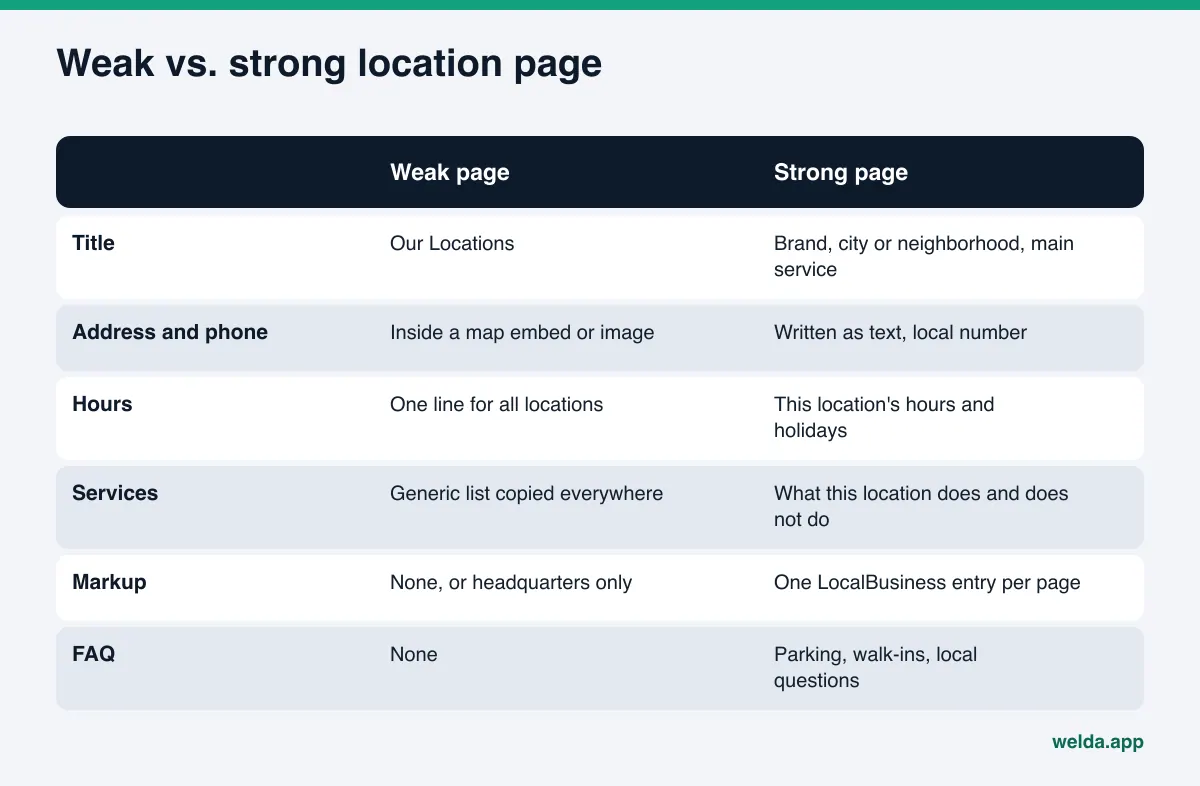
A good location page does not need to be long. It needs to be clear enough that an assistant can answer "where is this location, when is it open, and what does it do" in one read. The table below lists the core parts of a location page and why each matters. The examples assume a fictional multi-location auto repair shop.
| Part | Why it matters | Example |
|---|---|---|
| Page title | The first signal of which location the page is about. | "Brand Auto Repair Mesa: Brakes, Tires and Oil Changes" |
| Heading and intro paragraph | States the place, the main services and who the location serves in two or three sentences. | "Our Mesa shop on Main Street handles brakes, tires and same-day repairs, six days a week." |
| Address, phone, hours | Details inside an image or map embed may not be read; write them as text. | Full street address, the location's own number, hours day by day |
| Location-specific services | If not every location offers everything, saying so prevents wrong recommendations. | "This location does not service diesel trucks." |
| Directions and surroundings | Local questions often include access: parking, transit, cross streets. | "Free customer parking behind the building, two blocks from the light rail stop." |
| FAQ | Question-and-answer format lines up with how people ask assistants. | "Do you take walk-ins on Saturday?" "Can I wait while you work?" |
| LocalBusiness markup | Repeats address, phone and hours in a machine-readable format. | One entry for this location only |
| Profile links | Connects the page to that location's map and review profiles. | Links to this location's Google Business Profile and Yelp page |
Nothing in that table requires a redesign or a plugin. It is text and accurate facts. For most multi-location businesses, location pages are a data-gathering project, not a design project.
Example: the skeleton of one location page
To make this concrete, take a fictional repair shop with four locations: Tempe, Mesa, Scottsdale and Chandler. It is not a real business, just a way to show structure. The Mesa page could read top to bottom like this:
- Heading: "Mesa: brakes, tires and same-day repairs."
- Intro: Where the shop is, what it is known for and who it serves, in two or three sentences.
- Details block: Full address, the location's phone, hours by day, holiday closures.
- What this location offers: Brakes, tires, alignment, loaner cars, and what it does not do, such as diesel work.
- Getting here: Parking, nearest transit stop, cross streets.
- FAQ: Saturday walk-ins, wait times, payment options, warranty on parts.
- Other locations: Short links to the Tempe, Scottsdale and Chandler pages.
The Chandler page uses the same skeleton with different content: other hours, other directions, perhaps no loaner cars. Same structure, different facts. That is the balance that works for readers and for assistants.
Location pages for AI search, step by step
The following order works whether you are creating location pages for the first time or fixing the ones you have.
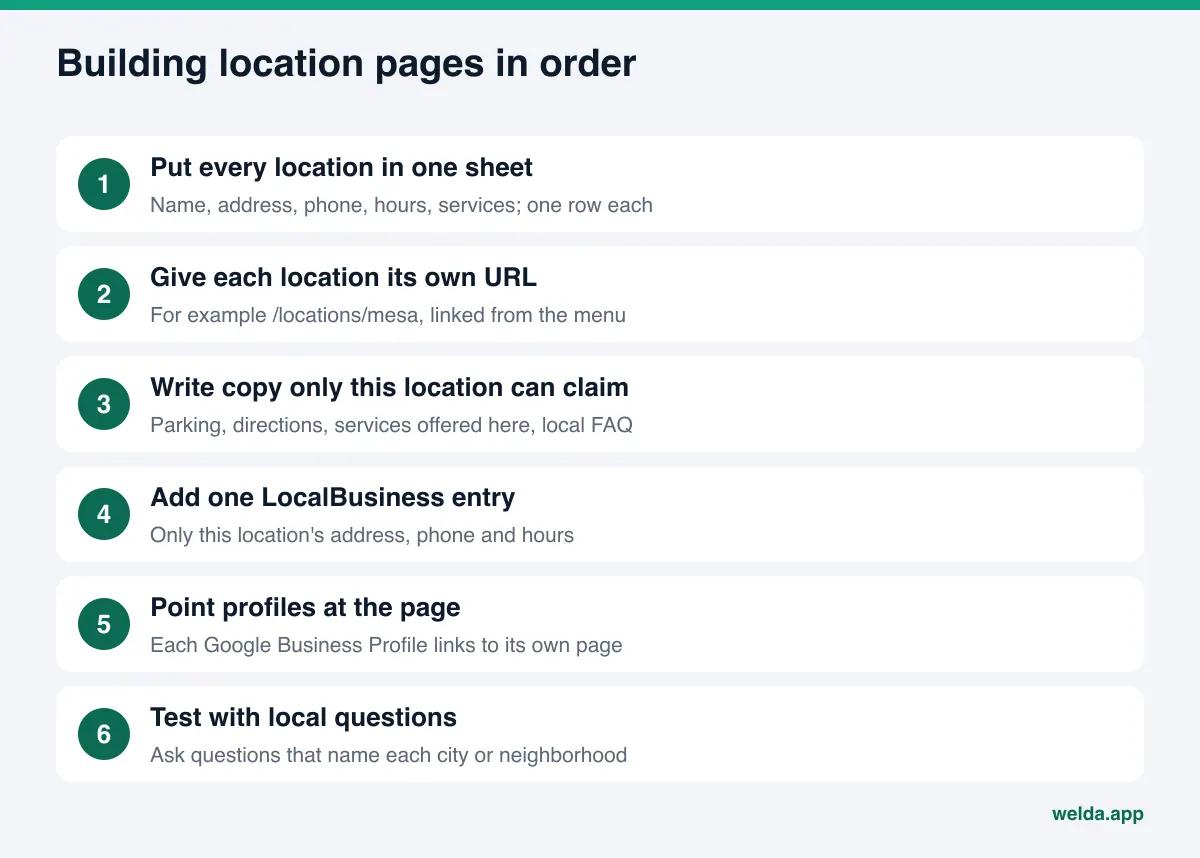
- Put every location in one spreadsheet. One row per location: official name, full address, local phone, hours by day, holiday hours, services offered and not offered, manager, directions. This sheet becomes the single source of truth for your site and your profiles. Where you do not know a fact, ask the location; do not guess.
- Give each location its own URL. For example
/locations/mesaand/locations/chandler. Your Locations page becomes a short index that links to them. Make that index reachable from the main menu or footer. - Write the title and meta description per location. Brand, place and main service in the title; the first thing a customer needs to know in the description. See title tags and meta descriptions for AI search for details.
- Write copy only that location can claim. Intro, services, directions and at least three FAQs. Not a paragraph copied from the other pages, but what is actually different about this location.
- Add LocalBusiness markup. On each location page, only that location's name, address, phone and hours. Your homepage can keep the brand-level entry.
- Point profiles to the page. The website field on each location's Google Business Profile, Yelp listing and Apple Business Connect card should link to that location's page, not the homepage. Link back from the page to the profiles.
- Make sure AI crawlers can reach the pages. If robots.txt blocks the locations folder or AI crawlers, the pages will not be read. See are AI bots crawling my website.
- Test with local questions. For each location, write a few questions a customer would ask that name the city or neighborhood, and check whether your business shows up in the answers.
How to mark up every location
LocalBusiness markup (Schema, in JSON-LD format) repeats a page's address, phone and hours in a structure machines can read easily. Google's local business structured data documentation says to define each business location as its own LocalBusiness entry, with the URL pointing to that specific location's page. Name and address are required; phone, opening hours, geo coordinates and URL are recommended.
For location pages, that translates into a few practical rules:
- Each location page carries one entry, and that entry describes only that location.
- The address, phone and hours in the markup match the visible text on the page exactly. Do not put facts in the code that are not on the page.
- The URL in the entry is the location page, not the homepage.
- If a location has a department with its own hours or phone, such as a tire center inside a larger shop, Google suggests marking it up as a separate department.
- Packing every location into one entry on one page makes it harder for an assistant to tell which address belongs to which location.
Markup does not create AI visibility on its own. Read together with the page text, it sends a consistent signal about who the location is, where it is and when it is open.
Why cloned city pages backfire
The most common shortcut is to write one location page and duplicate it with a different city name. "Best auto repair in Tempe," "Best auto repair in Mesa," the same copy with one word swapped. A step further is creating pages for cities where you have no location at all.
Google names this directly. Its spam policies describe doorway abuse as creating sites or pages to rank for specific, similar search queries. The examples include pages targeted at specific regions or cities that funnel users to one page, and substantially similar pages that are closer to search results than a clear site hierarchy. The policy is written for classic search, but much of what AI assistants read still comes from search indexes.
Cloned pages do not help on the AI side either. When an assistant reads the same text four times, it finds nothing that separates one location from another. Worse, a page for a city where you have no storefront can lead an assistant to describe you as being there, and send a customer to an address that does not exist.
The rule is simple: a real location gets a page; no location, no page. If you serve an area without having an address there, for example if your crews travel to a suburb, describe it honestly as a service area rather than presenting it as a location.
How Welda handles location pages
Welda is software that measures where a business appears in AI answers and fills the gaps on the business's behalf. For location pages, Welda's part comes down to three things: reading what your site says today, showing which local questions mention you, and drafting the missing copy.
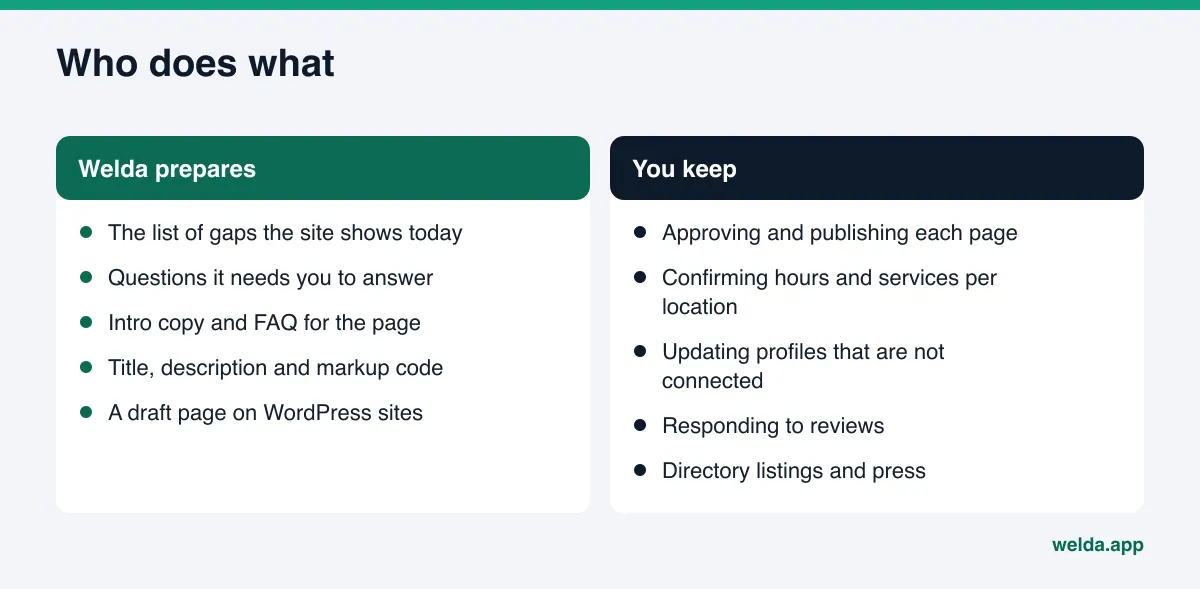
1. The free site analysis: what does your site say right now? The analysis reads your homepage and a few inner pages such as Contact, Services and About. For a multi-location business, the most useful findings are whether address and phone are written as text, whether business markup exists and what it contains, whether map and social profiles link to the site, whether there is an FAQ section, and whether services are stated clearly. Each gap comes with what was seen, why it matters and how to fix it, plus a ready fix package that includes business markup code. The analysis is free once per site, works in English, and does not measure rankings.
It is not a location crawler; it does not visit every location page one by one. But it clearly shows the common problems: all locations crammed onto one contact page, addresses only inside a map embed, no business markup at all. For most multi-location sites, the first fix list comes straight from it.
2. Question tracking in the panel: which neighborhoods mention you? In the Welda panel, the questions your customers would ask are put to ChatGPT, Gemini, Perplexity and Google AI three times each. For a multi-location business, the useful part is that questions can name places: "same-day brake job in Mesa," "Saturday oil change in Chandler." Each question gets its own row showing which engine named you and in what position. The result is a picture like "we show up for Tempe questions but never for Chandler," which tells you which location page to work on first. The competitors view shows where a competitor wins on the same question, and from which source.
3. The to-do list: missing facts are asked for, copy is drafted. The biggest risk with location pages is wrong information. Welda does not write what it does not know. If a location's hours, phone or services cannot be read from the site, the to-do list asks you for them. You answer once and the drafts use it. Welda then prepares the intro, FAQ, title, description and markup for the location page.
If your site runs on WordPress, Welda connects through a separate Editor user and an application password, with no code to install. The location page opens as a draft on your site, and it goes live only when you approve it. On systems without a connection, Welda hands you a ready package and you or your web person add the page. Either way, the content lives on your own site.
Profile tasks, such as pointing each Google Business Profile at its location page, stay on the list as manual work when the profile is not connected; the copy comes ready, the update is yours. For how to set up sign-off, see a content approval workflow for AEO.
A note on availability. The Welda panel is in early access and is opening first in Turkey. Regular four-engine tracking is being added during early access, and panel screens are shown with representative data. The part anyone can use today is the free site analysis, which runs in English. Pricing is discussed in the early access conversation.
Limits: what Welda does not do
Setting the right expectations matters with location pages. Here is what Welda does not and will not do:
- No ranking guarantee and no promise of "showing up in ChatGPT." A well-built location page makes it easier for an assistant to recognize the location. No one can guarantee the assistant will choose it.
- No pages for places you are not. Welda drafts copy only for real locations and does not invent addresses, hours or services.
- Nothing publishes without approval. Location pages arrive as drafts; the publish decision is yours.
- No fake reviews. Reviews for each location come from real customers.
- Some work stays with you. Responding to negative reviews, managing directory accounts, press outreach and keeping location data consistent across your team are yours. Welda can draft text for them, but it does not run those accounts for you.
- Results take time. New content usually takes weeks to show up in AI answers. See how long AEO takes for more.
The analysis and the panel are also not a legal review. If your location pages make pricing, promotional or "best in town" claims, check the rules with your own advisor; the FTC and state rules on advertising claims still apply. The panel's compliance check flags such patterns before publishing, but it is not legal advice.
Location page checklist and decision guide
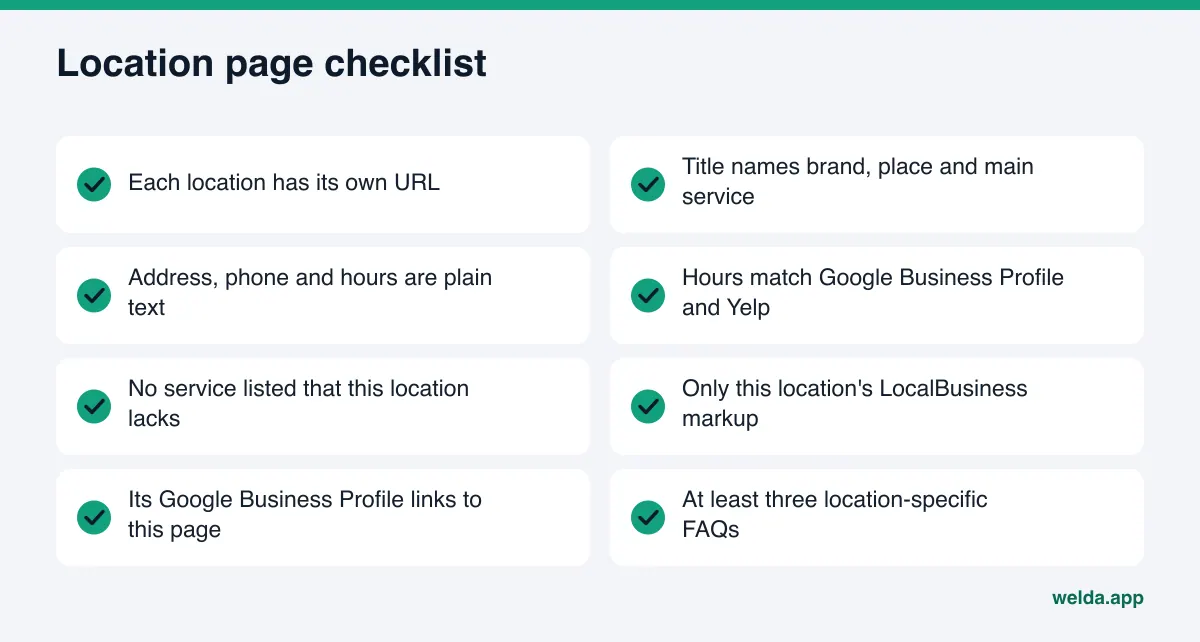
Run your current site through this list. Every "no" is a task.
- Does every location have its own page and its own URL?
- Can each location page be reached within two clicks from the main menu or the Locations index?
- Does the title include the brand, the city or neighborhood and the main service?
- Are address, phone and hours written as text, not only in an image or map?
- Do the hours match that location's Google Business Profile, Yelp listing and Apple Maps card?
- Is any service listed that this location does not actually offer?
- Does the page carry only this location's LocalBusiness markup, with the URL pointing to this page?
- Are at least three location-specific questions answered (parking, walk-ins, weekend hours)?
- Does each location's profile link to its own page rather than the homepage?
- Does robots.txt block the location pages or AI crawlers?
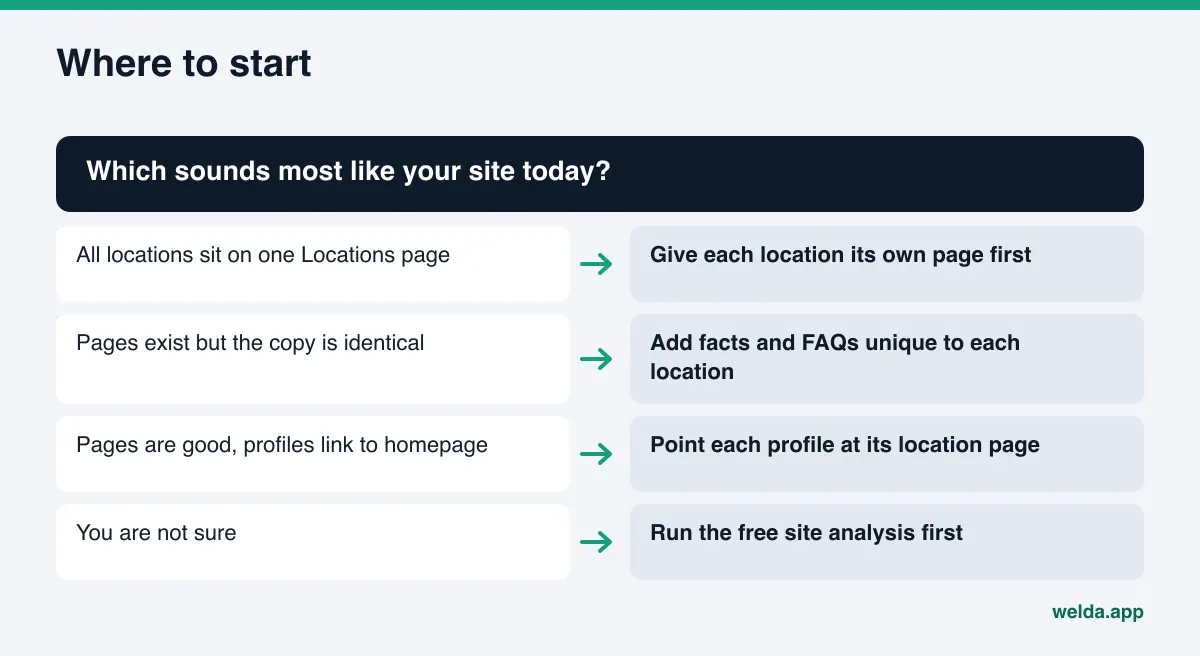
For the decision, a short path helps. If all locations sit on one page, create separate pages first. If pages exist but the copy is identical, add unique facts first. If the pages are good but profiles point elsewhere, fix the links first. If you do not know which applies, measure before you change anything.
Frequently asked questions
Does every location really need its own page?
If your locations are in different cities or neighborhoods and customers ask questions by place, yes. A single page with stacked addresses makes it hard for an assistant to tell which facts belong to which location.
Can location pages share some copy?
A short shared brand paragraph is fine. The body of the page, meaning address, hours, services, directions and FAQs, should be specific to the location. Pages where only the city name changes can look like doorway pages and give an assistant nothing new.
Can I create pages for cities where I have no location?
Do not create location pages for places where you have no address. If you serve the area, describe it as a service area. Presenting it as a location is misleading and can send customers to the wrong place.
Do I need separate LocalBusiness markup on each location page?
Yes. Google's documentation recommends defining each location as its own entry, with the URL pointing to that location's page. The markup should match the visible text on the page.
Will Welda publish my location pages for me?
No, publishing stays with you. On WordPress sites the page opens as a draft and goes live when you approve it. On other systems Welda provides a ready package and you add the page.
Does the free analysis check every location page?
No. It reads your homepage and a few inner pages. It surfaces the basic problems, such as all locations on one page, addresses not written as text, or missing business markup, but it does not audit each location page individually.
How soon will a new location page show up in AI answers?
There is no fixed timeline. New content usually takes weeks to be reflected, and the timing varies by engine, industry and the state of your outside sources.
See where your locations stand today
Once location pages are built the right way, they become a template you can repeat for every new location. The first step is seeing what your site tells AI assistants about your locations today. Run Welda's free site analysis: it reads your homepage and inner pages, lists gaps in address, phone, business markup and profile links one by one, and prepares the fix package. Your results link arrives by email and stays open for 14 days.