Why do you need to keep business hours accurate for AI? When a customer asks ChatGPT, Gemini, Perplexity, or Google "who's open right now" or "open on Sunday near me," the answer is built from whatever hours the web has on file for you. If one source says 9 a.m. and another says 10, the assistant either repeats the wrong one or skips you because it can't be sure. Consistent, current hours everywhere are one of the cheapest wins in AEO.
This guide covers how to keep business hours accurate for AI from an owner's point of view: where your hours actually live online, how to handle holiday hours, how to write hours on your own site so machines can read them, what to do about longer closures, and which part of the job Welda takes on. If you want a baseline first, run the free AI visibility analysis. It checks whether your site has business markup (Schema), whether your address and phone are on the page, and whether your map and social profiles are linked from your site.
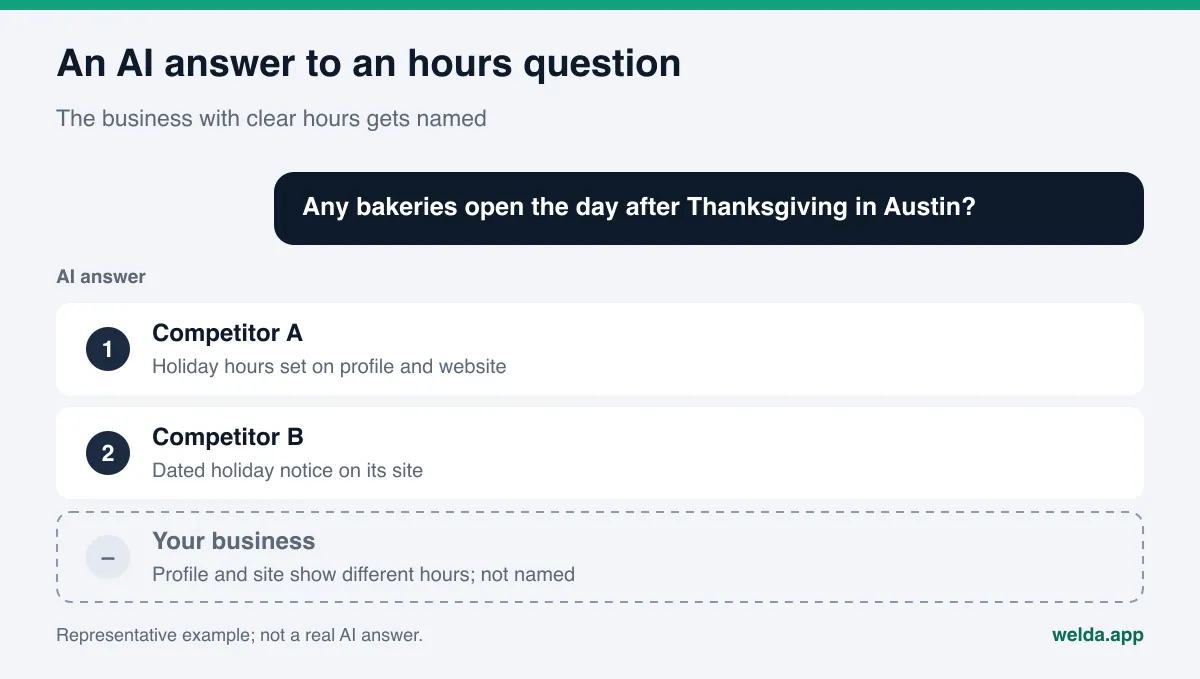
Why hours matter so much in AI answers
An hours question sits about as close to a purchase as a question can get. Someone asking "pharmacy open late in Austin" or "bakery open the day after Thanksgiving" isn't researching. They're about to get in the car. For questions like these, an answer engine weighs two things: does this business fit the need, and is it open at the time the person cares about. If it can't answer the second part with confidence, it tends to recommend a business whose hours are clear.
Wrong hours cost you in two directions. Show up as open when you're closed and the customer arrives to a locked door, and that frustration often lands in a review: "Drove over at 10, they were closed." That sentence then becomes part of what AI systems read about you. Show up as closed when you're open and the loss is silent. The customer never comes, and you never find out why.
Answer engines don't pull hours from one place. In Google's own AI Overviews and AI Mode, your Google Business Profile carries a lot of weight. Assistants that search the web, such as ChatGPT and Perplexity, also read your website, map apps, booking and directory sites, and sometimes an old news story or forum thread. When those sources disagree, there's no reliable way for the engine to know which one to trust. Consistency matters as much as accuracy.
Hours also travel with the rest of your business details. Name, address, phone, and hours together signal that a business is real and operating. How tidy and consistent those details are affects how willing an AI system is to mention you at all. This is the same principle that sits behind most local AEO work, and it's a large part of what AEO (answer engine optimization) means for a brick-and-mortar business. You may also hear the term GEO (generative engine optimization) for the same work; our GEO vs AEO piece explains how the two labels overlap.
Where do your business hours actually live online?
The first step to keep business hours accurate for AI is knowing every place they appear. Most owners think only of Google. In practice, hours pile up in every account you've opened and every page anyone has written about you since you opened. Here's the typical spread.
| Where | Who updates it | Common problem |
|---|---|---|
| Google Business Profile | You (profile owner or manager) | Holiday hours never entered; regular hours unchanged for years |
| Your website: footer, contact page | You or your web person | Old hours in the footer, new hours on the contact page |
| Business markup on your site (Schema) | Your web person | No markup at all, or markup with different hours than the page |
| Apple Maps and Bing Places | You, if you've claimed the listing | Never claimed; hours pulled from an old source |
| Yelp, Tripadvisor, Healthgrades, Angi, BBB | You, via the business account | Opening-year hours still listed |
| Instagram and Facebook | You | Bio or page info never updated |
| Ordering and booking platforms | You, via the platform dashboard | Kitchen or service hours mixed up with door hours |
| Old press, blog posts, Reddit threads | Nobody | Hours from launch week still quoted |
The bottom rows are the ones people miss. If a three-year-old Reddit thread says you open at 9 and you now open at 10, you can't edit that post. What you can do is make your own site and profiles say the current hours clearly and consistently, so answer engines have a newer and more trustworthy source to lean on. If a review complains about hours, a short, polite reply with the correct schedule helps too.
How to keep business hours accurate for AI, step by step
Hours aren't a one-time fix, but once this becomes a habit it takes a few minutes a month. The order below takes you from a scattered starting point to a routine you can keep.
- Pick one source of truth. Write your official hours in one place, a simple spreadsheet or shared note. Include each day, any lunch break, how service hours differ from door hours, and the year's special dates.
- List every place your hours appear. Fill in the table above for your own business. Search your name with "hours," check each map app and directory, and add what you find.
- Fix the sources you own first. Google Business Profile, your website, Apple Maps, Bing Places, and your social accounts are under your control. Get them saying the same thing before you chase anything else.
- Write hours on your site as text and as markup. Readable text on the contact page and footer; business markup (Schema) in the page code. Both should say the same thing.
- Enter holiday hours ahead of time. Thanksgiving, Christmas Eve, New Year's, July 4th, and any closures specific to you, set days in advance.
- Send corrections to directories. Where you have an account, edit it yourself. Where you don't, use the platform's claim or suggest-an-edit path.
- Put a review date on the calendar. The first of each month, and a week before each holiday, run through the same list.
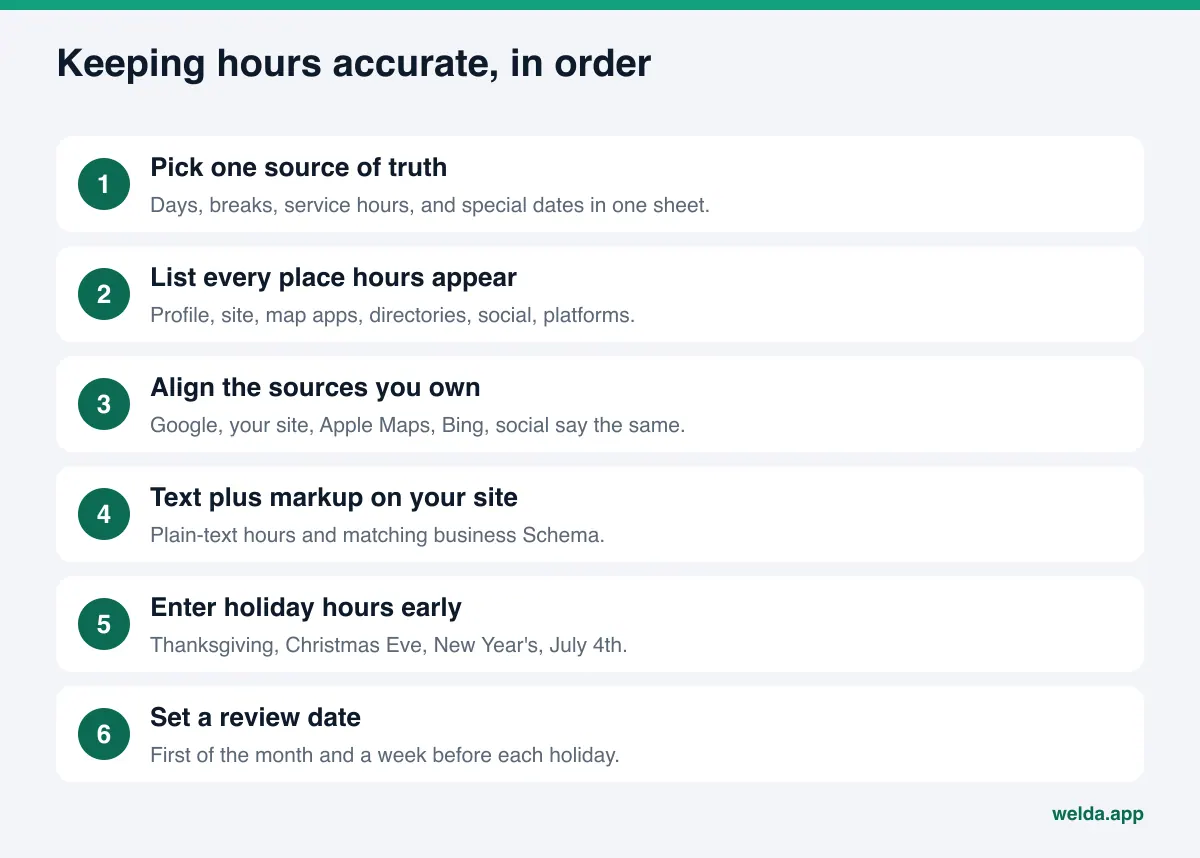
The logic is simple. Align the sources you control first, then pull the ones you don't control toward them. If you work backward, you end up correcting Yelp while your own footer still shows the old hours, and the conflict lives on.
How to handle holiday hours for AI answers
In the US, hours break most often around federal holidays and the stretch from Thanksgiving through New Year's. Some businesses close on the holiday itself, some open late the day after, some run shortened hours on Christmas Eve. Those are exactly the days customers ask "is it open."
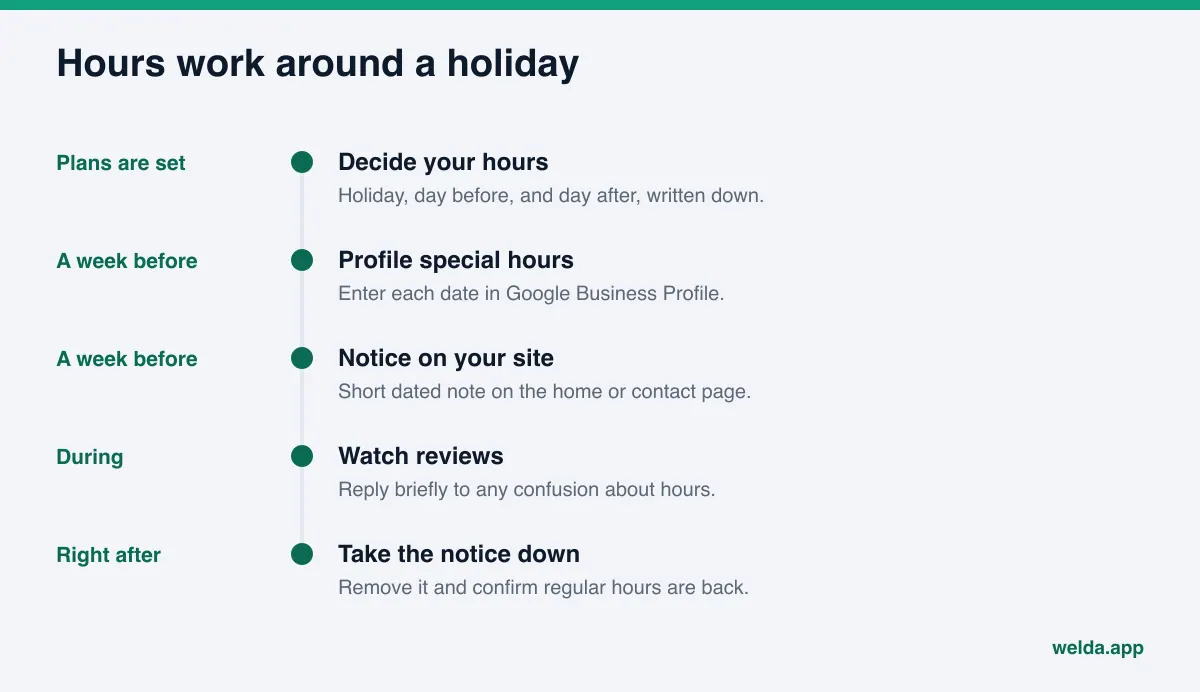
Google Business Profile has a dedicated field for this. According to Google's help page on special hours, you can set special hours for holidays, special events, and other exceptional circumstances, and you check the "Closed" box for days you're shut. Two details on that page matter. First, special hours only show on your profile if your business hours are set to "Open with main hours." Second, Google recommends confirming hours for official holidays even if they match your regular schedule, because it tells customers your hours have been checked.
Put holiday hours on your website too. A short, dated note on the home page or contact page ("Closed Thursday, November 26 for Thanksgiving; open 10 a.m. to 6 p.m. on Friday") gives both customers and web-searching assistants a clear source. Remove or update it once the holiday has passed. A Thanksgiving notice still sitting there in February creates a brand-new conflict. For the wider habit of keeping pages current, see our guide to content freshness for AI search.
How to write hours on your website so AI can read them
Your site's hours are read two ways: as text a person sees and as code a machine parses. Both need to be right, and both need to match.
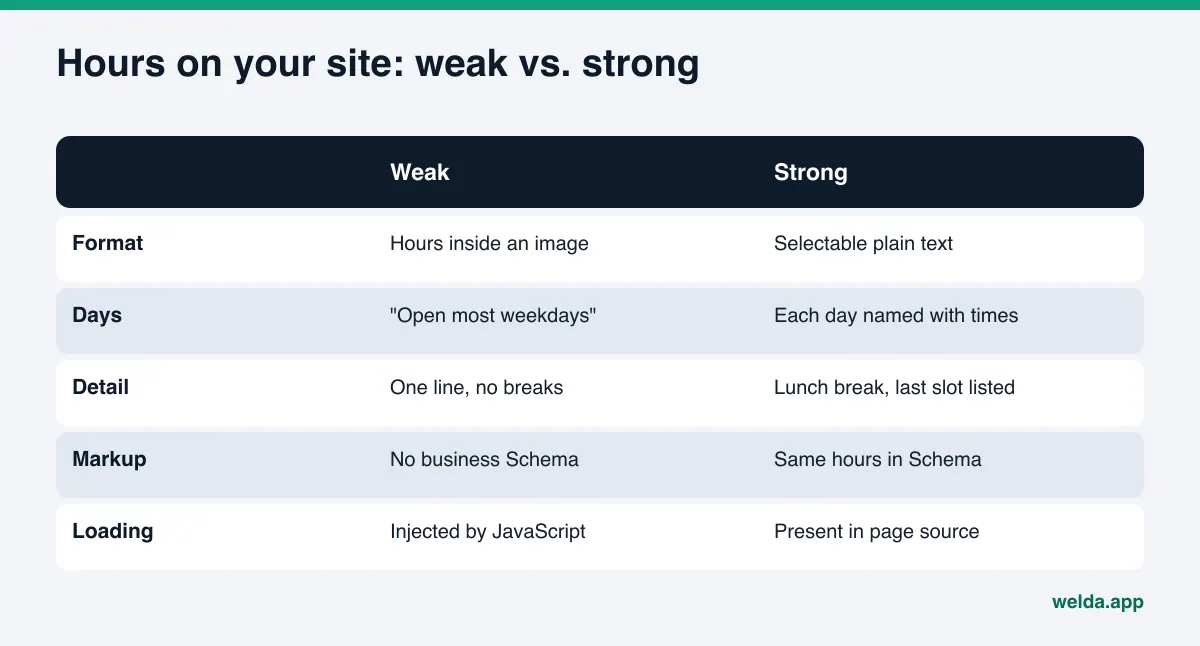
As text: Write hours as selectable plain text, not inside an image or a design graphic. Name the days ("Monday through Friday, 9 a.m. to 7 p.m.; Saturday, 10 a.m. to 4 p.m.; Sunday closed"). If there's a lunch break, a kitchen close time, or a last-appointment time, give it its own line. Avoid vague phrasing like "open most weekdays."
As markup: In your LocalBusiness Schema, hours go in the openingHoursSpecification property. Per the schema.org definition, it carries the day, opening time, and closing time, and you can use validFrom and validThrough to set hours for a specific date range. Google's local business structured data documentation explains that a day closed all day is marked by setting both opens and closes to "00:00," and that seasonal hours use those two date fields. The same page notes that Google doesn't guarantee structured data will appear as a feature in search results. For the full setup, see schema markup for AI search.
A common snag: hours that load into the page through JavaScript after the fact. Some theme widgets and embedded map boxes build the hours in the browser. Those hours look fine to a visitor, but an AI crawler that reads the raw page may never see them. Our piece on JavaScript rendering and AI crawlers covers this in detail. The simple rule: your hours should exist as plain text in the page source.
If you have more than one location, give each location its own page and its own markup with its own hours. A single "Locations" page with every schedule in one table is convenient for people, but defining each location with its own address, phone, and hours makes it easier for an answer engine to match the right branch with the right schedule. Our multi-location AEO guide goes deeper on this.
Which hour details should each type of business publish?
"Open" doesn't mean the same thing everywhere. A restaurant's doors can be open after the kitchen has closed. A dental office can be staffed after the last appointment slot. Customers' questions often hinge on that difference, and an AI answer only knows as much as you've written down.
| Business type | Also publish | Typical customer question |
|---|---|---|
| Restaurant or cafe | Kitchen close time, brunch hours, takeout and delivery hours | "Where can I eat after 10 p.m. downtown" |
| Dental or medical office | Last appointment time, what to do after hours | "Dentist open Saturday near me" |
| Salon or spa | Walk-in hours versus appointment-only hours | "Salon that takes walk-ins on Sunday" |
| Hotel | Check-in and check-out times, front desk hours | "Hotel with late check-in near the airport" |
| Retail store | Store hours versus curbside or in-store pickup hours | "Can I pick up today before 8" |
| Home services (plumber, locksmith) | Whether you take nights and weekends, your service area | "Emergency plumber open now" |
The same rule applies to each detail: write it as plain text on your site, mirror it in your markup where possible, and keep it consistent with the additional hours fields in your Google Business Profile. Leaving out hours you don't actually cover matters just as much. "24/7" on a site that doesn't answer the phone at 3 a.m. misleads customers and answer engines alike.
How to announce long closures, moves, and seasonal hours
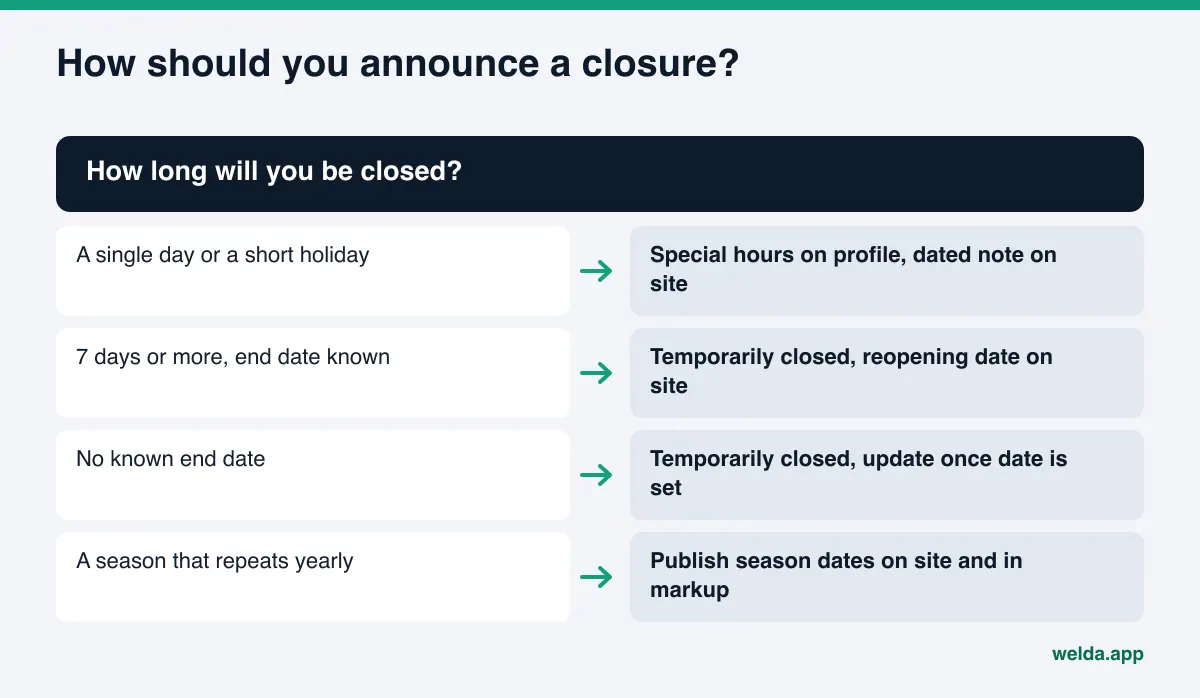
Some changes last weeks or months: a remodel, a move, an off-season closure, a change of ownership. Picking the wrong setting here can do as much damage as wrong hours.
The same Google help page draws a clear line. Special hours are for closures of up to 6 days in a row. If you'll be closed 7 days or longer, or you don't know when you'll reopen, mark the profile as temporarily closed. Permanent closure has its own separate setting. Trying to enter a three-week remodel one "Closed" day at a time is tedious and leaves your status unclear.
Seasonal businesses (a beach-town ice cream shop, a ski rental counter, a tutoring center that extends hours before exams) are best served by announcing the season in advance. A dated sentence on the site ("Open May 1 through October 15") and the same range in your markup's date fields give answer engines what they need to handle "is it open now."
A move is bigger than an hours change: the address, the map pin, and sometimes the phone number change too. Hours tied to the old address can linger on directories for a long time. Publishing a dated move notice on your site and requesting corrections on the old listings reduces confusion during the transition.
How Welda helps keep business hours accurate for AI
Welda's role here is to show where your business details are missing or inconsistent, prepare the fix, and keep the follow-up in one list. Welda doesn't know your hours. You tell it. Three parts of the product are directly relevant.
The business details check in the free analysis. The analysis reads your home page and a few inner pages such as contact and services. It looks at whether you have business markup (Schema), whether your address, phone, and location are stated, and whether your map and social profiles are linked from your site. Each gap comes with what was found, why it matters, and how to fix it. The report includes a ready-to-add fix package, business markup included, and you fill in your hours. The free analysis runs in English, so a US site can use it today.
The to-do list in the Welda panel. Welda doesn't guess facts it can't verify. Anything it couldn't read from your site shows up as an empty field under information it needs from you; once you fill it in, it flows into every piece of text being prepared. Profiles without a connection appear as manual tasks with ready-to-copy text beside them. A holiday notice, the contact-page hours line, and the description for a directory listing can all sit on the same list.
The sources view. This view shows which sites the AI engines lean on when they build answers and where you stand on each: listed, incomplete, or unverified. For hours, that list is effectively your "places my hours must be right" list. When a directory profile is incomplete, the suggested action is usually to complete your details, and hours are one of those details.
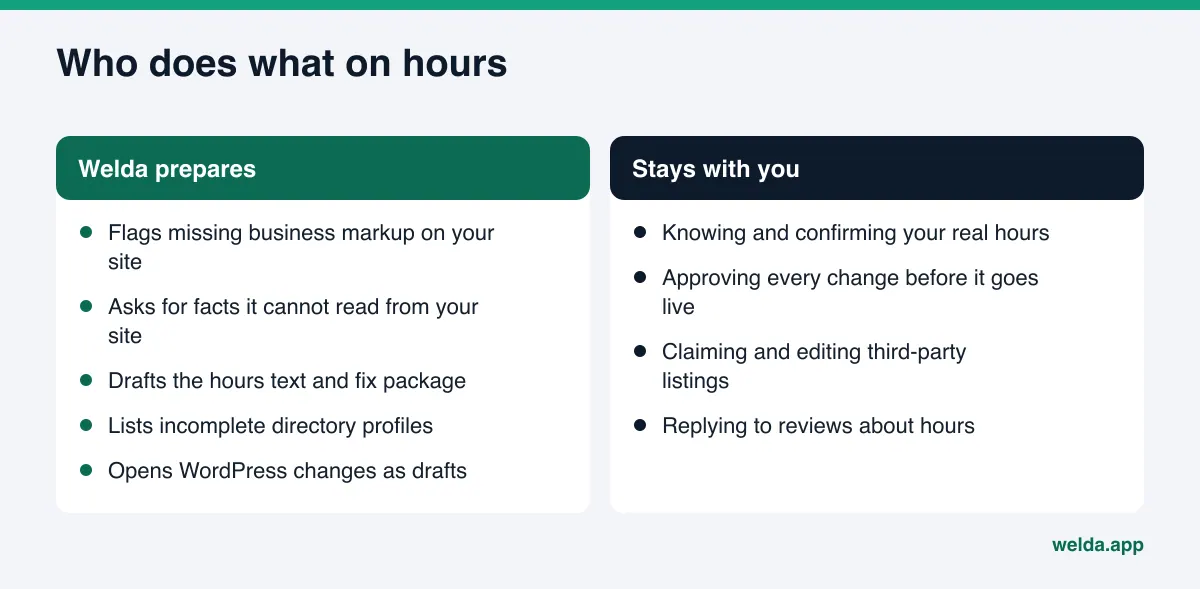
How changes reach your site depends on how it's built. On WordPress, Welda connects through a separate Editor user and an application password, with no code to install; prepared changes open as drafts and go live when you approve them. Where there's no connection, Welda hands you a ready package and you apply it. Google Business Profile, Instagram, and Facebook can be connected; if they aren't, the work stays on your list as a manual task. Either way, you approve what's published, and the content lives on your own site.
A note on availability. The full Welda panel is in early access and is opening first to businesses in Turkey; regular four-engine measurement is being added during early access, and sample screens use representative data. What anyone can use today, in English, is the free site analysis. Pricing is discussed in the early access conversation.
Limits: what Welda doesn't do
Hours look like a small job, but the boundaries should be clear.
- It doesn't guess your hours. If a time isn't on your site or in the field it asks you to fill, Welda won't make one up.
- It can't edit other sites directly. Old hours on a directory, a forum, or a news site get fixed under that site's rules. Welda prepares the text and lists the task; submitting and claiming stay with you.
- It doesn't publish without approval. Every prepared change, hours included, goes live only when you approve it.
- It doesn't guarantee you'll appear in ChatGPT with the right hours. AI answers draw on several sources, and engines re-read them on their own schedules. Corrections usually take weeks to show up in answers.
- It doesn't measure rankings. The free analysis doesn't measure or promise rankings; the panel's measurement looks at whether and where your name is mentioned for specific questions.
Those limits say something about the job itself: you're the only one who knows your real hours. Welda's contribution is making it easier to state them the same way everywhere and making sure no gap gets forgotten.
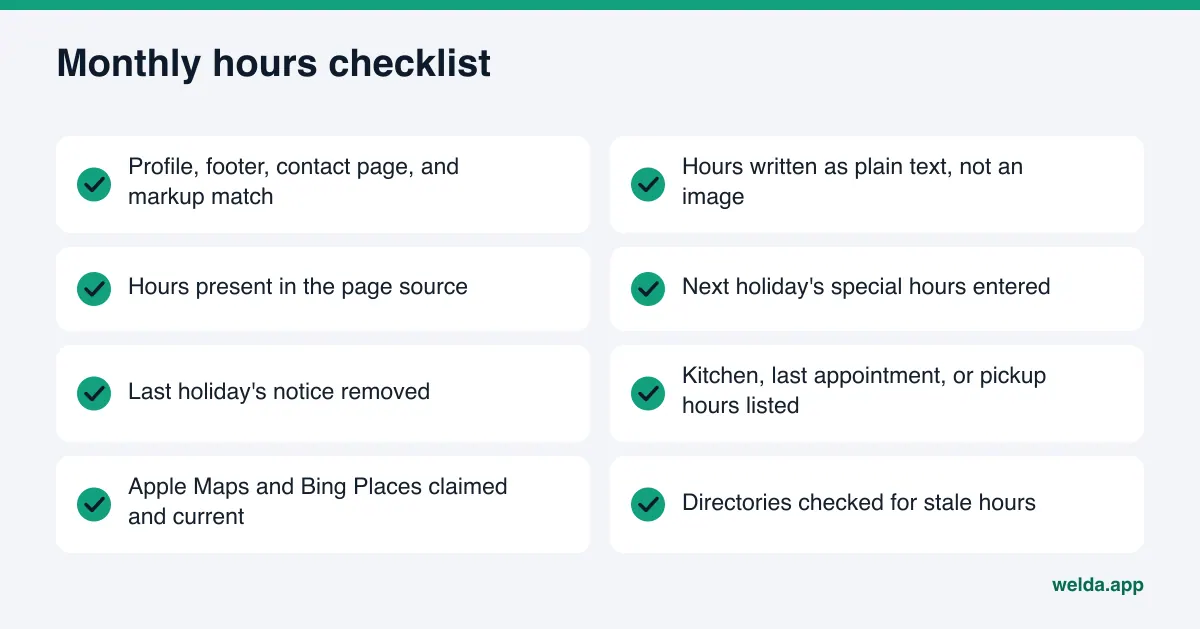
Checklist: keep business hours accurate for AI
Use this list on the first of every month and a week before every holiday. It takes about five minutes once your sources are listed.
| When | What to check |
|---|---|
| First of each month | Google Business Profile, site footer, contact page, and markup all show the same hours |
| A week before a holiday | Special hours entered on your profile; short dated notice on your site |
| Right after a holiday | Old notice removed; profile back on regular hours |
| Whenever hours change | Every place on your list updated the same day |
| When a new review comes in | Any confusion about hours, and can a short reply clear it up |
| Every quarter | Yelp, Apple Maps, Bing Places, and niche directories checked for stale hours |
Frequently asked questions
If my Google Business Profile hours are right, do I still need them on my website?
Yes. Your profile weighs heavily in Google's own answers, but other web-searching assistants read your site as well. If your site has no hours, or different ones, those assistants are left with missing or conflicting information.
I changed my hours, but AI still gives the old ones. What should I do?
First confirm every source you control shows the new hours. Then find the directories and platforms still showing the old ones and request corrections. AI answers usually take weeks to catch up; ask the same question periodically to see when it changes.
How far ahead should I enter holiday hours?
There's no fixed rule, but customers start planning in the days before a holiday. Entering special hours at least several days ahead, or as soon as your plans are set, is a good habit for both your profile and your site.
What should I do for a three-week remodel?
Per Google's help page, closures of 7 days or more should be marked as temporarily closed; special hours are meant for closures of up to 6 days. Post a dated notice on your site too, and add the reopening date once it's firm.
Should I list details like kitchen close time or last appointment?
If it affects the customer's decision, yes. A separate line for kitchen close or last appointment helps both readers and answer engines tell the difference between "open" and "serving."
Will the free analysis tell me whether my hours are correct?
It can't know whether your hours are correct; only you know that. It checks whether your business markup, address, phone, and map profile links are present on your site, and gives you a ready fix package for what's missing.
Keeping hours accurate is one of the lowest-effort, clearest wins in AI search visibility: you already have the right information, and the job is to state it the same way everywhere. To see where your site's business details stand today, run the free AI visibility analysis and get the gaps, the reasons, and a ready fix package in one report.