What does AI visibility software for skincare studios and estheticians actually do? It checks whether your studio's name shows up when people ask ChatGPT, Gemini, Perplexity or Google's AI Overviews things like "who does a good HydraFacial near me" or "esthetician for acne-prone skin in Austin." Good software goes further: it shows why you are missing from those answers and lists the work that closes the gap. No tool can guarantee a placement or a recommendation.
This guide is for independent estheticians, skincare studios, facial bars and day spas with a strong facial menu. We cover what the problem looks like from a client's side, why it matters for a studio that lives on repeat bookings, a step-by-step plan, what to look for in AI visibility software for skincare studios and estheticians, and how Welda handles the work, including what it does not do. If you want a quick read on where your site stands today, start with the free site analysis.
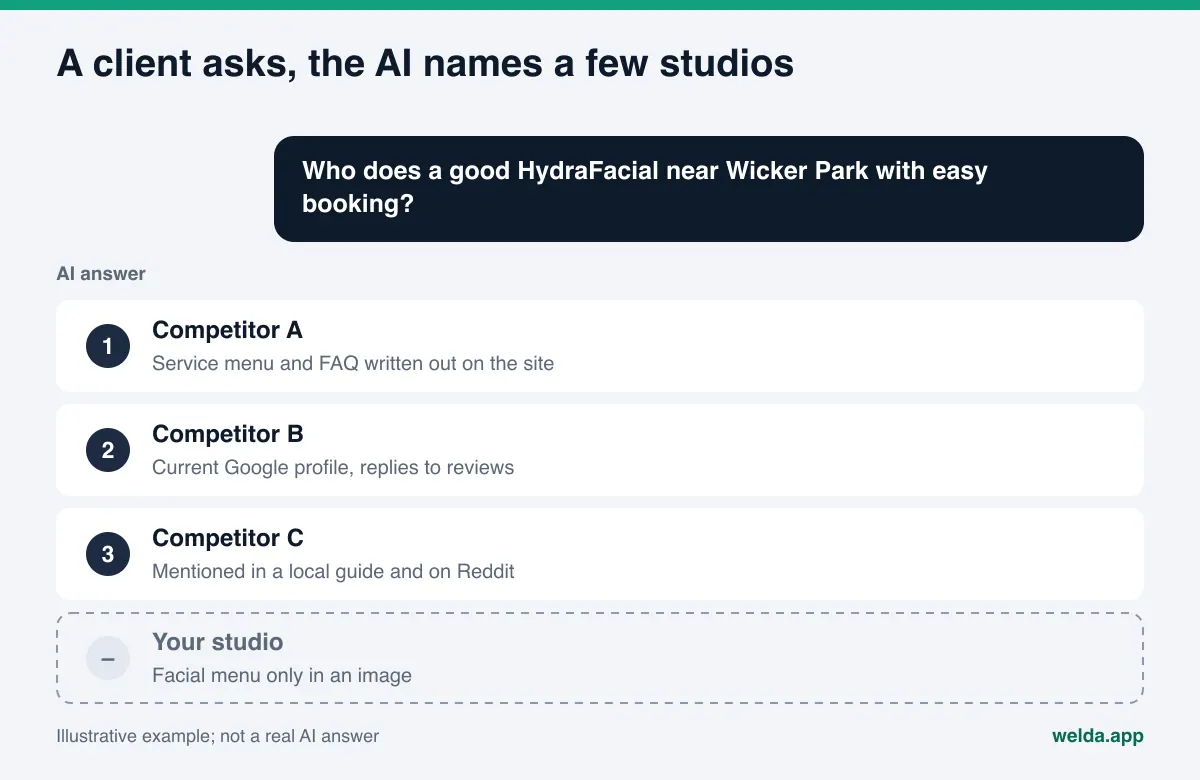
How clients find an esthetician through AI answers
Skincare is a high-consideration service. Clients rarely book a facial based on a name alone. They describe their skin, their budget, their schedule and what worries them. AI assistants are good at taking that kind of long, personal question, so more clients now type a full sentence into a chatbot instead of two words into a search box.
The questions below are examples we wrote to illustrate the pattern. They are not survey data, but they reflect the kinds of questions a skincare studio has to be ready for:
- Service and neighborhood: "Who does HydraFacials in Wicker Park? Somewhere with easy booking."
- Skin concern: "I have oily, acne-prone skin. Which esthetician near downtown Denver is good with extractions?"
- Timing: "Is there a facial studio open Sunday afternoon near me?"
- Trust: "Looking for a licensed esthetician who is careful with sensitive skin and rosacea."
- Comparison: "Chemical peel or microneedling for dark spots, and where should I get it done?"
The assistant usually answers with a short list of studios and a reason for each: "detailed service menu," "reviews mention a calm, clean space," "open weekends." Those reasons come from somewhere. They come from your website, your Google Business Profile, Yelp, booking platforms, local guides, Reddit threads and articles that mention you. A studio that is missing from that answer never makes the client's shortlist.
That is the core of AEO (answer engine optimization): making sure the facts an AI system needs to recommend you are present, clear and consistent wherever it looks. You may also see the same work called GEO, short for generative engine optimization; we use AEO here because that is the more common term in the US. For the difference in detail, see our explainer on GEO vs AEO.
Why skincare studios get left out of AI search answers
Most skincare studios do excellent work. The problem is that they describe it in ways an AI system cannot read reliably. The gaps tend to fall into four areas.
The menu lives in images. Studios show their work with before-and-after photos, Instagram Reels and designed price sheets. The facial menu is a PDF, the hours are in a story highlight, the specials are a graphic. An assistant cannot reliably pull "offers dermaplaning, in Silver Lake, open Saturdays" out of an image. If it is not in text, it is not in the answer.
Service names vary. Signature facial, deep-cleansing facial, HydraFacial, hydradermabrasion, chemical peel, microneedling, dermaplaning, LED, acne facial. Studios use these names differently, and clients use yet other words. If the client asks for one term and your site uses another, the assistant may not connect the two. A short plain-language description of each service, who it is for and roughly how long it takes closes that gap.
Listings disagree. One phone number on the website, another on Google Business Profile, an old suite number on Yelp. This happens constantly after a move or when an esthetician rents a room in a salon suite. When an AI system finds conflicting facts, it may simply leave the business out. We cover this in depth in our guide to NAP consistency for AI search.
Trust signals are scattered. Clients care about licensing, hygiene, the products you use and aftercare. That information sits in reviews, in Instagram captions, or nowhere at all. If the assistant cannot find a reason to trust you, it recommends someone else.
A step-by-step AEO plan for skincare studios
Work through these steps in order. Order matters: if AI crawlers cannot reach your site, a new service page will not help.
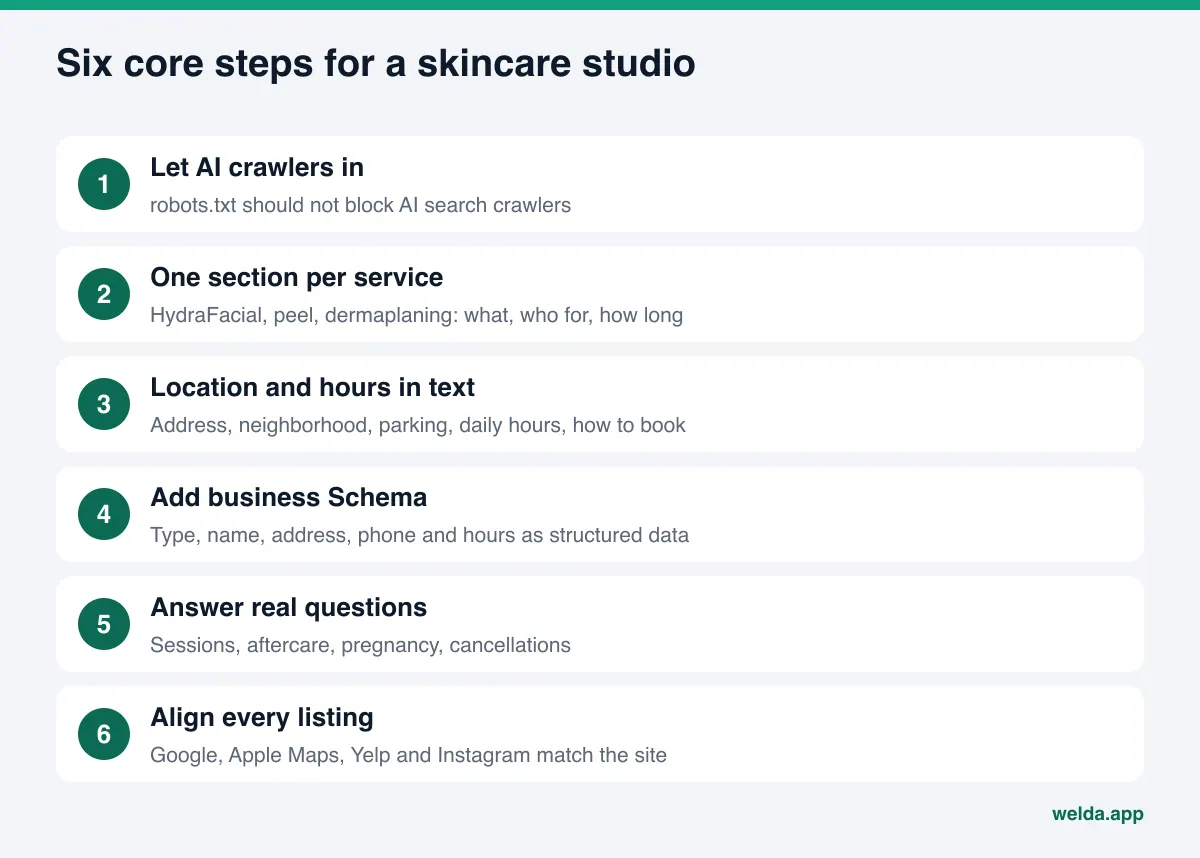
- Make sure AI crawlers can reach your site. Your robots.txt file should not block AI search crawlers. OpenAI documents that it uses a crawler called OAI-SearchBot to surface sites in ChatGPT search, and sites that block it will not appear as sources in those answers. Some website templates and security plugins block these crawlers without anyone noticing.
- Give every service its own section. HydraFacial, signature facial, chemical peel, dermaplaning, acne facial: each one gets a short section or page. Include what it is, who it suits, who should skip it, roughly how long it takes, and what to do before and after.
- Write your location and hours as text. Address, neighborhood, a nearby landmark, parking, transit, day-by-day hours and how to book should all be plain text on the site. A screenshot of your hours does not count.
- Mark up your business details. Add structured data (Schema) that states your business type, name, address, phone and hours. Schema.org defines a BeautySalon type, which is a sensible starting point for most skincare studios.
- Answer the questions clients actually ask. What happens at a first facial, how many sessions a peel series takes, whether you can go in the sun afterward, what is safe during pregnancy, how cancellations work. If the answer is on your site, the assistant can build its answer from it.
- Align every listing. Google Business Profile, Apple Maps, Yelp, your booking platform and Instagram should show the same name, address, phone, hours and service names as your site.
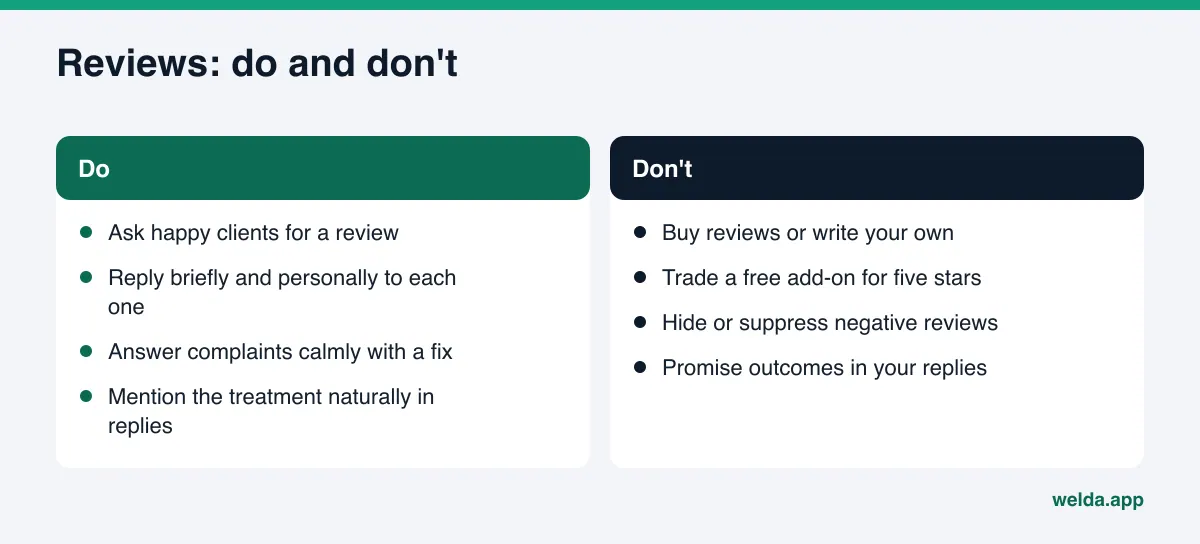
- Ask for reviews and reply to them. Ask happy clients for a review and reply to each one briefly and personally. Mentioning the service naturally in your reply ("glad the acne facial helped") tells AI systems what you are known for.
Much of this overlaps with neighboring businesses. For the differences, see AI search optimization for hair salons and AEO for laser hair removal clinics.
Claims, reviews and the rules that apply
Skincare sits between beauty and health. Every sentence on your site and profiles shapes not only what a client reads but what an AI system says about you. There are three areas to watch.
Outcome claims. Lines like "erases dark spots for good," "cures acne" or "the best facial in Dallas" invite trouble under truth-in-advertising rules and erode trust when a client's result differs. The FTC Act prohibits deceptive advertising, and claims need to be supportable. For a deeper look, read our guide to "best" claims and advertising rules in AI content.
Reviews. The FTC's rule on consumer reviews and testimonials, published in August 2024, targets fake reviews, including AI-generated ones, buying reviews and certain review suppression practices. Offering a free add-on in exchange for a five-star review is the kind of thing to avoid.
Scope of practice. What an esthetician may perform is set by state licensing rules, and some treatments fall under medical supervision. Only list services you are licensed and trained to provide at your studio. AI systems treat your site as a source, so an inaccurate line can become an inaccurate answer. None of this is legal advice; check with your state board or an attorney when in doubt.
What to look for in AI visibility software for skincare studios and estheticians
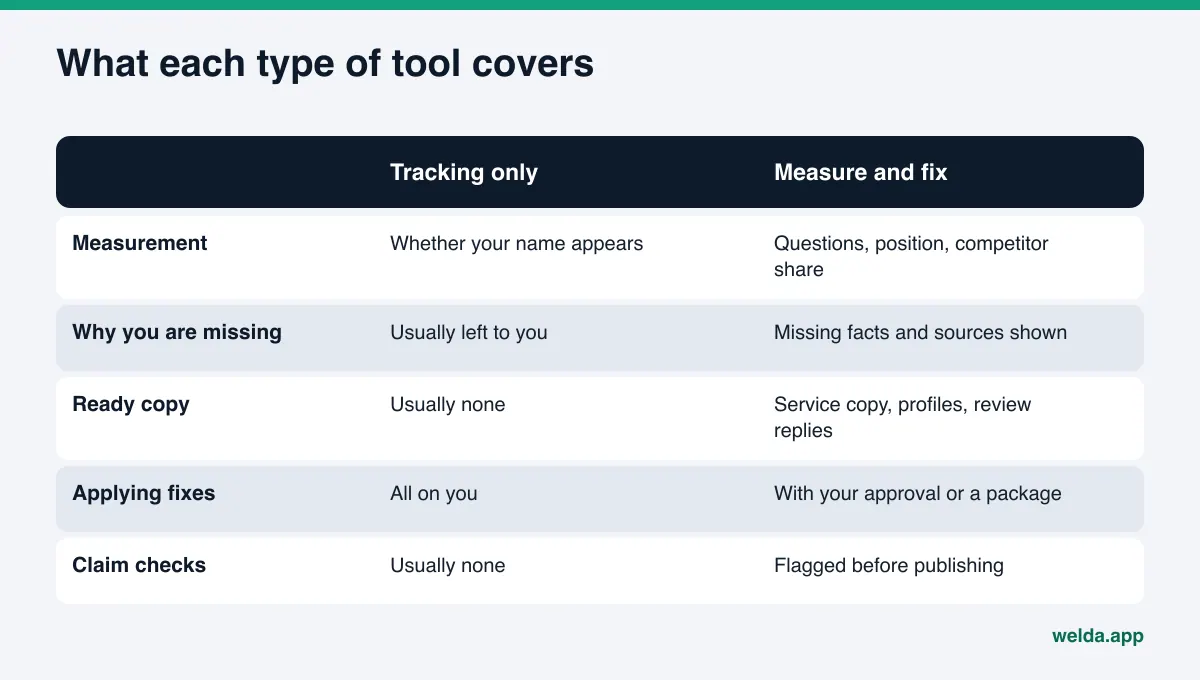
There are several kinds of products in this space: tracking tools that only measure, AI add-ons inside classic SEO suites, agencies that do the work for you, and software that both measures and prepares fixes. For a skincare studio, these questions help separate them:
- Are the prompts your clients' prompts? Does it track a generic keyword like "facial," or real client questions with a neighborhood, a service and a skin concern? In skincare, the difference is in the details.
- How many engines, how many runs? AI answers vary from run to run. One check can be lucky or unlucky. Asking the same question several times and showing the spread gives a more honest picture.
- Does it explain why you are missing? "You are not visible" is easy to say. Showing which topic and which source a competitor wins on is harder, and it is what you can act on.
- Who does the fix? A report alone leaves all the work with you. If you are the one doing it, the output has to be ready to apply.
- Who approves? Skincare copy is sensitive. Nothing should go live without your approval.
- Does it flag risky claims? Are outcome promises and superiority claims flagged before publishing?
If you are still deciding whether you need software at all, our comparison of manual ChatGPT checks and tracking tools walks through the trade-offs.
How Welda handles AEO for a skincare studio
Welda is software that measures where a business appears in AI answers and prepares the fixes, with the business approving what gets published. Here are the three parts that matter most for a skincare studio.
Prompt by prompt: which services you show up for
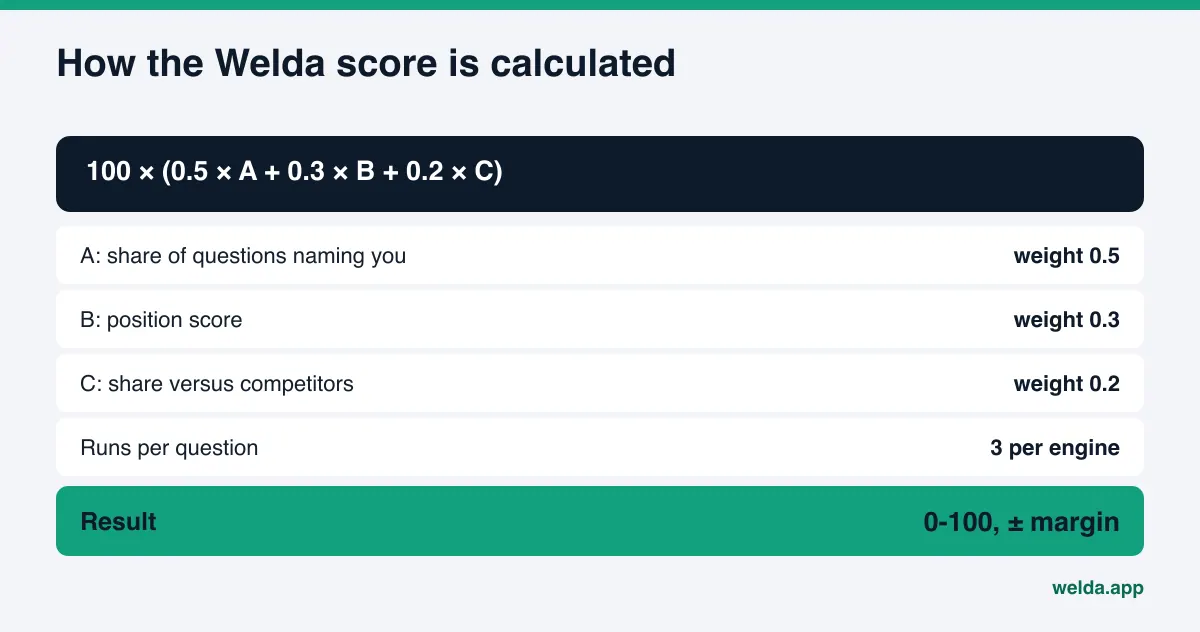
In the Welda dashboard, the questions your clients are likely to ask are run on ChatGPT, Gemini, Perplexity and Google AI, three times each. For every question you see whether your name appears, in what position, and on which engine. For a skincare studio, this view usually draws a clear line. You might be named for "facials in my neighborhood" but missing for "esthetician for acne-prone skin" or "HydraFacial near me." That tells you where to start: the service whose description is thinnest.
When the three runs disagree, Welda shows that as a margin of error. The score is published as a formula, so you can read why it moved.
A to-do list where missing facts are asked, not invented
After measurement comes a single to-do list with three kinds of items. First, facts Welda could not find on your site: how long you have been licensed, which product lines you use, which treatments you do not offer during pregnancy. Welda does not guess. It leaves the field empty and asks you. Second, drafts waiting for your approval: a service section, FAQ answers, a Google Business Profile description, a reply to a review. Third, manual tasks, such as updating a listing that is not connected. Each item comes with ready-to-use copy.
On WordPress sites, Welda connects through a separate Editor user and an application password, with no code to install. Drafts open in your site as drafts and go live only when you approve them. Content always lives on your own site. On other platforms, Welda gives you a ready package and you or your web person apply it. Google Business Profile, Instagram and Facebook can be connected; if they are not, the task is listed as manual.
Claim checks before anything goes live
Welda's compliance check flags patterns like prices, guarantees, superiority claims and anything that reads like a diagnosis before a draft is published. You decide whether to change the sentence. It is not legal advice and has not been reviewed by legal counsel; it simply surfaces lines that are easy to miss.
The dashboard also includes a competitor view, a list of the sources AI systems draw on, a before-and-after comparison and a one-page monthly report.
Early access: what you can use today
To be direct about where things stand: the Welda dashboard is in early access and is opening first in Turkey. Regular four-engine tracking is being added during early access, and the dashboard screens we describe are shown with sample data. Pricing is not published; it is discussed in an early access call.
What anyone can use today is the free site analysis, which works in English. It reads your homepage and a few inner pages (services, pricing, about, contact) the way Google and AI systems do. It checks crawler access in robots.txt, page title and description, main heading, business Schema, address and phone, links to your social and map profiles, an FAQ section, reviews and trust signals, whether services are clearly described, and page speed. You get a score out of 100, each gap explained with how to fix it, suggested homepage copy, a simulation of which fixes move the score most, a competitor comparison and a fix package for your site. It also asks five client-style questions to an AI assistant that can search the web and checks whether your name appears. That is a one-time snapshot. The analysis is free once per site; email and phone are verified, and the results link arrives by email and stays open for 14 days.
| Topic | Free site analysis | Welda dashboard (early access) |
|---|---|---|
| Availability | Anyone, once per site, in English | Opening in stages, first in Turkey |
| AI answer check | 5 questions, one time | Four engines, each question run three times |
| Site checks | Technical and content score out of 100 | Linked to the to-do list |
| Ready copy | Homepage suggestions and fix package | Service copy, profile text, review replies |
| Competitors | Side-by-side comparison | Which topic and source they win on |
| Publishing | You apply it | With your approval; WordPress drafts |
What Welda does not do
Knowing what a tool will not do matters as much as knowing what it will. Welda:
- Does not guarantee rankings or "getting into ChatGPT." No tool controls AI answers directly.
- Does not write facts it does not know. It asks you about your licensing, products and service details.
- Does not publish sensitive copy without your approval.
- Does not create fake reviews or help you buy them.
- Leaves negative review handling, directory accounts and press outreach with you. It can draft copy and suggestions, but you do the work.
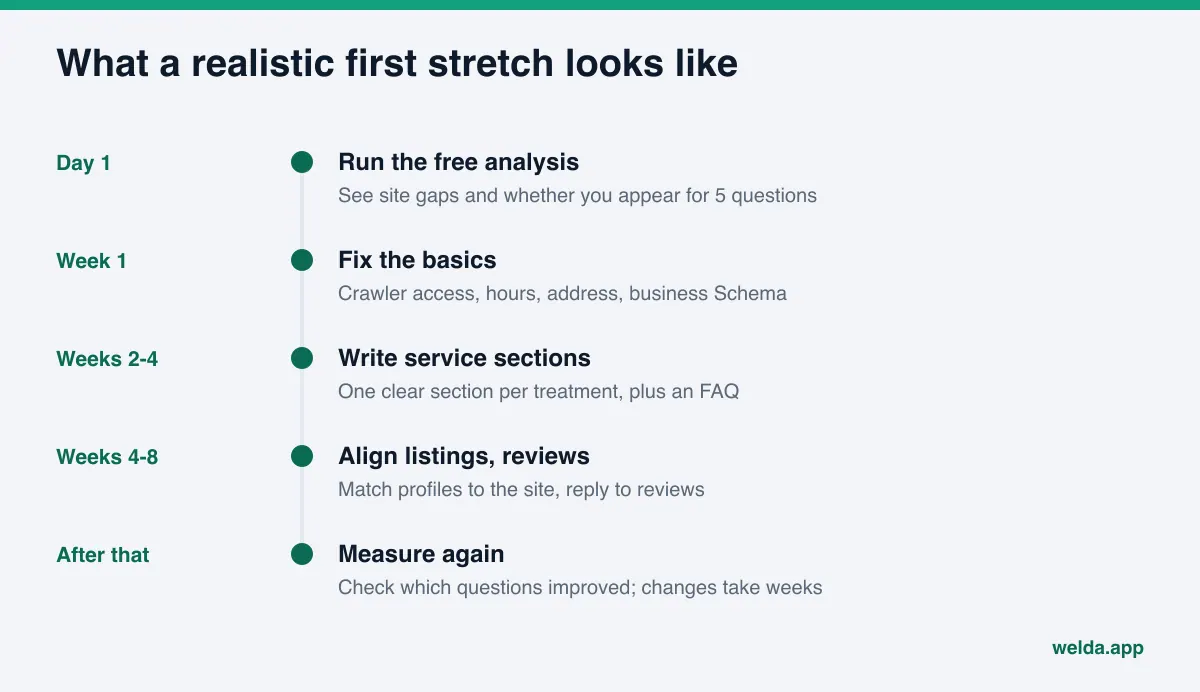
Timing matters too. New content usually takes weeks to show up in AI answers. Engines crawl on different schedules and build answers from different sources. Rather than expecting a jump in month one, watch which questions improve.
Skincare studio AEO checklist
Use this before you choose software, or after you run the free analysis. Answer each line with yes, no or not sure. The "no" and "not sure" lines are your first tasks.
| Check | Where to look | Why it matters |
|---|---|---|
| Can AI crawlers reach the site? | robots.txt | A blocked crawler cannot use your site as a source |
| Does each service have its own text section? | Services page | Matches questions that name a specific treatment |
| Are neighborhood, address and hours in text? | Contact page and footer | Location questions decide most skincare answers |
| Is business Schema in place? | Page source | Lets machines read name, address and hours |
| Is there an FAQ section? | Homepage or service pages | Assistants can lift answers directly |
| Do Google, Yelp and Instagram match the site? | Each listing | Conflicting facts can keep you out of answers |
| Are reviews answered? | Google Business Profile, Yelp | Trust signals and service context |
| Is the copy free of outcome promises? | All pages and promos | Advertising rules and client trust |
Frequently asked questions
How do I know if my skincare studio shows up in ChatGPT?
The quick way is to ask ChatGPT and other assistants a few questions your clients would ask. Answers change between runs, though, so a reliable picture needs the same questions asked several times on several engines. The free site analysis runs a one-time check with five questions; the Welda dashboard tracks this on four engines over time.
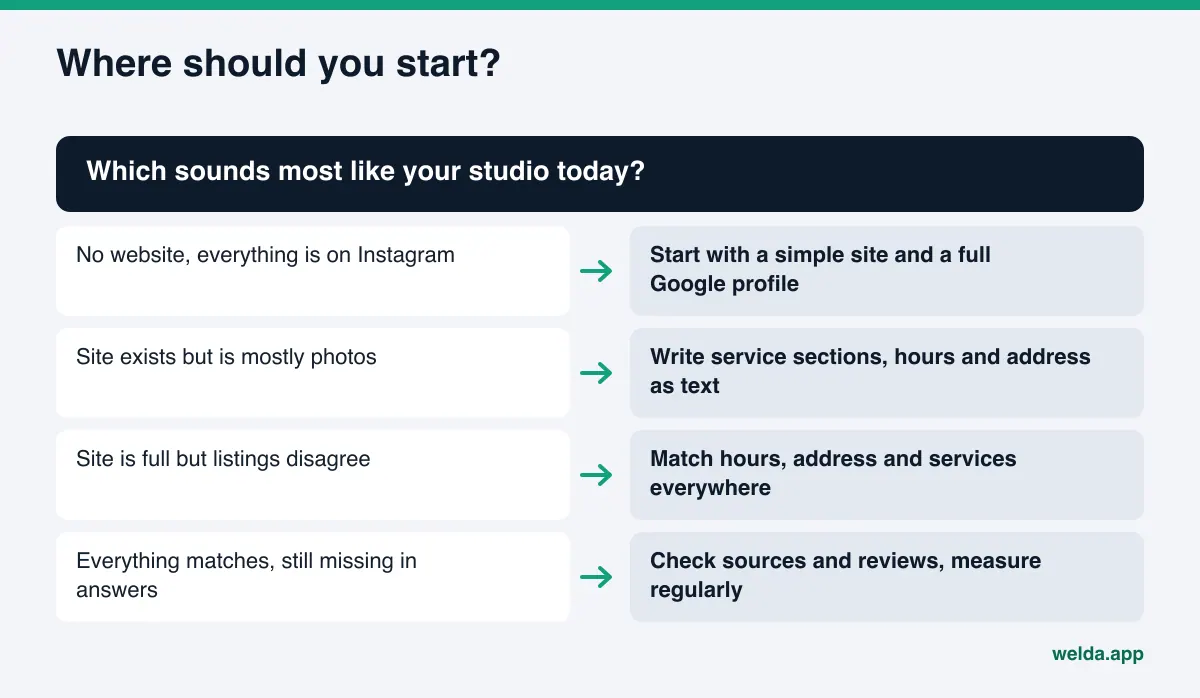
I work from a salon suite and mostly use Instagram. Can I still be visible?
AI assistants cannot reliably read details from Instagram images. A simple website and a complete Google Business Profile with your suite address and hours are the most solid way to describe your services and location in text. Start there.
Do before-and-after photos help with AI visibility?
They help clients, but on their own they do little for AI systems. Add a short caption that names the treatment, the number of sessions and a note that results vary. Get the client's written permission before posting.
Will Welda publish content for me?
No. Welda prepares the content and you approve it. On WordPress sites drafts open as drafts and go live when you approve them. On other platforms you receive a ready package and apply it yourself.
How long until I see results?
New content usually takes weeks to appear in AI answers, and no one can guarantee a date or a position. Regular measurement shows which questions are improving.
How much does Welda cost?
The dashboard is in early access and pricing is not published. It is discussed in an early access call. The free site analysis costs nothing, once per site.
Next step: run the free analysis
It is hard to decide what to fix first without knowing where your studio stands in AI answers. Run the free site analysis to see the gaps on your site, suggested homepage copy and whether your name comes up for client questions. Then use the checklist above to pick your first three tasks.