What is AI search optimization for photographers, and why does it matter now? AI search optimization for photographers is the work of making your website and profiles readable enough that ChatGPT, Gemini, Perplexity and Google AI can name you when someone asks for a wedding, newborn, headshot or product photographer. Most photography sites are galleries with almost no text, and AI engines read words, not pixels. This guide shows how to add the right words and how Welda helps with the work.
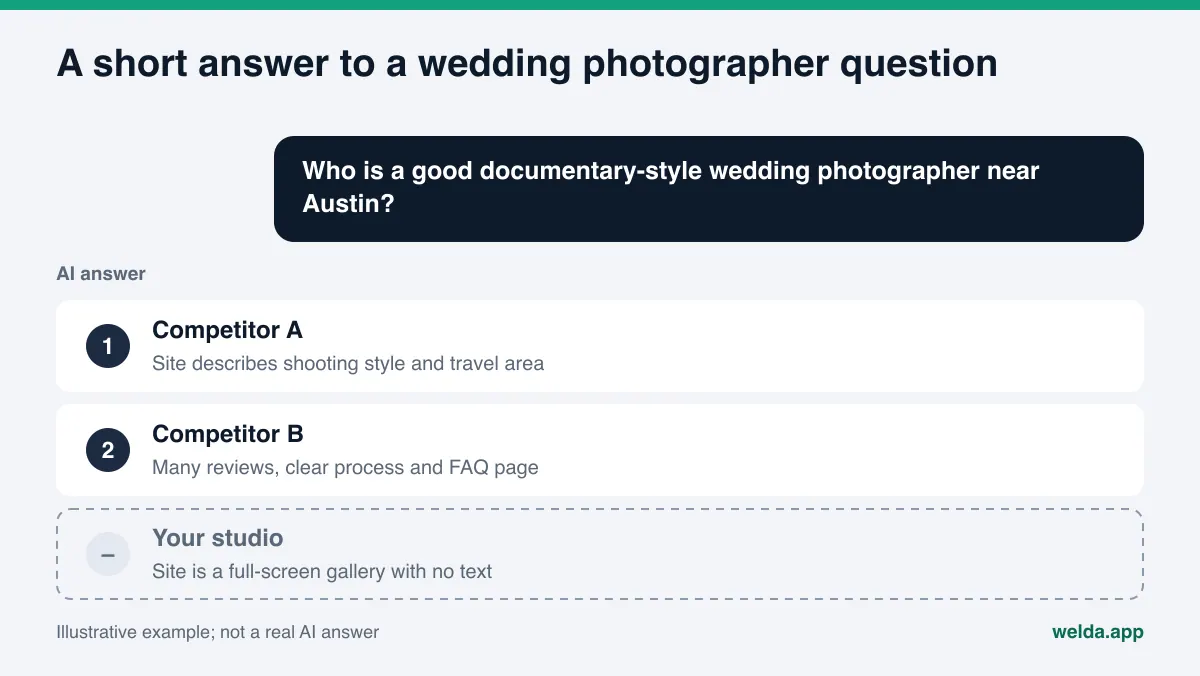
Couples still scroll Instagram, but more of them now start with a question typed into an AI assistant: "Who shoots natural-light weddings near Austin without a lot of posing?" Parents ask the same kind of question about newborn sessions. A marketing manager asks about corporate headshots for a team page. An online store owner asks who does clean product photography on white. The assistant returns a short list, and the client looks at two or three names. Whether your name is on that list depends less on your portfolio and more on a few clear sentences on your site.
Why AI search optimization for photographers is its own problem
The industry term for this work is AEO, answer engine optimization. You will also see it called AI search visibility, and sometimes GEO (generative engine optimization), which means the same thing. Whatever you call it, photography is an unusual case.
The work itself is visual, so the best photography sites are often minimal: a logo, a full-screen slideshow, a contact form. That is a beautiful experience for a human visitor. For an AI search crawler, there is almost nothing to read. Menu labels, a few file names like DSC_4821.jpg, and maybe an "About" page with one paragraph.
Google says this directly in its own image guidance. It uses alt text together with computer vision and the content of the page to understand what an image shows, and it recommends placing images near relevant text wherever possible (Google image SEO best practices). Google's page on AI features adds that there are no extra technical requirements for AI Overviews or AI Mode, but that basics like keeping important content in text form still apply (Google, AI features and your website). So the job is not to find a trick for AI. It is to put into words what your photos already show.
The second issue is that "photographer" is really a dozen different businesses. Weddings, elopements, engagements, maternity, newborn, family, senior portraits, headshots, product, food, real estate, events. Clients ask for one of these, not for "a photographer." If your site says "all types of photography," an AI engine cannot match you cleanly to any one question. We made the same point in our guide to AI search optimization for electricians: a general claim answers nothing.
The third issue is geography. Studio sessions happen at an address. Weddings and outdoor sessions happen wherever you are willing to travel. An AI answer for "wedding photographer in San Antonio" will not include an Austin photographer whose site never mentions San Antonio. You know you travel there. The model cannot know it unless you write it down.
What clients ask AI about photographers
Writing pages without knowing the questions is guesswork. It helps to sort photography questions into five types. The examples below are questions we wrote to illustrate the pattern. They are not research data.
| Question type | Example question | Information that answers it |
|---|---|---|
| Specialty | "Experienced newborn photographer who does safe posing" | A dedicated newborn page that explains safety and process |
| Location | "Family photographer with a studio in north Austin" | Studio address, neighborhoods and cities you cover |
| Style | "Candid, documentary wedding photographer, not posed" | Your shooting style described in plain words |
| Price and process | "What affects wedding photography cost, and when do you get the photos?" | Pricing factors, delivery format and the steps you follow |
| Trust | "Reliable photographer who delivers on time" | Reviews, review replies, contract and delivery details |
Notice what is missing from this table: none of these questions is about a specific photo. They are all about how you work, where you go and whether you can be trusted. Your gallery closes the deal after a client finds you. Your words are what let them find you.
To see how well your current site answers these questions, run the free site analysis. It reads your homepage and a few inner pages such as services, about and contact, and checks whether your services are clearly described, whether you have business structured data and whether there is an FAQ section.
How to make a photography website readable for AI: step by step
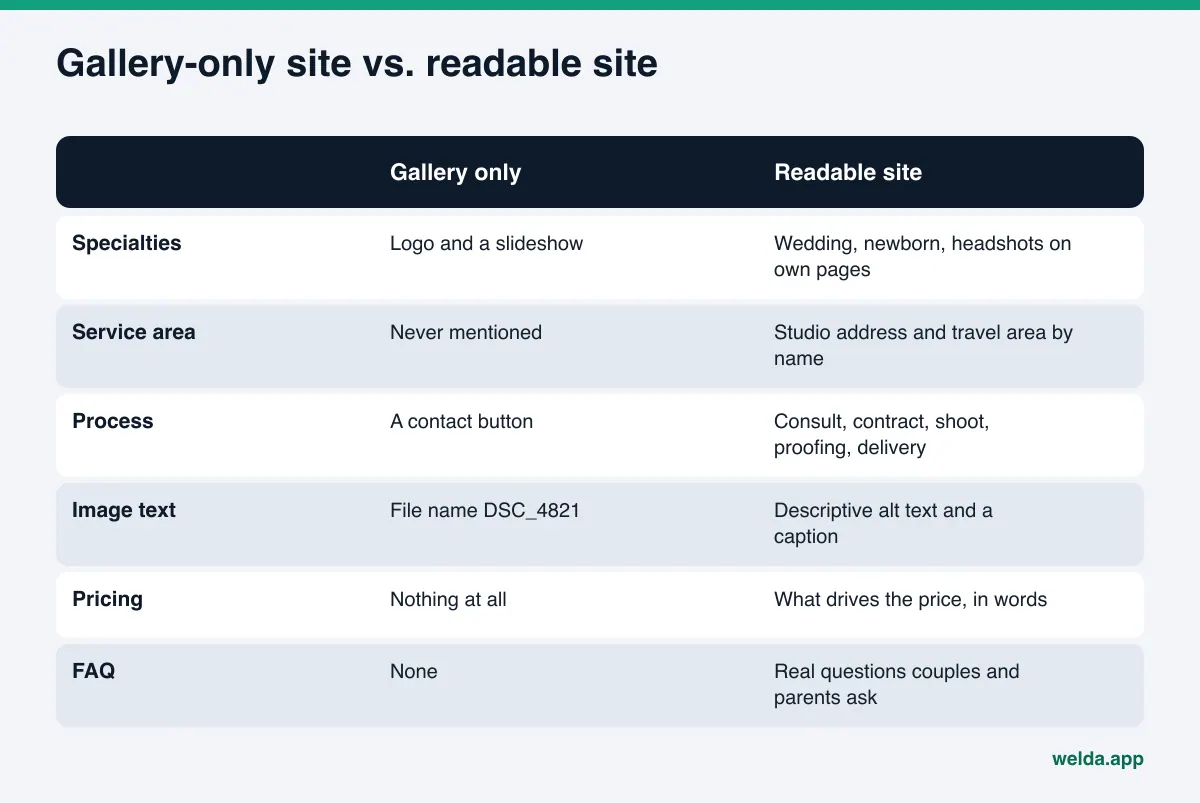
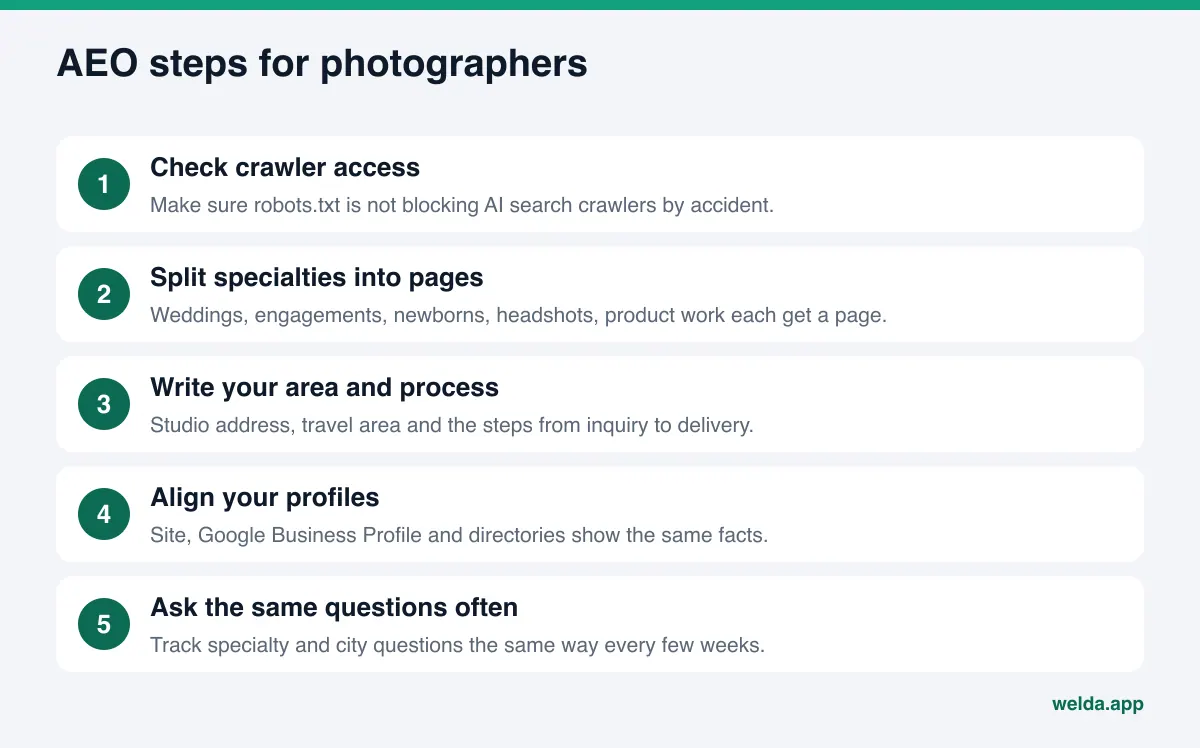
These steps work best in order. You do not need a redesign, a new platform or better photos. Most of the work is adding text to the site you already have.
- Make sure AI crawlers can get in. Some portfolio themes and image protection plugins add broad blocks to robots.txt to stop image scraping. OpenAI documents that inclusion in ChatGPT search is controlled by a crawler called OAI-SearchBot, that model training uses a separate crawler called GPTBot, and that each setting is independent (OpenAI crawler overview). If you do not want your images used for training, you can block the training crawler and keep the search crawler open.
- Give every shoot type its own page with text. "Wedding photography," "Newborn sessions," "Corporate headshots," "Product photography." Three or four short paragraphs per page are enough: what you shoot, in what style, for whom, where, and how the process works.
- Write out your area. List your studio address, the neighborhoods and cities you cover, and how you handle travel. Replace "available nationwide" with the places you actually go.
- Describe the process. Inquiry, consultation, contract, shoot day, proofing, editing, delivery format (online gallery, album, prints). Only write a delivery time you really keep.
- Explain what drives the price. You do not have to publish numbers. Explaining hours of coverage, second shooter, albums and travel already answers "what affects the cost."
- Give images meaningful alt text. "Bride and groom walking along Lady Bird Lake at sunset" is alt text. "Best Austin wedding photographer" is not. Google also warns that stuffing keywords into alt attributes can look like spam.
- Add an FAQ section. Use the questions people actually ask you on calls: how many images, do you deliver RAW files, what happens if it rains, how many days old should a newborn be for the session.
- Add business structured data. Schema.org has no photographer-specific business type. The general LocalBusiness type covers name, address, phone, hours, service area and social profiles. Keep it consistent with what is visible on the page.
- Align your profiles. Google Business Profile, Yelp, wedding directories such as The Knot or WeddingWire, Thumbtack, your Instagram bio and your website should all show the same name, phone number and service area.
There is no "upload more photos" step on this list. The number of images does not help an AI engine connect you to a question. A specialty page with a dozen strong images and four paragraphs says more than a hundred images with no words.
Instagram, Google Business Profile and directories: which sources does AI read?
Many photographers get most of their clients through Instagram and treat the website as an afterthought. AI answers are built differently. An assistant that searches the web usually looks at the business's own site, map profiles, directories, review sites, forums and local media. How much Instagram content makes it into those sources varies by engine and cannot be known precisely from the outside. Being strong on Instagram does not mean being strong in AI answers.
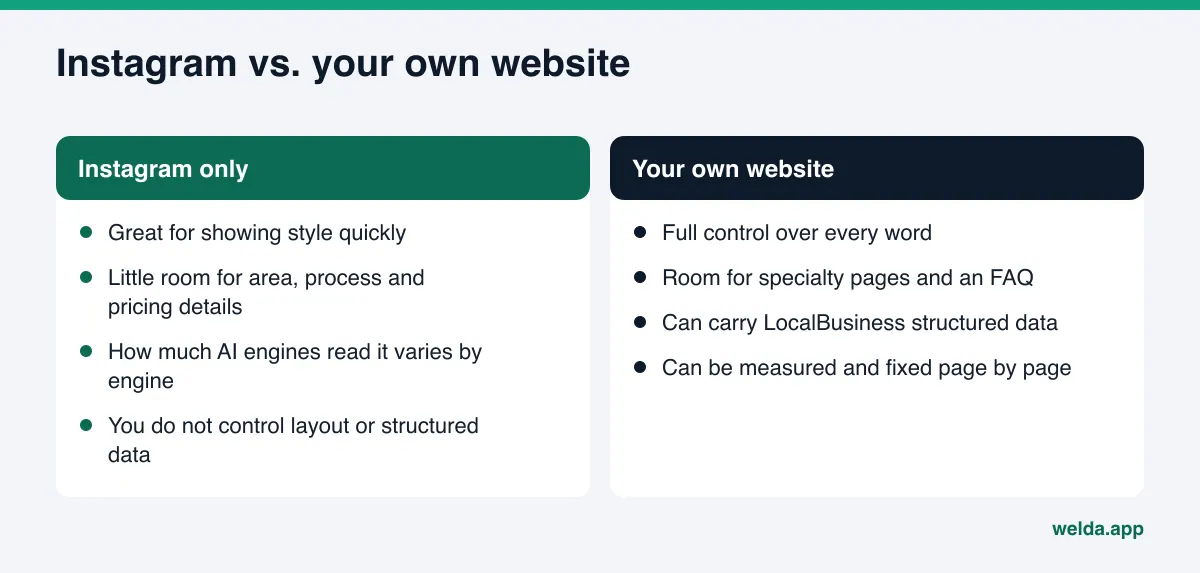
In practice, three kinds of sources matter most for photographers:
- Your own website: The place where specialty, area and process can be explained in the most detail. You control every word.
- Google Business Profile: Studio address, hours, category and reviews live here, in a format that is easy for search systems to read.
- Directories and review sites: Yelp, The Knot, WeddingWire, Thumbtack, the Better Business Bureau and local forums. You do not control what others write, but you do control whether your listing is current and matches your site.
Rather than guessing which sites an engine trusts, it is better to see which ones it actually cites. Our guide on how to get cited by AI explains how those sources are read. On reviews, the rule is simple: reply to every review calmly and specifically, especially complaints about delivery or communication. Review responses for AI visibility covers why that matters.
How Welda handles AEO for a photographer
Welda is software that measures where a business shows up in AI answers and prepares the missing pieces on the business's behalf. Two parts matter most for a photographer: question tracking and the task list. Both live in the Welda dashboard, which is in early access and is opening first to businesses in Turkey. What anyone can use today, in English and German as well, is the free site analysis.
Question tracking: which shoot types name you?
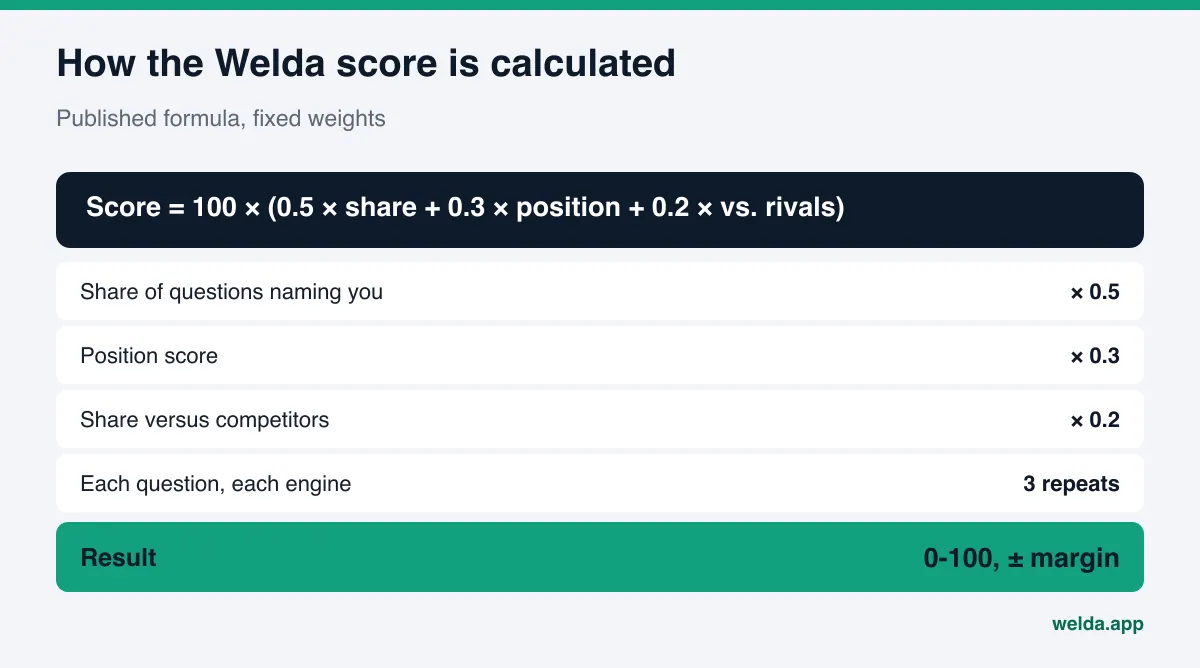
The most useful view for a photographer is the one where questions are tracked line by line. The questions your clients might ask, such as "wedding photographer in Austin," "newborn studio near Round Rock" or "product photographer for an online store," are each asked to ChatGPT, Gemini, Perplexity and Google AI three times. Each row shows which engine named you and in what position. Open a row and you see the answer itself and the sources it leaned on.
This view can show a photographer something unexpected. You may show up for wedding questions but never for headshot questions, even though you do both. Or you appear for your own city and disappear one suburb over. This is where the decision gets made: which specialty page to write first, which area to name clearly on the site. The score comes from the same measurement and the formula is published, so you can see which part of it moved. The spread across the three repeats gives a ± margin, so one lucky answer does not fool you. Regular four-engine tracking is being added during early access, and the sample screens in the dashboard use illustrative data.
Task list: missing facts are asked, copy comes ready
Measurement is only half the job. Welda puts what is missing from your site and profiles on a single task list. For a photographer, typical items are draft copy for a specialty page, a draft FAQ, a Google Business Profile description and replies to reviews.
An important part of this list is the section for information Welda needs from you. Welda does not make things up. If it cannot read from your site which cities you travel to, whether you deliver RAW files or how delivery works, it asks you instead of guessing. You answer once, and the answer flows into every draft.
Publishing approval always stays with you. On a WordPress site, Welda connects through a separate Editor user and an application password, with no code to install; a prepared page opens on your site as a draft and goes live when you approve it. If your portfolio runs on a different platform, Welda gives you a ready package and the change is made by hand. Google Business Profile and Instagram can be connected; if they are not, the task stays on the list as a manual item with the copy next to it. Content always lives on your own site and profiles. Welda does not host content. Pricing for the dashboard is discussed during the early access conversation.
What the free analysis shows on a photography site
You do not have to wait for dashboard access to take the first step. The free site analysis reads your site the way Google and AI engines do and returns a score out of 100, with technical and content scores shown separately. On gallery-heavy photography sites, typical findings can include a main heading that is only a logo or the word "Portfolio," an empty meta description, services that are never spelled out, no business structured data, no FAQ section and slow load times from oversized images.
For each issue, the report shows what was found, why it matters and how to fix it. You get ready-to-use suggestions for the homepage title, description, main heading, intro paragraph and FAQ. A simulation shows how much each fix would move the score, and there is a competitor comparison and a ready fix package that includes the structured data code. The analysis also asks five questions a client might ask to an AI assistant that can search the web, and checks whether your business name comes up. That is a one-time snapshot, not ongoing tracking.
Common AEO mistakes on photography websites
These problems follow naturally from gallery-first design. Most come from design choices and can be fixed with small text additions.
| Mistake | Why it hurts | Fix |
|---|---|---|
| Homepage is only a full-screen slideshow | Nothing for a crawler to read | Two or three sentences of intro and links to specialty pages below it |
| Text baked into images | Words inside an image are not read as text | Repeat the same words as plain text on the page |
| One "Services" page for everything | No shoot type becomes a clear answer | A page per shoot type |
| Service area never mentioned | You cannot match city or neighborhood questions | Studio address and covered areas by name |
| Right-click protection that also blocks crawlers | Search crawlers cannot read the site | Check robots.txt and allow search crawlers |
| Instagram current, website out of date | Sources contradict each other | Align name, phone, address and area everywhere |
One more trap: chasing more reviews for AI visibility and drifting into fake or paid reviews. In the US, the FTC's rule on consumer reviews and testimonials bans buying and selling fake reviews and lets the agency seek civil penalties (FTC announcement). This is not legal advice. We cover the topic in fake reviews rules and AI visibility.
Limits: what Welda does not do
Honestly, nobody has a button for AI visibility. Here is what Welda does not do:
- It does not guarantee rankings or a spot in ChatGPT. AI answers change with the engine, the question and the day.
- It does not invent facts. It asks you what you shoot, where you travel and how you deliver.
- It does not write fake reviews. It drafts replies, but reviews must come from real clients.
- It does not publish without your approval. Every piece of copy comes to you first.
- Handling negative reviews, setting up directory accounts and press outreach stay with you.
- It does not edit your photos or curate your portfolio. Its work is limited to text, facts and measurement.
One more thing to expect: new content on your site usually takes weeks to show up in AI answers. Crawlers need to revisit, sources need to update and engines need to rebuild their answers. That is why it makes sense to ask the same questions the same way every few weeks instead of measuring once.
Decision guide and checklist for photographers
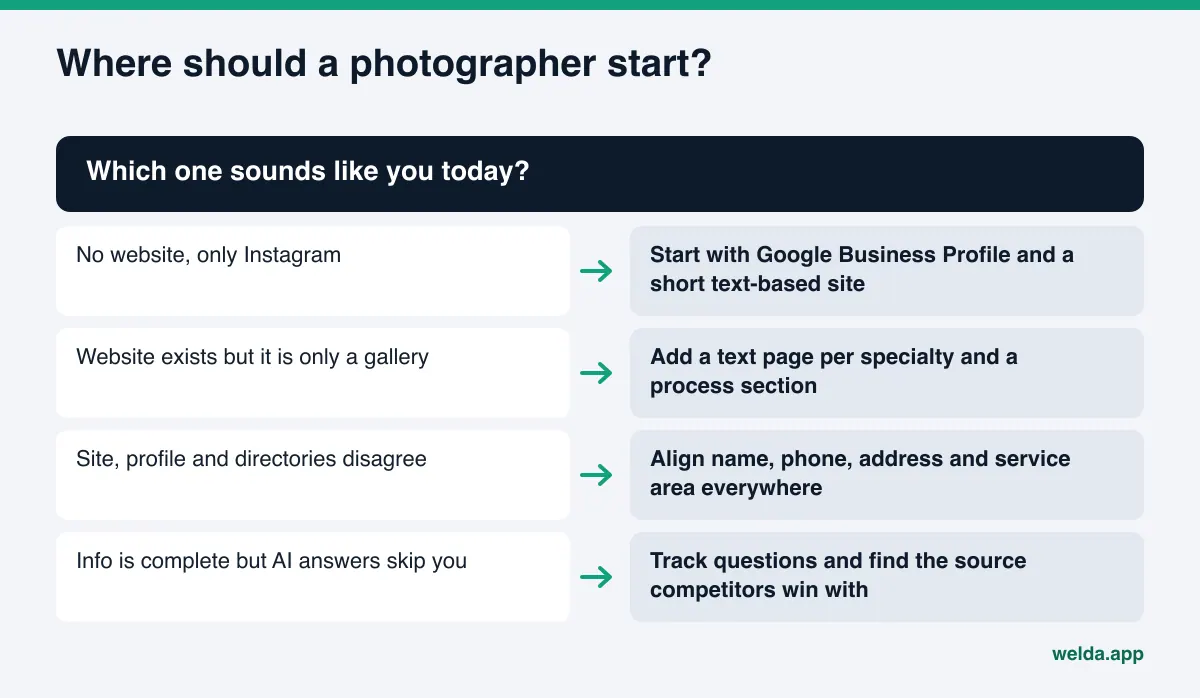
Where you start depends on where you are today. Instagram only: start with Google Business Profile and a short site with real text. Gallery-only site: add specialty pages. Scattered information: align it. Everything in place: measure. These questions are a quick self-check:
- If a stranger read only the text on your site, would they know what you shoot and where you work?
- Does your highest-earning shoot type have its own page?
- Are your studio address and travel area the same on your site, Google Business Profile, directories and Instagram?
- Are the five questions you hear most on calls answered on the site?
- Have you replied to every recent review?
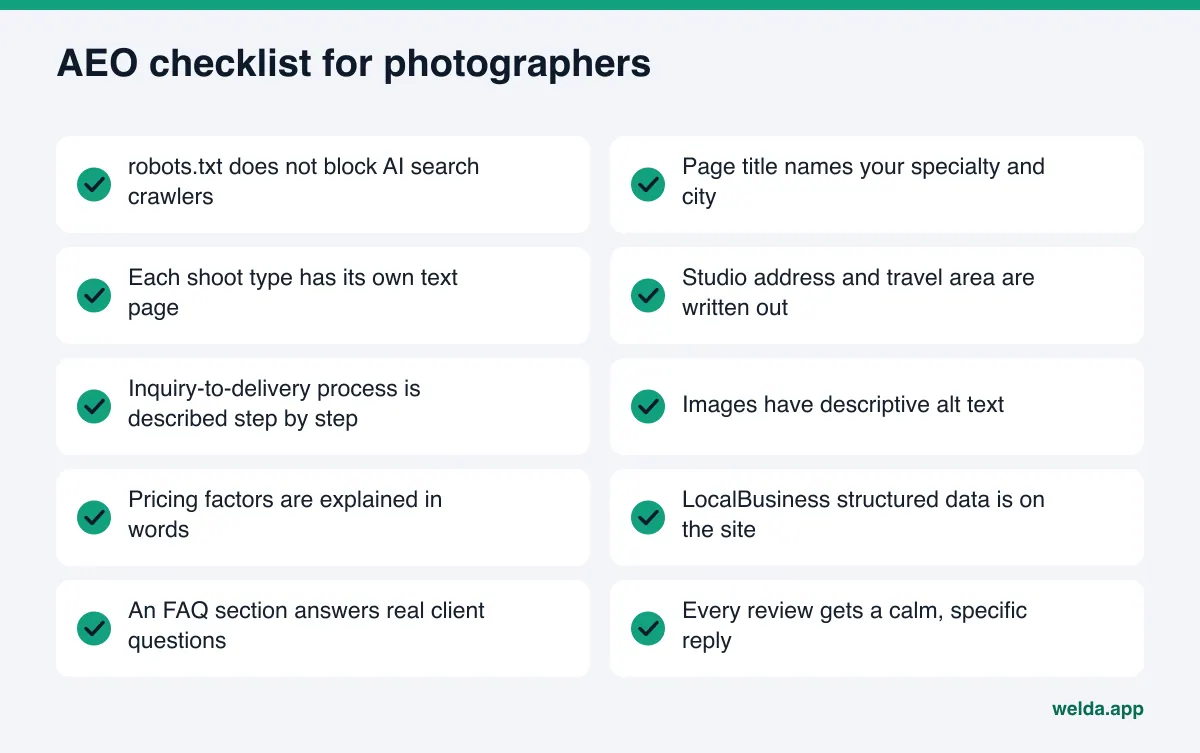
Most of this list is an afternoon of work. The hard part is seeing which questions you are missing and which competitor wins with which source, so measurement sits inside the loop, not at the end. For a longer version of this list, see the AEO checklist. If you want to see how the same approach works in another visual business, read AI visibility software for jewelry stores.
Frequently asked questions
Is AEO for photographers different from regular SEO?
The foundation is the same: crawlers must be able to get in, and information must be in text. The goal is different. In AEO you are not trying to rank in a list of links; you are trying to be named in a short AI answer. That makes clear, consistent specialty, area and process information even more important.
My Instagram is strong. Do I still need a website?
Yes. How much Instagram content AI engines use as a source varies by engine and cannot be known precisely from outside. Your own website is the one place you fully control and where you can give the most detail.
I do not want my photos used for AI training. What can I do?
Some engines separate their search crawler from their training crawler. According to OpenAI's documentation, you can block the training crawler in robots.txt and keep the search crawler allowed. Check each engine's own documentation for its crawlers.
Do I have to publish my prices?
No. But explaining what affects the price answers questions like "what does wedding photography cost and why" and makes it easier for an AI engine to name you for them.
Does Welda edit my photos or my portfolio?
No. Welda measures, finds missing information and drafts copy. Photo selection and editing stay with you.
When will I see results?
New content usually takes weeks to show up in AI answers. Nobody can promise a timeline or an outcome, which is why the same questions should be measured at regular intervals.
Can I use the Welda dashboard today?
The dashboard is in early access and is opening first in Turkey. The free site analysis works in English today and is free once per site.
See where your site stands today
AI search optimization for photographers comes down to backing great photos with a few clear sentences that AI engines can read. To know where to start, see what your site says today. Run the free site analysis to get your score, the issues found, ready copy for your homepage and the result of the five-question AI test in one report. The result link arrives by email and stays open for 14 days.