How should you handle pricing claims in AI-ready content? When a customer asks ChatGPT, Gemini, Perplexity or Google's AI Overviews what you charge, the answer is often built from sentences on your own website and profiles. A sale that ended months ago, a "free" offer with conditions in the fine print, or a "lowest price in town" line can be repeated without the context that made it accurate. The fix is to write every price and promotion so that any single sentence stays true on its own: total price, conditions, dates and scope in the same place.
This guide is for small and mid-sized businesses working on AEO (answer engine optimization), the practice of getting named in AI-generated answers. You may also see it called GEO, generative engine optimization; it means essentially the same thing. We cover which pricing claims cause trouble in AI search, what the FTC's pricing guidance says, a step-by-step cleanup, how to write a price section an AI assistant reads correctly, and what Welda does and does not do here. If you want to see how your site reads to AI before you start, the free AI visibility analysis reviews your homepage and key inner pages and shows how clearly your services are described.
Why pricing claims in AI-ready content need extra care
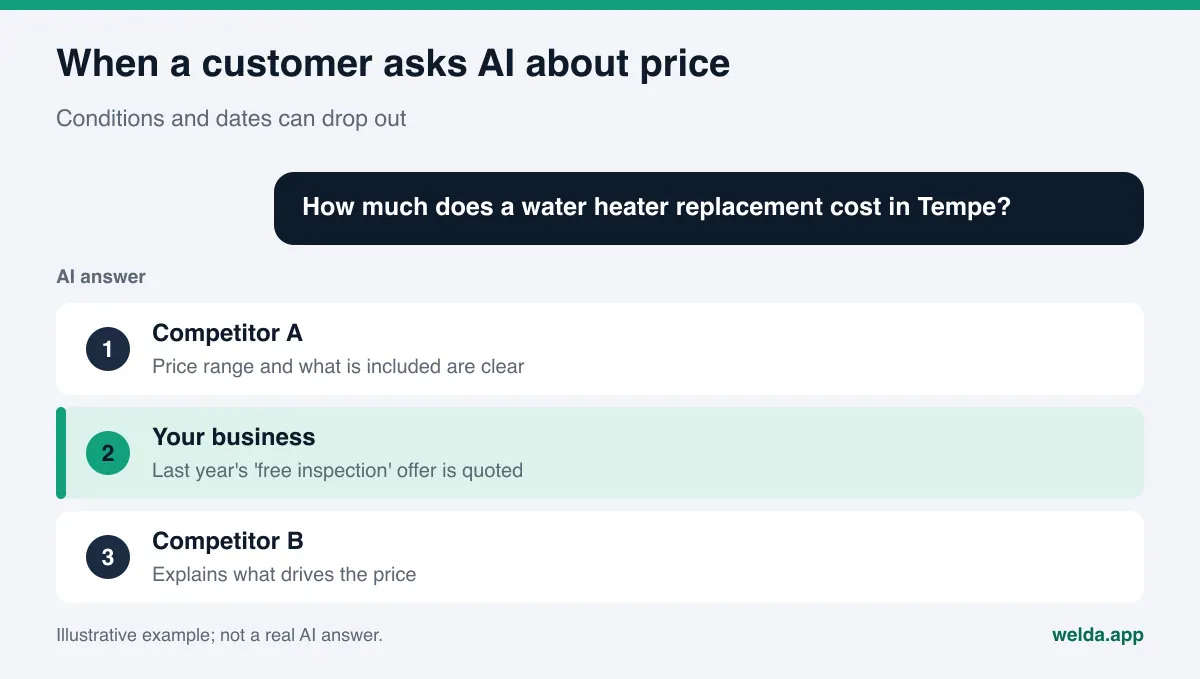
In a traditional search result, a customer clicks through to your page and reads your price in your context. The expiration date, the asterisk and the "plus tax" note are all on the same screen. An AI answer works differently. The assistant pulls a sentence or two from your page, blends it with other sources and hands the customer a short summary. Conditions tend to fall away in that summary. What survives is the most memorable part: "free," "50% off," "lowest price."
That creates three practical problems. First, an expired promotion can be presented as current. If an old "free first consultation" landing page is still live, an assistant may describe it as an active offer, and a customer shows up expecting it. Second, a conditional price can lose its condition. "Buy three sessions, get the fourth free" can be shortened to "free session." Third, comparison claims get amplified. A line like "the most affordable plumber in Phoenix," written without support, can be repeated in an AI answer as if it were a fact, and you are the one who has to back it up.
This is not only a legal issue; it is also a visibility issue. When AI assistants find conflicting information about a business, they may avoid naming it or prefer a competitor whose information is consistent. If your website shows one price, your Google Business Profile shows another and an old blog post shows a third, the assistant has no single sentence it can repeat with confidence. Consistent, dated pricing information sends both customers and AI systems to the same place.
Who should care most? Any business where price is one of the first questions: hotels and short-term rentals ("what's the nightly rate"), dental and medical practices ("how much is a crown"), med spas and salons, restaurants with prix fixe menus, e-commerce brands, and home service companies that customers find on Angi, Yelp or the BBB. For these businesses, the price question sits closest to the buying decision. A wrong or outdated answer at that point is a lost customer or an upset phone call.
Which pricing claims cause trouble in AI answers?
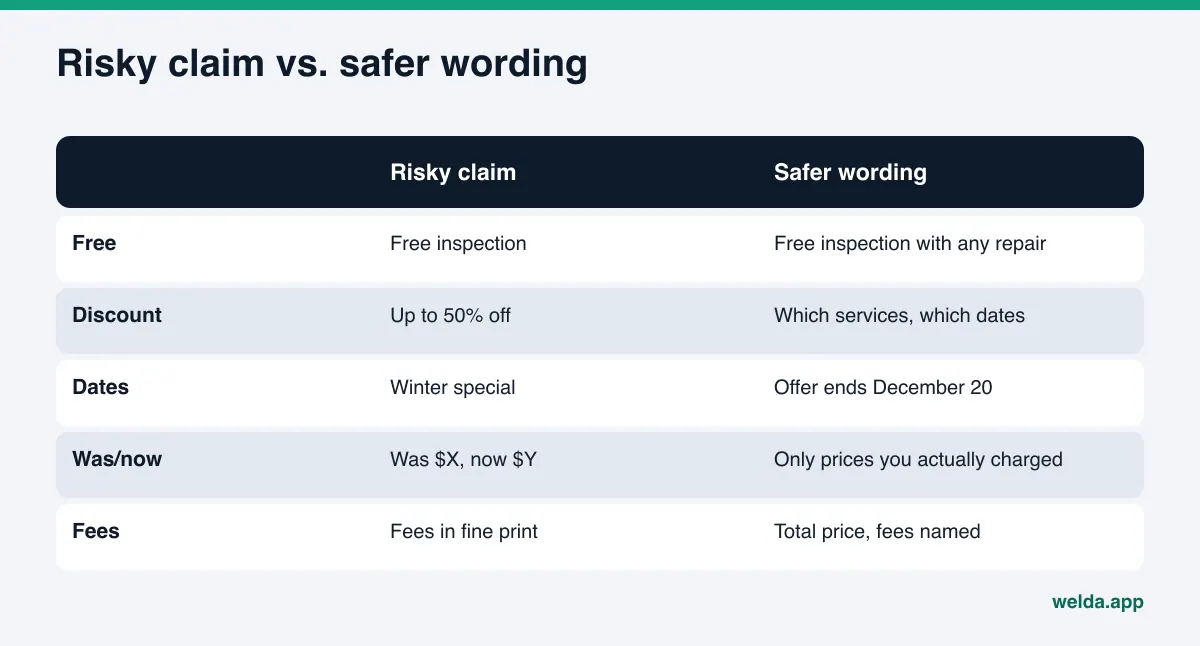
The table below lists the pricing patterns we see most often on small business websites, what can happen when an AI assistant picks them up, and a safer way to write them. It is a working tool for content, not a legal checklist.
| Pricing claim | What can go wrong in an AI answer | Safer wording |
|---|---|---|
| "Free" with conditions | The condition drops and the offer sounds unconditional | Put the condition in the same sentence: "Free initial inspection with any repair over the posted minimum." |
| "Up to 50% off" | Shortened to "50% off" | Name the products or services and the dates |
| Undated promotion page | An ended sale is described as current | State start and end dates in the copy; update or remove the page when it ends |
| "Was $X, now $Y" | The former price is repeated even if it was never really charged | Only use a former price you actually charged in good faith for a meaningful period |
| "Lowest price," "cheapest" | An unsupported claim is repeated as fact | Describe what is included and how the price is set |
| "Starting at $X" | Read as the typical price | Explain what drives the price and give a realistic range |
| Fees in fine print | The base price is presented as the total | Show the total price, or name the extra fee in the same sentence |
The common thread: an AI assistant takes part of your page, not all of it. Conditions, dates and scope belong in the sentence that contains the price, not in a footnote. Superlatives like "best" and "number one" raise similar questions; our guide to best claims and advertising rules in AI content covers them in more detail.
What US rules say about pricing claims
This section is not legal advice. It summarizes where the main federal rules come from and what matters when you write content. State laws can add their own requirements, so check with an attorney for your situation.
The starting point is the FTC Act's ban on deceptive practices, which applies to advertising no matter who or what wrote it. The FTC has also published specific guides on pricing. The Guides Against Deceptive Pricing (16 CFR 233.1) address former price comparisons, the familiar "was $X, now $Y" format. Under the guide, a former price is a legitimate basis for a comparison when it was offered to the public openly and actively, in good faith, for a reasonably substantial period of time. A "regular price" that existed mainly to make the sale look bigger is the problem the guide targets.
The FTC's Guide Concerning Use of the Word "Free" (16 CFR 251.1) says the terms and conditions of a "free" offer should be stated clearly and conspicuously at the outset, and that an asterisk pointing to a footnote is not enough. When something is "free" with a purchase, the purchased item should be sold at its regular price, not marked up to cover the free item.
For some industries, fees are their own topic. The FTC's Rule on Unfair or Deceptive Fees, effective May 12, 2025, covers businesses that offer, display or advertise live-event tickets or short-term lodging. It requires the total price to be displayed more prominently than other pricing information. If you run a hotel, a vacation rental or a venue, that rule applies directly to the price sentences an AI assistant is likely to quote.
The connection to AI content is simple. These rules do not care which tool drafted the text. If software helped write a page or a profile description, the business that published it is still the one responsible. When an AI answer quotes a problematic sentence from your site, the source of the problem is your site. Healthcare pricing comes with additional considerations; see our guide to compliant AEO content for healthcare practices.
Step by step: cleaning up pricing claims for AEO
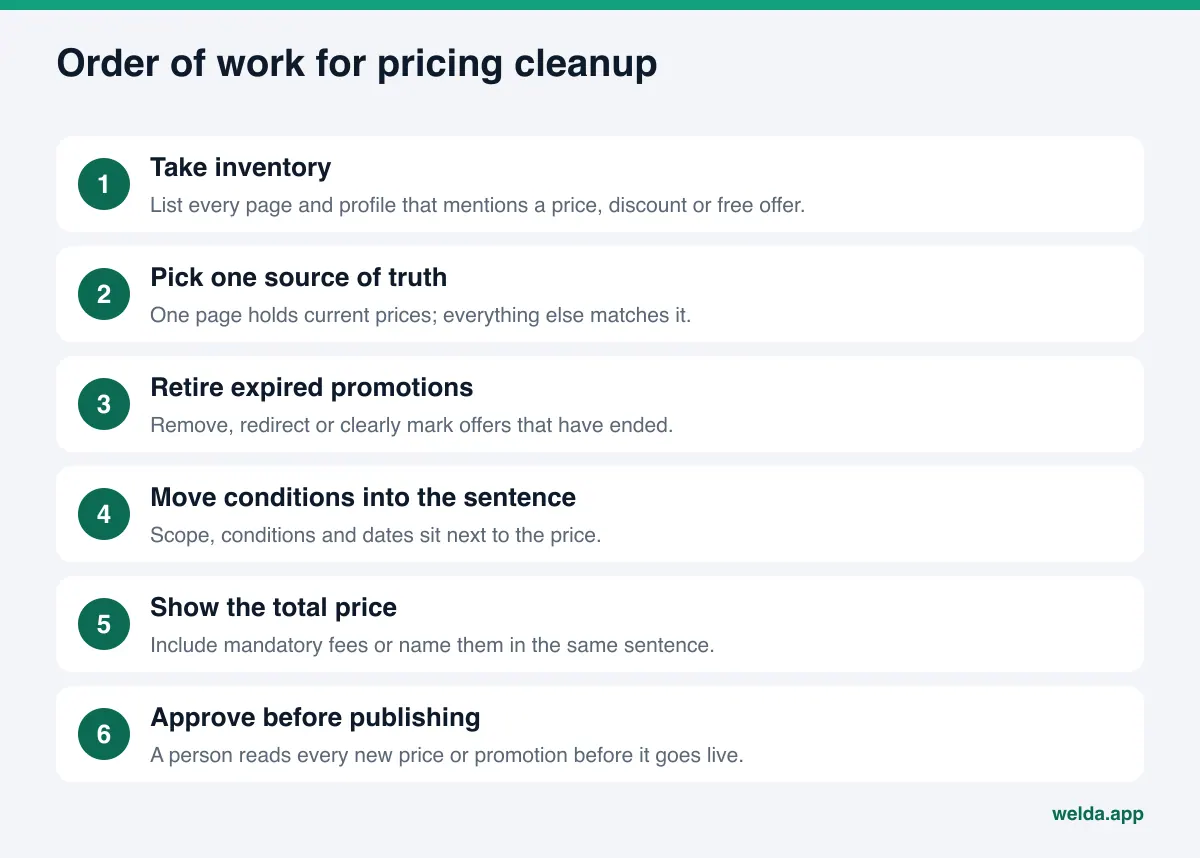
The steps below give you an order of work for making your pricing information both easier for AI assistants to read accurately and more defensible. A small business can usually finish the first pass in a few days. The harder part is repeating it every time a promotion starts or ends.
- Take inventory. List every page that mentions a price, discount, "free," "special," "deal" or "lowest." Include blog posts, FAQ sections and old landing pages. Add your Google Business Profile description, Yelp business details, Facebook and Instagram bios, and any pinned posts.
- Pick one source of truth. Choose one place where current prices live: a pricing page, a service page or a rate sheet. Everything else should match it. Conflicting numbers make it harder for an assistant to give a confident answer about you.
- Retire expired promotions. Delete, redirect, or clearly mark ended offers with a line like "This promotion ended on [date]." An old promo page left quietly online can show up in AI answers long after the sale is over.
- Move conditions into the sentence. Wherever "free," "off," "deal" or "financing" appears, put the condition, scope and date in the same sentence. If you rely on asterisks, bring the footnote text into the main copy.
- Show the total price. If taxes, service fees, resort fees, delivery or other charges apply, include them in the price or name them in the same sentence. A "what's included" list is one of the parts AI assistants quote most often.
- Check former prices. Before using "was/now" comparisons, confirm from your own sales records that the former price was actually charged in good faith for a meaningful period.
- Review comparison claims. Remove "lowest," "cheapest" and "below market," or replace them with something specific you can support.
- Date it and calendar it. Add a "Prices as of [month, year]" note to your pricing page. When prices change, update that date, the page and your profiles together.
- Add a second set of eyes. Make it a rule that a person approves any new copy with a price or promotion before it goes live.
Most of these steps need discipline more than technical skill. If you plan to run this in-house, our guide to DIY AEO for small business owners covers what is easy to handle internally and what takes more time.
A promotion's lifecycle in AI search
Promotions are where pricing claims most often go wrong, because they have an end date and AI answers do not automatically know about it. It helps to think of every promotion as having four stages, each with its own tasks.
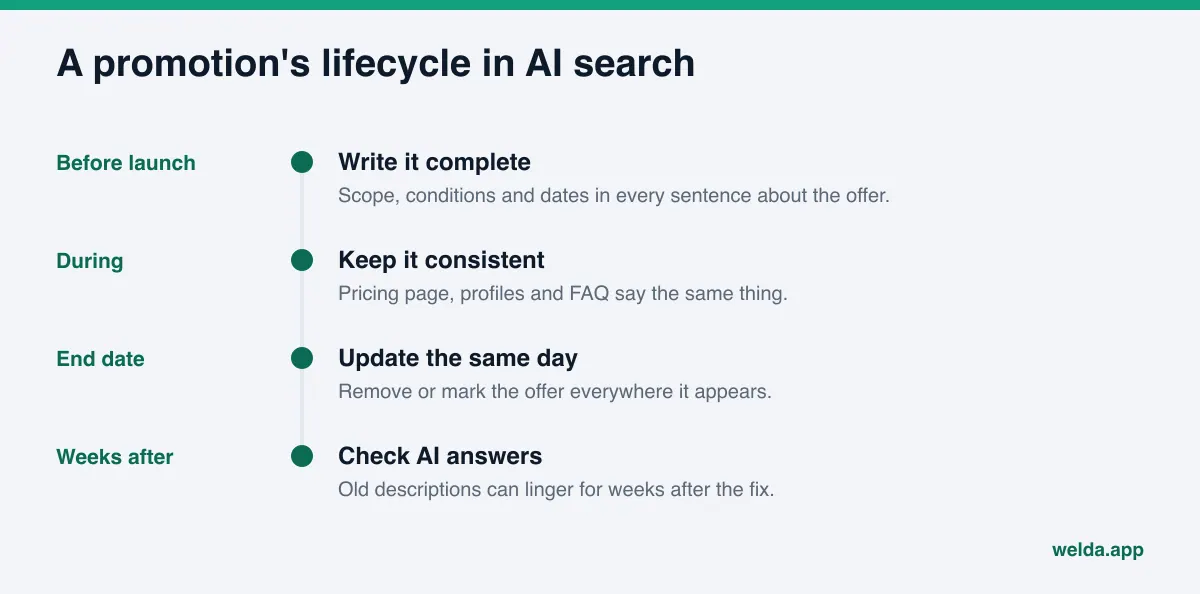
Before launch, write the promotion copy with scope, conditions and dates in every sentence that mentions the offer. During the promotion, keep your pricing page, your profile descriptions and your FAQ consistent with each other. On the end date, remove or update every mention on the same day, not "when someone gets to it." In the weeks after, check whether AI assistants are still describing the old offer. Changes usually take weeks to show up in AI answers, so an outdated description may linger for a while even after your pages are fixed.
How to write a price section AI assistants read correctly
Write your pricing section for two readers at once: the customer who lands on the page, and the AI assistant that will pull one paragraph out of it. For the second reader, the key rule is that every paragraph must be true on its own. If a paragraph gives the wrong impression when read without its surroundings, it will give the wrong impression in an AI answer too.
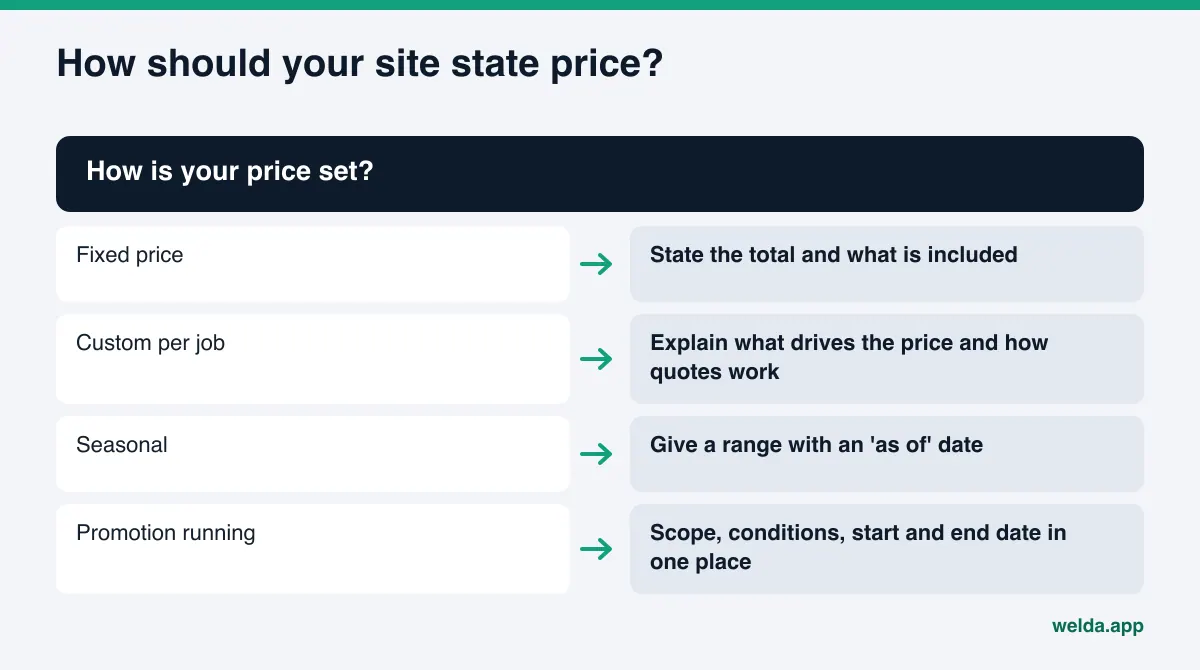
Take an example boutique hotel whose site says "Winter special: 30% off." Read alone, that sentence does not say which rooms, which dates or which price the discount applies to. The same information can be written like this: "Weeknight stays in standard rooms from November 1 to December 20 are discounted from our posted rates; the total nightly price, including the resort fee, is shown at booking." It is longer, but whatever part an assistant quotes, it will not mislead.
A price section that AI assistants can read accurately usually includes:
- The name of the service or product and what it covers.
- The price or a realistic range, as a total including mandatory fees.
- What changes the price: duration, season, room type, number of sessions, materials.
- What is not included, and any extra charges.
- An "as of" date.
- For promotions: scope, conditions, start date and end date.
- How to get an exact price: consultation, on-site estimate, quote form.
Some businesses prefer not to publish prices, especially for custom work. That is a reasonable decision. In that case, write a short paragraph about what determines the price, so the assistant does not fill the gap with an old Yelp review or a forum thread: "Pricing depends on the scope of the project and materials; you receive a written estimate after the on-site visit." It gives no number, but it answers the customer's question honestly.
You can also add pricing to your structured data. If you do, the price in the markup must match the price in the visible text exactly; a mismatch makes the problem worse. Our guide to schema markup for AI search covers the technical side.
How Welda handles pricing claims
Welda is software that measures where a business shows up in AI answers and prepares the missing content on the business's behalf. For pricing claims, three parts of Welda matter most: it asks instead of guessing, it flags risky phrases before publishing, and it routes everything through your approval.
It does not invent prices. When Welda drafts a service page or FAQ answer and cannot find a price, promotion condition or date on your site, it does not estimate one. It leaves the field empty and adds it to a "needs your input" list. Once you enter the information, Welda fills it into every draft where it appears. Empty fields are highlighted in the preview, so a draft with a missing price is easy to spot before anything goes live. In practice, every number in a Welda draft comes from you.
A compliance check flags risky patterns before publishing. Before a draft is ready to publish, Welda checks for patterns such as pricing statements, guarantees, superiority claims and, in healthcare, diagnostic suggestions. If a draft contains "free," "discount" or "lowest price," that phrase is flagged and shown to you. You decide what happens next: rewrite it with the condition, remove it, or keep it if you are confident it is accurate. The check is a warning layer. It is not legal advice and has not been reviewed by legal counsel. Welda cannot know whether a promotion is still running or whether a former price was really charged; that information lives in your records.
You approve every change. Content, profile descriptions and review responses prepared by Welda come to you for approval, and nothing unapproved is published. On WordPress sites, Welda connects through a separate Editor user and an application password you create, with no code to install; content opens as a draft on your site and goes live once you approve it. For systems without a connection, Welda gives you a ready-to-use package and you apply it. Google Business Profile, Instagram and Facebook can be connected; if they are not, the updated description is listed as a manual task with the text ready to paste. All content stays on your own website; Welda does not host it.
Welda also shows which customer questions mention your business in AI answers, where competitors are ahead and which sources the assistants draw on. If a competitor wins the price question because its pricing is clearer, that becomes visible there.
A note on availability: the Welda dashboard is in early access and is opening first to businesses in Turkey. Regular four-engine measurement is being added during early access, and sample dashboard screens use representative data. The part anyone can use today is the free site analysis, which works in English. Pricing is discussed in an early access call.
Limits: what Welda does not do
On a topic this close to the law, knowing what a tool does not do matters as much as knowing what it does.
- Welda does not give legal opinions. Its compliance check flags patterns; it does not decide whether a claim is lawful.
- Welda does not make up prices, conditions or dates. When it does not know, it asks.
- Welda does not audit your former prices. Whether a "was" price is legitimate depends on your sales history.
- Welda does not publish sensitive content without approval. In healthcare there is no automatic publishing; every item goes to approval.
- Welda does not promise rankings or guarantee that you will appear in ChatGPT. Updated pricing usually takes weeks to show up in AI answers.
- Welda does not write fake reviews. Work on negative reviews, directory listings and press stays with the business.
One more limit: AI assistants do not get prices only from your site. An old Yelp review, a Tripadvisor forum post or an outdated listing on a directory can also feed the answer. Fixing your own pages does not change those sources, but it gives the assistant a current and consistent source to rely on. Requesting corrections on third-party sites remains your task. If you are tempted to offer a discount in exchange for reviews, read our guide on fake reviews rules and AI visibility first.
Pre-publish checklist for pricing claims
Before you add any copy with a price or promotion to your site, profiles or FAQ, run it through these questions. If the answer to any of them is no, the copy is not ready.
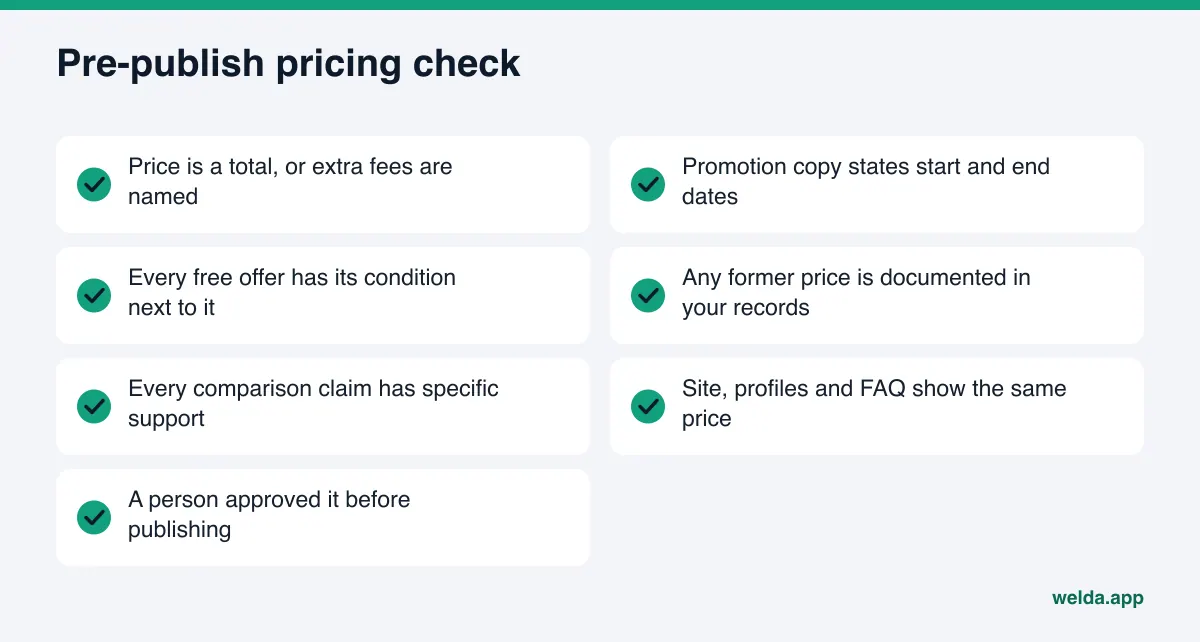
| Check | Why it matters |
|---|---|
| Is the price a total, or are extra fees named in the same sentence? | AI quotes the sentence, not the footnote |
| Does the promotion copy state start and end dates? | Undated offers get described after they end |
| Is the condition next to every "free"? | The FTC expects conditions at the outset |
| Can you document any "was" price from your records? | Former prices must have been real offers |
| Does every comparison claim have specific support? | Unsupported claims get repeated as fact |
| Is the price the same on your site, profiles and FAQ? | Conflicts make it harder to be named |
| Did a person read and approve it before publishing? | The publisher is responsible |
Run this list at the start and the end of every promotion. End-of-promotion tasks are the ones most often forgotten: taking down the page, restoring the profile description and updating the FAQ answer.
Frequently asked questions
An AI assistant is still describing my old promotion. What should I do?
Find every place the old offer appears on your website, profiles and blog, and update or remove it. Put current pricing and any active promotion, with dates, on one page. Changes usually take weeks to show up in AI answers, so check again periodically.
Does leaving prices off my site hurt AI visibility?
Not publishing prices is not a problem on its own. But if you give no answer to the price question at all, an assistant may fill the gap from other sources. Even without numbers, a short paragraph on what determines the price and how to get an exact quote helps.
Should I stop using the word "free"?
You can use it for things that are genuinely free. If there is a condition, state it clearly in the same sentence. The FTC's guide on "free" offers is the place to start; for your specific case, ask an attorney.
Will Welda confirm that my promotion copy is compliant?
No. Welda's compliance check flags patterns such as pricing statements, guarantees and superiority claims before publishing. It does not certify compliance, it is not legal advice and it has not been reviewed by legal counsel. The final decision and responsibility stay with the business.
Will Welda fill in prices on its own?
No. If Welda cannot find a price, condition or date on your site, it leaves it blank and asks you. Once you enter it, the information is used in every relevant draft.
Can I use Welda's dashboard in the US today?
The dashboard is in early access and opening first in Turkey. The free site analysis works in English and is available today.
Start by seeing how your site reads today
Before you rewrite pricing and promotion copy, it helps to know how your site looks to AI systems. The free AI visibility analysis reads your homepage and inner pages such as services, pricing, about and contact. It scores what it finds out of 100, explains each gap, why it matters and how to fix it, and suggests ready-to-use homepage copy. It is free once per site, and the results link arrives by email. If you add prices or promotions to any suggested copy, run it through the checklist above first.