Can small business owners do AEO themselves? Yes. DIY AEO for small business owners is realistic, because most of what decides whether ChatGPT or Google's AI Overviews mention you lives on your own website and profiles. The hard part is not the fixes. It is measuring the results consistently and knowing which fix to do first. This guide gives you a step-by-step plan, a weekly routine, the traps of checking ChatGPT by hand, and where Welda takes over the heavy lifting.
What DIY AEO for small business owners actually involves
AEO, or answer engine optimization, is the work of getting your business named when people ask an AI assistant for a recommendation: ChatGPT, Gemini, Perplexity, or Google's AI Overviews and AI Mode. You will also see the term GEO (generative engine optimization) used for the same practice. Either way, the goal is AI search visibility: showing up in the answer, not just in a list of blue links.
Doing it yourself means you, or someone on your team, handle that work on your own site and listings instead of hiring an agency. For an owner-operated business, that is often a sensible place to start. You already know your services, your service area and the questions customers ask on the phone. That knowledge is exactly what AI assistants need to find written down somewhere they can read it.
DIY AEO tends to work well when:
- You can edit your own website, or someone close to the business can.
- You run one location in one language with a manageable list of services.
- You can set aside a short, regular block of time each week.
- Your customers ask fairly predictable questions before they call or book.
It gets harder with multiple locations, more than one language, a regulated field such as healthcare, prices that change often, or competitors who are already well established in AI answers. The fixes are still the same kind of work. What grows past what one person can track by hand is the measurement.
Start with the questions, not the settings
The most common DIY mistake is opening the website settings first. Start by writing down the questions your customers would actually type or say to an AI assistant. These are full sentences, not keywords: "Who's a good emergency plumber near me that's open on Sunday?", "Best family dentist in Plano that takes new patients", "Is there a bike shop in Boise that does same-day repairs?"
Group your list into three kinds of questions:
- Discovery questions: asked before the customer knows you exist. "Who's the best ... near me?"
- Comparison questions: they put you next to competitors. "Is ... or ... better for ...?"
- Detail questions: price ranges, hours, parking, payment, booking. The things people check right before they decide.
This list becomes your yardstick. Every fix that follows is meant to get your name into the answer to one of these questions. Write it once and keep it fixed. If you change the questions every week, you will never see what worked.
A baseline helps you decide where to begin. Welda's free site analysis reads your homepage and several inner pages the way Google and AI systems do, lists each gap with an explanation, and asks five customer-style questions to an AI assistant that can search the web to see whether your business name comes up. That gives your DIY work a documented starting line.
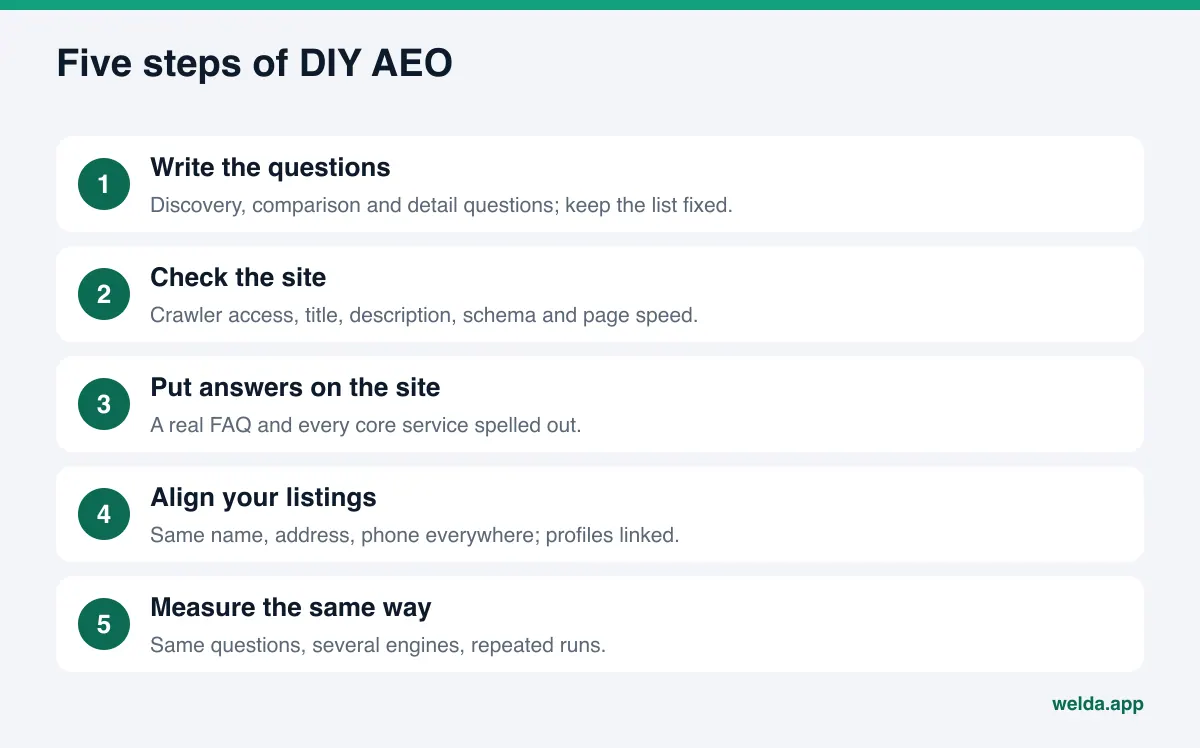
A step-by-step DIY AEO plan for small business owners
The order below starts with the fixes that close the most gaps for the least effort. Each step builds on the one before it.
1. Make sure AI crawlers can reach your site
The robots.txt file at the root of your domain tells bots what they may read. Some themes, hosting presets and security plugins block AI crawlers without telling you. OpenAI recommends allowing OAI-SearchBot if you want to appear in ChatGPT search answers; GPTBot is a separate crawler used for model training, and you can block it while keeping the search crawler open. Make that choice on purpose. Page speed belongs in this step too; our guide on site speed and AI crawlers covers it.
2. Rewrite your page title, meta description and main heading
Your homepage title and description should answer three things in one sentence: what you do, where, and for whom. "Welcome" or your brand name alone tells an AI system nothing. The main heading on the page, your H1, should carry the same information in plain words.
3. Mark up your business information with schema
Schema markup is a small block of code that states your business name, address, phone, hours and services in a format machines read reliably. Google says there is no special schema required for AI Overviews or AI Mode, but that your structured data should match the visible text on the page. So schema is not a shortcut. It is a clean label on facts that are already on your site.
4. Keep your name, address and phone identical everywhere
Your website, Google Business Profile, Yelp, BBB, Angi and any industry directory should show the exact same business name, address and phone number. "Ste." on one and "Suite" on another, or an old phone number on a forgotten listing, creates doubt. When sources disagree, an AI assistant may simply leave you out. Our guide to business directories for AI visibility goes deeper.
5. Link your profiles from your website
In your footer and on your contact page, link to your Google Business Profile, Yelp page and official social accounts. These links confirm that the listings scattered across the web belong to one business.
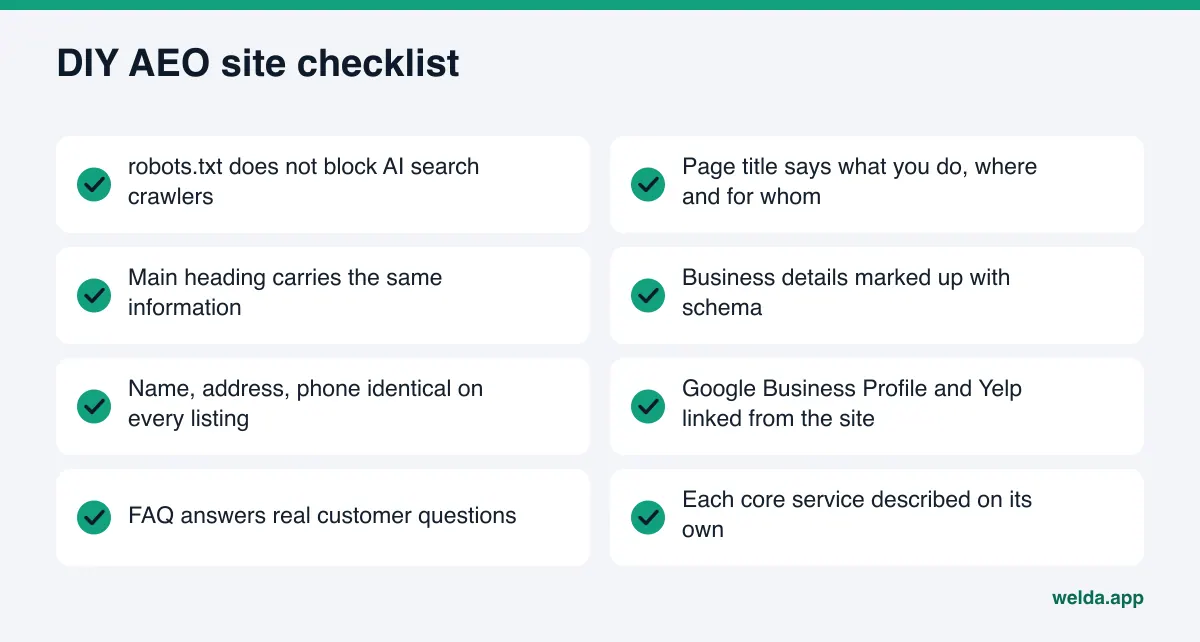
6. Add a real FAQ section
Take the detail questions from your list and answer them on your site. Short question, two or three plain sentences of answer. If people ask about price, give a range or explain what the price depends on. If they ask about hours, state the hours. Our guide to FAQ pages for AEO walks through the format.
7. Spell out every service
"Full-service solutions" gives an AI assistant nothing to quote. Write at least a paragraph per core service: what it is, who it is for, where you offer it, how long it takes. Give your most important services their own pages.
8. Make reviews and trust signals visible
Reply to reviews on Google and Yelp, and show genuine testimonials, licenses or certifications on your site. AI assistants read those sources. A calm, specific reply to a negative review beats silence. Keep it honest: the FTC's final rule announced in August 2024 bans fake reviews, including AI-generated ones, and paying for reviews based on whether they are positive or negative.
The trap of checking ChatGPT by hand
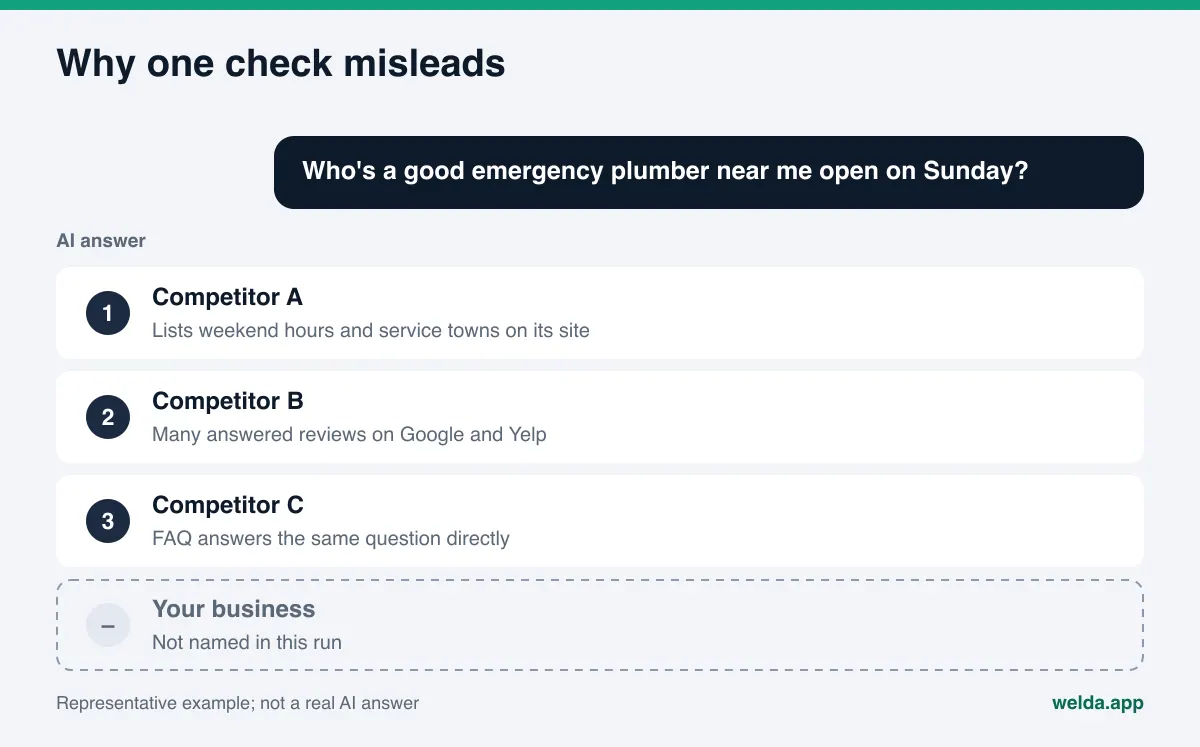
Measurement is where DIY AEO usually breaks down. Most owners open ChatGPT on their phone, type one question, and draw a conclusion. If their name is missing, the work "didn't work." If it shows up, the job is "done." Both readings are unreliable.
AI answers are not fixed. Ask the same question twice and you may get two different lists. Your account, chat history and location can shape the answer too. A single check is an anecdote, not a measurement.
If you are going to measure by hand, follow a few rules:
- Use the same fixed question list, in the same order, every time.
- Ask each question more than once; never decide from a single answer.
- Use a logged-out or fresh session where you can.
- Check more than ChatGPT: include Gemini, Perplexity and Google's AI Mode.
- Log the result: date, engine, question, whether you were named, your position, which competitors appeared.
- Write down every change you make to your site, with the date.
Here is what a simple log looks like:
| Date | Engine | Question | Named? | Position | Competitors named |
|---|---|---|---|---|---|
| Week 1 | ChatGPT | Emergency plumber near me open Sunday | No | - | Competitor A, Competitor B |
| Week 1 | Gemini | Emergency plumber near me open Sunday | Yes | 3 | Competitor A |
| Week 1 | Perplexity | Emergency plumber near me open Sunday | No | - | Competitor B, Competitor C |
| Week 1 | Google AI Mode | Emergency plumber near me open Sunday | No | - | Competitor A |
The table is an example, not a real measurement. What matters is the shape: several engines, a fixed question, competitor names. With ten questions, four engines and repeated runs, this log grows fast. That is the real cost of doing AEO yourself. To decide which numbers to track, see our piece on AEO KPIs.
A weekly DIY AEO routine
Treat AEO as a routine rather than a one-time project. New content usually takes weeks to show up in AI answers, so a steady rhythm beats checking every morning.
| Task | How often | Can you do it yourself? |
|---|---|---|
| Check robots.txt and page titles | Once, then whenever the site changes | Yes; first setup may need a little technical help |
| Add schema markup | Once, update when details change | Partly; easier with ready-made code |
| Write FAQ and service copy | Heavy at first, then as new questions come in | Yes; you know your business best |
| Review Google Business Profile and directories | Monthly | Yes |
| Reply to reviews | Weekly | Yes |
| Measure AI answers | At a fixed interval, same method | Hard; does not scale by hand across engines and runs |
| Find which sources help competitors | Alongside measurement | Hard; means opening cited sources one by one |
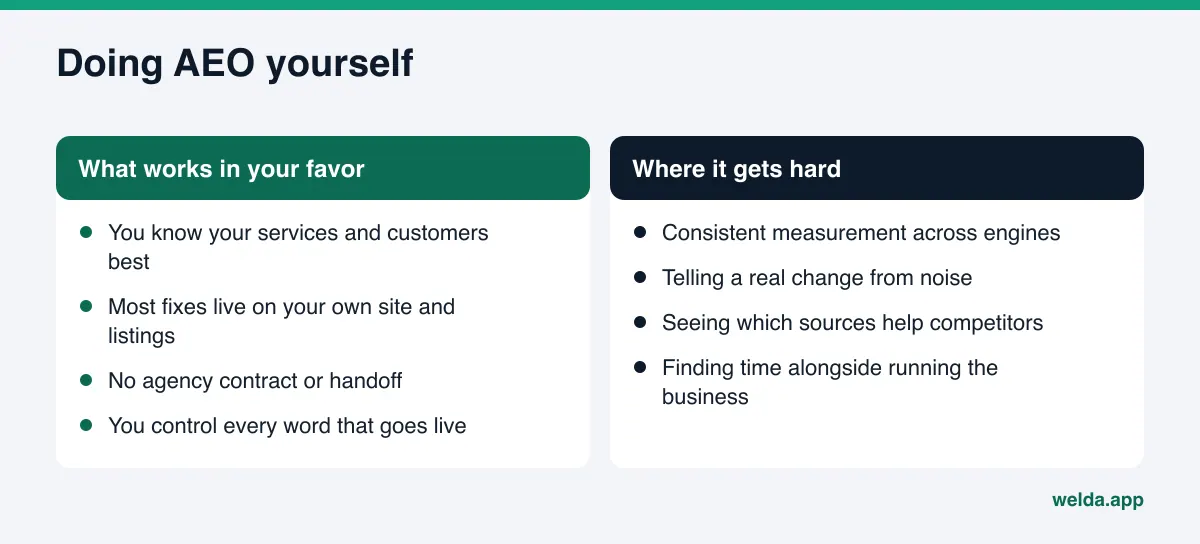
The pattern is clear. You can handle most of the on-site and listing work yourself. Where owners struggle is measurement and telling what actually moved the needle. We compared what you can get from free tools in our roundup of free AEO tools.
Example: a two-truck plumbing company does its own AEO
This scenario is an example; it does not describe a real business. It shows how the steps fit together in practice.
Picture a small plumbing company in a mid-sized Texas suburb. The owner updates the website himself and handles the Google Business Profile. He suspects customers ask AI assistants things like "plumber near me who fixes water heaters same day" and wants to find out.
Week one, he writes ten questions: six discovery, two comparison, two detail. He asks each one in ChatGPT, Gemini and Perplexity and logs the results. He is missing from most answers. Looking at the competitors who do appear, he notices they list their service area by town and say plainly whether they do weekend calls.
Week two, he changes his homepage title from the company name alone to a sentence with his service area and core services. He adds separate paragraphs for water heater repair, drain cleaning and emergency calls, and an FAQ that answers "Do you charge extra on weekends?" and "Which towns do you serve?" Where he is not sure, for example about exact response times, he does not guess. He states what he can stand behind.
Week three, he notices his Yelp listing shows an old phone number and fixes it, updates his BBB profile to match, replies to older Google reviews and links his profiles from the site footer.
The following weeks, he changes nothing else, waits, then reruns the same questions the same way. He avoids two traps: he does not declare victory after one lucky answer, and he does not undo his work after one bad one. He looks for a change that holds across repeated runs and shows up in the questions he targeted.
In this example, the owner spends the most time not on writing but on keeping the log consistent. That is usually where the real cost of DIY AEO shows up.
How Welda handles the parts that are hard to do alone
Welda does not take AEO out of your hands. It takes over the repetitive, heavy parts so your time goes to decisions only you can make. Three pieces matter most for a DIY owner.
The free analysis: your to-do list, pre-built
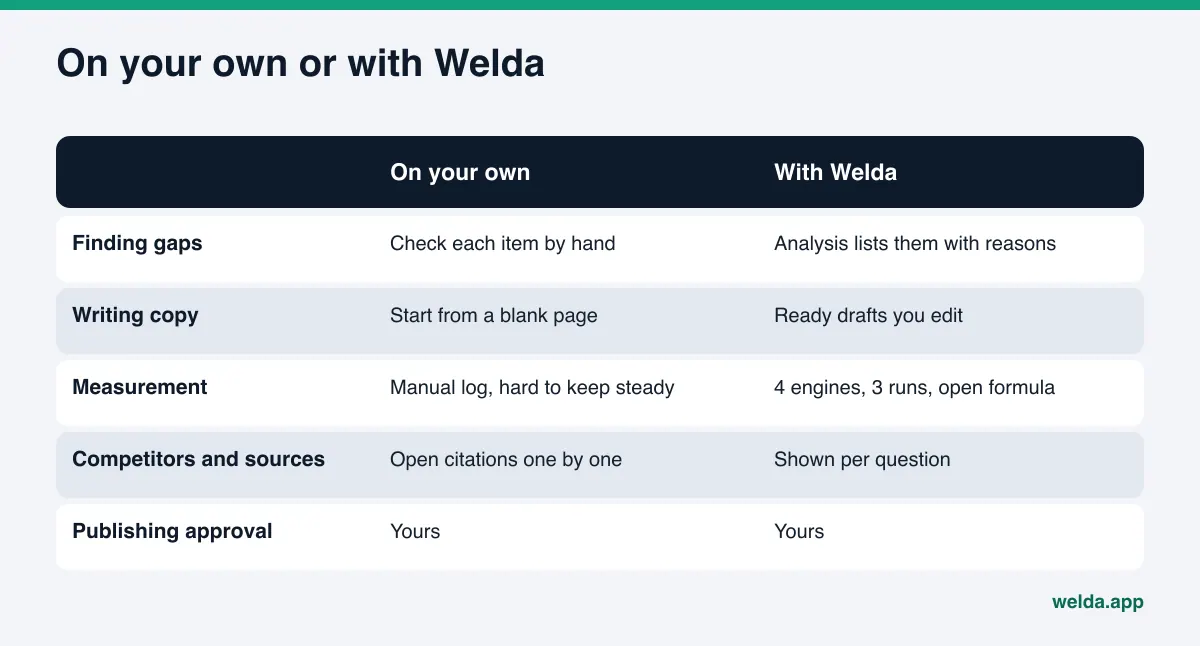
You can check the eight steps above yourself, but working out where to start takes time. The free site analysis runs through most of those checks on your site and, for each gap, says what it found, why it matters and how to fix it. It drafts ready-to-use copy for your homepage title, description, main heading, intro paragraph and FAQ. A simulation shows how much each fix is expected to lift your score, which helps you choose what to do first. A fix package with the business schema code is included. You still apply the changes, but you start from a draft instead of a blank page.
The analysis is free once per site and works in English. It does not measure rankings or promise them, and its AI test is a one-time check.
One task list for what stays with you
In the Welda panel, everything that needs doing lands in a single task list. It shows three kinds of work. First, information Welda could not read from your site: Welda does not make up facts it does not know, it asks you, and your answer flows into every draft. Second, content waiting for your approval. Third, manual tasks, such as pasting copy into a listing that has no connection. Each task comes with ready text; you paste it where it belongs and mark it done. When you work alone, this list lives on a notepad or in your head.
Repeated measurement instead of a hand-kept log
The hardest part of manual measurement is repetition. In the panel, the questions your customers would ask go to ChatGPT, Gemini, Perplexity and Google AI three times each. For every question you see where you are named and in what position, which competitors are ahead and which sources the answer drew on. The score formula is published, and the spread across the three runs gives a margin of error. It is the same log you would keep by hand, run the same way every time.
A plain note on availability: the Welda panel is in early access and is opening first in Turkey. Regular four-engine measurement is being added during early access, and sample screens use representative data. What anyone can use today is the free site analysis, which works in English. Pricing is discussed in the early access conversation.
Elsewhere in the panel, the principle is the same: Welda drafts content, profile copy and review replies, publishing stays your call, and content always lives on your own website.
Limits: what neither DIY nor Welda can do
Whether you do AEO yourself or with software, some facts hold:
- No guarantees. Nobody can promise an AI assistant will name you. Welda does not guarantee rankings or "showing up in ChatGPT."
- It takes time. New content usually takes weeks to show up in AI answers.
- No invented facts. Welda does not guess at information missing from your site; it asks you. Hold yourself to the same rule.
- No fake reviews. Welda does not generate them, and the FTC rule above makes clear why you should not either.
- Some work stays with you. Handling negative reviews, claiming directory listings and press outreach are the business's job. Welda can draft text, but you own the relationship.
- Sensitive content is flagged, not auto-published. Welda marks claims about pricing, guarantees, superiority or diagnosis before anything goes live. That is a flag, not legal advice.
Checklist: keep going on your own, or add a tool?
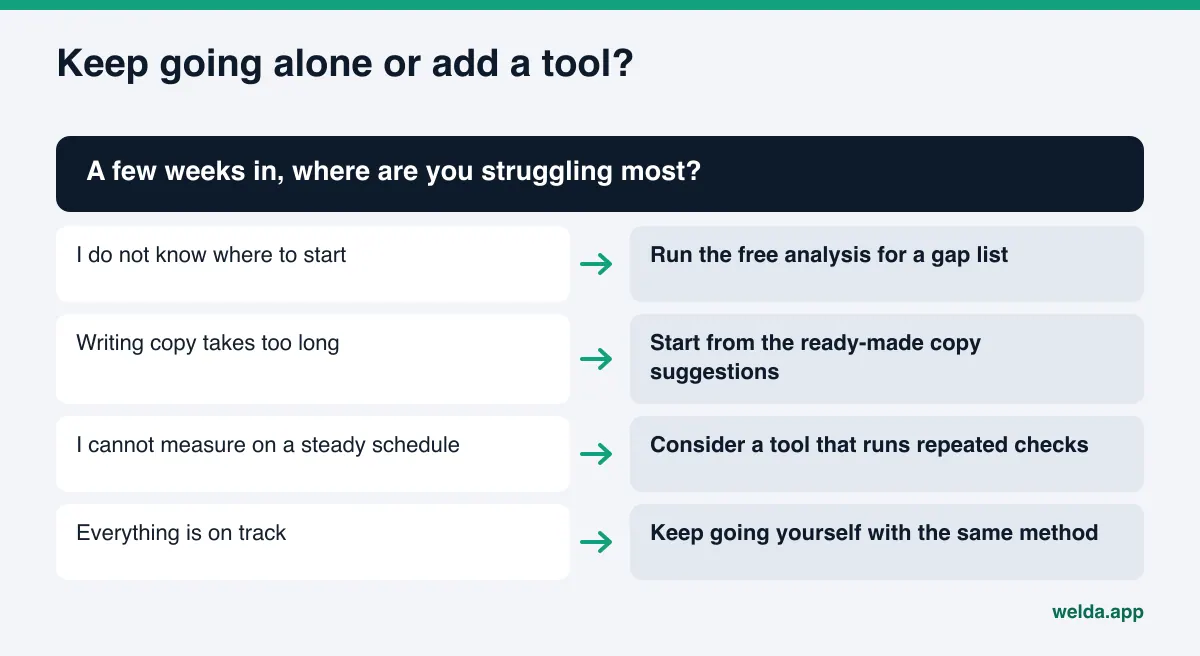
A few weeks into DIY AEO, answer these honestly. If most answers are yes, carrying on yourself makes sense.
- Is your question list written down and fixed?
- Have you closed the basic gaps: crawlers, title, schema, FAQ, services?
- Can you measure on a regular schedule with the same method?
- Can you see which sources are helping competitors win?
- Do you log every change with a date?
- Is this work fitting around your actual business, not crowding it out?
If you said no to the first two, the issue is the starting point, not tooling; run the free analysis and work from its list. If you said no to the third and fourth, manual measurement has hit its limit and a tracking tool is worth a look. If you said no to the last one, rethink who should own this work.
Frequently asked questions
Do I need technical skills for DIY AEO?
Only a little. Writing copy, adding an FAQ and updating listings need none. Checking robots.txt and adding schema may need some help the first time; with ready-made code and clear instructions, most owners manage it.
Can I measure by asking ChatGPT myself?
You can, but do not decide from one try. Ask each question several times and on more than one engine, and log the results with dates. Your account and chat history can affect what you see.
How long until I see results?
New content usually takes weeks to show up in AI answers. Wait several weeks after a change and remeasure the same way.
If I already do SEO, do I need AEO too?
They overlap but are not identical. Google says standard SEO practices apply to AI Overviews. AEO adds a focus on answering question-style searches, consistent business information and the outside sources AI assistants read.
If I use Welda, can I stop working on this?
No. Welda measures, lists the gaps and drafts the text, but approvals, facts only you know, negative reviews and directory accounts stay with you. Where there is no connection, changes are applied by hand.
What does the free analysis check?
Crawler access, page title and description, main heading, business schema, address and phone details, linked profiles, FAQ, reviews and trust signals, how clearly your services are described, and page speed. You get a score out of 100 and a fix for each gap.
Where to start
DIY AEO puts the person who knows the business best in charge of how it is described, which is a real advantage. Write down your customers' questions first. Then see where your site stands today. Run the free site analysis and start your own task list with a gap report, ready-to-use copy and a fix package.