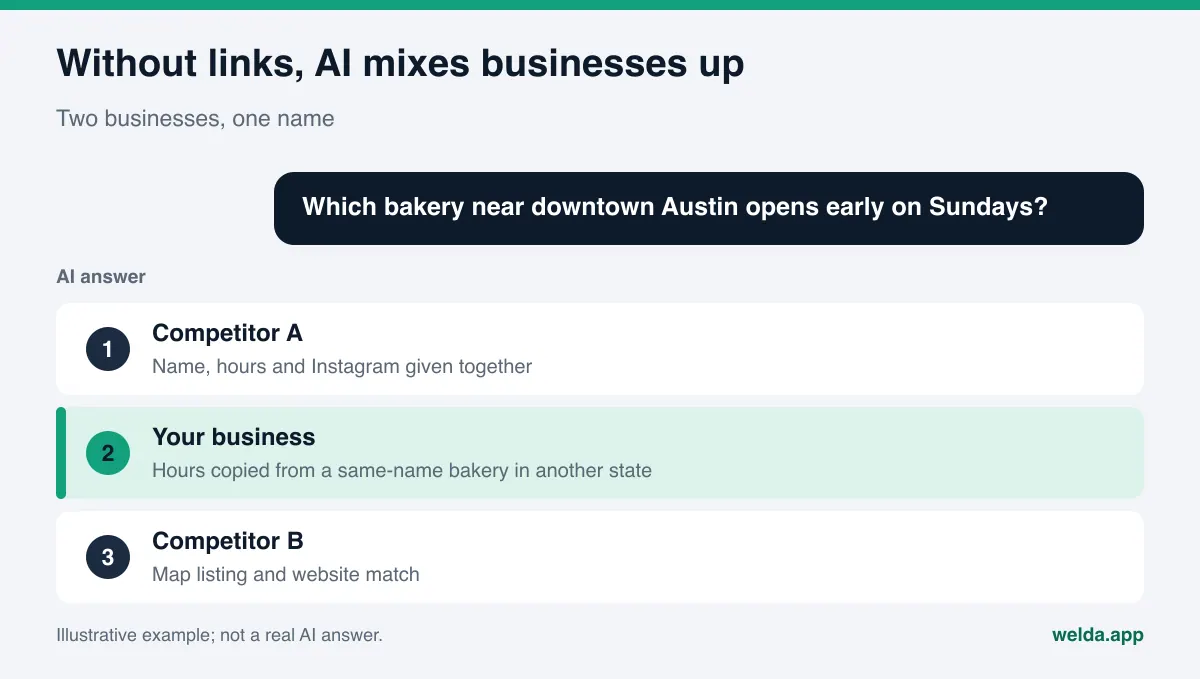
Why should you link social profiles with sameAs, and does it matter for AI answers? When ChatGPT, Gemini, Perplexity or Google's AI Overviews describe a business, they stitch together your website, your Instagram, your Google Business Profile and your Yelp listing. If those pieces are not clearly tied to each other, the engine guesses, and sometimes it guesses wrong. Visible links from your site to your profiles, the same URLs listed in your structured data under sameAs, and links from each profile back to your site remove most of that guesswork.
In the US this work falls under AEO, short for answer engine optimization: making sure answer engines can find, understand and correctly name your business. You will also hear it called GEO (generative engine optimization); the goal is the same. This guide covers which profiles to link, where the links go, how to write the sameAs property, the mistakes that keep showing up, and how to check your work. If you want to see where your site stands today, the free AI visibility analysis checks whether your social and map profiles are linked to your site and tells you how to fix it if they are not.
What does it mean to link social profiles with sameAs?
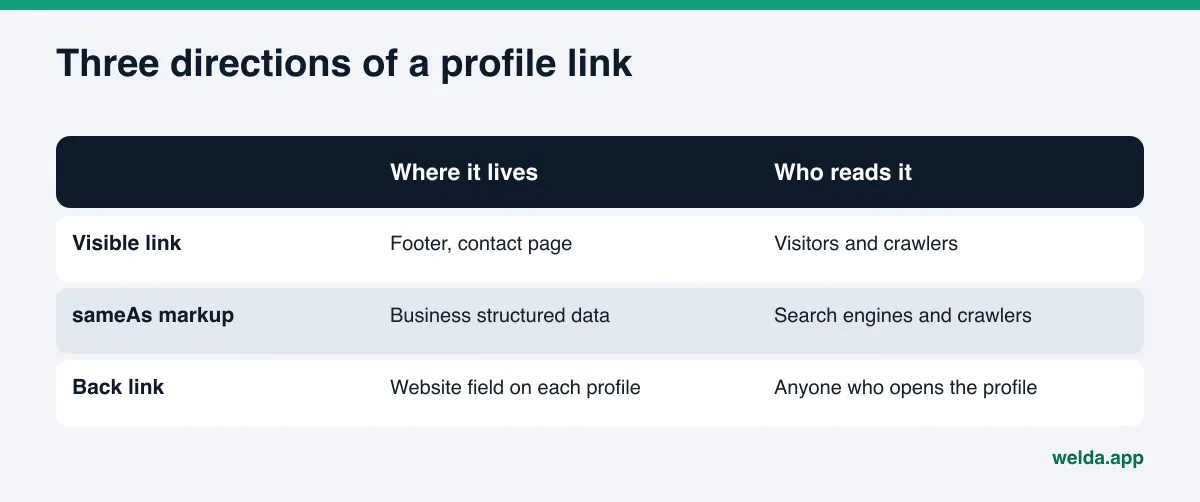
Most owners think of the row of social icons in the footer. That row is one piece. From an AI point of view, the connection runs in three directions, and it only does its job when all three agree.
- Visible links from your site to your profiles. Links in the footer, on the contact page or on the about page that point to your official accounts. Visitors see them, and so do the crawlers that read your site.
- Links declared in your structured data. A
sameAslist inside your Organization or LocalBusiness markup that says, in machine terms, "these pages also describe this business." It is invisible on the page and the clearest signal you can give. - Links from each profile back to your site. The website field in your Instagram bio, your Facebook page, your Google Business Profile, your Yelp page. When the link runs both ways, the loop closes: the site vouches for the profile and the profile vouches for the site.
Schema.org defines sameAs as the "URL of a reference Web page that unambiguously indicates the item's identity" (schema.org/sameAs). The point is identity, not traffic. Google's documentation for organization structured data describes sameAs as "the URL of a page on another website with additional information about your organization," gives social media and review site profiles as examples, and lists it as a recommended property rather than a required one (Google Search Central, organization structured data).
Why linked profiles matter for AI search visibility
An AI answer is assembled from many sources at once: your site, maps, social accounts, directories and review platforms. When the engine cannot tie those sources to one business, three things go wrong.
Name collisions. Business names repeat constantly across the US. There may be a "Main Street Dental" in a dozen states, two "Blue Door Bakery" locations owned by different people in the same metro, or a landscaping company that shares a name with a contractor two counties over. The engine can only tell them apart through clear signals: your domain, your phone number, your address and your official accounts, declared together in one place.
Old or unofficial accounts. Many businesses have a forgotten Facebook page from a previous owner, an Instagram account a former employee set up, or an auto-generated page nobody claimed. If you do not say which account is official, an engine may pick the one with the most engagement or simply the first it finds. Listing your official accounts on your own site is an indirect way of saying the others are not yours.
Missing context. Some of your most current information lives on social accounts, not on your site: a new service, holiday hours, a seasonal menu. If the accounts are linked, that information can be attributed to the right business. If not, it floats. To be honest about the limits: a sameAs line will not get you into an AI answer on its own. It makes it easier for engines to recognize you correctly, and everything else in AEO builds on that recognition.
This is the same logic as NAP consistency for AI search: name, address and phone should match everywhere, and your profile links are part of that consistency. If you have changed your name or moved, old accounts matter even more; see how to update AI answers after a rebrand or move.
Which profiles should you link?
The rule is simple: link only the profiles you control and that officially represent your business. You do not need an account on every platform. The ones you actually keep up to date are enough. The table below covers the profiles a typical US local business has and what to watch for with each.
| Profile | Link it? | What to watch for |
|---|---|---|
| Google Business Profile | Yes | Use the share link of your listing. The website field should point to your homepage. |
| Facebook business page | Yes, if current | A page, not a personal profile. If duplicates exist, pick the official one and merge or remove the rest. |
| Instagram business account | Yes, if active | Use the profile URL, not a post or reel URL. The bio link should go to your own domain. |
| Yelp business page | Yes, if claimed | Claim it first so you control the details. Hours and phone should match your site. |
| LinkedIn company page | If you have one | Matters for B2B firms and professional services. An owner's personal profile does not replace it. |
| YouTube channel | If you have one | Give the channel URL. A single video does not establish identity. |
| Industry profiles (Healthgrades, Angi, BBB) | If official and current | Link your own business page, never a search results page. Details must match your site. |
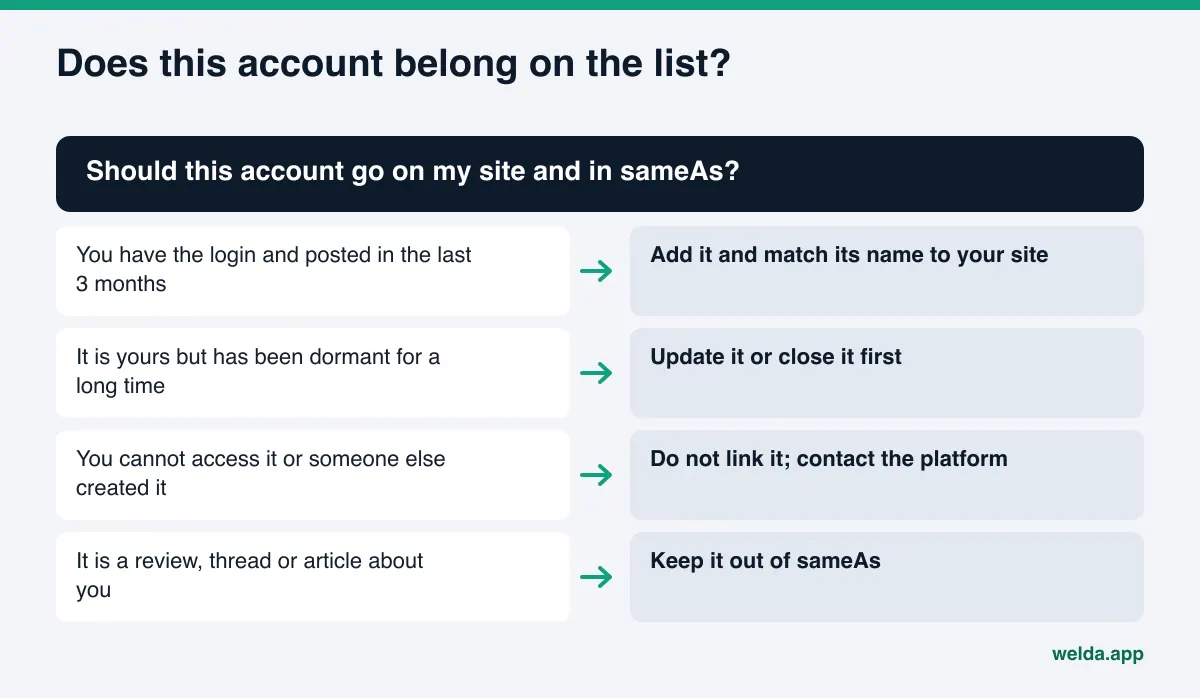
| Accounts you cannot access | No | Recover access or ask the platform to remove them. Do not link them from your site. |
One distinction worth keeping: a Reddit thread or a news article about you talks about your business but does not represent it. Those do not belong in sameAs. Earning mentions in outside sources is separate work, covered in digital PR for AI visibility.
How to link social profiles with sameAs, step by step
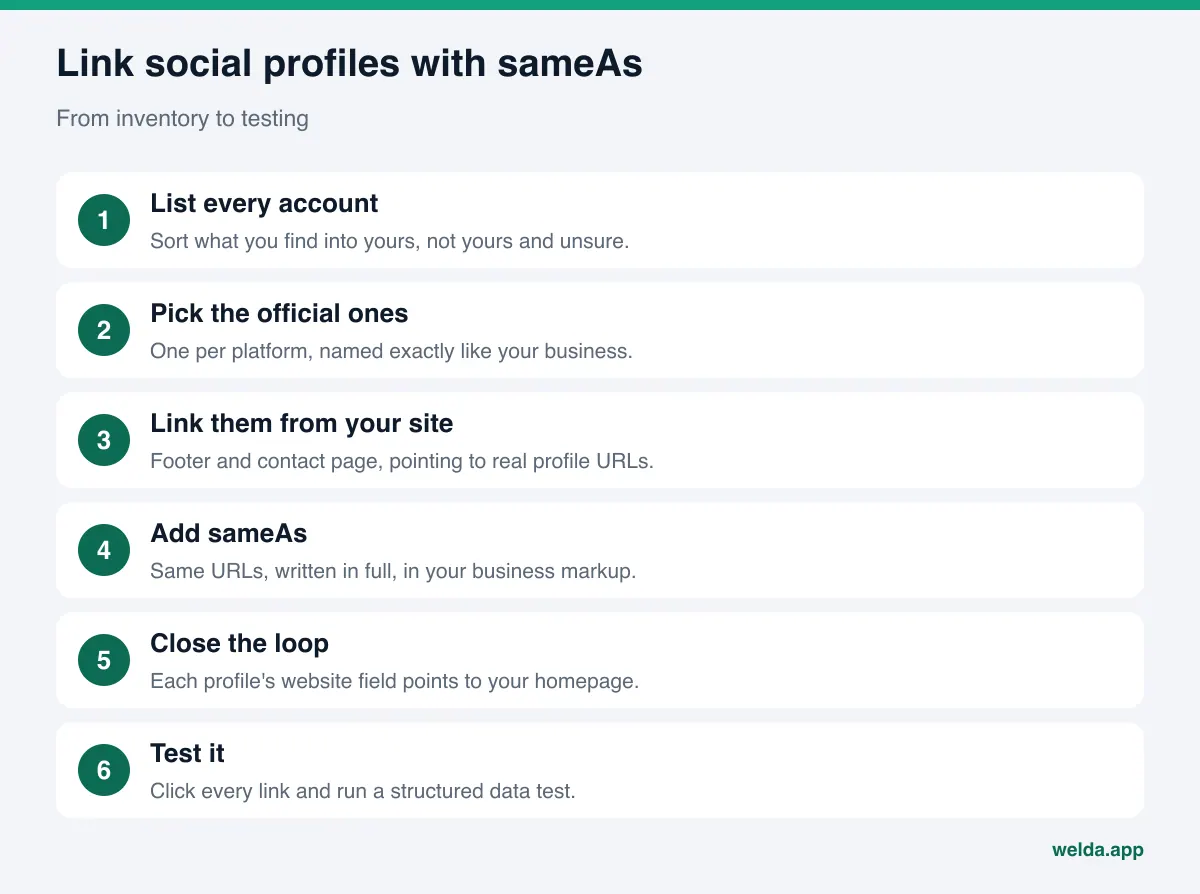
The sequence below is built so that a small business can finish it in an afternoon. Only step five is technical; the rest is inventory and cleanup.
- List every account. Search your business name in quotes, then search inside Facebook, Instagram, Yelp, LinkedIn, YouTube and TikTok. Sort what you find into three columns: yours, not yours, unsure.
- Choose the official ones. Pick one official account per platform. If two exist on the same platform, close or merge one.
- Clean up each profile. The display name should match the business name on your site. The bio or description should say what you do and where, in one sentence. Phone and address, if shown, should be formatted the way they are on your site.
- Add visible links on your site. Put links to the official accounts in the footer and on the contact page. If you use icons, give each link an accessible name such as "Our Instagram."
- Add
sameAsto your structured data. In the Organization or LocalBusiness markup on your homepage or about page, list the same official URLs. The next section shows an example. - Close the loop. Set the website field on each profile to your homepage. If you use a link-in-bio page, make sure your own domain appears clearly on it too.
- Add social links to Google Business Profile. Google's help page says you can add social profiles under Edit profile, then Contact. It also says the feature is currently available in select regions, accepts one link per platform, and that Google may add some links automatically (Google Business Profile Help). If you do not see the field, skip this step; your site links and markup still count.
- Test and document. Click every link, run the markup through a structured data testing tool, and write down which URLs you listed and why. When an account changes later, you will know what to update.
How to write the sameAs property
sameAs is one property inside your business markup, usually a JSON-LD block that sits in the page source and does not show on screen. A simplified version for an example bakery might look like this:
{ "@context": "https://schema.org", "@type": "Bakery", "name": "Example Bakery", "url": "https://www.examplebakery.com", "telephone": "+1-555-010-0000", "sameAs": [ "https://www.instagram.com/examplebakery", "https://www.facebook.com/examplebakery", "https://www.yelp.com/biz/example-bakery-anytown" ] }
The name, phone number and accounts in this example are placeholders. When you write your own, keep these rules in mind:
- Every URL is complete: it starts with
https://and is not shortened. - Use the profile's own URL. A post, share link, search result or "follow" link does not identify you.
- List only profiles that represent you. Articles, reviews and forum threads about you stay out.
- Name, phone and address in the markup match what visitors see on the page. Markup that contradicts the page does not build trust.
- Put the markup on the homepage or on one page that describes the business. Google's documentation notes it does not need to be on every page.
- If an SEO plugin already outputs business markup, edit that block rather than adding a second one. Two conflicting blocks for the same business cause trouble.
For the rest of your markup, including business type, address, hours and FAQs, see schema markup for AI search. On WordPress, where plugins often generate this block for you, WordPress AEO covers where to edit it and how to avoid conflicts.
Common mistakes and how to fix them
Linking profiles looks simple, but the same few mistakes keep showing up. Most of them come not from the first setup but from changes that pile up over the years.
| Mistake | Why it hurts | Fix |
|---|---|---|
| Footer icons still point to the theme's placeholder links | The link lands on a platform homepage or someone else's account; nothing is verified. | Click each icon and replace the target with your real profile URL. |
| A closed or renamed account is still listed | A dead link, or a handle someone else picked up, points to the wrong business. | Review the list at least once a year and update the site and markup whenever a handle changes. |
| Markup lists accounts the page does not show | What machines read and what people see disagree. | Use one list for both the footer and the markup. |
| Profile website field is empty or uses an old domain | The link only runs one way, so the profile never confirms the site. | Update the website field on every profile to your current homepage. |
| Profile name differs from the business name | Abbreviations, old names or campaign names make matching harder. | Make the display name match your legal or trading name; the handle can differ. |
| Location accounts mixed with the brand account | It is unclear which location owns which profile. | Show each location's profiles on its own location page; list shared accounts at the brand level. |
Multi-location businesses need extra care. Picture an example salon group with one shared Instagram account and a separate Google Business Profile and Yelp page for each location. The shared account belongs in the brand-level markup; each location's profiles belong in the markup on that location's page. Putting everything in one list makes it harder for an engine to tell which location sits at which address.
How Welda handles linked profiles
Welda approaches this in two stages: first it shows where your site stands, then it prepares the fixes on your behalf. Both stages start from one question: can an answer engine match your website to the right business?
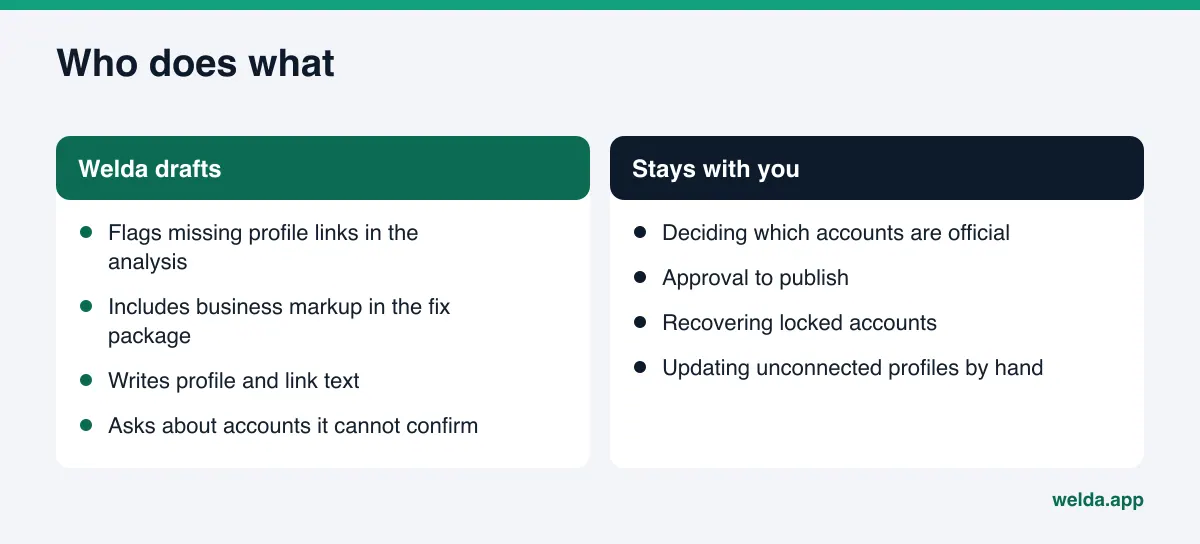
In the free site analysis. The analysis reads your homepage and a few inner pages such as contact and about. One of the things it checks is whether your social and map profiles are linked from your site. If that comes up as a gap, the report says what it saw (for example, a single Instagram icon in the footer and no profile URLs in your business markup), why it matters and how to fix it. Your business markup is assessed in the same report, so you can see both findings side by side and decide which to tackle first. The ready-made fix package you can add to your site includes the business markup. Before you publish it, check that every profile URL in it is yours and current; Welda does not guess at accounts it has not confirmed.
The report's simulation section shows how much each fix is expected to move your score. Linking profiles may not be the largest item on its own; the simulation lets you see it next to your other gaps and choose an order that makes sense.
In the Welda dashboard. The sources screen lists the sites AI engines draw on when they answer questions about your category and your status on each: present, incomplete or unverified. Social accounts appear there as one type of source, so an incomplete profile shows up as something to finish and link. The to-do list turns those findings into tasks. Welda drafts the profile descriptions and the link text for your site. When Instagram, Facebook or Google Business Profile is connected, updates can go out from there after you approve them; if not, the task is marked as manual with the drafted text next to it. If Welda does not know something, such as which of two Facebook pages is official, it asks you instead of guessing.
On WordPress sites, Welda connects through a separate Editor user and an application password you create for it, with no code to install. Changes open on your site as drafts and go live only when you approve them. On other platforms, the same change comes as a ready-made package that you or your web person applies. Your content always stays on your own site.
A note on availability: the free analysis works in English today and anyone can run it. The full dashboard is in early access and is opening first to businesses in Turkey. Regular measurement across ChatGPT, Gemini, Perplexity and Google AI is being added during early access, and the dashboard screens shown in examples use representative data. Pricing is discussed in the early access conversation.
What Welda does not do
Linking profiles is one of the most orderly, least controversial parts of AEO. It still helps to know up front what stays with you.
- It does not create or recover accounts. Getting back into a locked Instagram account or removing a page someone else created is a process between you and the platform.
- It does not add accounts it cannot confirm. You decide which profiles are official. Welda asks rather than writing an uncertain URL into your markup.
- It does not publish without approval. Site changes and profile text both come to you before they go live.
- It does not create fake reviews or followers. Profiles earn trust through real content.
- It does not guarantee rankings or placement in ChatGPT.
sameAsis an identity signal. No outside tool can know exactly how each engine weighs it. - It does not deliver instant results. New links and markup usually take weeks to show up in AI answers.
Directory accounts, PR outreach and handling negative reviews also stay with your team.
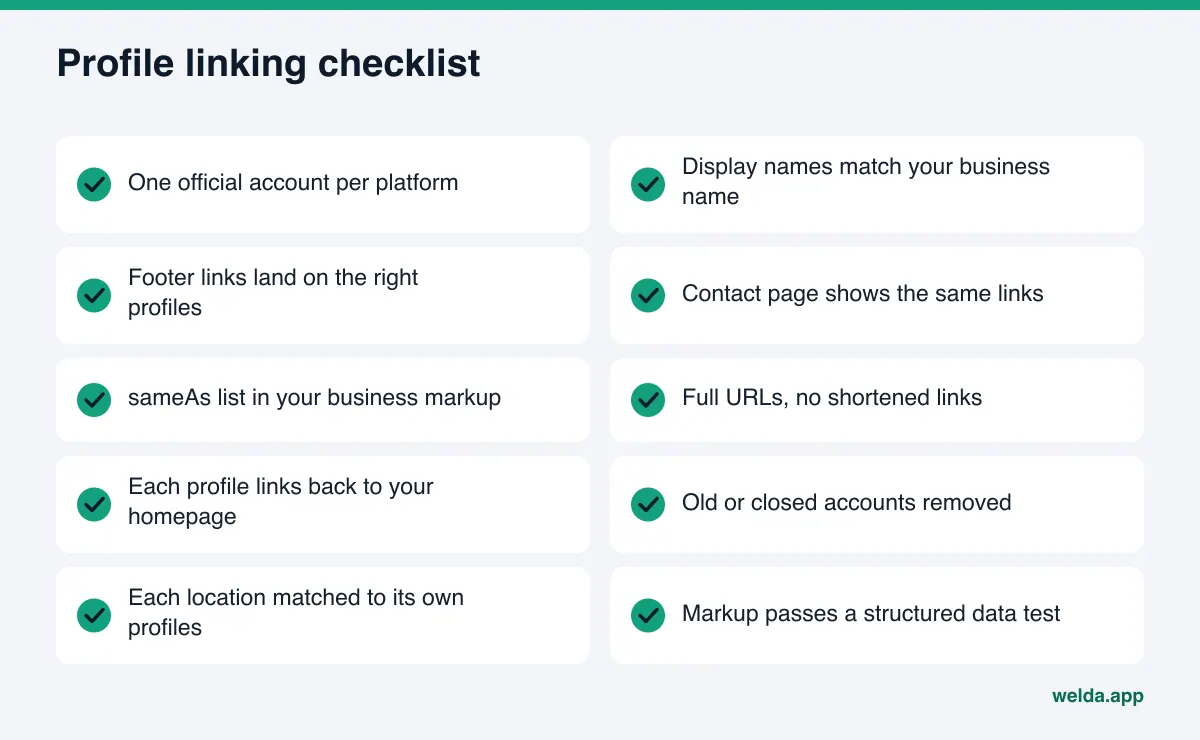
Checklist: are your profiles linked correctly?
When you think you are done, walk through these questions. If every answer is yes, this part of your AEO is in good shape, and the next job is keeping the accounts themselves and your review replies current.
- You have one official account per platform, and each display name matches the business name on your site.
- The footer and the contact page link to those accounts, and every link lands on the right profile.
- Your business markup includes a
sameAslist with the same URLs. - The markup uses full URLs, with no posts, searches or shortened links.
- Every profile's website field points to your homepage.
- The social profiles section of your Google Business Profile, if available to you, is filled in correctly.
- Old, closed or inaccessible accounts are not listed anywhere.
- If you have several locations, each one is matched to its own profiles.
- The markup passes a structured data test, and the page has only one business block.
- You have a date on the calendar to review the list again.
If you are unsure about one account, ask two questions: do we have the login, and have we posted there in the last three months? If both answers are yes, it goes on the list. If either is no, fix the account first and link it afterward.
Frequently asked questions
Will adding sameAs get my business into ChatGPT answers?
Not by itself. sameAs helps engines match you to the right business. Being named in answers also depends on clear service information, current profiles and reviews.
If my site already shows social icons, do I still need the markup?
It is recommended. Visible links serve visitors and crawlers; markup states the same thing in a form machines read precisely. The strongest setup shows the same list in both places.
How many profiles should I link?
There is no set number. Link every official account you actively manage. Do not add dormant accounts just to make the list longer.
Should Yelp, BBB or Healthgrades go in sameAs?
Your own claimed business page on those sites can, as long as the details match your site. Individual reviews, search results or articles about you should not.
I don't see a social profiles field in Google Business Profile. What now?
Google says the feature is available in select regions. If you do not have it, your site links and markup still do the job. Make sure the website field on the profile is correct.
Can Welda do this for me?
Welda finds the gaps and drafts the link text and business markup; on WordPress, it opens the change on your site as a draft. You decide which accounts are official and when anything goes live.
How will I know it worked?
Start with your own checks: click every link and test the markup. The effect on AI answers usually takes weeks. In the dashboard, regular measurement across engines and before-and-after comparison are part of early access.
See where your site stands today
Linking social profiles with sameAs is one of the quickest AEO wins you can finish: an inventory, some cleanup, a few links and one property in your markup. The first step is knowing what is already in place. Run the free AI visibility analysis; the report shows whether your profiles are linked, how your business markup looks, and how to fix every gap it finds. It is free once per site, and the results link arrives by email.