How do you write homepage copy for AI search so ChatGPT and Google's AI can describe your business? State in plain sentences, near the top of the page, what you do, where you do it, who it is for, and how people reach you. AI assistants read your homepage as text and quote what they can verify. A slogan over a hero image gives them nothing to work with.
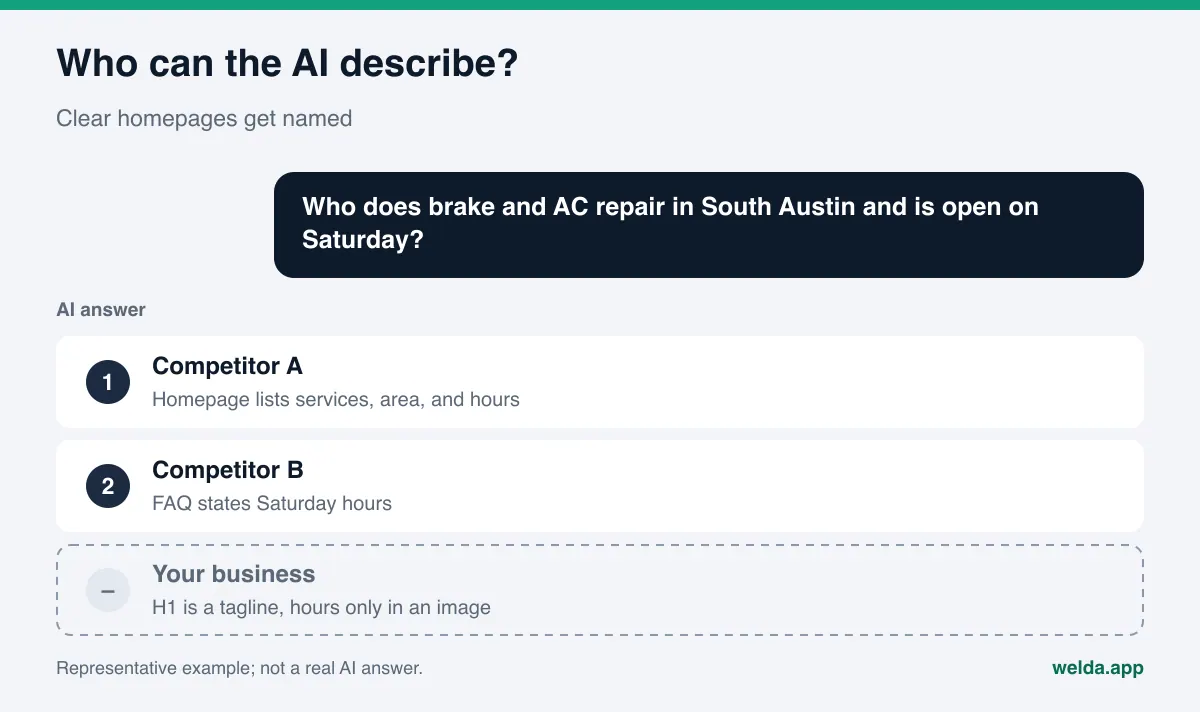
This work is usually called AEO, short for answer engine optimization, and sometimes GEO (generative engine optimization), which means the same thing. The goal is simple: when someone asks ChatGPT, Gemini, Perplexity, or Google's AI Mode "Who does same-day brake repair near downtown Austin that's open Saturday?", your business is named in the answer. Most of the raw material for that answer is text on your own site plus what other sites say about you, and the homepage is the page that gets read most. If you want to see how your own homepage reads to an AI system today, the free website analysis also drafts homepage copy suggestions for you. We explain how that works further down.
Why homepage copy matters for AI search visibility
When an AI assistant can search the web, it typically breaks a question into a few searches, reads the pages it finds, and writes a short answer. To recommend a specific business, it needs two things: a sentence showing the business fits the question, and a source it can trust for that sentence. Your homepage is the shortest description of your business written in your own words. If it says "Auto repair in South Austin for cars and light trucks: brakes, AC, and scheduled maintenance, open weekdays until 7 p.m. and Saturdays until 3 p.m.", matching you to the question becomes easy.
Most small business homepages were written for something else. A big photo, a tagline like "Quality you can trust", a slider, and a "Contact us" button. A human visitor can guess what you do from the photo. An AI system mostly reads the text, and "quality you can trust" does not tell it which service, which neighborhood, or which customers. So it fills the gap from other sources, such as your Google Business Profile, Yelp, or a directory listing. If those are thin or out of date, so is the answer.
Google's own documentation points the same way. It says there are no additional requirements or special optimizations needed to appear in AI Overviews or AI Mode, that important content should be available in text form, and that structured data should match the visible text on the page (Google Search Central, AI features and your website). In other words, readable and accurate text on the page is what counts, and the homepage is where that text starts.
One caveat: ranking well on Google does not mean an AI answer will mention you. A ranking is a list of links; an AI answer is a few sentences assembled from several sources. We cover that gap in ranking first on Google but not showing up in ChatGPT.
What AI systems look for on your homepage
What an AI assistant wants from your homepage is the same thing a new customer wants in the first ten seconds. The difference is that a person also reads photos and colors, while the AI mostly reads words.
- What do you do? The actual services, not just the category. Not "auto repair" but "brakes, AC repair, oil changes, and state inspections for cars and light trucks".
- Where? City, neighborhood, service area. If you have several locations, each one named, with its own page.
- For whom? Families, fleets, commercial clients, first-time buyers, whatever is true for you.
- When and how? Hours, how to book, phone number.
- Why trust you? Years in business, certifications, where your reviews live. Facts that can be checked, not adjectives.
- Common questions: Short answers on pricing approach, warranties you actually offer, parking, payment methods.
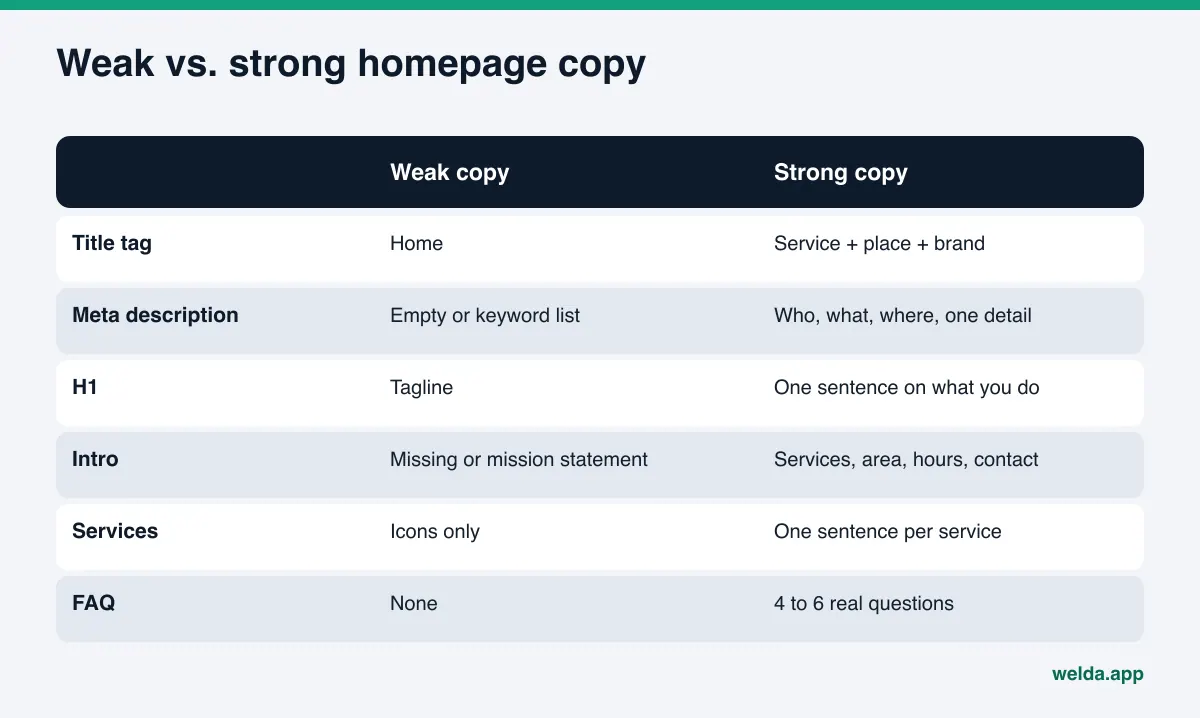
Which part of the page holds that information matters too. The table below shows what each homepage element is for and what it should carry for AI search.
| Element | Where people see it | What it should carry | Common mistake |
|---|---|---|---|
| Title tag | Browser tab, search result headline | Service + location + brand | "Home" or brand name only |
| Meta description | Snippet under the search result | Who, what, where, plus one concrete detail | Empty, or a list of keywords |
| H1 headline | Large text at the top of the page | One sentence saying what you do | A tagline, or text baked into an image |
| Intro paragraph | Right below the headline | Services, area, hours, how to reach you | Missing, or a mission statement |
| Services list | Body of the page | Each service named with one sentence | Icons with one-word labels |
| FAQ section | Lower part of the page | 4 to 6 questions customers really ask | Generic answers, or none |
| Business schema | Invisible, in the code | Name, address, phone, hours; same as the page | An old address that contradicts the page |
Google's guidance on title links supports the same choices: avoid vague titles like "Home", give every page its own title, skip keyword stuffing, and keep branding short (Google Search Central, title links).
How to rewrite homepage copy for AI search, step by step
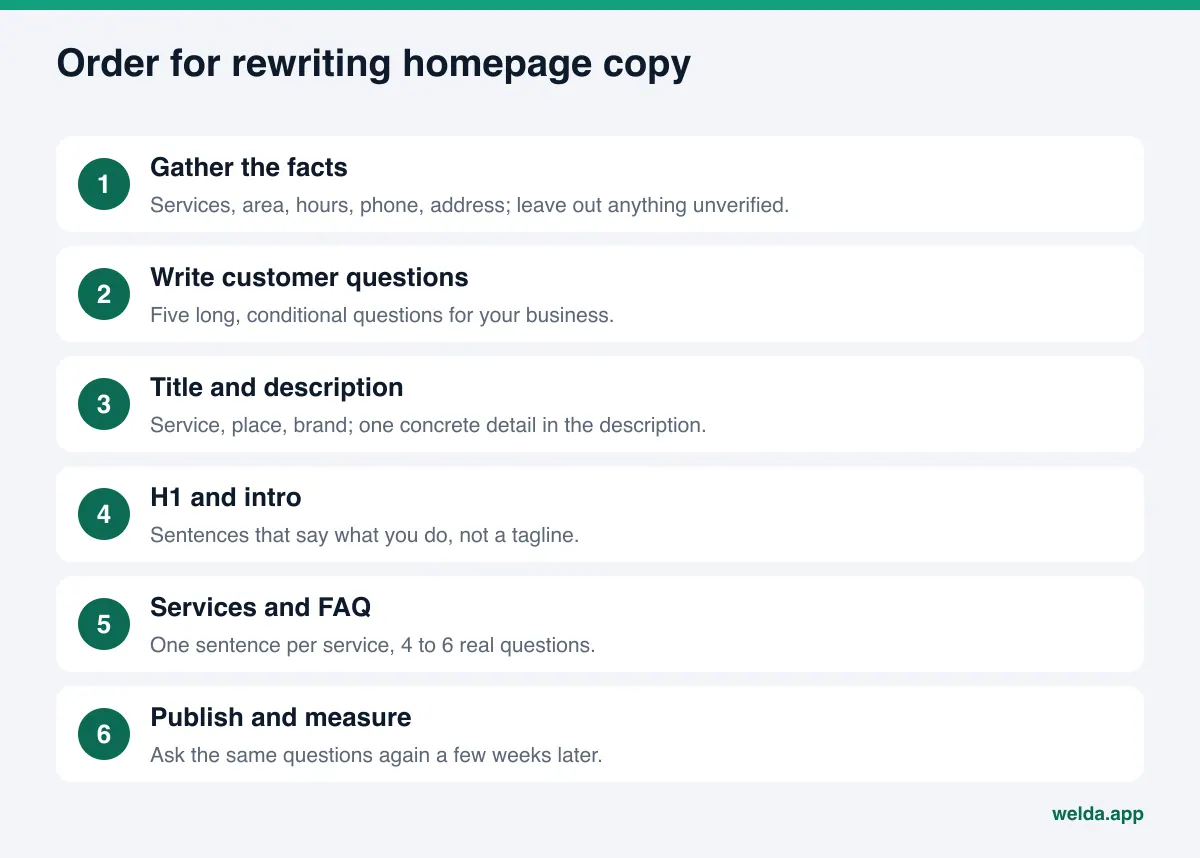
You rarely need a redesign. In most cases the layout stays and only the words change. Working in this order breaks the job into small pieces and lets you see what each change did.
- Collect the facts first. Services, service area, hours, phone, address, year founded, payment methods, who you serve best. If you are not sure about a fact, leave it out until you have checked it.
- Write down the customer's question. People ask AI assistants longer, conditional questions than they type into a search box: "a shop in South Austin that can recharge my AC on a Saturday". Write five of these for your business. Your copy should answer them.
- Write the title tag. Service, place, brand. Example: "South Austin Auto Repair: Brakes, AC, Maintenance | Brand". Aim for about 60 characters.
- Write the meta description. Who, what, where, and one concrete detail: "Auto repair in South Austin for cars and light trucks. Brakes, AC, and maintenance. Open weekdays until 7 p.m., Saturdays until 3 p.m."
- Turn the H1 from a tagline into a sentence. Not "Driven by excellence" but "Auto repair for cars and light trucks in South Austin". Keep the tagline as a subhead if you like it.
- Write the intro paragraph. Two or three sentences: what you do, the area you serve, how to reach you. These are the sentences an AI assistant is most likely to paraphrase when it mentions you.
- List services in text. Each service with a one-sentence description, linked to its own page if you have one.
- Add a short FAQ. Four to six real questions, short answers. More detail in FAQ pages for AEO.
- Match your business schema to the page. Name, address, phone, and hours in the code must match the visible text exactly.
- Publish, then wait. New copy usually takes weeks to show up in AI answers. Rewriting the page every few days makes it impossible to tell what worked.
Example: one homepage, before and after
The example below is not a real business. It shows the homepage of an example auto repair shop in South Austin, piece by piece, before and after a rewrite. The point is to see how the same information becomes readable.
| Element | Before | After |
|---|---|---|
| Title tag | Home | Brand | South Austin Auto Repair: Brakes, AC, Maintenance | Brand |
| Meta description | (empty) | Auto repair in South Austin for cars and light trucks. Open weekdays until 7 p.m., Saturdays until 3 p.m. |
| H1 | Driven by excellence | Auto repair for cars and light trucks in South Austin |
| Intro paragraph | None; just a photo slider | We handle brakes, AC, oil changes, and scheduled maintenance, most jobs same day. Book by phone or online. |
| Services | Four icons: "Brakes", "AC", "Oil", "Tires" | One sentence per service, each linked to its page |
| FAQ | None | Parts used, typical wait, parking, payment methods |
Notice that the "after" column adds no new claims. Nobody wrote "best in Austin", "lowest prices", or "guaranteed". The existing facts were simply written out. AI assistants tend not to repeat claims that cannot be checked; what they repeat are verifiable details like "open Saturdays until 3 p.m." There is a legal side, too. The FTC's guidance for small businesses says advertising must be truthful and not deceptive, and that advertisers need evidence to back up their claims (FTC, Advertising FAQs for small business). A homepage full of unsupported superlatives is not a good idea for either audience. This is general information, not legal advice.
Also notice how closely the "after" copy tracks the customer's question. "South Austin", "Saturday", "AC" and the closing time are exactly the pieces an assistant needs to say "this shop fits". Each one also has to be true. If you are not open Saturdays, do not write it; a customer who shows up to a locked door costs you more than one who never came.
Common homepage copy mistakes that hurt AI visibility
Most of the problems we see with homepage copy for AI search are about content, not code.
- Key text inside an image. Words on a banner graphic are often not read. Put the same information in plain text on the page.
- Information hidden in pop-ups or tabs. Some crawlers miss it or treat it as less important. Keep core facts in the visible page.
- The same title on every page. If your homepage, services page, and contact page share a title, nothing tells a system which page covers what.
- Conflicting phone numbers and addresses. One number on the site, another on Google Business Profile, a third on Yelp or the BBB. When an AI system sees a conflict, it picks one or leaves it out.
- Stale facts. A closed location, changed hours, a service you dropped. Review the homepage whenever something changes. For older pages, see how to update old content for AI search.
- Several locations squeezed onto one page. Each location needs its own page, linked from the homepage. More in location pages for AI search.
- Crawlers blocked. Great copy does not help if robots.txt keeps AI crawlers out. How to check: robots.txt for AI crawlers.
How Welda handles homepage copy
Welda is software that measures where a business shows up in AI answers and fills the gaps on the business's behalf. For homepage copy it comes in at two points: the free website analysis that anyone can use today, and the Welda dashboard, which is in early access.
Ready-to-use copy suggestions in the free analysis
The free analysis reads your homepage and a few inner pages, such as services, pricing, about, and contact. It then drafts five pieces of homepage copy: title tag, meta description, H1, intro paragraph, and FAQ. It looks at the title, description, and H1 separately. If your H1 is only a tagline and does not say what you do or where, the report lists that as a gap, explains why it matters, and suggests a sentence you could use instead. You can paste the suggestion as is or edit it into your own voice.
The report does not stop at copy. It also checks whether AI crawlers can access the site, whether there is business schema, and whether your address and phone can be read. If those technical gaps stay open, better copy may still go unread. A simulation shows how much each fix would raise your score out of 100, which helps when you are deciding whether to fix the H1 first or the schema first. The ready-made fix pack includes business schema code; before adding it, check that the name, address, and phone in the code match your page.
The analysis also asks an AI assistant that can search the web five questions your customers might ask, one time, and shows whether your business name comes up in the answers. It is a single snapshot, not ongoing tracking. The analysis works in English, it is free once per site, your email and phone are verified, and the results link arrives by email and stays open for 14 days.
In the dashboard: unknown facts are asked, not invented
The hardest part of homepage copy is getting the facts right. In the Welda dashboard, if Welda cannot find a fact on your site, such as the owner's name or the year you opened, it does not guess. It lists the question at the top of your to-do list and asks you. Once you answer, the fact flows into every draft that needs it.
Drafted pages are prepared for preview in the ready pages section. On WordPress sites, Welda connects through a separate Editor user and an application password, with no code to install; the new copy opens on your site as a draft and goes live only when you approve it. Where there is no connection, Welda hands you a ready package and you or your web person apply it. Either way, the copy lives on your own site. Welda does not host content.
The effect shows up in question-by-question measurement: the questions your customers ask are put to ChatGPT, Gemini, Perplexity, and Google AI three times each, and a before-and-after view shows which questions changed after the new homepage went live.
To be clear about where things stand: the dashboard is in early access. Regular four-engine measurement is being added during early access, and the sample dashboard screens use representative data. The full dashboard is opening first in Turkey. What anyone can use today, in English, is the free website analysis. Pricing is discussed in the early access conversation.
Limits: what Welda does not do
Fixing homepage copy is a real step, but it is not a guarantee of anything on its own.
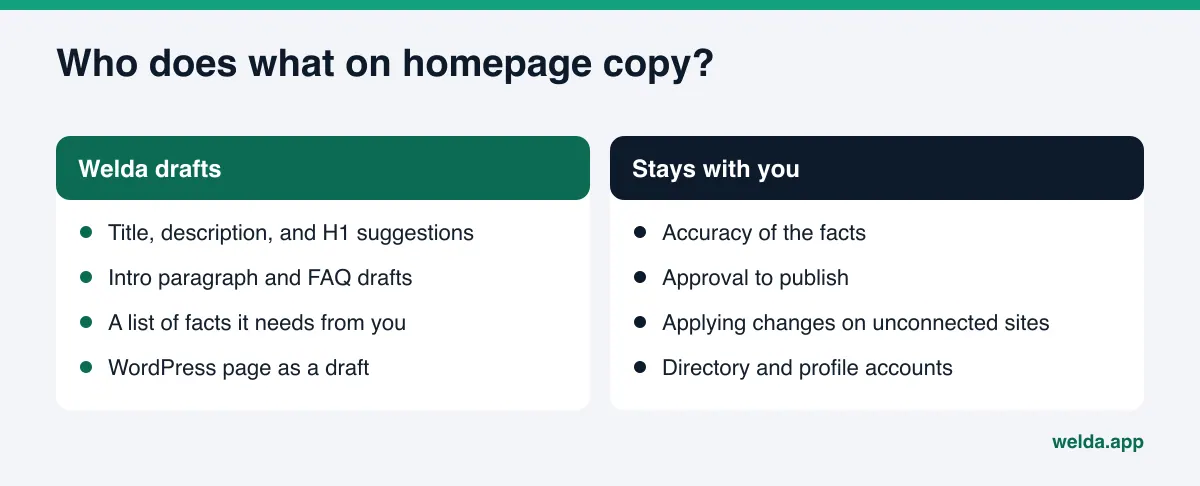
- No guarantees. Welda does not guarantee that you will appear in ChatGPT or any other AI answer. The free analysis does not measure rankings.
- No invented facts. If a fact is unknown, the draft leaves it blank and asks you. "20 years of experience" does not go into copy until you confirm it.
- No publishing without approval. Your homepage copy does not go live without your sign-off. In healthcare there is no automatic publishing at all; every piece waits for approval.
- The compliance check is not legal advice. The dashboard flags patterns like price claims, guarantees, and superiority claims before publishing. It is a warning, not legal advice, and it has not been reviewed by a lawyer.
- Off-site work stays with you. Negative reviews, directory accounts, and press outreach remain the business's job. Welda can draft text for them, but it does not create accounts on your behalf and never writes fake reviews.
- It takes time. New copy usually takes weeks to show up in AI answers.
Homepage copy checklist and where to start
Run through this list before you publish new copy. Every "no" is a spot where an AI assistant will have nothing to say about you.
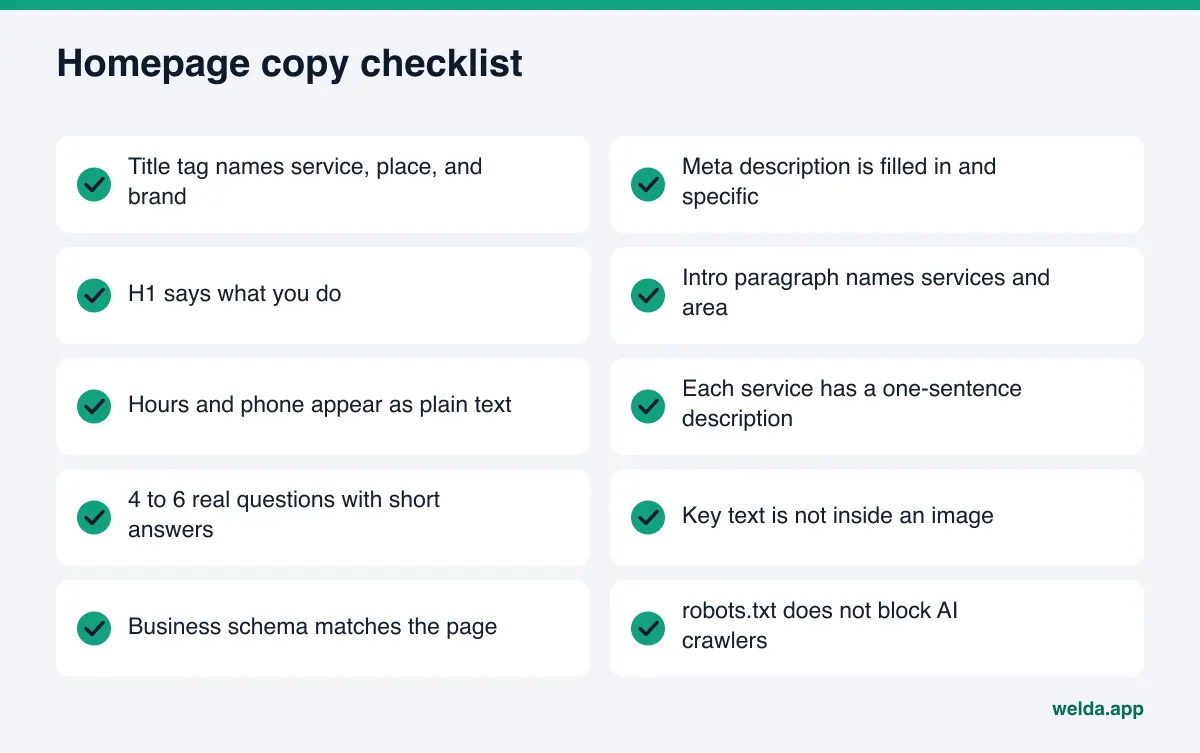
If you are unsure where to start, use the decision guide below. It is a rough order, not a rule. Wrong hours on the homepage can be more urgent than a weak title tag; anything that sends customers to you with the wrong information gets fixed first.
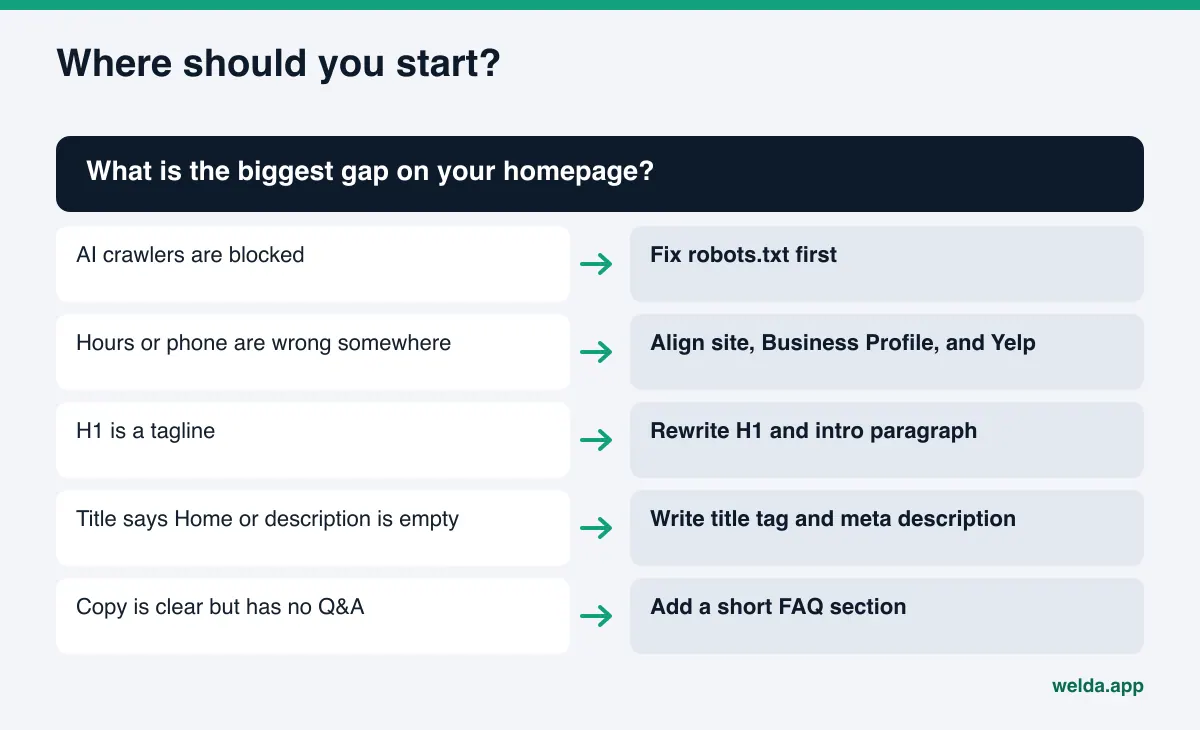
| Situation | Fix first | Why |
|---|---|---|
| Crawlers cannot read the site | robots.txt | No copy change is visible until the page can be read |
| H1 is a tagline | H1 and intro paragraph | The first sentence does not say what you do |
| Title says "Home" or description is empty | Title tag and meta description | First text seen in results and summaries |
| Address or phone inconsistent | Align site, Google Business Profile, Yelp | Conflicting facts reduce trust |
| Copy is fine, no Q&A | FAQ section | Answers conditional questions directly |
Frequently asked questions
How long should homepage copy be?
There is no magic word count. What matters is that what you do, where, for whom, and how to reach you are written in plain text near the top. A services list and a few FAQs below that are enough for most small businesses.
Do we have to drop our tagline?
No. Keep it, just not as the H1. Use a sentence that says what you do as the headline and put the tagline under it or on the image.
Does repeating keywords help with AEO?
No. Repeating the same phrase gives an AI system no new information and reads badly to people. Make every sentence carry a new fact: a service, a neighborhood, hours, a method.
How soon will I see results after changing my homepage?
There is no fixed timeline. New content usually takes weeks to show up in AI answers. Measure before the change, then ask the same questions again a few weeks later.
Should a bilingual site have separate homepage copy for each language?
Yes. Each language version should answer the questions that customers ask in that language; machine translation often misses local phrasing. See multilingual AEO.
Can I use the copy the free analysis suggests as is?
You can, but read it first. Suggestions are based on what the analysis read on your site, so an outdated fact on the site can carry over. Check numbers, dates, and claims before you publish.
Will Welda change my homepage for me?
Welda drafts the copy; the decision to publish stays with you. On WordPress, the copy opens as a draft and goes live when you approve it. On other platforms, you or your web person apply the package. The full dashboard is in early access and opening first in Turkey.
Check your homepage today
The link between homepage copy and AI search is simple: an assistant can only describe what it can read. Writing down what you do, where, and for whom in plain sentences is a low-cost AEO step whose effect lasts. To see where to start, run the free website analysis. In one report you get suggested title, description, H1, intro, and FAQ copy for your homepage, the reason behind each gap, and how much each fix would move your score. It is free once per site, works in English, and the results link stays open for 14 days.