Do comparison pages for AI search actually matter? Yes, because "which one should I pick" is one of the most common questions people now type into ChatGPT, Gemini, Perplexity, and Google's AI Overviews. When an assistant answers that kind of question, it leans on a page that lays out the options side by side and says plainly who each one is for. If that page lives on your site, your business has a real chance of being named in the answer.
This guide covers comparison pages for AI search from a small business owner's point of view: which comparison questions customers ask, how a useful comparison page is structured, what the FTC expects when you name a competitor, and how Welda handles this work. If you want a baseline first, run the free AI visibility analysis. It reads your site the way search engines and AI assistants do and shows how clearly your services are described, whether you have an FAQ section, and how you stack up against competitors.
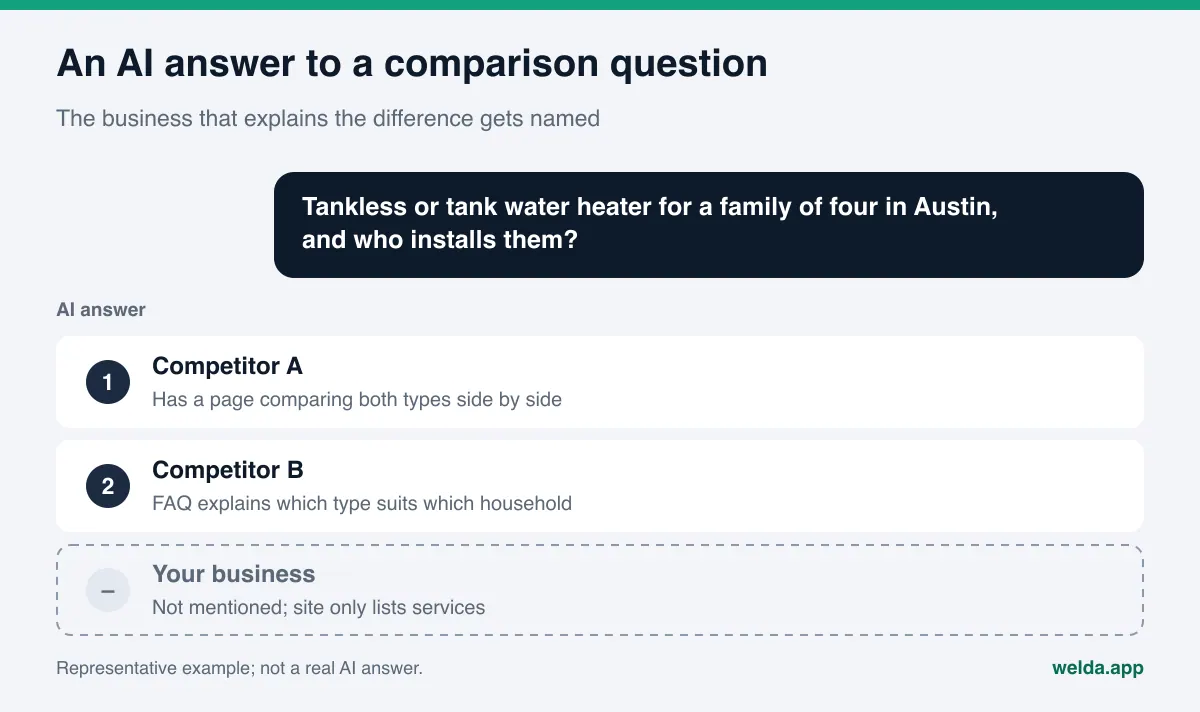
What is a comparison page, and why do answer engines use them?
A comparison page puts two or more options a customer is weighing next to each other and judges them on the same criteria. Most of the time the options are not "us versus them." They are two methods, two product types, or two service tiers: "tankless or tank water heater," "clear aligners or traditional braces," "monthly lawn plan or one-time cleanup," "boutique hotel or all-inclusive resort."
AI assistants try to give short, confident answers. When someone asks "which is better for me," the assistant looks for text that lists the differences one by one and says which option fits which situation. A page that does exactly that is easy to quote. A page that only praises one option, or never states the difference, gives the assistant very little to work with.
That is why AEO (answer engine optimization), the practice of making your business show up in AI-generated answers, pays special attention to comparison questions. You may also see the same work called GEO, short for generative engine optimization; in the US the two terms describe largely the same job, and AEO is the one most people search for.
The business case is simple. A person asking a comparison question is no longer browsing. They have narrowed the field and are close to a decision. Whatever source the assistant reads at that moment shapes the criteria the customer uses. If a competitor has already answered the question on their own site, the answer will be framed around their criteria and will often end with their name.
Which comparison questions do customers ask AI assistants?
Comparison questions fall into a handful of patterns. Knowing which pattern shows up most in your line of work tells you which page to write first. For ways to collect the real questions your customers ask, see our guide on how to find the questions customers ask AI. Here we focus only on the comparison patterns.
- Method or product type: "Spray foam or fiberglass insulation for an attic," "In-office or at-home teeth whitening." The customer is choosing a solution, not yet a provider. The business that explains the choice well tends to stay in the picture when the provider question comes next.
- Tier or scope: "Basic or premium detailing package," "Standard room or suite." Here the customer wants the concrete difference between your own options and who each is for.
- You versus a named competitor: "Company X or Company Y." Asked less often, but when it is asked, it is the moment of decision. Answers to these questions are usually assembled from Google Business Profile, Yelp, BBB, Angi, and similar review and directory sites.
- Alternatives: "What can I do instead of a full roof replacement," "Is there a cheaper option than X." The customer is close to dropping an option and is looking for a new name.
- Situation-based: "Which is better for a family with toddlers," "Which works for a two-person office." These add the personal context that decides the comparison, and often a local one.
All of these patterns share one thing: the customer wants criteria. Time, what drives the price, durability, upkeep, who it suits, who it does not suit. The assistant has to read those criteria somewhere. If they are written clearly on your site, your site can be that place.
What makes a strong comparison page for AI search?
A strong comparison page tries to help the reader decide, not to win an argument. The same holds for answer engines: an assistant is more comfortable quoting a page that reads as fair and specific. The table below breaks a comparison page into sections and shows what each one adds to an AI answer.
| Section | What goes in it | What it gives the answer engine |
|---|---|---|
| Direct answer | Two or three sentences up top: which option fits which situation | A short, quotable verdict |
| Comparison table | Both options on the same criteria: time, upkeep, fit, limits | Structured differences, row by row |
| Who it is for, who it is not | Concrete situations for each option | An answer to "which one for my situation" |
| What affects cost | The factors that move the price, with your current pricing if you publish it | Grounding for cost questions |
| What you offer | Which of the options you provide, where, and how to book or get a quote | The link between the information and your business name |
| FAQ | Four to six follow-up questions customers really ask | Ready answers for the next question in the chat |
The "What you offer" row is the one most businesses skip. The page explains the two methods well but never says who performs them or in which city. The assistant then uses your information without using your name. Closing the comparison with how you deliver the service, your service area, and how to reach you puts the knowledge and the business on the same page.
A few writing habits help too. Make every subheading a question or a clear task, answer it in the first sentence, then add detail. We cover this approach in more depth in our piece on answer-first content.
How to build a comparison page, step by step
These steps take a single comparison page from idea to published and measured. If you plan several pages, repeat the same sequence for each one.
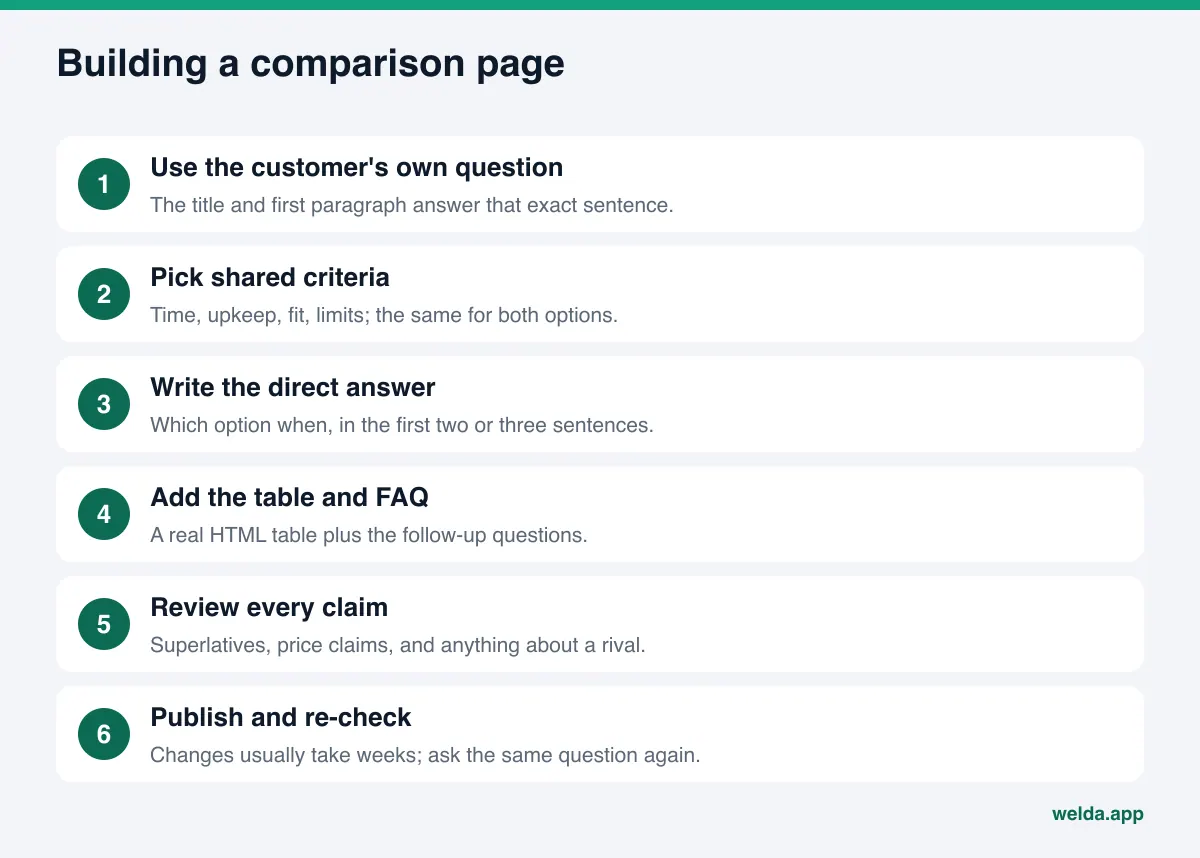
- Write the question in the customer's words. Not "Differences between tankless and tank water heaters," but "Should I get a tankless or a tank water heater for a family of four." The title and first paragraph should answer that sentence.
- Pick your criteria. Choose four to seven factors customers actually weigh: install time, upkeep, space needed, who it suits, limits. Use the same criteria for both options.
- Write the direct answer. Answer "which one when" in the first two or three sentences. If the honest answer is "it depends," say what it depends on in the same paragraph.
- Build the table. Criteria as rows, options as columns. Keep each cell short and checkable. If you use numbers, base them on your own records or a source you can cite.
- Say who each option is not for. Stating the downside of each option is what makes the page read as fair. A page of pure praise is a weak source for readers and for assistants.
- Tie it to your business. State which option you offer, your service area, and how to book. Having your business information marked up with Schema on the site makes it clear who the page belongs to.
- Add an FAQ. Cover the follow-up questions customers ask after the comparison, with short answers.
- Check every claim. Review "best," "lowest price," "results promised," and every sentence about a competitor before you publish. The next section explains why.
- Publish and measure. Link the page from the related service page or your main navigation. It usually takes weeks for new content to show up in AI answers, so ask the same question again after a few weeks.
If your site runs on WordPress, add the comparison table as a real HTML table, not as an image. Assistants cannot always read text inside an image, but they read table text without trouble. Our guide to WordPress AEO covers more platform-specific details.
Naming competitors: what the FTC expects
When your page compares two methods, legal exposure is usually low. Once you name a competitor, their brand, or their product, you are in comparative advertising territory. In the US, the FTC's Statement of Policy Regarding Comparative Advertising sets the tone. The FTC encourages truthful comparative advertising that names competitors, because it helps consumers and competition. It also expects the basis of the comparison to be clear, disclosures to be made where needed to avoid deception, and comparative claims to meet the same substantiation standard as any other advertising claim.
In practice, that turns into a short set of questions to ask before you publish a page that names someone else:
- Do I really need to name the competitor, or would a method comparison do the same job?
- Is every fact I state about the competitor accurate and current, and can I show where it came from?
- Am I comparing services that meet the same need?
- If I make a measurable claim, such as faster or longer-lasting, do I have evidence on file?
- Is the tone informative, or does it read as an attack?
Regulated fields such as healthcare, legal services, and financial services often have additional professional or state-level advertising rules. This section is a general orientation, not legal advice. Having an attorney review any page that names a competitor before it goes live is the safe route. For more on superlatives like "best" and "number one," see our piece on best claims and advertising rules in AI content.
Common mistakes on comparison pages
Businesses that start writing comparison pages tend to make the same handful of mistakes. Each one costs trust with readers and makes the page less useful to answer engines.
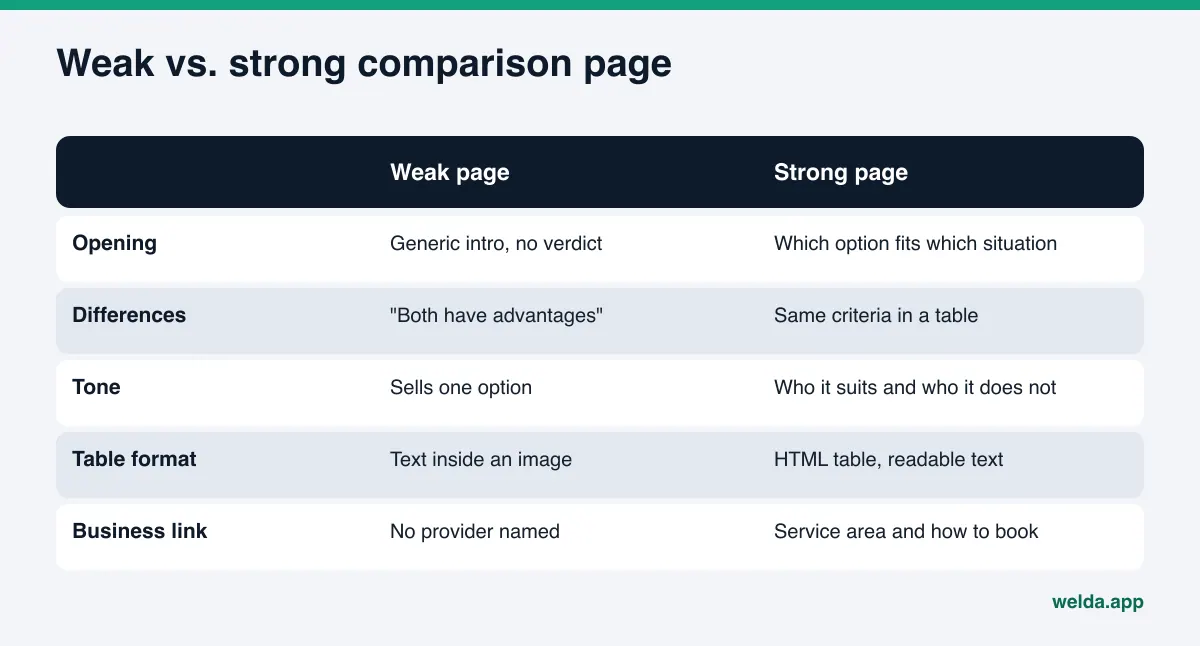
One-sided praise. The page is labeled a comparison, but it only sells one option. Readers notice right away, and assistants have a harder time treating the page as a neutral source.
No criteria. "Both have their advantages" with no concrete difference. The customer's question is exactly what the difference is; leave it unanswered and the page has failed its job.
The table is an image. A nicely designed comparison graphic reads well for people, but if the same information is not on the page as text, an assistant may never see it.
Stale competitor details. Describing a competitor's offer as it was a year ago creates legal risk and erodes trust. Check every competitor fact on the day you publish and show a "last updated" date on the page.
Conflicts with your listings. If the hours, service area, or scope on the comparison page differ from your Google Business Profile, Yelp, or Angi listing, the assistant has no way to know which to trust. Keep your site and your listings saying the same thing.
Everything on one page. Five different comparisons crammed into one long page are harder to use than five focused pages, each answering one main question.
How Welda handles comparison pages
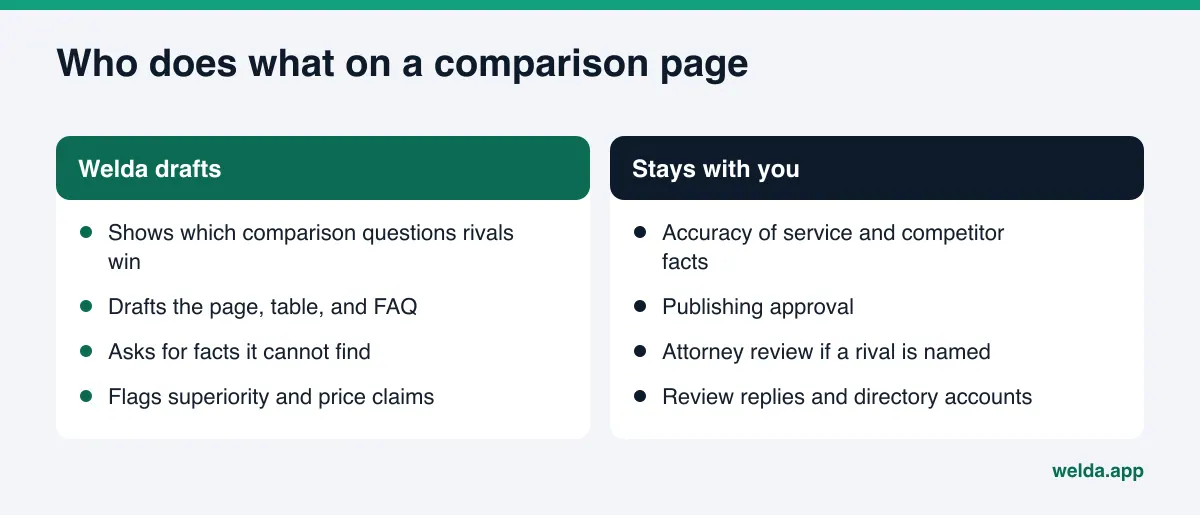
Welda is software that measures where a business shows up in AI answers and then fills the gaps on the business's behalf. For comparison pages, three parts of the product do most of the work: a competitor view that shows which questions rivals are winning, a content flow that drafts the missing page, and a compliance check that flags risky claims before anything goes live.
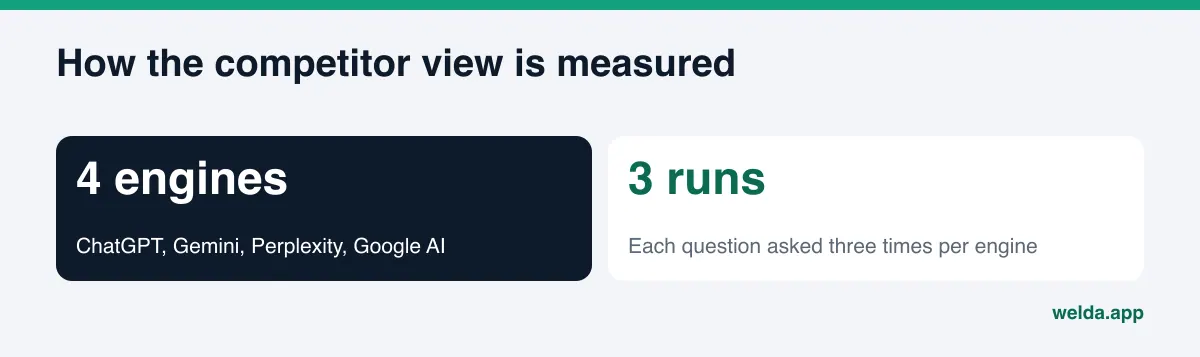
The competitor view: which comparison questions are you losing? In the Welda dashboard, the questions your customers are likely to ask are run through ChatGPT, Gemini, Perplexity, and Google AI three times each. The competitor view shows which question groups a rival leads in and which sources the assistants cite for them. Suppose a rival keeps showing up on "which one is better" questions and the cited source is the rival's own website. That usually means they have a page answering that question and you do not. The decision stays with you: whether to go after that question group with a comparison page or to close a different gap first. For the broader method, see our guide to AI competitor analysis.
Drafted pages: a comparison page that waits for your facts. For a comparison question where you are missing, Welda drafts a page: a direct-answer paragraph, a criteria table, a who-it-suits section, and an FAQ. It does not make up what it does not know. If it cannot read the duration of a service, the method you use, or your service area from your site, it asks you for that information in the to-do list and leaves the field blank. Once you fill it in, the answer flows into every draft that needs it.
Finished drafts go to a preview. On WordPress sites, Welda connects through a separate Editor user and an application password you create for it, with no code to install. The page opens on your site as a draft and goes live only when you approve it. Where there is no connection, Welda hands you a ready package with the page text and the business information code, and you or your web person apply it. Either way the content lives on your own site; Welda does not host content.
The compliance check: competitor sentences get flagged before publishing. Comparison pages are where superlatives and price claims creep in. Welda's compliance check flags patterns such as price claims, guarantees, superiority claims, and diagnosis-style suggestions before anything is published. "Lowest price in town," "the best in the area," or a measurable claim against a rival shows up flagged on the approval screen. This check is not legal advice and has not been reviewed by an attorney; its job is to make sure a risky sentence does not slip past you.
Other parts of the dashboard help indirectly. The questions view shows, question by question, whether your name appears for the comparison questions you track, and the before-and-after view shows whether anything changed in the weeks after a page went live.
Here is where things stand today. The Welda dashboard is in early access and is opening first in Turkey, with businesses admitted in waves. Regular four-engine measurement is being added during early access, and the sample screens in the dashboard use representative data. What anyone can use today is the free site analysis, which works in English and German. Pricing is discussed in the early access conversation.
What the free analysis tells you about comparison pages
You can learn a lot about your comparison page gaps before the dashboard opens to you. The free site analysis reads your homepage and a few inner pages, such as services, pricing, about, and contact, the way Google and AI assistants do. For comparison pages, pay attention to these findings:
- How clearly services are described: If your services are vague, a page comparing them has nothing solid to stand on. Fix the service pages first.
- FAQ section: If you have none, or a thin one, the FAQ at the end of a comparison page is a good place to start.
- Competitor comparison: The report also includes a comparison of your site with competitor sites. Sections they have and you lack are strong hints about which pages to write.
- AI answer test: The analysis asks an AI assistant with web search 5 questions your customers might ask and checks whether your business name appears in the answers. It is a one-time snapshot, not ongoing tracking.
Each site gets one free analysis. Your email and phone are verified, the results link arrives by email, and it stays open for 14 days. The analysis does not measure rankings and does not promise any.
Limits: what Welda does not do
Publishing a comparison page does not mean an assistant will recommend you, and Welda does not claim otherwise. A few limits are worth stating plainly:
- Welda does not guarantee rankings or that you will "show up in ChatGPT." AI answers draw on many sources and vary from engine to engine.
- It does not write facts about competitors that it cannot verify. If a comparison needs competitor details, it asks you for information you can stand behind.
- It does not publish sensitive content without approval. Anything that names a rival or makes a superiority claim always comes to you first.
- It does not create fake reviews or invent customer quotes for a comparison page.
- Replying to negative reviews, managing directory accounts, and PR outreach stay with you. Welda can draft reply and profile text, but you own those accounts.
- New content usually takes weeks to be reflected in AI answers. Do not expect a change the day after you publish.
Which comparison page should you write first? A decision guide
Most businesses could write dozens of comparison pages. With limited time, use this order to decide where to start.
| If this is your situation | Start here |
|---|---|
| Your service pages are still vague | One clear page per service first; comparisons after |
| Callers keep asking the same "which one" question | Your first comparison page answers that question |
| A rival gets cited from its own site on a comparison question | A clearer, fairer page on the same question |
| Customers hesitate between two of your packages | A tier comparison: scope, time, who it suits |
| You are thinking about naming a competitor | Start with a method comparison; have an attorney review any named comparison |
Before publishing, read the page once more against the checklist below. Each item affects whether an answer engine treats the page as a source it can rely on.
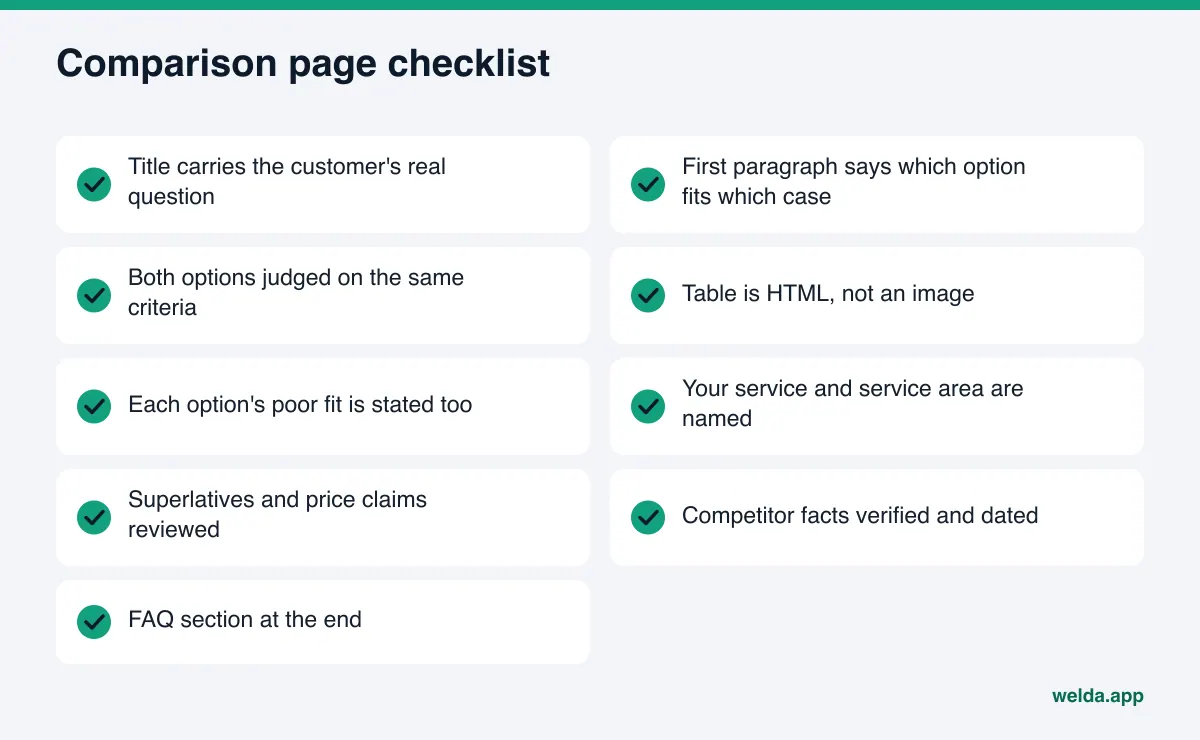
Comparison pages also connect to the rest of your AEO work. The same criteria you write on the page should match what your reviews and listings say, and the questions you answer should come from what customers actually ask. When those three line up, the page is far more likely to be read as the reliable answer to "which one."
Frequently asked questions
Do I have to name a competitor to write a comparison page?
No. For most businesses the most useful comparison is between two methods or two of their own packages. Naming a competitor calls for extra care and has to follow comparative advertising rules.
How long should a comparison page be?
There is no magic number. It should be long enough to answer the customer's question directly, show the criteria in a table, and cover the follow-up questions. Filler does not make a page stronger.
Can I add the comparison table as an image?
You can use an image as a supplement, but the same information should also be on the page as text or an HTML table. Assistants cannot always read text inside images.
How long until a comparison page shows up in AI answers?
There is no fixed timeline. New content usually takes weeks to be reflected, and it differs by engine. Ask the same question again after a few weeks to check.
Does Welda publish comparison pages by itself?
Welda drafts the page and, on WordPress sites, opens it as a draft; publishing approval stays with you. Without a connection, it gives you a ready package to apply by hand. The dashboard is in early access and is opening first in Turkey.
Will the free analysis tell me which comparison page to write?
It does not hand you a list of pages. It does show how clearly your services are described, whether you have an FAQ, and where you trail your competitors, and those findings point clearly to which page you need first.
Bottom line: answer the "which one" question yourself
When a customer asks "which one," an AI assistant will answer. The real question is whose criteria that answer is built on. A clear, fair comparison page that ties back to your business lets you set those criteria. You can start without naming anyone, by comparing two methods or two of your own packages honestly.
As a first step, see where your site stands today: run the free AI visibility analysis and review, in a single report, how your services and FAQ read to AI assistants and where you fall behind your competitors.