What should AI visibility software for ski lodges actually do, and do you need it? AI visibility software for ski lodges should check whether your lodge is named when guests ask ChatGPT, Gemini, Perplexity and Google's AI features about ski-in/ski-out access, lift tickets, shuttles and family amenities, show why a nearby competitor gets named instead, and draft the copy that closes the gap. Because the booking window is short and new content usually takes weeks to show up in AI answers, the work has to start before opening day. This guide covers what to look for in a tool, how to do the work by hand, and which parts Welda handles for you.
Why AI visibility for ski lodges is its own problem
Answer engine optimization, or AEO, is the work of getting your business named in the answers that AI assistants give. You may also see it called GEO (generative engine optimization); in the US the two terms describe the same job, and AEO is the one most people search for. For a city hotel, the questions guests ask an AI assistant tend to circle around location, cleanliness and price. For a ski lodge, the questions are much more specific, and the assistant needs a specific written fact to answer them.
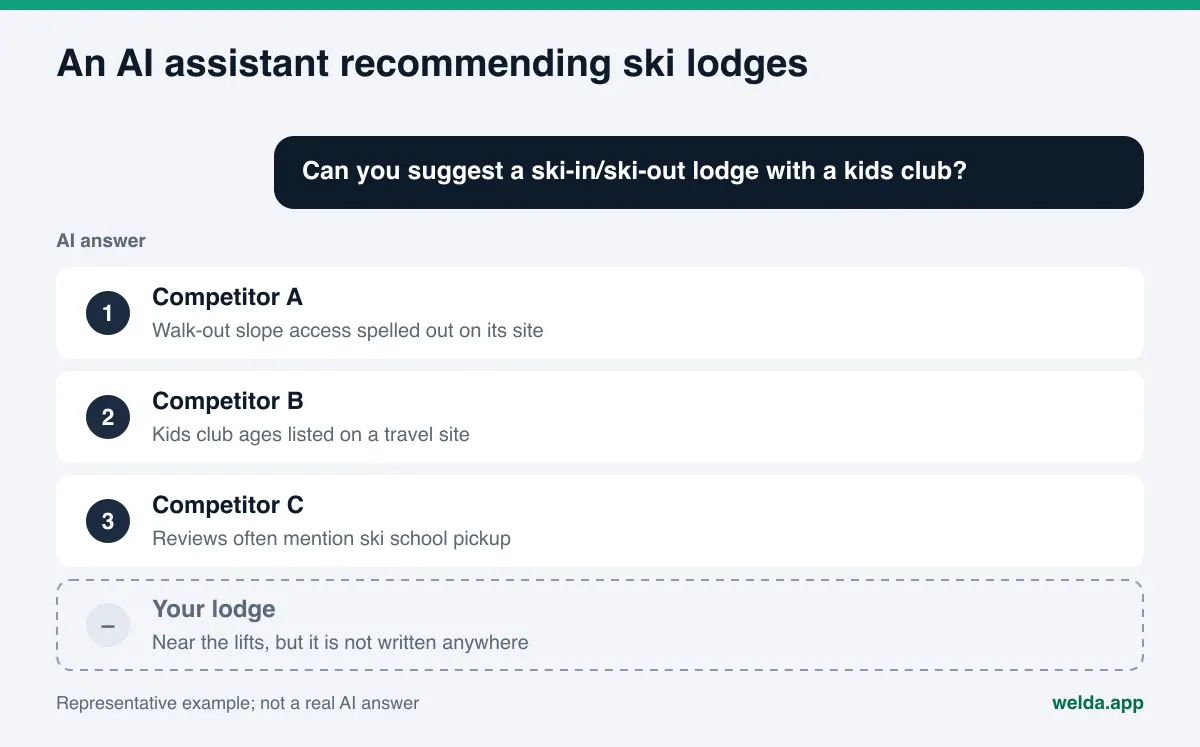
Someone planning a ski trip types questions like these: "ski-in/ski-out lodge in Breckenridge with a hot tub", "family-friendly lodge near Park City with ski school pickup", "Lake Tahoe lodge with a free shuttle to the lifts", "Vermont ski lodge that allows dogs". Each answer depends on a single fact. If that fact is not written on your website, your Google Business Profile or your listing on the big travel sites, the assistant has nothing to base a recommendation on, so it names someone else.
Three things make ski lodges different from other properties:
- The season is short. Guests decide within a few months. A gap you notice in January is often fixed after the trips have already been booked.
- The facts change every year. Opening and closing dates, which lift pass partnerships apply, shuttle schedules, holiday minimum stays. Last season's details tend to linger online, and an AI assistant may repeat them.
- Guests think in terms of the slopes. "Close to the mountain" is not the same as "walk out the door and click into your skis". If the assistant cannot find a clear sentence about slope access, it picks the lodge that wrote one.
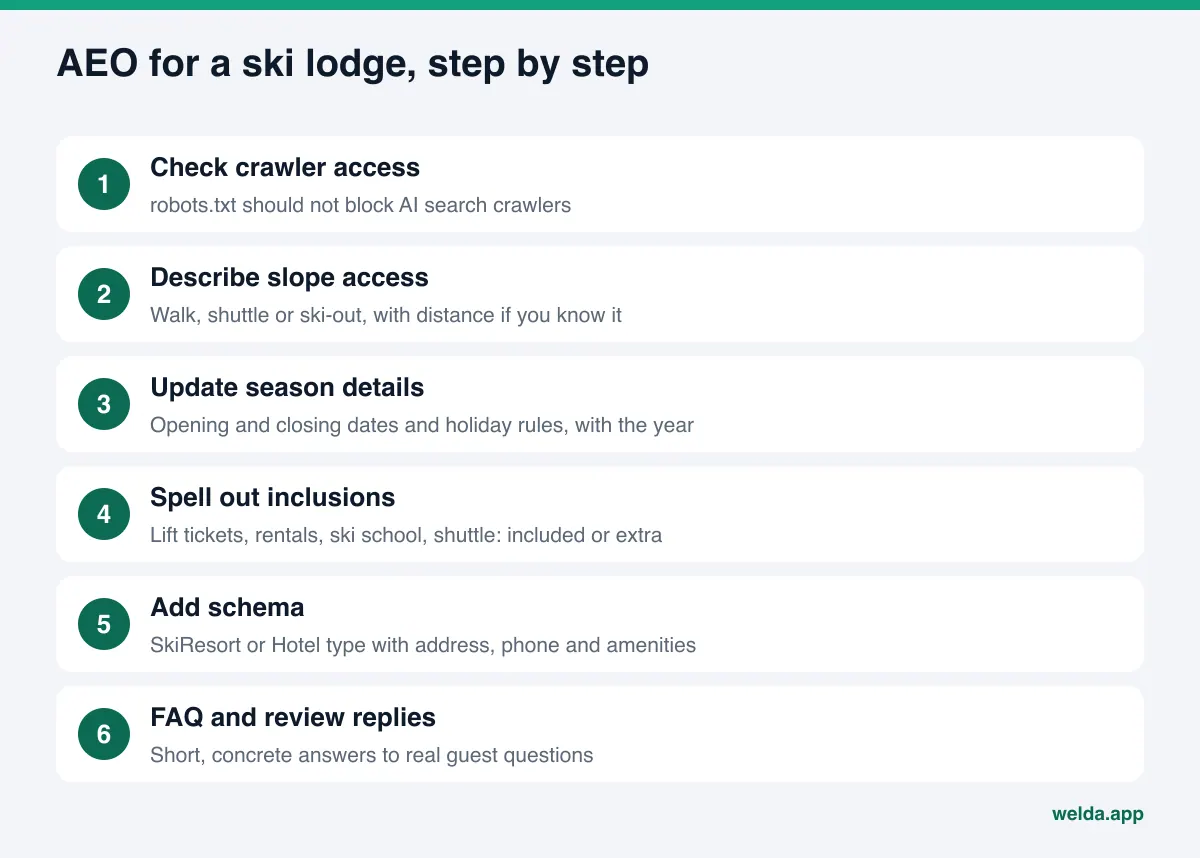
That is why AI visibility software for ski lodges has to measure more than a generic hotel tool: seasonal questions, technical details like slope access, and the handful of competitors in your valley. A good first step is to see how your own site reads to an AI system today. Welda's free site analysis reads your homepage and a few inner pages the way Google and AI assistants do, and lists every gap it finds.
What guests ask AI assistants about ski lodges
The questions below are examples of how to build a tracking list for a ski lodge. They are not survey results. Your own list will depend on your mountain, your guests and what makes your property different. Grouping questions into clusters makes the results much easier to read.
| Question cluster | Example question | The fact the answer depends on |
|---|---|---|
| Slope access | "Ski-in/ski-out lodges in Breckenridge" | Distance to the nearest lift, walk or shuttle, ski storage |
| Families | "Park City lodge with kids club and ski school" | Kids club ages, ski school on site or nearby, family rooms |
| Packages | "Lodges near Vail that include lift tickets" | What a package includes, rental partnerships, meal plans |
| Getting there | "Lodge near Jackson Hole with airport shuttle" | Shuttle availability, cost, schedule, booking method |
| Non-skiers | "Ski lodge with a spa for people who don't ski" | Spa, pool, hot tub, après-ski, hours |
Each cluster is its own competition. A lodge can show up reliably for family questions and never appear for slope-access questions. Tracking a broad query like "best ski lodge in Colorado" only gives you a rough picture; the detailed questions are where booking decisions happen. For a deeper walkthrough of building that list, see our guide to prompts to track for AI visibility.
Ski towns also draw international and out-of-state visitors who may phrase questions differently or search in another language. If your site only covers the basics, the same lodge can look very different depending on how the question is asked. Adding a few variations of each key question to your list makes that gap visible.
Features to look for in AI visibility software for ski lodges
There are several kinds of AI visibility tools on the market. Some only measure, some suggest content, and some come bundled with agency services. When you compare them for a ski lodge, check these points:
- Custom questions. The tool should not be limited to generic hotel queries. You need to add "ski-in/ski-out", "lift tickets included" and your own clusters.
- Multiple engines. ChatGPT, Gemini, Perplexity and Google's AI features draw on different sources. A tool that checks one engine shows you half the picture.
- Repeated runs and a margin of error. Ask the same question twice and the answer may change. A single run can make a lucky result look like a trend.
- Competitor and source view. You should see which question a competitor wins and which website the assistant cites when it names them. In a ski town there are only a few real competitors, so you need to know each one.
- Actionable output. "Schema missing" is not enough. You need the code to add, the copy to publish and a note on who does what.
- Season-over-season comparison. You should be able to compare the preseason picture with mid-season.
- You keep approval. Rates, packages and inclusions are your responsibility. Nothing should go live without your sign-off.
If you are about to sit through a vendor demo, our AI visibility tool demo checklist turns these points into concrete questions to ask.
Step by step: AEO for a ski lodge
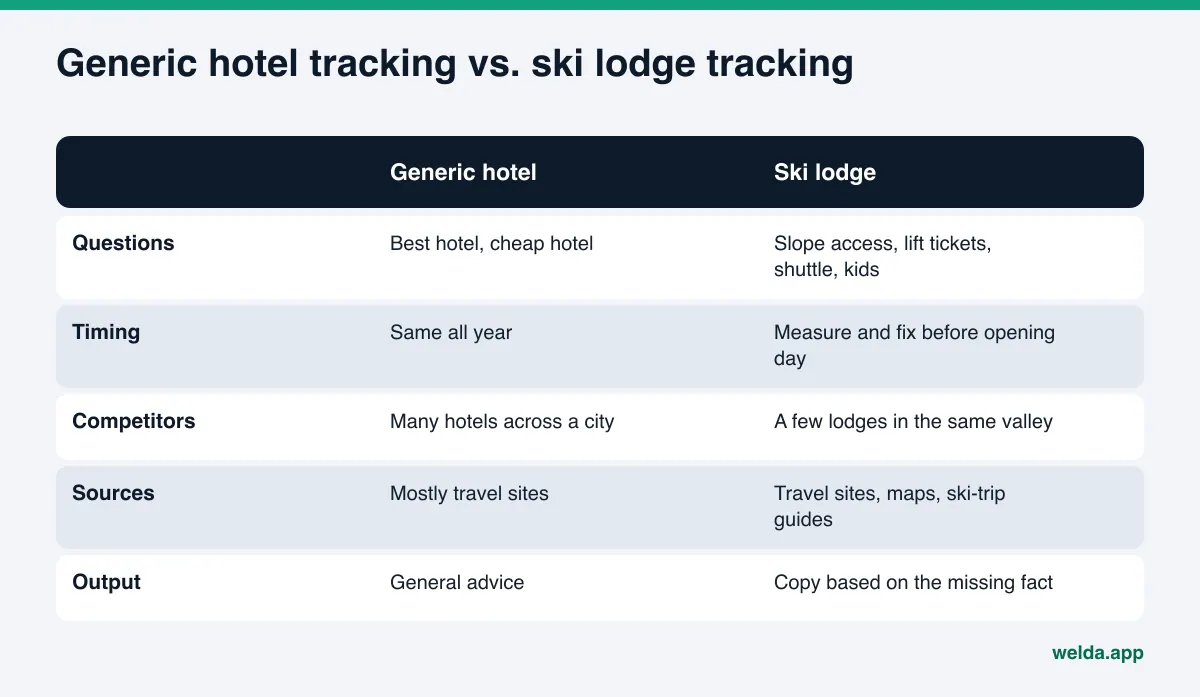
Whatever tool you use, the underlying work is the same. Most of it happens on your own website and your own profiles, so you do not have to wait on anyone.
1. Make sure AI crawlers can reach your site
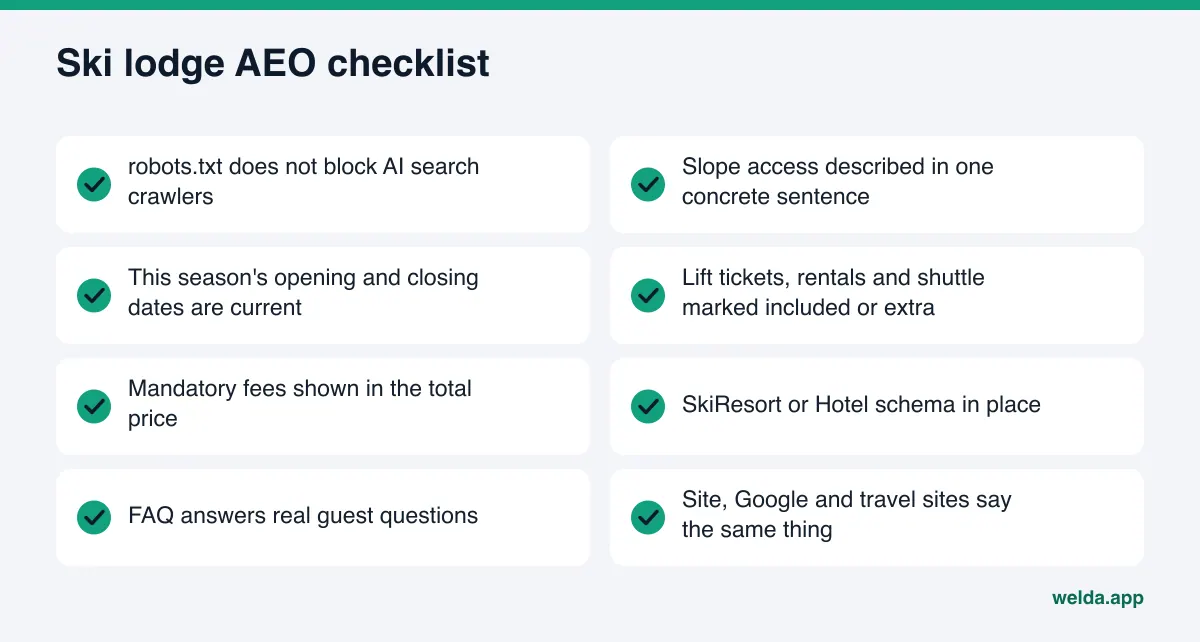
If your robots.txt file blocks AI search crawlers, your content will not be read no matter how good it is. OpenAI, for example, documents that ChatGPT search uses a crawler called OAI-SearchBot, and sites that opt out of it are not shown in ChatGPT's search answers. Security plugins and old settings sometimes block these crawlers without anyone noticing.
2. Describe slope access in one concrete sentence
Replace "steps from the slopes" with something a guest can check, such as "the nearest chairlift is a short walk from our front door" or "a free shuttle runs to the base area every morning". If you know the distance, give it in feet or minutes. If guests can walk out in ski boots and click into their skis, say so plainly. Use the same sentence on the homepage, the room pages and the FAQ.
A side-by-side example makes the difference clear. Weak copy: "Experience an unforgettable winter getaway surrounded by stunning mountain views, close to world-class skiing." Strong copy: "Our boot room opens directly onto the beginner run. The nearest chairlift is a few minutes on foot from the front door, and heated lockers keep your boots dry overnight." Every sentence in the second version answers a guest question: how to get on the mountain, how far it is, where gear goes. An AI assistant can pull nothing concrete from the first version and three facts from the second. Write the details that are actually true for your lodge, and do not guess at distances.
3. Update season details every year
Opening and closing dates, services that change during the season, holiday minimum stays, and which lift pass products your guests can use. State the season year on the page and update or remove last year's version. Match the same details on your Google Business Profile and on Tripadvisor, Expedia or Booking.com. Conflicting information leads AI assistants to skip you or repeat the wrong thing.
4. Spell out what is included and what costs extra
Lift tickets, rentals, ski school, shuttle, breakfast, kids club, parking. For each one, write "included", "extra charge" or "not offered". Many guest questions turn on exactly this distinction, and vague copy gets skipped or misread.
Price presentation also has a legal side in the US. The FTC's Rule on Unfair or Deceptive Fees, in effect since May 12, 2025, covers short-term lodging, and the FTC's own guidance says a mandatory resort fee must be included in the total price you advertise. If your site shows a nightly rate without a required resort or amenity fee, that is worth fixing for compliance reasons first, and it also keeps the numbers AI assistants repeat consistent. This is not legal advice; check the rule and your state's laws with your own counsel. Our guide to pricing questions in AI answers covers how assistants handle rate information.
5. Add structured data (schema)
Add structured data that describes your property. Schema.org has a SkiResort type that sits under both lodging business and sports activity location. If your lodge does not operate its own slopes, the Hotel or LodgingBusiness type may be a better fit; choose based on what your property really is. Address, phone, location, amenities and links to your profiles belong in that markup.
6. Write an FAQ that answers real guest questions
Collect the questions your front desk hears most: "Where do we store skis overnight?", "What age does the kids club start?", "How do I book the airport shuttle?", "Is there EV charging?" Answer each in two or three plain sentences. The section helps guests and AI assistants alike.
7. Reply to reviews with specifics
When a review on Google, Tripadvisor or Yelp mentions the lifts, the shuttle or ski school, reply on that topic and add a useful fact. Never buy or fabricate reviews; it is wrong, and it breaks the rules of every major review platform.
Timing: what to do before opening day
For a ski lodge, timing can matter more than any single page. A new page or a corrected fact usually takes weeks to show up in AI answers. The delay varies by engine and is never certain, but work that starts after opening day has a real chance of missing that season.
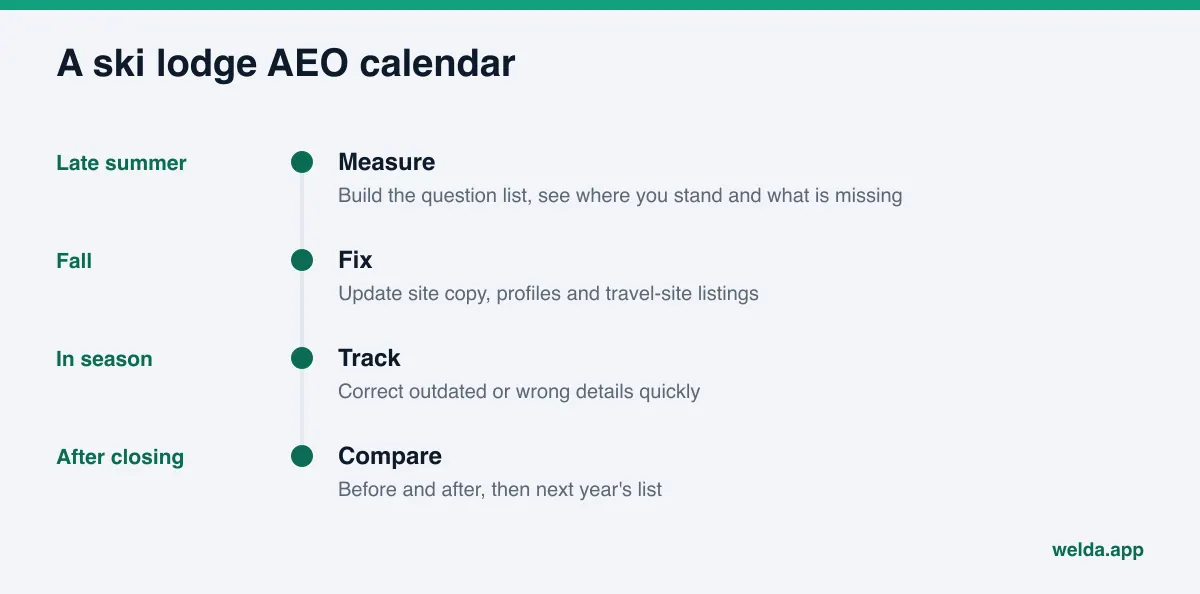
Build the calendar around the season. Late summer is for measuring and listing gaps. Fall is for fixing content and profiles. During the season you keep measuring and correct anything outdated quickly. After closing day you compare before and after and build next year's list.
Off-season visibility matters too. A lodge that hosts summer hiking, mountain biking or weddings can add those questions to the list. Seasonal properties of other kinds face the same pattern; see our guide to AI search optimization for vacation rentals for a parallel approach.
How Welda handles AI visibility for ski lodges
Welda is software that measures where a business shows up in AI answers and fills the gaps on its behalf. For a ski lodge, two parts matter most: the competitor view, which shows which questions a rival wins and from which sources, and the to-do list, which asks you for missing facts and pairs each task with ready-to-use copy.
Competitor view: why the lodge down the road gets named
In a ski town, guests compare a small set of lodges. In the Welda dashboard, the questions your guests would ask are put to ChatGPT, Gemini, Perplexity and Google's AI features three times each. The competitor view shows each lodge's share of mentions, the engine where it is strongest and the sources it gets cited from, along with the question cluster it wins.
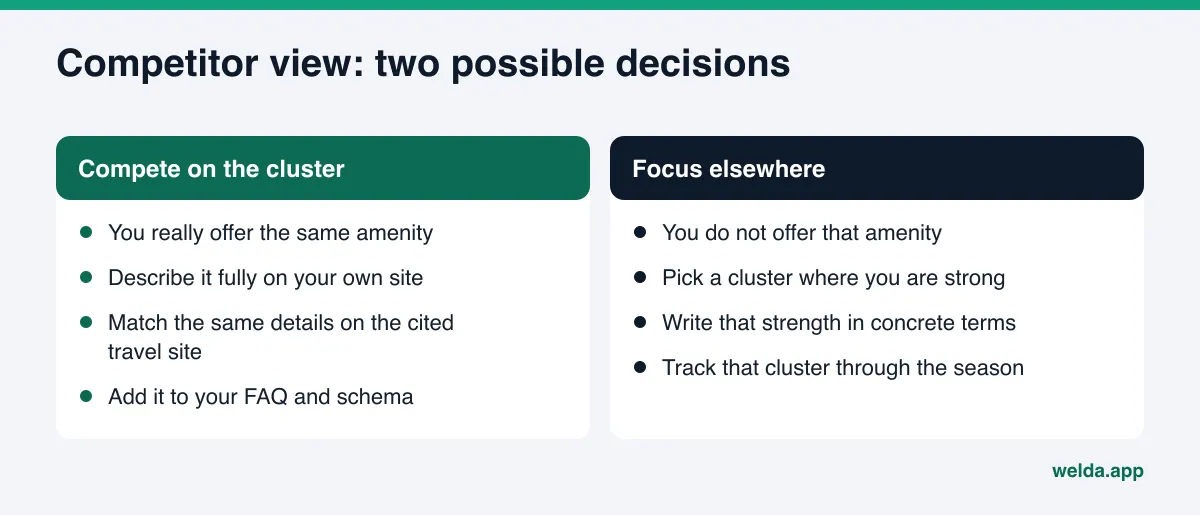
Take an example scenario. Competitor A is named consistently for family questions; your lodge never appears there. The view shows that Competitor A is cited from a travel-site listing that describes its kids club in detail. The decision becomes clear: if you also have a kids club, describe it fully on your site and on that same travel site. If you do not, focus on a cluster where you are genuinely strong, such as slope access, instead of competing on families.
The score formula is published: 100 × (0.5 × share of questions where your name appears + 0.3 × position score + 0.2 × share against competitors). The spread across the three runs gives a ± margin of error, so you can tell a real change from normal variation in the answers.
To-do list: it asks instead of guessing
A gap in the competitor view becomes a task on the to-do list. Welda drafts site content, profile copy and review replies, but it does not invent facts it does not know. If your site never mentions the kids club age range, Welda will not guess; it asks you. You answer once and the fact flows into every draft.
The list also shows tasks you do yourself. For platforms Welda cannot publish to directly, the copy sits next to the task; you paste it into the profile and mark it done. On WordPress sites, Welda connects through a separate Editor user and an application password, with no code to install. Drafts open on your site as drafts, and nothing goes live until you approve it. Your content always lives on your own site; Welda does not host it. Google Business Profile, Instagram and Facebook can be connected; if they are not, the work appears as a manual task. A compliance check flags patterns like pricing claims, guarantees and superlatives such as "the best ski lodge in the valley" before anything is published. It is not legal advice.
Early access: what you can use today
The Welda dashboard is in early access, and the full dashboard is opening first in Turkey. Regular four-engine tracking is being added during early access, and the dashboard screens shown in examples use representative data. Pricing is discussed in an early access call.
What anyone can use today is the free site analysis, and it works in English. For a ski lodge, it reads your homepage and a few inner pages such as rooms, rates, about and contact. It checks whether AI crawlers can reach the site, your page title and description, your main heading, business schema, address and phone consistency, linked social and map profiles, the FAQ section, reviews and trust signals, how clearly services are described, and page speed. You get a score out of 100 (technical and content scored separately), a fix for each gap, suggested homepage copy, a simulation of how much each fix would raise the score, a competitor comparison and a ready-to-add fix package including schema code. It also asks 5 likely guest questions to an AI assistant that can search the web and checks whether your lodge is named; that is a one-time check. The analysis is free once per site, and the results link arrives by email and stays open for 14 days.
What Welda does not do
Knowing a tool's limits matters as much as knowing its features:
- No guarantees. No tool can guarantee that a lodge will be named by ChatGPT or any other assistant. Welda does not promise rankings or placement.
- No guessing. Whether lift tickets are included, whether the shuttle costs extra, what age the kids club accepts: Welda asks. Guessed package details are a fast route to an unhappy guest.
- No unapproved sensitive content. Copy that mentions rates, packages or promotions goes through your approval.
- No fake reviews. Welda drafts replies to reviews; it never writes the reviews themselves.
- Some work stays with you. Handling negative reviews, setting up directory accounts and press outreach remain your job.
- Results take time. New content usually takes weeks to show up in AI answers, so mid-season work may not pay off that season.
Daily conditions such as snow reports, open runs and lift status are also outside this work. A sentence that points guests to your live conditions page is enough. What matters is that the permanent facts (location, slope access, amenities, policies) are complete and consistent everywhere.
Checklist: choosing AI visibility software for ski lodges
Before you pick a tool or a service, ask yourself and the vendor these questions. Every "no" is a gap you will run into mid-season.
| Question | Why it matters |
|---|---|
| Can I add my own seasonal questions? | Generic hotel queries miss slope access and package details |
| Does it check all four engines? | Each engine draws on different sources |
| Is each question run more than once? | A single run can make a lucky result look real |
| Does it show which source a competitor wins from? | You only know what to fix once you see the source |
| Are missing facts guessed or asked? | Wrong package details cause guest problems |
| Do I approve everything before it goes live? | Rates and inclusions are your responsibility |
City properties face a similar decision with different question clusters; for comparison, read our guide to AI visibility software for business hotels.
Frequently asked questions
Do I really need AI visibility software for my ski lodge?
You can start by hand: ask a few questions in different assistants and write down what you see. Answers change from run to run, though, and checking four engines on a schedule takes time. For lodges that want to track the whole season, a tool makes the job manageable.
When should I start?
Before opening day. New content usually takes weeks to appear in AI answers. Measuring in late summer and fixing in the fall gives you the best chance of being ready for the season.
Isn't my listing on the big travel sites enough?
Travel-site listings are sources AI assistants use often, but every property is described in the same template. Slope access, package details and what makes your lodge different belong on your own site, in as much detail as you need. The two should never contradict each other.
Will Welda get my lodge to the top of ChatGPT?
No such promise is made. Welda measures where you appear, shows the gaps and drafts the fixes. The assistant itself decides whom to recommend.
Is Welda available for US lodges?
The free site analysis works in English today. The full dashboard is in early access and is opening first in Turkey, so US lodges can start with the analysis.
Should I keep snow and lift conditions on my site?
Information that changes daily is hard to keep current and hurts you when it goes stale. Write the permanent facts in full and link to a live conditions source for the rest.
Your first step before the season
With the season approaching, the fastest start is to see how your site reads to AI systems today. Is there a clear slope-access sentence, are inclusions spelled out, is schema in place, does the FAQ answer real questions? To see each of these one by one, run the free site analysis. You will see which fixes would move your score most and decide what to prioritize before opening day.