Does Bing Places for ChatGPT visibility actually matter? It can, but the link is indirect. OpenAI says ChatGPT search works with third-party search providers, and the provider its documentation names is Bing. Your Bing Places listing is where you control what Bing knows about your business. A complete, accurate listing makes it easier for ChatGPT to find you and describe you correctly; on its own, it does not guarantee a mention.
Most local businesses in the US have spent years on Google Business Profile, Yelp and maybe Apple Maps, and treat Bing as an afterthought. That made sense when the only question was how many people search on Bing. In AEO, short for answer engine optimization, the question changes. A customer now asks ChatGPT "which family dentist in Columbus is open on Saturdays?" and the answer is assembled from whatever sources ChatGPT reaches at that moment. If one of those sources is Bing, what Bing knows about you starts to matter a great deal more than Bing's own search traffic suggests. This guide separates what is known from what is not, walks through fixing your listing step by step, and shows how to measure whether it made a difference. If you want to see how your own website reads to AI first, run a free AI visibility analysis; it also checks whether your address, phone and map profiles line up.
What is Bing Places, and how is it connected to ChatGPT?
Bing Places for Business is Microsoft's business listing service. It is where you tell Bing search and Bing Maps your business name, address, phone number, hours, website, photos and social profiles. Think of it as Microsoft's counterpart to Google Business Profile.
Microsoft relaunched Bing Places in October 2025. According to Bing's announcement, the service is moving from bingplaces.com to bing.com/forbusiness, the import flow for Google listings is faster and more reliable, and the roadmap includes deeper integration with Bing Maps and Copilot. In other words, Microsoft positions this listing as a source for its own AI products too.
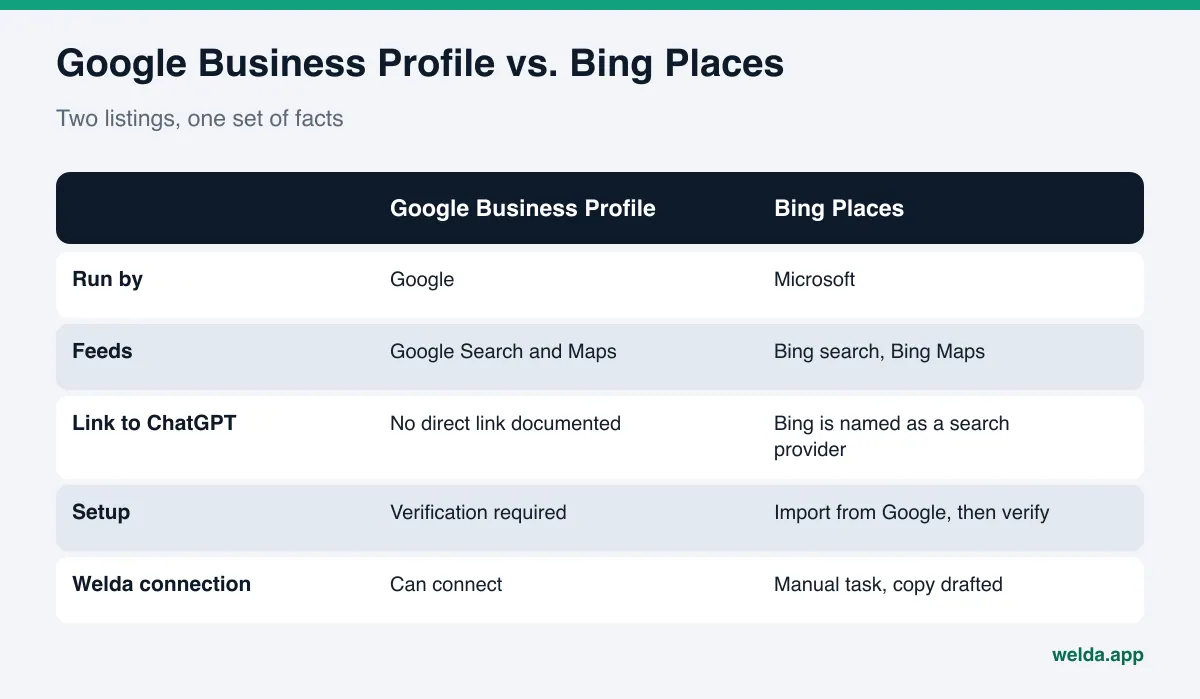
On the ChatGPT side, here is what OpenAI documents. When ChatGPT answers a question with web search, it rewrites the question into one or more search queries and sends them to search providers. OpenAI's ChatGPT search help page names that provider as Bing and notes that an approximate location can be passed along to improve results. Separately, OpenAI's own crawler, OAI-SearchBot, reads websites directly.
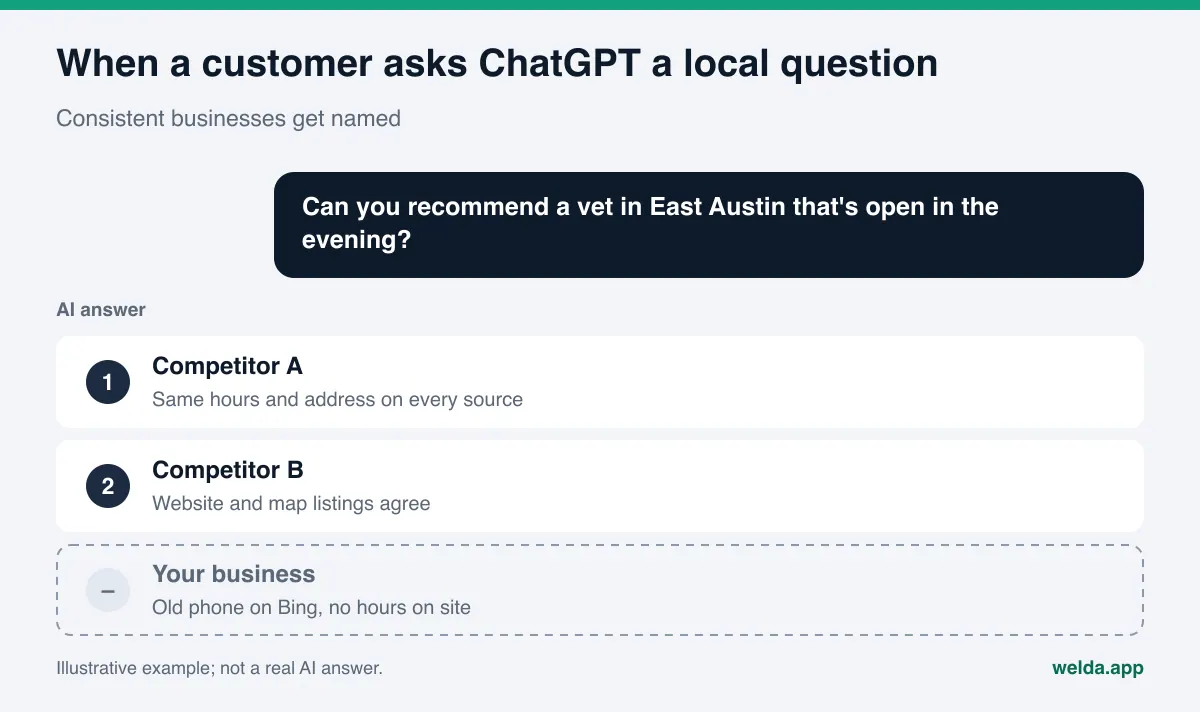
Put those together and the picture is simple. When a customer asks ChatGPT a local question, part of the raw material for the answer may come from Bing. If Bing's information about you is missing, outdated or wrong, ChatGPT works with that gap.
Does Bing Places for ChatGPT visibility really move the needle?
The honest answer is "probably, but you will not know until you measure." OpenAI does not publish which data sources ChatGPT uses for local business answers or how much weight each one gets. There is no official document saying a Bing Places listing flows directly into a ChatGPT answer. Separating the known from the unknown helps you decide how much time this deserves.
| Topic | What is known | What is not known |
|---|---|---|
| ChatGPT search | Uses third-party search providers; OpenAI documentation names Bing | Which provider is used for any given question |
| Bing Places | Feeds business information in Bing search and Bing Maps | Which fields ChatGPT picks up, and how often |
| Your website | OAI-SearchBot reads sites for ChatGPT search | Which source wins when your site and listings disagree |
| Timing | Listing updates do not reach every surface right away | When a change will show up in a ChatGPT answer |
That uncertainty is not a reason to skip Bing Places. It is a low-cost task with a plausible upside. Claiming and cleaning up a listing takes a few hours. If the listing is wrong, say it still shows a phone number you dropped two years ago, ChatGPT may hand that number to a customer. The cost of that mistake is higher than the cost of fixing the listing. We cover this failure mode in more depth in wrong address or phone number in AI answers.
Why Bing matters more in AI search than in classic search
In classic search, a neglected Bing listing cost you a small slice of traffic. In AI search, Bing's role is less about its own users and more about which products it supplies with data. Microsoft Copilot is built on Bing, and Bing appears in ChatGPT's search documentation. A listing few people look at directly can still shape answers that many people read.
Three situations make this work a priority:
- Your customers ask ChatGPT local questions. "Emergency plumber in Tampa open now", "quiet coffee shop near Pike Place to work from", "pediatric dentist in Plano that takes new patients." Questions like these need fresh, local facts, so ChatGPT goes to the web.
- Your customers use Windows and Edge. On a Windows PC with default settings, Edge sends searches to Bing and offers Copilot. Office workers looking for a lunch spot, a dry cleaner or a contractor during the workday are a common example.
- Your name, address or phone changed in recent years. When a business moves, rebrands or switches numbers, old information survives longest in outside listings. A Bing listing nobody checks is exactly where stale data keeps living.
Then there is consistency. AI systems recognize a business not from one source but from several sources agreeing. If your website, Google Business Profile, Bing Places, Yelp, Apple Maps, the BBB and your industry directories all show the same name, address and phone, the information is easy to trust. If one of them differs, the system either picks the wrong one or uses none.
How to claim and fix your Bing Places listing, step by step
These steps work whether you have no listing at all or an old one you forgot about. Button labels may change over time; with Microsoft moving the service to a new address, some screens will look different from older guides.
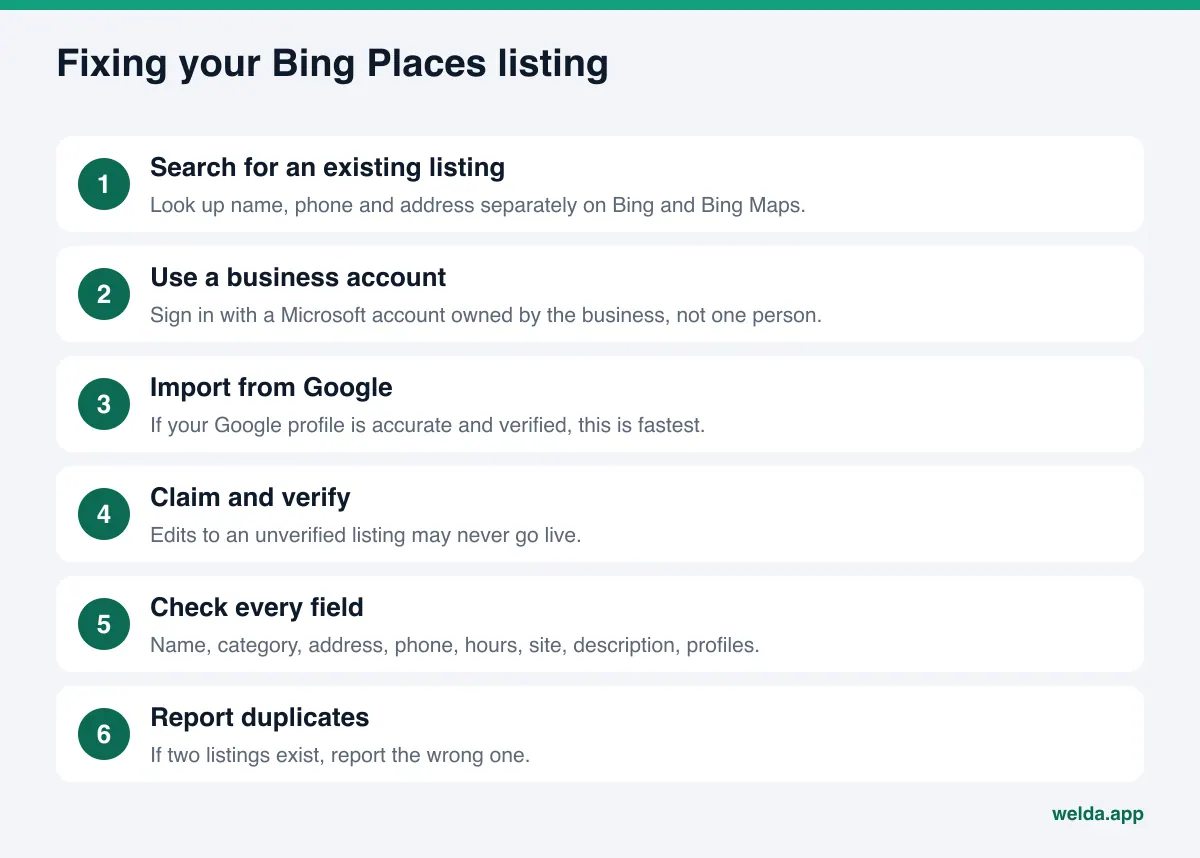
- Search for an existing listing. Look up your business name, phone number and address separately on Bing and Bing Maps. Bing sometimes creates listings from its own data, so you may have an unclaimed one. If you see two listings for the same business, write that down.
- Sign in with a business Microsoft account. Use an email that belongs to the business, not to one employee. When someone leaves, the account should not leave with them.
- Consider importing from Google. If your Google Business Profile is accurate and verified, the import is the fastest route. But errors in your Google profile move over too. Fix Google first, then import.
- Claim and verify the listing. Bing asks you to prove you own the business. Pick one of the verification methods your account offers. Changes to an unverified listing may never go live.
- Check every field. Name, category, address, phone, hours, website, description, photos and social profile links. The table in the next section covers what to watch for in each.
- Report duplicates. If there are two listings, report the wrong one for closure or merging. Duplicate listings are one of the most common sources of AI confusion.
- Put a reminder on the calendar. New hours, holiday closures, a move or a new phone number should update Bing Places too. Updating Google and forgetting Bing is the most common cause of inconsistency.
Which Bing Places fields matter for ChatGPT?
Not every field carries the same weight. When AI recommends a business, it is really answering two questions: does this business do what was asked, and is its information reliable? Looking at your listing through those two questions shows where to spend effort.
| Field | Why it matters | How to fill it in |
|---|---|---|
| Business name | This is the name that appears in the answer | Exactly as on your sign and website; no added city or keywords |
| Category | The first answer to "what does this business do" | The narrowest accurate category for your main service |
| Address | Matches neighborhood and city questions | Same format as your website and Google, suite number included |
| Phone | The contact detail handed to customers | One main number, formatted the same everywhere |
| Hours | "Open now", "open Sunday" questions | Real hours, with holidays and special hours added separately |
| Website | Ties the listing to your site | Full homepage URL, not a shortened or tracking link |
| Description | Explains your services in plain sentences | What you do, for whom, where; no hype or promises |
| Social profiles | Connects your identity to other sources | Only accounts you actually use |
The description is where most businesses write the weakest copy. "Quality service and customer satisfaction" tells AI nothing. A better pattern is: what you do, for whom, in which neighborhood, during which hours, and what you do differently. For an example veterinary clinic: "General exams, vaccines and minor surgery for cats and dogs in East Austin. Open weekday evenings until 9 p.m. Book by phone or on our website." That one description answers three questions a customer might ask.
Photos, and for restaurants a menu or online ordering link, are also supported fields. Photos are unlikely to show up in an AI answer directly, but they signal a complete, active listing.
Making your website readable for Bing and ChatGPT
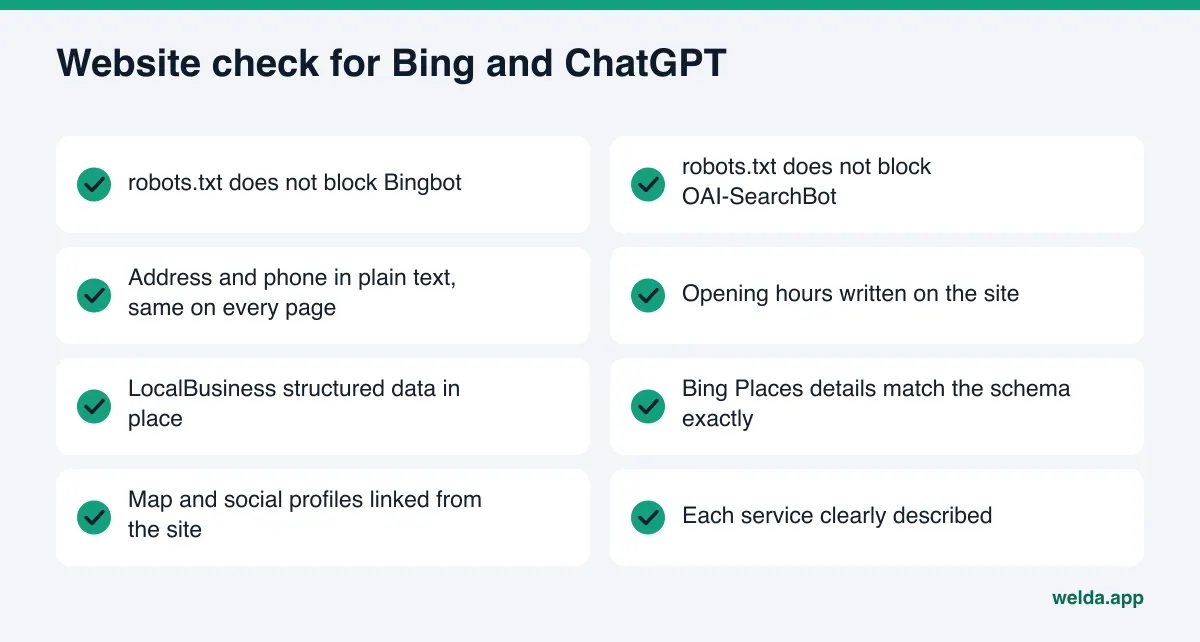
A Bing Places listing is strongest when your website backs it up. The listing points to your site in the website field; if the site repeats the same facts, the two sources confirm each other. Here is the website side of the work:
- Crawler access. Your robots.txt should not block Bingbot or OAI-SearchBot. In its crawler documentation, OpenAI recommends that sites wanting to appear in ChatGPT search allow OAI-SearchBot. For details, see our guide to robots.txt for AI crawlers.
- Address, phone and hours as plain text. If these only live inside an image or an embedded map, crawlers may not read them. Put them in text on your contact page and in your footer.
- Business structured data. LocalBusiness schema gives name, address, phone and hours in a machine-readable format. It should match your Bing Places listing exactly.
- Profile links. Add your map and social profiles to the sameAs property in your schema and to your footer. Including your Bing listing URL ties the listing back to your site. We walk through this in linking social profiles with sameAs.
- Clear service pages. Your Bing Places category and description should say the same thing as the service pages on your site.
How to measure whether the Bing Places work paid off
You fixed the listing. Is ChatGPT naming you now? The only way to find out is to ask ChatGPT the questions your customers ask and record the answers. There is a catch: ChatGPT does not give the same answer every time. Asking once and seeing your name, or not seeing it, is close to a coin flip. We explain why in why AI answers change every time.
If you want to track it yourself, this method gives consistent results:
- Write 10 to 20 questions your customers would really ask. Include neighborhood or city names, hours, service types and price ranges.
- Ask each question in a fresh ChatGPT chat with search on. Repeat each question at least three times.
- For every answer, note whether your business is named, in which position, and whether your details (address, hours, phone) are correct.
- Take one measurement before you fix Bing Places and your site, then wait a few weeks and ask the same questions again.
Here is an example scenario. An example HVAC company moved to a new shop across town last year. Its Google Business Profile and website were updated, but an old Bing listing still shows the previous address and a retired phone line. The owner asks ChatGPT "who does same-day AC repair in north Phoenix?" three times. One answer names the company with the old phone number; two answers do not name it at all. The first move is to claim the Bing listing, fix the address and phone, make sure the schema on the website shows the new details, and ask the same questions again in a few weeks. Writing down how the answers changed gives you a basis for the next decision.
Do not pin any before-and-after change on a single cause. While you were fixing Bing, your site, your reviews or a competitor's content may also have changed. Measurement shows direction; it does not prove cause and effect.
How Welda handles Bing Places and ChatGPT visibility
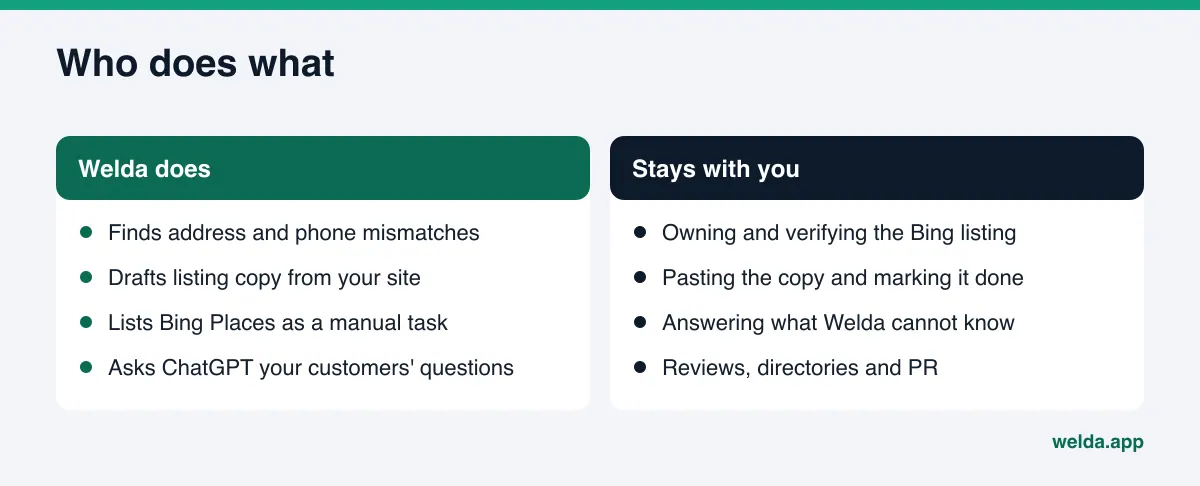
Welda does not connect to your Bing Places account and does not create the listing for you. Its part of this job has three pieces: finding inconsistencies, putting the missing work on a list with the copy already written, and measuring whether ChatGPT's answers change.
The free site analysis starts with your own website. It reads your homepage and a few inner pages such as services and contact. It checks whether your address, phone and location details match across pages, whether you have business structured data and whether it is correct, whether your map and social profiles are linked from the site, and whether AI crawlers can get in. Run it before you touch Bing Places, because whatever you enter on Bing should be the information that is already correct on your site. For each gap, the report says what it found, why it matters and how to fix it, and it includes a ready-to-install fix pack with the business structured data code. The free analysis works in English.
In the Welda dashboard, Bing Places shows up as a manual task. The accounts Welda can connect to directly are Google Business Profile, Instagram and Facebook. Bing Places is not one of them, so it appears on the to-do list as something you do by hand. Welda drafts the listing copy, such as the business description, so it matches what your website says. You copy the text into Bing Places, complete verification and mark the task done. If Welda does not know something, like your Sunday hours, it does not guess; it asks you at the top of the list.
Measurement shows whether the work changed anything. In the dashboard, the questions your customers would ask are put to ChatGPT, Gemini, Perplexity and Google AI three times each. The questions view shows, for a question like "emergency vet open late in East Austin," in how many of the three runs ChatGPT named you. The sources view shows which sites AI leans on when it builds answers and whether you are present there. A before-and-after comparison shows where your score went in the weeks after a fix.
A word on availability. The Welda dashboard is in early access and is opening first to businesses in Turkey, so the dashboard features above are not yet generally available in the US. Regular four-engine tracking is being added during early access, and the sample screens use representative data. The part anyone can use today is the free site analysis, in English. Pricing is discussed in an early access conversation.
Limits: what Bing Places and Welda cannot do
Setting the right expectations matters here. None of the following can be promised by a Bing Places listing or by Welda:
- No guarantee of appearing in ChatGPT. Neither a listing nor Welda can guarantee ChatGPT will name you. OpenAI's system builds the answer, and it looks at many sources.
- You cannot buy your way in. There is no fee that gets you ranked higher in Bing Places or in ChatGPT answers. We cover this in can you pay to appear in ChatGPT answers.
- Changes take weeks. A listing update usually takes weeks to reach Bing and then AI answers. Do not expect a difference the next day.
- The Bing account stays with you. Ownership, verification and upkeep of the listing are the business's job. Welda drafts the copy and tracks the task; it does not log in to the account.
- No fake reviews. Welda does not generate reviews. The FTC's final rule banning fake reviews and testimonials makes that a legal line as well as an ethical one. Handling negative reviews, managing directory accounts and PR also stay with you.
- No rank tracking. The free analysis scores how readable your site is; it does not measure where you rank on Bing.
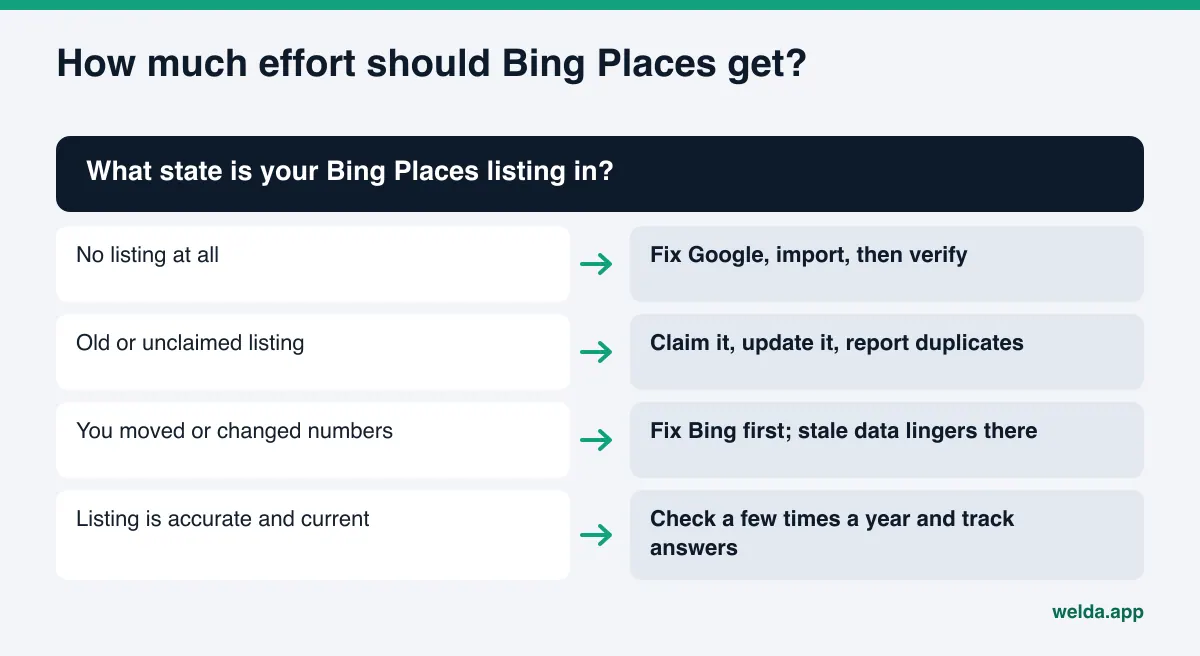
Checklist: how much effort should Bing Places get?
Not every business needs to spend the same time on this. The table below matches the next step to your situation.
| Your situation | Recommended step |
|---|---|
| No Bing Places listing at all | Fix your Google Business Profile, then import and verify |
| An old or unclaimed listing exists | Claim it, update every field, report duplicates |
| You moved or changed numbers in the last two years | Fix Bing first; stale data lasts longest in outside listings |
| Many customers search from work PCs | Treat Bing as seriously as Google; Edge and Copilot run on it |
| The listing is accurate and current | Check it a few times a year and track answers over time |
Before you open Bing Places, ask yourself:
- Do my name, address and phone match on every page of my site?
- Is my Google Business Profile accurate and verified?
- Does my robots.txt block Bingbot or OAI-SearchBot?
- When I ask ChatGPT a customer's question three times, am I named, and are my details right?
- Does Bing show more than one listing for my business?
Frequently asked questions
Does ChatGPT use Bing Places data directly?
OpenAI does not say so explicitly. What is documented is that ChatGPT search works with third-party search providers and that Bing is named. Bing Places is where you manage your business details on Bing. So the listing can have an indirect effect.
I already have a Google Business Profile. Do I need Bing Places too?
Very likely yes. Google's profile feeds Google's surfaces; Bing keeps its own listing. When both say the same thing, AI recognizes you more easily. If your Google profile is accurate, importing it speeds up the work.
I updated Bing Places. When will ChatGPT reflect it?
There is no fixed timeline. A change usually takes weeks to reach Bing and then AI answers. Ask the same questions again after a few weeks and compare.
Does a Bing Places listing cost anything?
Creating and updating a business listing on Bing Places is free. There is also no fee for appearing in ChatGPT answers.
Will Welda set up my Bing Places listing for me?
No. Welda does not connect to Bing Places. It drafts the listing copy, puts the task on your to-do list and measures the result in ChatGPT. Account ownership and verification stay with you.
Bing shows two listings for my business. What should I do?
Claim the correct one and report the other through Bing Places as a duplicate. When duplicates show different addresses or phone numbers, AI has no way to know which one to trust.
Bottom line: fix your site first, then Bing
The connection between Bing Places and ChatGPT is indirect but real. Bing is named as a ChatGPT search provider, and Bing Places is where you control your business details on Bing. The strongest link in that chain is still your own website: whatever you put on Bing should already be correct and readable on your site. The order is simple. Make your site readable, fix your Google Business Profile, claim or update Bing Places, then measure in ChatGPT.
For the first step, run the free AI visibility analysis. It shows what to fix before you move to Bing, from address and phone consistency to business structured data, and gives a ready fix for each gap.