What should you do about a wrong address or phone number in AI answers? Start by finding where the bad data comes from. In most cases it is an old directory listing, a Google Business Profile that was never updated after a move, or an outdated number buried somewhere on your own website. Then pick one correct address and phone number and publish it the same way everywhere, starting with your site. There is no button that tells ChatGPT to fix your listing. You fix the sources that feed the answer, and it usually takes weeks before AI answers catch up.
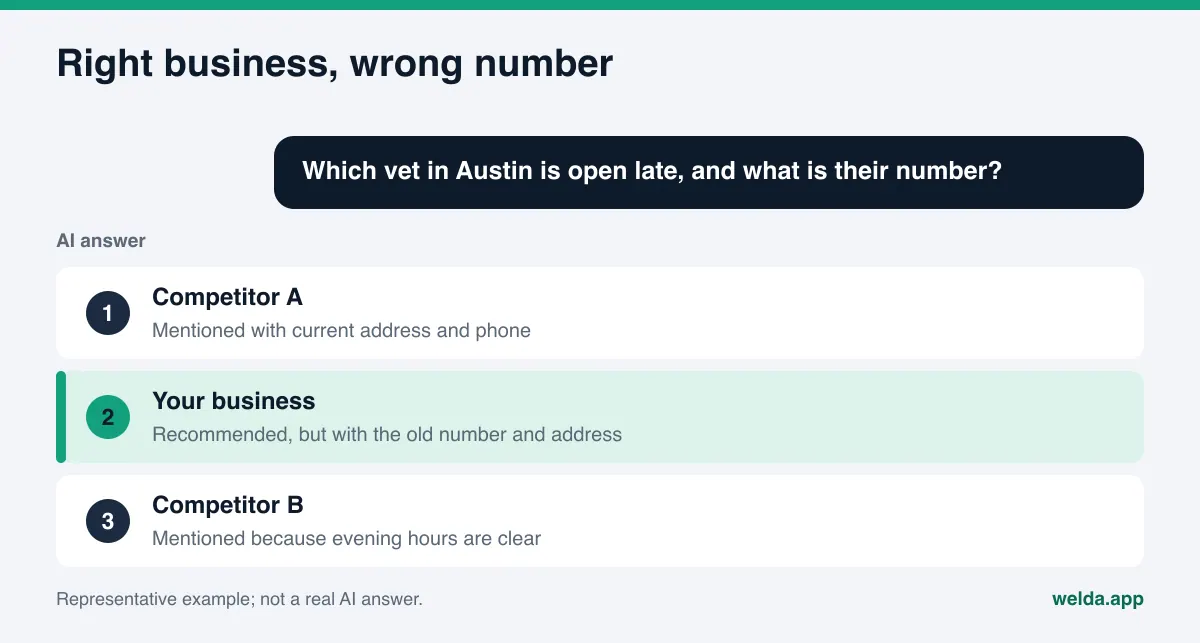
Why do AI answers show a wrong address or phone number?
When a customer asks ChatGPT, Gemini, Perplexity or Google's AI Overviews something like "Which vet in Austin is open late, and what is their number?", the answer is not pulled from one master record. An assistant that searches the web reads several pages, summarizes them and writes a short paragraph. The address and phone number in that paragraph come from whichever source looked most reliable or was easiest to read. When sources disagree, the assistant picks one, and it does not always pick the current one.
The usual culprits look like this:
- Leftovers from a move. You relocated, but the old address still sits on a local directory, an old news story, an event page or a duplicate map listing nobody closed.
- Conflicts on your own site. The contact page has the new number, but the footer, an old landing page or the structured data (schema markup) in your page code still carries the old one. A human may never notice. A crawler sees two numbers.
- Too many numbers. A main line, a cell phone, a text line and a call tracking number for ads all float around at once. The assistant cannot tell which one is the main line.
- Formatting drift. "Suite 200, 1100 S Congress Ave" and "1100 South Congress Avenue #200" are the same place to a person. To a machine they can look like two records, and the more variants exist, the less clear it becomes that every source describes the same business.
- Data other people entered. Suggested edits on Google Maps, listings scraped together by aggregator sites, a years-old Reddit thread or a Yelp review that mentions your previous location. You wrote none of it, and all of it can be read.
- A business with a similar name. If another company shares your name in a different city or neighborhood, an assistant can blend the two and attach their address to your name.
This is where AEO (answer engine optimization) comes in. AEO is the work of making sure answer engines like ChatGPT and Gemini describe your business correctly; you will also see it called GEO, generative engine optimization. Most AEO advice focuses on getting mentioned at all. Getting mentioned with the right contact details is the less glamorous half of the same job.
So the problem is less about AI "making things up" and more about the internet holding conflicting facts about you. Faced with an inconsistent picture, a model leans on whatever looks least inconsistent. The good news is that you control a large part of that picture.
What a wrong phone number in an AI answer costs you
In classic search, a bad directory listing was one result out of ten, and a customer would often click through to your site and find the right number. AI answers work differently. The customer reads one paragraph and taps the number in it. If that number is no longer yours, the call goes to someone else or nowhere. If the address is wrong, they drive to your old storefront, find it empty and head to the next place on the list.
The damage does not stop with that one customer. A review saying "they never answer the phone" or "this place closed" can later become a source for another AI answer, and the error starts feeding itself. When an assistant sees two different addresses, it may also be unsure whether you are still open at all and leave you out. A wrong address or phone number in AI answers both misroutes demand and can quietly reduce your AI visibility.
This deserves attention now if you moved in the last few years, changed numbers, run more than one location, rebranded, or depend on customers who call or walk in: clinics, restaurants, auto shops, salons, home services, hotels. If one of these fits, a quick check is worth it. The free website analysis reads the address, phone and location details on your site, checks for business structured data and looks at whether your map and social profiles are linked from your site.
How to trace where the wrong data comes from
Before fixing anything, find out what the answer is based on. You do not need an expensive tool for this. You need some patience and a spreadsheet.
- Ask the questions your customers ask. Try "[your business name] phone number", "[your business name] address" and "[service] near [neighborhood]" in ChatGPT, Gemini, Perplexity and Google. Record each engine's answer separately.
- Open the cited sources. Assistants that search the web often show their sources next to or below the answer. Whatever site appears next to the wrong number is your first suspect.
- Search for the old number and address in quotes. Put your old phone number in quotes in Google. Every page that comes back is a source still carrying it.
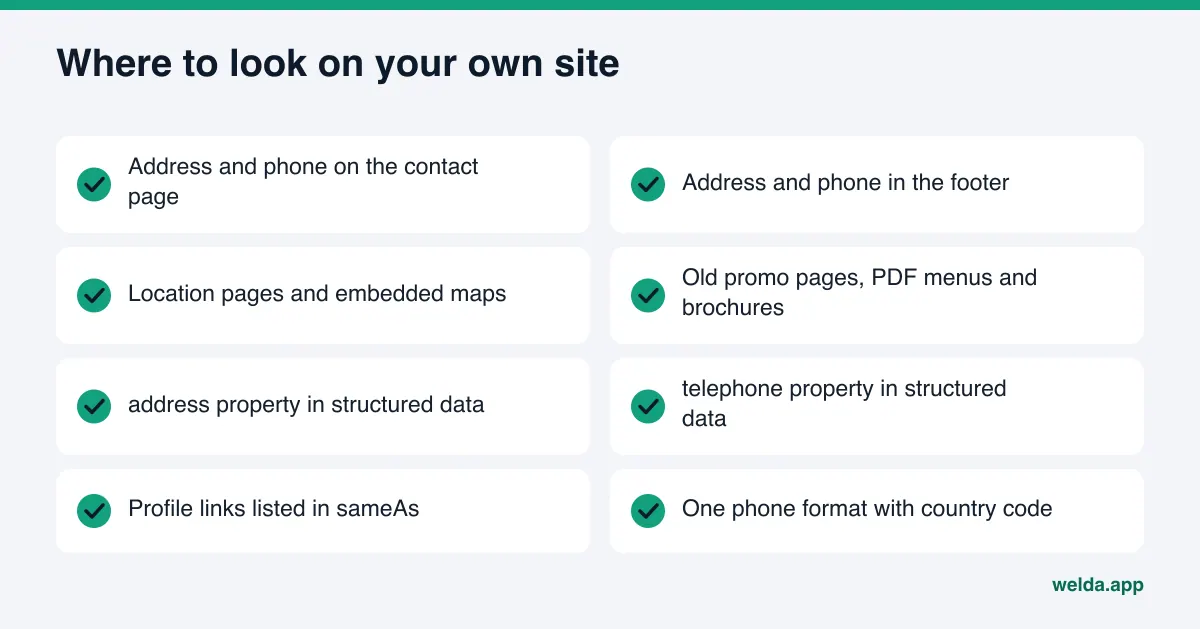
- Audit your own site. Contact page, footer, location pages, old blog posts and PDF menus or brochures. Search the page source for "telephone" and "address" to check the structured data too.
- List your map and directory profiles. Google Business Profile, any duplicate Google Maps listing, Apple Maps, Bing Places, Yelp, BBB, and the platforms that matter in your industry, such as Healthgrades for practices, Tripadvisor for hotels and restaurants, or Angi for home services.
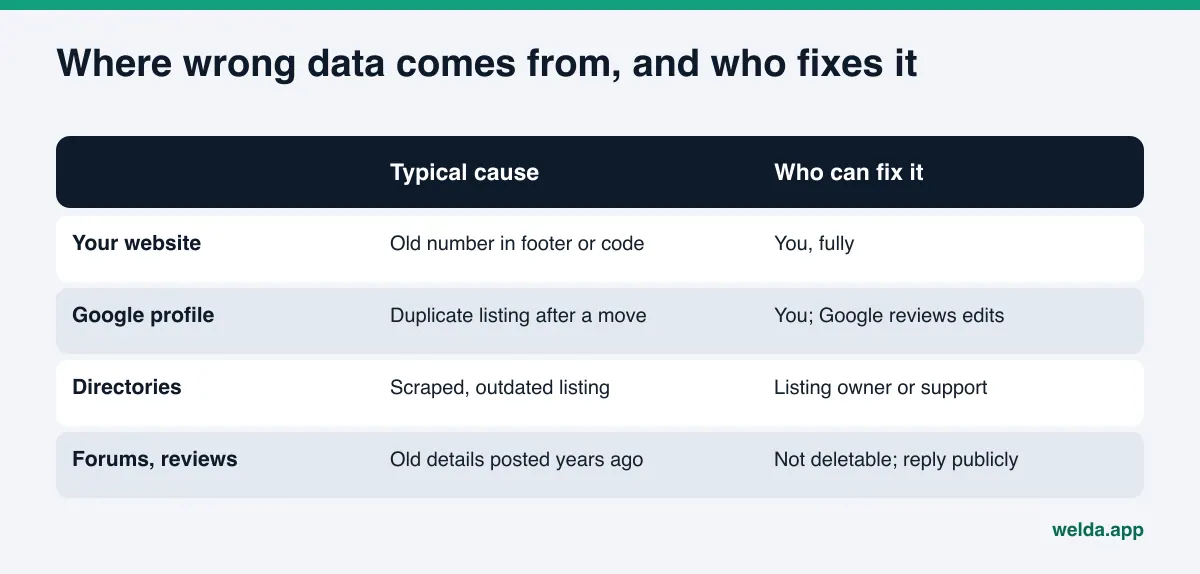
At the end you have a list of every source and the address and number it currently shows. The table below summarizes what to check by source type and who can actually fix it.
| Source type | What to check | Who can fix it |
|---|---|---|
| Your website | Contact page, footer, location pages, structured data | You, fully |
| Google Business Profile | Address, primary phone, additional numbers, closed or moved status | You; Google reviews edits before they go live |
| Other maps | Apple Maps, Bing Places, duplicate listings | The account owner; ownership verification may be required |
| Review sites and directories | Yelp, BBB, industry directories, old location pages | You if you have claimed the listing, otherwise the platform's support team |
| Forums and community sites | Threads and reviews mentioning the old number or address | Usually not you; a signed, factual reply often helps |
How to fix a wrong address or phone number in AI answers, step by step
Once your source list is ready, the order matters. Fix what you control first, then the most-read profiles, and only then the places you do not own.
1. Define one source of truth
Write down one official version of your business name, address and primary phone number and keep it in a shared document. Use the same street format, suite notation, city, state and ZIP code everywhere. Write the phone in one format with the country code, for example +1 512-555-0100. If you use several numbers, choose the primary line and label the others clearly, such as "text line" or "reservations". Every fix after this point refers back to this record.
2. Fix your own website first
Your site is the most direct source an AI assistant can read about you, and it is entirely in your hands. Update the contact page, footer and any location pages to match the record. Remove the old number from past promotion pages, PDF menus and blog posts, or take those pages down.
Then check your structured data. Google's documentation for local business structured data lists address as a required property and telephone as a recommended one, and suggests including the country and area code in the phone number (Google Search Central, Local business structured data). The address itself is split into parts such as streetAddress, addressLocality, addressRegion, postalCode and addressCountry (schema.org, PostalAddress). What is in the code should match what is on the page, character for character. If the code keeps the old number, people see the new one while crawlers keep reading the old one.
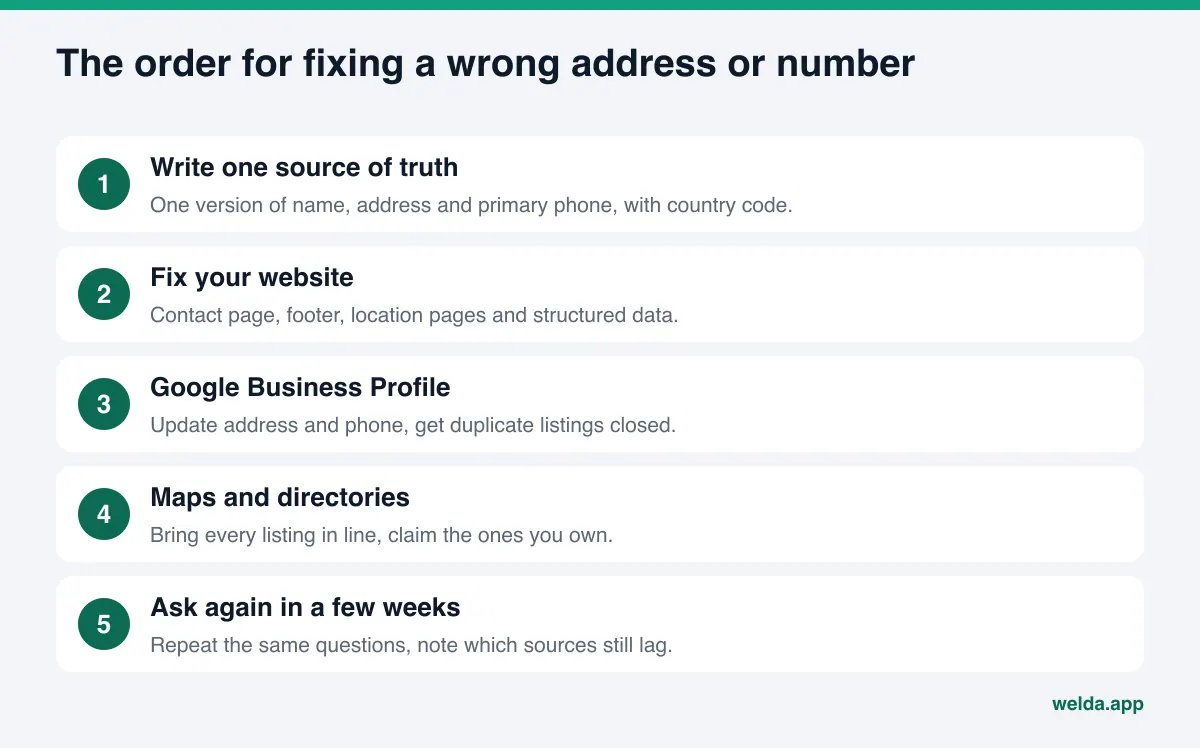
3. Update your Google Business Profile
Google Business Profile is one of the most-read records for Google's own answers and maps. Google's help page says to enter the full and accurate address of your business, lets you add up to two numbers besides the primary one, and states that Google reviews changes before they show on the profile. If you move after verification, you have to verify again (Google Business Profile Help, Edit your Business Profile). After a move, search Maps for a leftover listing at the old location and have it marked as closed or moved. For engines that lean on Google data, our guide on how to get recommended by Gemini covers the profile side in more depth.
4. Bring other maps and directories in line
Go through every profile on your list and update it to match the record. Where a listing exists but you never claimed it, claim it or use the platform's correction form. Merge or close duplicates. This is tedious and parts of it cannot be automated, but it is the work that actually reduces conflicts between sources.
5. Reply where you cannot edit
If a forum thread or an old review lists your previous number, you usually cannot delete it. You can often post a short, signed reply as the business: "We moved to South Congress in March. Our current number is..." That gives both readers and crawlers the correct information on the same page.
6. Link your site and your profiles both ways
Link from your site to your Google Business Profile, map listings and social accounts, and put your website on each profile. In your structured data, the sameAs property can list those profiles. This makes it clearer to a machine that the different sources describe one business.
7. Ask again a few weeks later
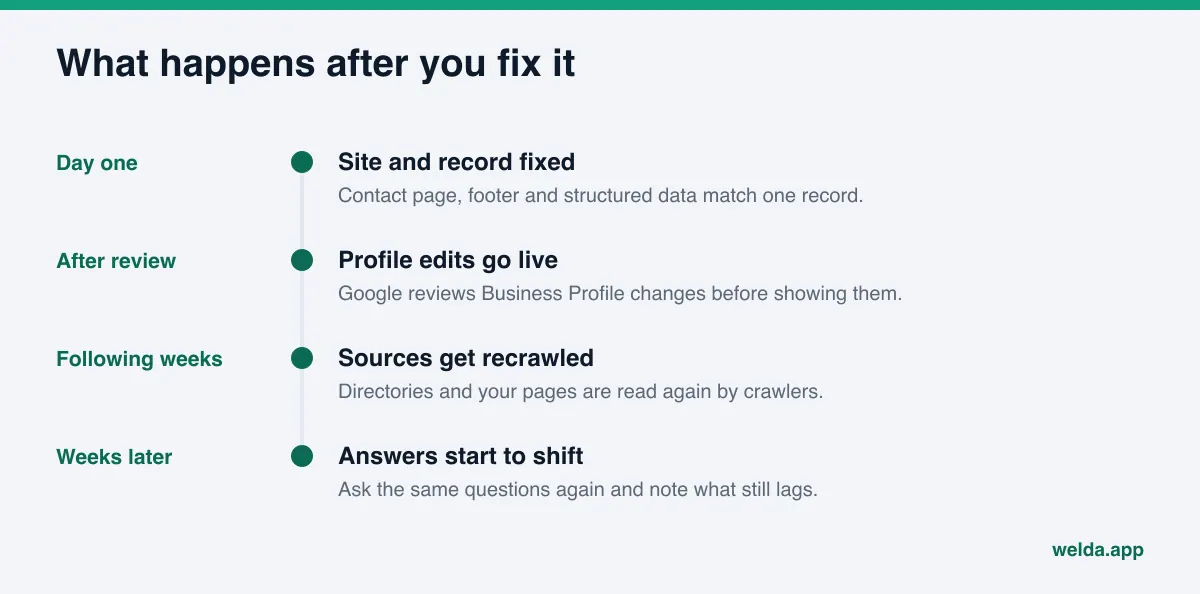
Corrections do not show up instantly. Profile reviews, recrawls and the assistants' own refresh cycles all take time. New information usually takes weeks to show up in AI answers. Repeat the questions from your audit every few weeks and update your sheet, so you can see which sources still carry the old data. If you want to make that recheck a routine, our piece on choosing a ChatGPT rank tracker explains what repeated measurement can and cannot tell you.
How Welda handles wrong addresses and phone numbers
Welda is software that measures where a business shows up in AI answers and fills the gaps on the business's behalf. For a wrong address or phone number, three parts of Welda matter: reading how your site presents these details, showing which sources AI engines rely on and where you are missing or unverified, and taking the correct record from you once so every text it prepares uses the same facts.
The free analysis: how is your contact data read?
The free analysis reads your homepage and a few inner pages, such as contact, services and about, the way Google and AI assistants read them. For this topic it checks whether your address, phone and location are stated clearly, whether business structured data is present, whether your map and social profiles are linked from the site, and whether AI crawlers are allowed in. For each gap it explains what it found, why it matters and how to fix it. You also get a ready-to-install fix pack that includes the business structured data code; you check it against your correct address and number before adding it to your site.
The analysis also asks an AI assistant with web search five questions a customer might ask and checks whether your business name appears in the answers. To be clear about its limits: this is a one-time test of whether you are mentioned. It does not verify the phone number in each answer. That check is yours to do with the spreadsheet above. The analysis tells you whether your site presents the right facts in a form machines can read.
The sources view: what are AI engines reading about you?
In the Welda dashboard, the sources view lists the sites AI engines cite when they answer your customers' questions, together with your status on each: unverified, incomplete profile, site unreachable, missing, or completed. Each row shows the source type (your own site, a directory, social, a forum), how often it is cited and a suggested action. For a wrong address problem, the value is simple: you prioritize fixes by the sources engines actually read, not by guesswork. If most citations come from one directory and your profile there is unverified, that is where you start.
The to-do list: one record, used everywhere
Welda does not invent facts. When it cannot read something from your site, or finds two conflicting versions, it asks you in the "information we need from you" part of the to-do list. You enter the correct address and primary number once, and the page suggestions, profile texts and structured data Welda prepares all use that one record. The source-of-truth step from above stays consistent across every output.
The same list also shows the jobs Welda cannot do for you, each with ready-made text. A directory or platform without a publishing connection appears as a manual task: the text is written, and pasting it into the profile and verifying it is the account owner's job. Google Business Profile, Instagram and Facebook can be connected; when they are not, they also appear as manual tasks. On WordPress sites, Welda connects through its own editor user and opens fixes such as the contact page or structured data as drafts on your site, which go live once you approve them.
The rest of the dashboard, including question-by-question tracking, the competitor view and the monthly report, plays a supporting role here: it helps you see over time whether your name keeps appearing in the answers after the fixes.
A note on availability. The Welda dashboard is in early access and is opening first in Turkey. Regular four-engine measurement is being added during early access, and the sample screens are shown with representative data. What anyone can use today is the free website analysis, which works in English. Pricing is not published; it is discussed in the early access conversation.
Limits: what Welda does not do here
Setting the right expectations matters with this problem, because part of the work is outside any software's control.
- It does not edit AI answers directly. Neither Welda nor anyone else can submit "this business's number is X" to ChatGPT or Gemini. What changes are the sources behind the answer.
- It does not promise rankings or a correct listing in ChatGPT. Even after sources are fixed, an engine may show old data for a while.
- It does not run your directory accounts. Directory and platform accounts, ownership verification and replies to negative reviews stay with you. Welda writes the text and puts the task on your list.
- It does not guess. If your site lists two numbers, you decide which one is right.
- It does not take the publishing decision away from you. Welda prepares content and profile text; approval stays with the business. Content always lives on your own site, and Welda does not host it.
- It does not write reviews. Fake "love the new location" reviews are neither ethical nor safe. The FTC's 2024 final rule bans businesses from creating or buying fake reviews and testimonials (FTC, final rule banning fake reviews), and that risk lands on the business.
These limits are not gaps in the product. Fixing wrong data starts with the business owning its own records.
Special cases: moves, multiple locations and tracking numbers
Not every address or phone problem looks the same. These are the situations that come up most often.
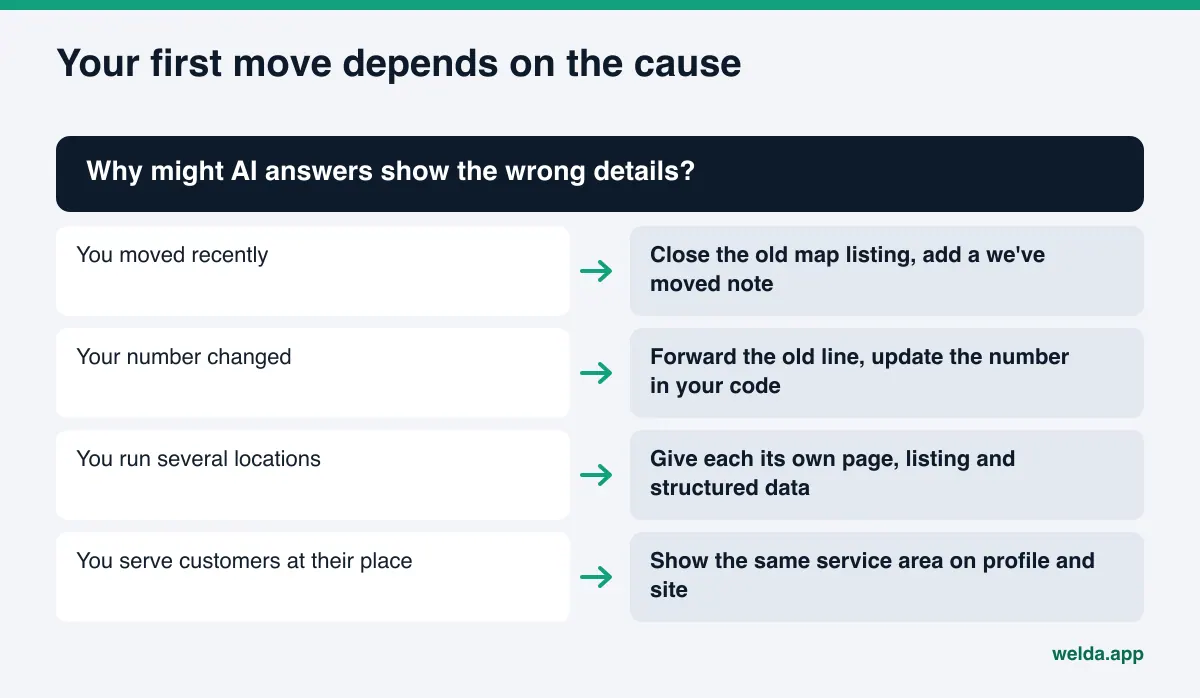
You moved. This leaves the most traces. The old address lives on in news articles, event pages and customer reviews, not just directories. You cannot change all of it. The goal is for current, trusted sources to state the new address consistently. A short "we've moved" note on your site that names both the old and new address makes the transition explicit.
Your number changed. If you can, keep the old line active for a while or forward it. If the old number is reassigned, wrong answers start ringing someone else's phone.
You have several locations. Each location needs its own page, its own map listing and its own structured data on that page. If one central number serves all locations, say so plainly. When assistants mix up locations, the most common reason is that all of them are described together on one page. Franchise and multi-location brands feel this most.
You are a service-area business. Plumbers, cleaners and mobile services can hide their address on Google Business Profile and show a service area instead. Do the same on your site: list the areas you serve instead of a street address. If the address is hidden in one place and public in another, you create a conflict.
You use call tracking numbers. If ads or analytics tools swap the number on your site dynamically, make sure the structured data and every profile always carry the primary number, not a tracking number.
Checklist: closing out a wrong address or phone number in AI answers
Work through this list until you can answer yes to every row. Wherever the honest answer is "not sure", start there.
| Check | If yes | If no |
|---|---|---|
| Is one official name, address and phone written down? | Move on | Do this first; everything else depends on it |
| Does every page on your site show the same data? | Check the code | Clean up the footer, old pages and PDFs |
| Does the structured data match the visible text? | Move to profiles | Update the code or install it from the fix pack |
| Is your Google Business Profile current and the only listing? | Move to other directories | Edit it and get duplicates closed |
| Do Apple Maps, Bing Places, Yelp and industry sites match? | Check links | Claim listings and update one by one |
| Are your site and profiles linked both ways? | Schedule a recheck | Add links and sameAs |
| Did you ask the same questions again after a few weeks? | Note remaining sources | Put it on the calendar |
If you are deciding whether to handle this yourself or bring in outside help, our guide to AEO consulting lays out what that work usually covers and which questions to ask before you hire.
Frequently asked questions
Can I just tell ChatGPT my correct phone number?
Correcting it in a chat affects that conversation. It does not change the answer other users get. A lasting fix comes from correcting the sources behind the answer: your website and your profiles.
How long until AI answers show the right information?
There is no fixed timeline. Google Business Profile edits go through review, sites get recrawled, and each assistant refreshes its sources on its own schedule. New information usually takes weeks to show up in AI answers.
A site lists my old address and I cannot reach them. What now?
Use the platform's support or correction form. If that fails, focus on making current, trusted sources more numerous and more consistent. One stale listing carries less weight against many sources that agree.
Does structured data actually make a difference?
It presents your address and phone in a form machines can read without guessing. On its own it does not change an answer, but when it matches the page it reduces conflicts between sources. Code that carries old data does harm.
Will Welda change my listing on Yelp or other directories for me?
No. Directory accounts stay with the business. Welda takes the correct data from you once, writes the text for each directory and puts the job on your to-do list. Pasting it in and verifying it is the account owner's task.
Does the free analysis tell me whether the phone number in an AI answer is right?
No. It reads the address, phone, location details and structured data on your site, and its five-question test checks whether your business name is mentioned. You need to check the number in each answer yourself.
Start with your own record
A wrong address or phone number in AI answers is usually the result of conflicting facts about your business across the web. The fix starts in the same place: one correct record, published first on your own site and then the same way on every profile. To see how your site presents that record to Google and AI assistants, run the free website analysis. You get the gaps in your address, phone and structured data, how to fix each one, and a fix pack you can add to your site.