Do product feeds for AI shopping actually matter for a small online store? Yes. When a shopper asks ChatGPT or Google's AI Mode for a product recommendation, the assistant needs current names, prices, stock status, and links. A product feed hands over that data in a clean, structured file. But a feed alone rarely wins the recommendation; your site and the sources that talk about you have to back it up.
This guide looks at product feeds for AI shopping from the point of view of an independent US online store with a few hundred SKUs. It covers where ChatGPT and Google get product data today, which feed fields shape an AI answer, why a clean feed can still leave you out of the answer, and what the work looks like in practice. If you want a baseline first, run the free AI visibility analysis. It reads your site the way search engines and AI assistants do and shows whether AI crawlers can get in, whether your business details are marked up with Schema, and how clearly you describe what you sell.
What is a product feed, and what role does it play in AI shopping?
A product feed is a data file, not a storefront. Each row describes one product or one variant: an ID, a title, a description, the product page URL, a main image, availability, and price. For years its main job was powering Google Shopping listings. Today the same kind of file is one of the inputs AI assistants use when someone asks "which one should I buy?"
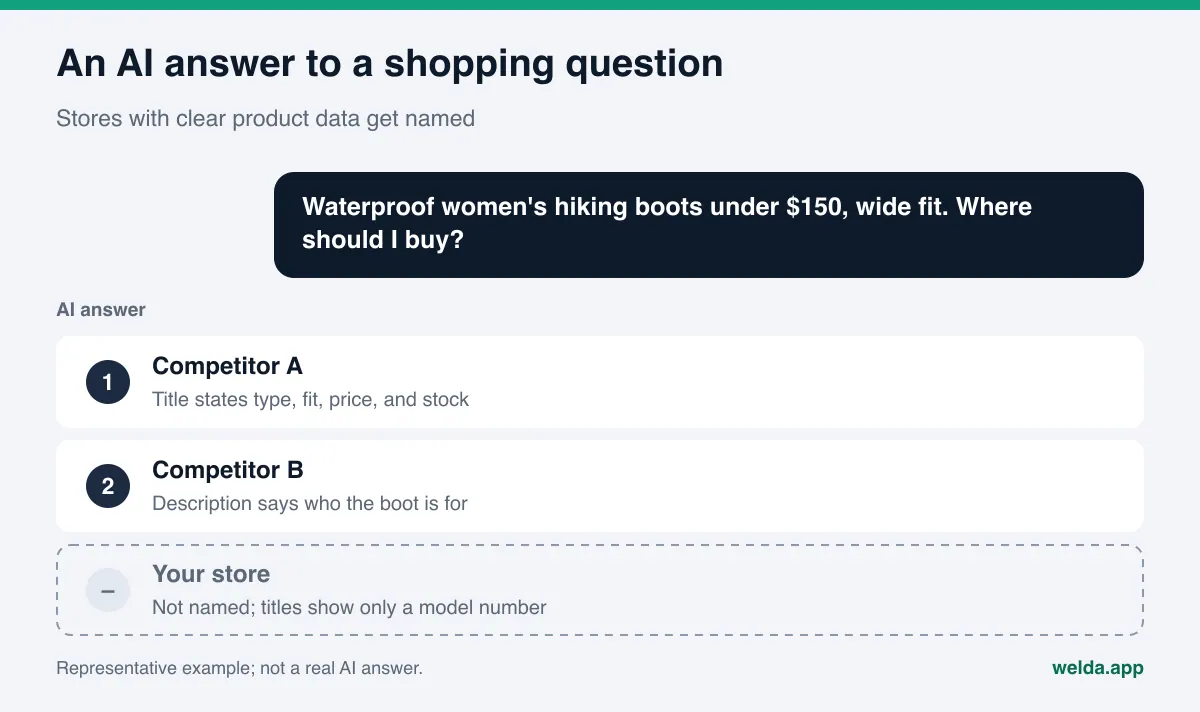
Picture a shopper typing into ChatGPT: "waterproof women's hiking boots under $150, wide fit, good for day hikes." To answer well, the assistant has to know which products match that description, what they cost right now, and whether they are in stock. Pulling that from hundreds of product pages one by one is slow and error-prone. A feed delivers it in a predictable format. So in AI shopping, the feed's job is less about being discovered and more about being understood correctly: the assistant should be able to match your product to the shopper's description and say nothing false about it.
This is the part of AEO (answer engine optimization) that is specific to ecommerce. AEO is the practice of making your business show up accurately in AI-generated answers. You will also see the term GEO, short for generative engine optimization; it describes essentially the same work, though AEO is the label most US marketers search for.
Why it matters commercially: shopping questions sit very close to the purchase. Someone searching "women's running shoes" is browsing. Someone asking "lightweight running shoe for wide feet under $120, which one?" has a short list in mind and is about to decide. The assistant names three or four products. If yours is not on that list, it does not exist for that shopper.
Where do ChatGPT and Google get product data today?
Each platform collects product information its own way, and the details keep changing. The table below summarizes what official sources say as of November 2026. Check the linked pages yourself before you plan around them.
| Platform | Where product data comes from | What it means for a US store |
|---|---|---|
| ChatGPT | Merchants can apply to share a product feed; Shopify and Etsy catalogs are already integrated; ChatGPT can also crawl your site without a feed | Shopping in ChatGPT is live for US users; a readable site matters either way |
| Google (AI Mode, AI Overviews, Shopping) | Merchant Center product data plus Product structured data on your pages | A Merchant Center account and a clean feed are usable today |
| Gemini and Perplexity | Web search and crawled pages | Clear, crawlable product and category pages carry the weight |
On the ChatGPT side, OpenAI's merchants page explains that stores can apply to share product data, that Shopify and Etsy sellers are already integrated without a separate application, and that a feed is optional because ChatGPT can also find product information by crawling. The same page says shopping is currently live for users in the US and that purchases are completed on the merchant's own site or app rather than in a standalone checkout inside ChatGPT. For a US store, that makes ChatGPT a real shopping surface right now.
On the Google side, the company's November 2025 shopping announcement describes the Shopping Graph, its product data layer, as covering more than 50 billion listings, with 2 billion updated every hour. Merchant Center feeds are one of the main ways that graph gets fed. Google's Product structured data documentation also notes that some experiences combine data from on-page structured data and Merchant Center feeds when both are available.
Why a clean feed is not enough on its own
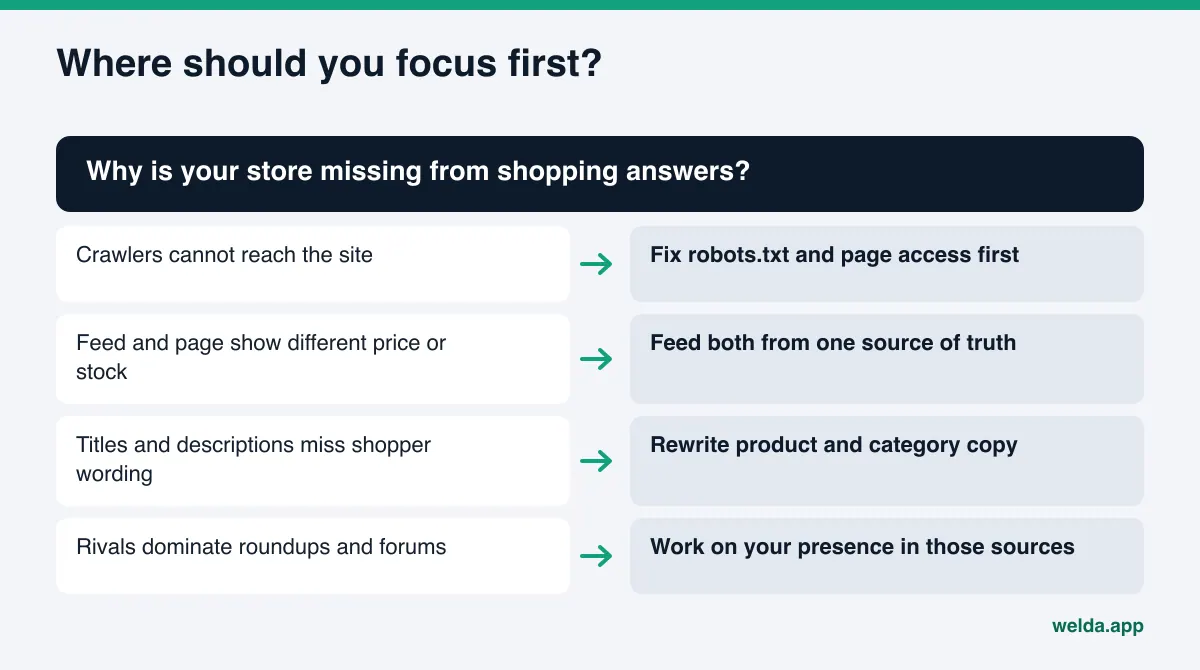
It is entirely possible to ship a flawless feed and still be missing from AI answers. Three causes come up again and again.
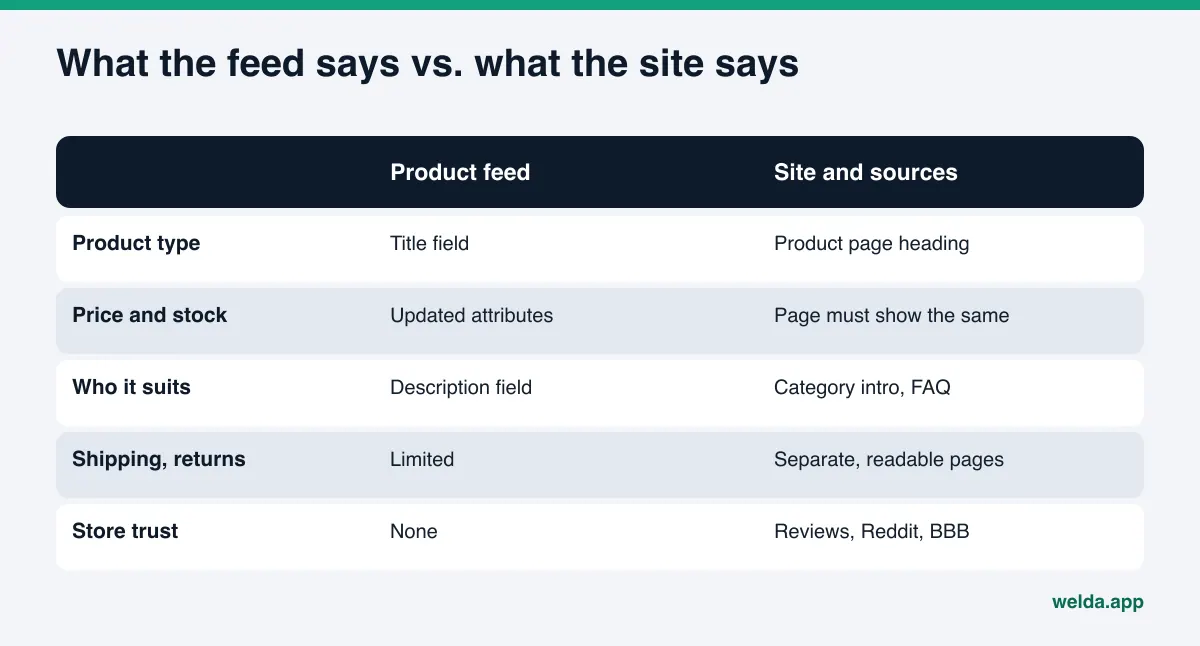
The feed and the site disagree. If the feed says $129 and the product page says $149, or the feed says "in stock" while the page says "sold out," the platform cannot tell which to trust. Google's rules expect price and availability to match the landing page. Mismatches usually appear around sales: the discount reaches the feed, but the page keeps the old price, or the other way around.
The assistant evaluates the store, not just the product. Questions like "is this brand legit," "how fast do they ship," or "what's their return policy" are not answered by a feed. The assistant pulls that from your About, shipping, and returns pages, from reviews, and from discussions elsewhere. A feed can get your product onto the list; trust signals keep it there.
The sources live somewhere else. Shopping answers often lean on marketplaces, review roundups, Reddit threads, and the BBB. If your feed is clean but your store never appears in those places, or only appears in complaints, the assistant has little reason to recommend you. The same pattern shows up when competitors show up when AI is asked about your brand; the fix there is also about sources, not the feed.
How to prepare product feeds for AI shopping, step by step
The order below is written for a store with a few hundred products on a standard ecommerce platform. Usually a platform app or a feed tool generates the file itself. Your job is to make sure what goes into it is accurate and useful.
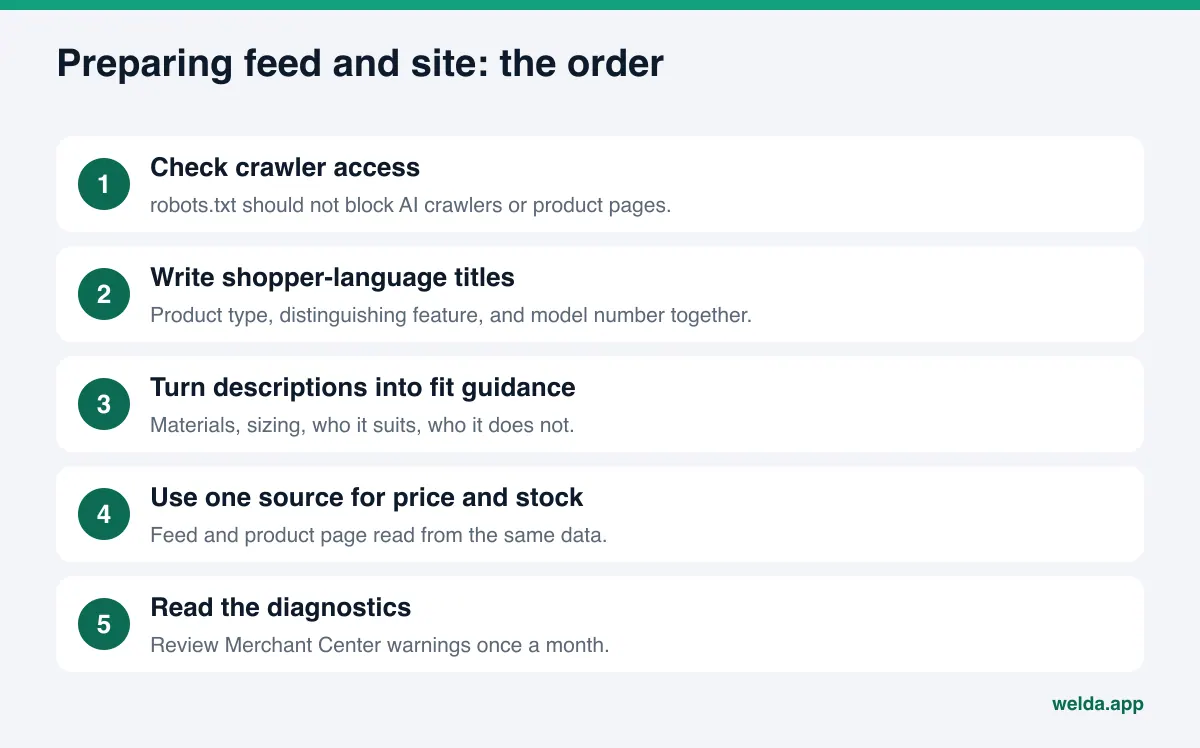
- Make sure AI crawlers can reach your site. If robots.txt blocks AI crawlers or your product pages, the assistant cannot verify anything, feed or no feed. This is the most common oversight and the quickest fix.
- Write titles the way shoppers describe products. Not "HB-2045 BLK" but "Women's waterproof hiking boot, wide fit, black, HB-2045." Include the product type, the distinguishing feature, and the model number.
- Treat descriptions as fit guidance. Materials, sizing, who it suits, and who it does not. Assistants answering "which one is right for me" are looking for exactly those sentences.
- Feed price and stock from one source of truth. The feed and the product page should read from the same database. Check both whenever a sale starts or ends.
- Add Product structured data to product pages. Name, price, availability, and brand should also be defined in the page markup. Most platforms do this automatically; test it once to confirm.
- Spell out store-level policies. Shipping times, shipping costs, returns, payment options, and contact details belong on separate, readable pages.
- Give category pages a short intro. A category page that is only a product grid tells an assistant very little. Two or three paragraphs on what you sell in that category, and for whom, go a long way.
- Set up or review Merchant Center. Google's product data specification lists the required attributes and formatting rules. Read the diagnostics report once a month.
Which feed fields shape an AI shopping answer?
Feed specifications contain dozens of attributes, and few small stores can give every one the same care. The table below shows which field decides what in a shopping answer. OpenAI's own product feed specification requires a similar core set for basic product data: item ID, title, description, URL, brand, seller name, image URL, availability, and price, plus target and store country.
| Field | What it affects in the answer | Common mistake |
|---|---|---|
| Title | Which questions the product matches | Model number or brand name only |
| Description | The reason given for "who is this for" | Manufacturer copy pasted as-is, or empty |
| Price | Whether it makes budget-based lists | Does not match the product page |
| Availability | Sold-out items not being recommended | Not updated after stock changes |
| Brand | Recognition in "products from brand X" questions | Supplier name instead of your brand |
| Image | Selection in answers that show product images | Logo, watermark, or a tiny image |
| Product URL | The shopper landing on the right page | Broken link after a promotion ends |
The description row is the one that takes real effort. Manufacturer copy rarely answers "who is this for." Sentences like "works for wide feet," "built for long shifts on your feet," or "runs small, size up by half" help both the shopper and the assistant. They also have to be true. An invented "most comfortable boot on the market" claim is not just a credibility problem. Under the FTC's truth-in-advertising guidance, claims in ads must be truthful, not deceptive or unfair, and backed by evidence. Product descriptions that end up quoted in AI answers are still your claims. This is general information, not legal advice.
Example scenario: where a small outdoor gear store starts
The scenario below is not a real business. It is a made-up example to show the order of work. The example store sells hiking footwear and accessories from its own Shopify site and through one marketplace, with around 300 SKUs.
Starting point. The store's platform already generates a feed and pushes it to Merchant Center. Product titles, though, came straight from the supplier: model number and color. Descriptions are a few lines of specs. Category pages are just product grids. Shipping and return details are buried in a long footer page.
Week one. The owner checks robots.txt and finds that a security app is blocking some crawlers. That gets fixed first. Then the owner picks the two best-selling categories, hiking boots and trail runners, and rewrites those titles as product type plus distinguishing feature plus model number.
Weeks two and three. Fit guidance is added to descriptions in those two categories: narrow or wide fit, suitable for multi-day hikes or not, which season. Each category page gets a two-paragraph intro. Shipping and returns move to their own page with a short FAQ.
After that. The owner writes down five shopping questions customers are likely to ask and notes the date of the changes. A few weeks later the same questions get checked again. What matters in this scenario is not an outcome but the sequence: access first, then the best-selling categories, then trust information. Starting with two categories instead of rewriting 300 products at once keeps the work manageable and makes it easier to see which change helped.
How Welda handles this work
Welda is not a feed tool. It does not generate your feed, manage your Merchant Center account, or apply to ChatGPT's merchant program for you. Its job around product feeds for AI shopping is to answer two questions: does your store's name come up when customers ask shopping questions, and if not, what is missing on your site and in your sources? Three parts are directly relevant here.
The free site analysis: is your site readable? The analysis reads your homepage plus a few inner pages such as services, pricing, about, and contact. For an online store, the findings that matter most are whether AI crawlers are blocked by robots.txt, whether your business details are defined with Schema markup, whether it is clear what you sell, and page speed. For each gap you see what was found, why it matters, and how to fix it. The analysis also asks five questions a customer might ask to an AI assistant that can search the web, and checks whether your store's name appears in the answers. It is a one-time snapshot, but seeing that your store never comes up for "where to buy wide-fit hiking boots" is a useful starting point. The analysis runs in English and does not audit your feed file or every product page.
Question tracking in the dashboard. In the Welda dashboard, the shopping questions your customers ask are put to ChatGPT, Gemini, Perplexity, and Google AI three times each. The questions view shows, per question, which engine names you and in what position. The decision a store owner makes on this screen is simple: which product groups am I already visible for, and which am I missing entirely? If you show up for "waterproof women's hiking boots" but never for "wide-fit hiking boots," the work is in that group's titles, descriptions, and category copy. The dashboard tracks your store name in answers, not individual SKUs.
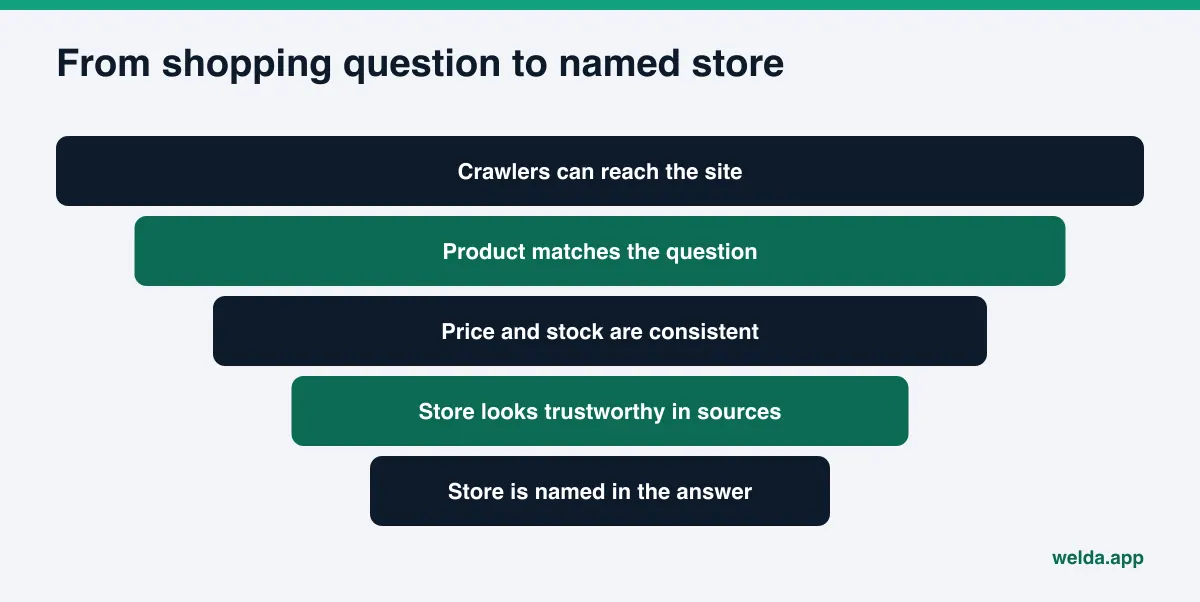
Sources and competitors. The sources view lists the sites AI engines cite when answering and where you stand on each. For ecommerce that list usually includes marketplaces, review roundups, forums, and complaint sites. The competitors view shows on which topic, and through which source, a competitor gets ahead. When a rival selling the same product gets named instead of you, the reason is often not their feed but a roundup article or a forum thread that mentions them.
From those findings Welda builds a to-do list with draft copy next to each item: category intros, FAQ entries for shipping and returns, Google Business Profile text, review responses. You approve before anything goes live. On WordPress sites Welda connects through a separate editor user and opens content as drafts; on other platforms it hands you a ready package to apply yourself. Its compliance check flags price, guarantee, and superiority claims such as "lowest price" or "best on the market" before publishing; that check is not legal advice. The feed itself stays in your ecommerce platform or feed tool. For more on how replies to reviews fit into this picture, see our guide to review responses for AI visibility.
About availability: the full Welda dashboard is in early access and is opening first in Turkey. Regular four-engine tracking is being added during early access, and sample dashboard screens use representative data. The free analysis works in English today and is the part anyone can use now. Pricing is discussed in an early access call.
What Welda does not do
Setting expectations matters here, because feed work and AI visibility work look very similar from the outside.
- Welda does not build, upload, or fix product feeds. That stays with your platform or feed tool.
- It does not guarantee that you will appear in ChatGPT, Google AI Mode, or anywhere else, and it makes no ranking promises.
- It does not write product details it does not know. Fit, materials, and who a product suits are questions it asks you.
- It does not create fake reviews. Handling negative reviews, marketplace accounts, and press outreach stays with you.
- It does not publish without your approval. Content always lives on your own site; Welda does not host content.
Timing is the other limit. New content usually takes weeks to show up in AI answers. Feed changes may be processed faster on Google's side, but answers still take time to shift. That is why one check is never enough; you have to look again at regular intervals.
Checklist: is your feed and site ready for AI shopping?
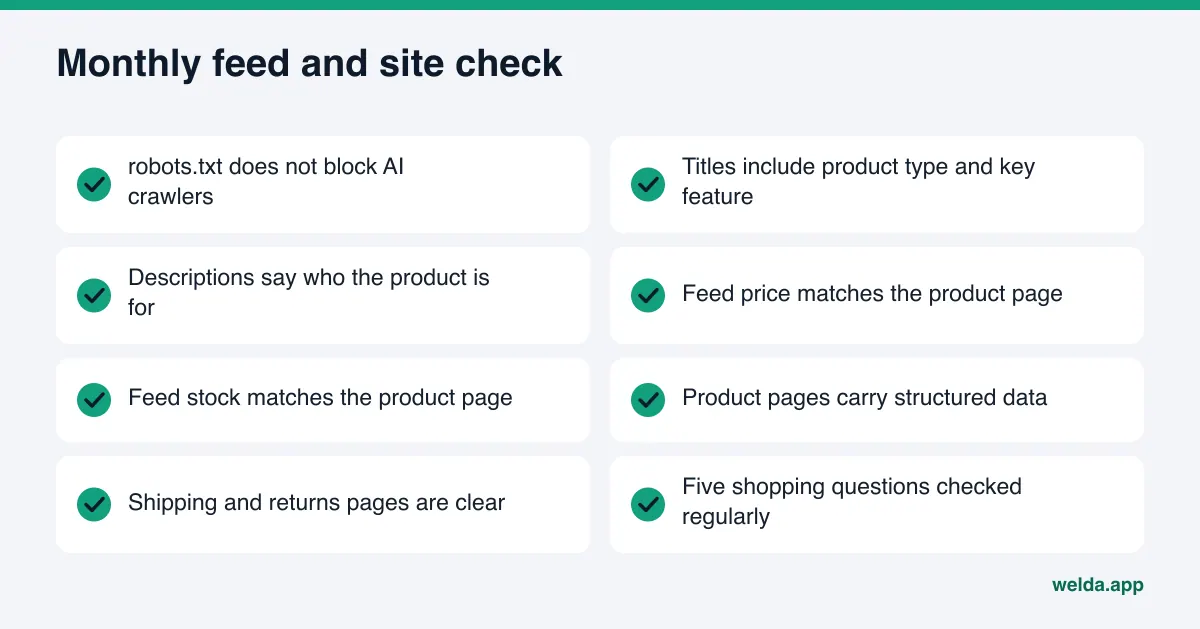
Run through this list once a month, and again before a major sale. If you can answer yes to every item, the foundation is in place.
- robots.txt does not block AI crawlers or product pages.
- Product titles include product type, distinguishing feature, and model number.
- Descriptions say who the product is for, and they are accurate.
- Feed price and stock match the product page.
- Product pages carry structured data for price, availability, and brand.
- Shipping, returns, and payment details live on clear, separate pages.
- Category pages have a short intro.
- The Merchant Center diagnostics report was reviewed in the last month.
- You know at least five shopping questions your customers ask and check whether your store is named.
The last item is the one most stores skip. A correct feed is necessary, but you only know whether it works by looking at the answers. If you want an outside check on how readable your site is overall, our guide to an AI readiness checker for websites walks through what such a check covers.
Frequently asked questions
Can ChatGPT see my products if I don't have a feed?
Yes. According to OpenAI's merchants page, a feed is optional and ChatGPT can also find product information by crawling sites. A feed gives you more control over how that information appears. Without one, a readable and consistent site matters even more.
I sell on Shopify. Do I need to apply separately?
As of November 2026, OpenAI's merchants page says Shopify and Etsy catalogs are already integrated and no additional application is required. What still matters is the quality of the titles, descriptions, and policies those catalogs contain.
Does my Google Shopping feed also feed AI answers?
Google says Merchant Center data powers the Shopping Graph and that some experiences combine on-page structured data with feed data. Google does not spell out which answer uses which data. Keeping the feed clean therefore makes sense for both classic shopping listings and AI answers.
Does Welda check my product feed?
No. Welda does not read or correct your feed file. It looks at how readable your site is to AI, checks whether your store is named in shopping questions, and drafts copy for missing content. Feed work stays with your platform.
I mostly sell on marketplaces. Do I need my own feed?
Your marketplace listings appear through that marketplace's own data. If you also sell from your own site and want to be named as a brand rather than a marketplace seller, your own site and product data need to be in order. Which comes first depends on how your sales split between channels.
How long after fixing my feed should I wait?
There is no fixed timeline. New content usually takes weeks to show up in AI answers. Note the date of each change and recheck the same questions a few weeks later; that tells you more than a single test.
Before you rework your feed, it helps to see how AI reads your site as it is today. Start the free AI visibility analysis to find out whether crawlers can reach your pages, whether your business details are marked up, and whether your store comes up for five customer questions.